
MetaDefender Kiosk 4.7.10 | |
|---|---|
14 October 2025 (Kiosk 4.7.10.4551) | |
New Features | |
Smartcard (PIV) authentication now supported on Kiosk | Kiosk now supports Smartcard (PIV) authentication, based on the FIPS 201 standard, ensuring secure and standards-compliant user access. |
Single & Multiple Choice Support for User Questions | Kiosk now supports single and multiple-choice answers for user questions, allowing administrators to configure flexible input options for improved user validation and data collection. |
Kiosk supports scanning Ivanti encrypted USBs | Kiosk now supports scanning media encrypted by Ivanti Device Control software, allowing administrators to manage and secure encrypted USB devices across both connected and air-gapped environments. |
Enhancements | |
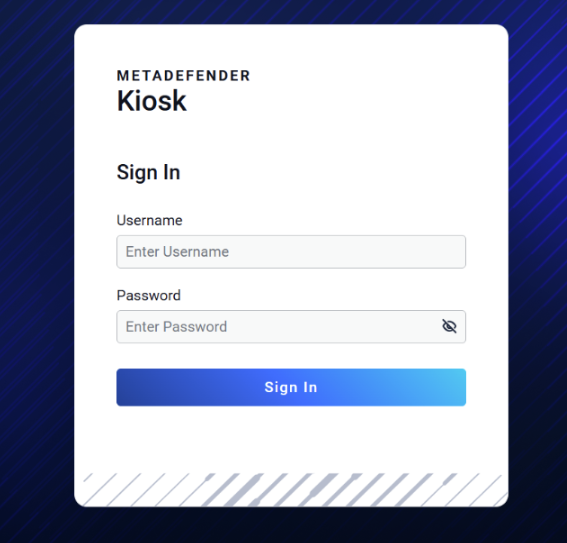
Enhanced Login page for Kiosk Management Console | The login page of Kiosk Management Console has been redesigned to improve usability and ensure a consistency user experience aligned with other OPSWAT products |
Support remote install and upgrade via Microsoft SCCM | Kiosk can now be installed and upgraded remotely using Microsoft SCCM, enabling easier deployment and management for administrators.
|
Auto-deploy Kiosk with shared Core via .INI in Out-of-Box Experience | Kiosk now supports shared Core configuration through the .INI file during OOBE auto-deployment, allowing administrators to deploy a single Core instance shared across multiple Kiosks. |
Kiosk supports integrations with MetaDefender Cluster | Kiosk now supports integration with MetaDefender Cluster, enabling scalable, distributed file scanning and centralized management for high-volume environments. |
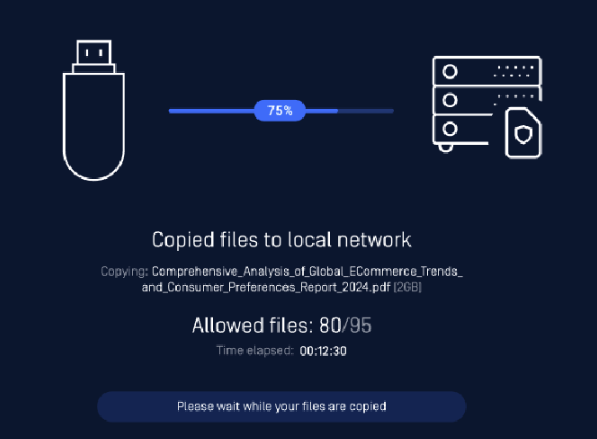
Improve UI of file copy progress | Enhanced file copy progress now includes a percentage bar, file count, and elapsed time. Providing clearer, more informative feedback to end users.
|
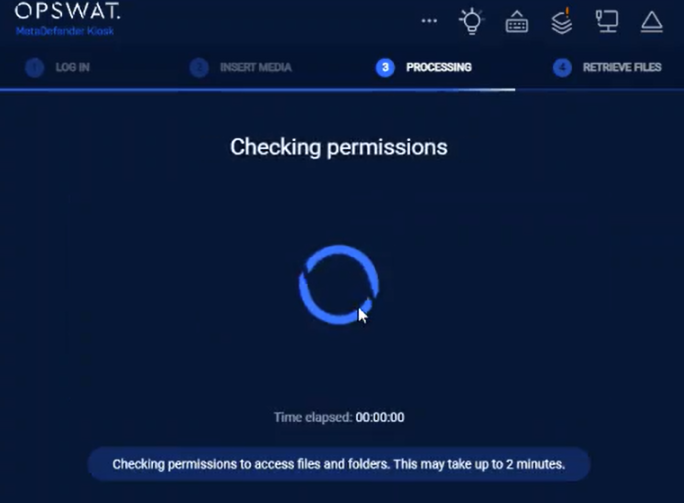
Enhance messaging during Network Share Permission checks | Kiosk now improves message display during network share permission checks, including a live timer to show elapsed time. These enhancements provide clearer user feedback and streamline the file retrieval experience.
|
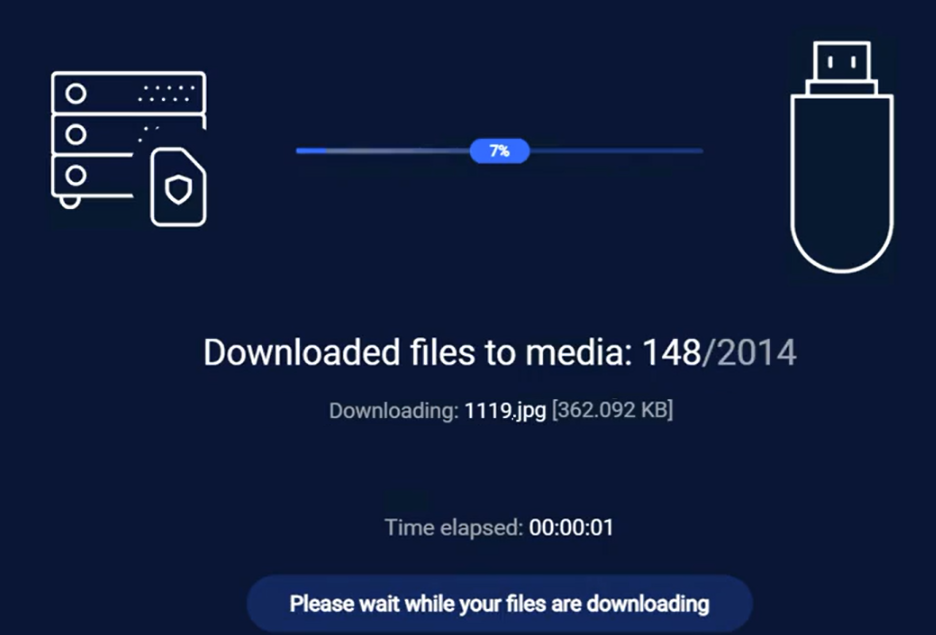
Improved file retrieval in Kiosk UI | Kiosk now displays the total file count at the start of retrieval and removes background from file names during waiting, improving user clarity.
|
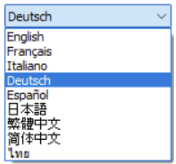
Kiosk enhanced Kingston encrypted USBs which configured different languages | Kiosk now supports detecting and unlocking the below Kingston encrypted USBs regardless of the device's language setting. This ensures seamless functionality across all supported UI languages. List of Kingston encrypted USBs supporting multiple languages:
|
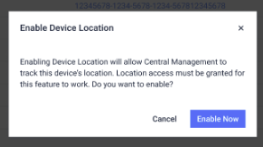
Geolocation reporting for Kiosk devices in CM10 | Administrators can now enable geolocation reporting from KIOSK devices to OPSWAT Central Management (CM10), enhancing visibility and improving device management capabilities.
|
Support for Greenhouse PicoDrive Secure GH-UF3SRxG encrypted USB | Kiosk now supports Greenhouse PicoDrive Secure GH-UF3SRxG encrypted USB |
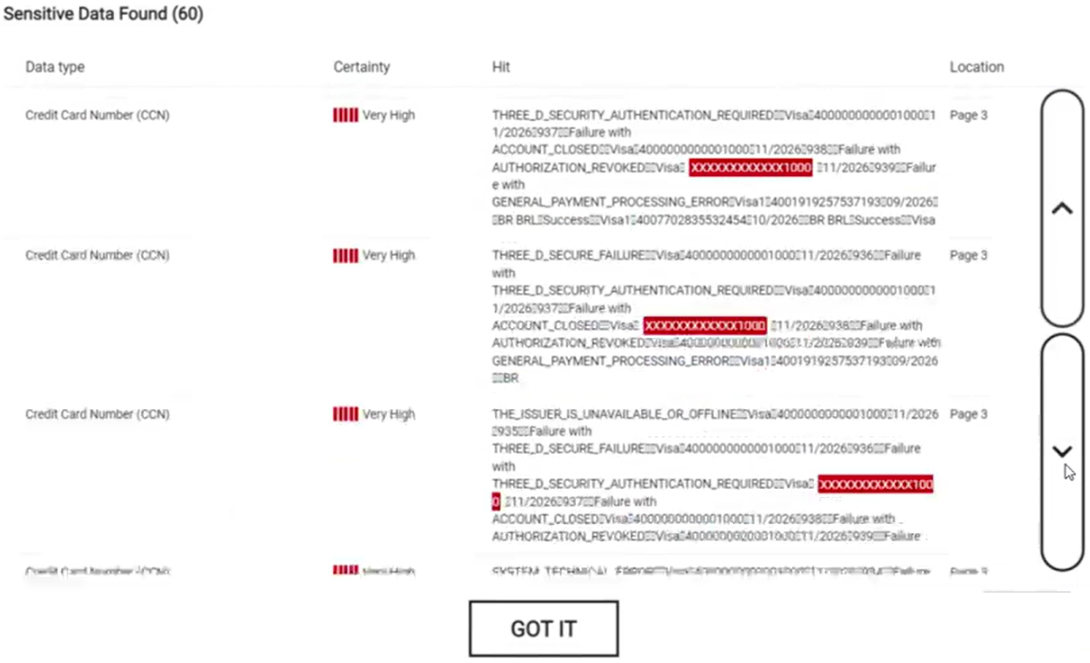
Show the Redacted Hits in the KIOSK UI | Kiosk now enhances result visibility when sensitive information is detected by the Proactive DLP engine, allowing administrators to view specific scan results for better data oversight
|
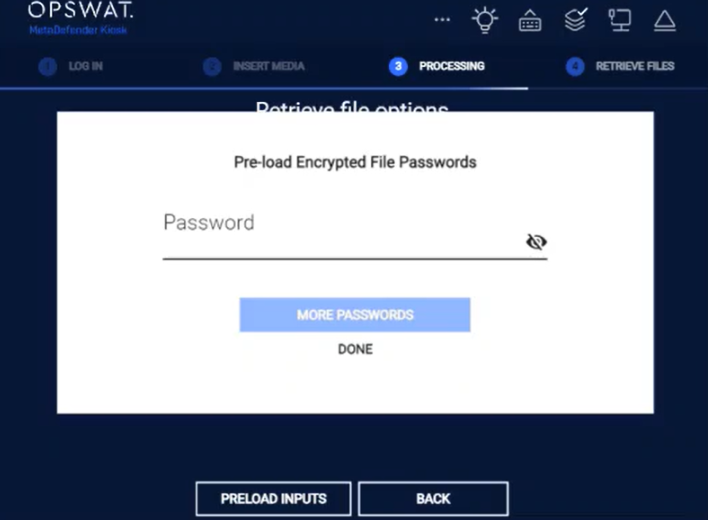
Password Handling for Encrypted Files During MFT Retrieval | Kiosk now prompts users to enter passwords for encrypted archives or protected documents during MFT/Directory file retrieval, enabling secure decryption and continued processing via Core. Users can also pre-load passwords to streamline scanning and ensure allowed files are copied as per the standard workflow.
|
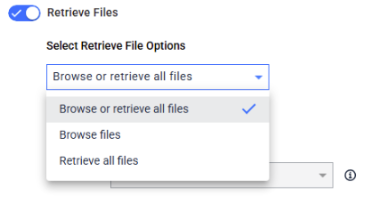
Flexible MFT file retrieval options | Administrators can now configure KIOSK to either retrieve all files or select specific files during MFT file retrieval, offering greater control and flexibility in data handling.
|
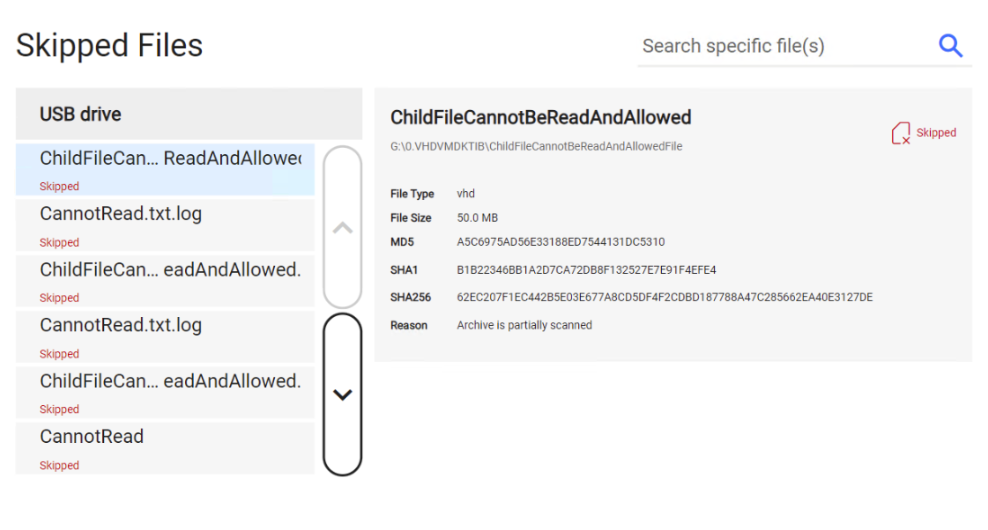
Improved scan result display of skipped files when scanning for Disk Image Files (VHD/VHDX) in KIOSK | Kiosk now marks disk image files (VHD/VHDX) as "partially scanned" or "skipped" if any child files are unreadable or skipped, improving scan result accuracy and transparency
|
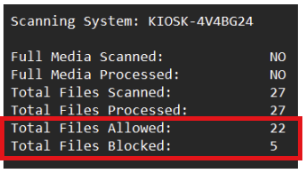
Kiosk session logs include total of allowed and blocked files | Kiosk session logs now include totals for allowed and blocked files, making it easier for administrators to quickly assess scan results and take appropriate actions
|
Kiosk now uses CRLF line ending in email body | Kiosk now uses CRLF line endings throughout the email body to meet strict email security requirements, ensuring reliable delivery across various mail servers and configurations |
Support for long path scan reporting in Virtual Disk Fiels | Kiosk now correctly generates scan reports for virtual disk image files with long file paths, ensuring accurate parent and child file reporting |
Enhanced Pre-translation for Kiosk UI text messages | Kiosk UI now improve pre-translation text messages coverage across multiple languages, enhancing localization accuracy and delivering a better user experience for global deployments. |
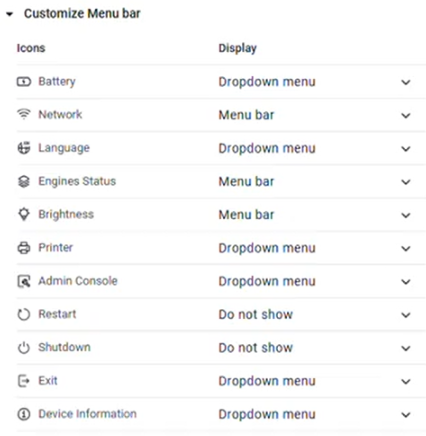
Reorder icons in menu bar customization | Reorder the icons in the customize menu bar, making it easier for administrators to locate and configure key functions efficiently
|
Enhanced disk space validation for Kiosk Hardened Image Upgrades [Kiosk Hardened Image] | Kiosk Hardened Image now includes improved disk space validation to prevent upgrade failures caused by insufficient space in the Recovery (RE) partition. This ensures reliable snapshot creation and avoids rollback issues during auto-upgrade |
Enhanced media detection reliability | Increased Paragon’s media detection timeout to prevent missed detections when partitions take longer to mount. |
Improved RTL display for user questions in KIOSK | Kiosk now ensures proper right-to-left (RTL) formatting for user question responses when Hebrew and Arabic languages are used, enhancing readability and localization accuracy. |
Bugs | |
Fix for Datalocker Sentry 5 FIPS encrypted USB unlocking in KIOSK UI | This version resolved a bug where Datalocker Sentry 5 FIPS USB devices failed to unlock in KIOSK mode due to timeout issues. The new version of Kiosk ensures stable unlocking behavior in various network environments. |
Fix for disclaimer language display issue after the Kiosk Hardened Image upgrade | Kiosk now correctly displays disclaimers in the selected language after upgrades, resolving a bug where only the default language appeared despite valid language files. |
Known issues | |
Scan results of Proactive DLP not shown for archive child files | Kiosk does not display Proactive DLP scan result if the detected file is inside archive files. |
Kiosk cannot mount Clonezilla if it is stored in a long folder name | Clonezilla fails to mount image folders when the folder name exceeds 255 characters due to filesystem limitations. |
MetaDefender KIOSK Documentation
The users can consult this web page or, alternatively, they can download the manual in pdf format from the link below:
MetaDefender KIOSK manual (SHA256: 404339BCE0F3E4C5EFA52F55903C8C617C0F9630D01E2020EC09EA6CDC1304C7).
OPSWAT MetaDefender AGD Documentation_v1.6 (SHA256: 78A69F89D3C0D0FCA8A4B8D30B2C92E55D80CC559583F23AC61158F67CE04988).