Knowledge Base
v5.12.0
Search this version
Knowledge Base
Knowledge Base
Configuration & Setup
Error & Troubleshooting
Testing & Upgrade
Title
Message
Create new category
What is the title of your new category?
Edit page index title
What is the title of the page index?
Edit category
What is the new title of your category?
Edit link
What is the new title and URL of your link?
How to Install the MetaDefender ICAP Server on Debian 9?
Copy Markdown
Open in ChatGPT
Open in Claude
Symptom of install failure
When you install ICAP Server on Debian 9 you may get the following error message:
dpkg: dependency problems prevent configuration of mdicapsrv: mdicapsrv depends on libssll.O.O (>= 1.0.0); however: Package libssll.0.0 is not installed.Reason
By default, Debian 9 is installed with libssl1.0.2. For compatibility reasons OPSWAT products require libssl1.0.0. libssl1.0.0 is, however, only available in Debian 8 repositories, and is not available for Debian 9.
Resolution
To install libssl1.0.0 on Debian 9 from a Debian 8 repository perform the following steps:
- Open https://packages.debian.org/jessie/libssl1.0.0 in your browser
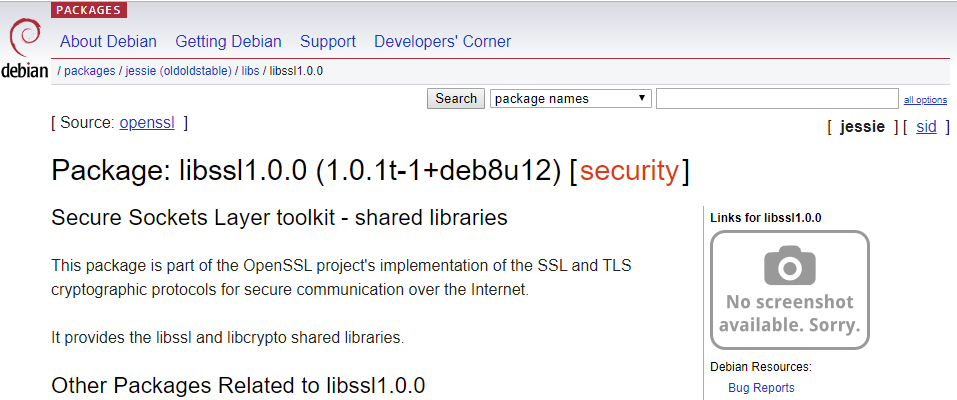
- In the "Downloads" section, at the bottom of the page, select your server's architecture
- Select a mirror (http://security.debian.org/debian-security in the example) and download the package
# wget http://security.debian.org/debian-security/pool/updates/main/o/openssl/libssl1.0.0_1.0.1t-1+deb8u12_amd64.deb- Install the downloaded package
# dpkg —i libssl1.0.0_1.0.1t-1+deb8u12_amd64.deb- Clean-up the previous broken ICAP Server installation (optional)
# apt --fix-broken install- Re-install ICAP Server
# dpkg -i mdicapsrv_4.7.0-1_amd64.debType to search, ESC to discard
Type to search, ESC to discard
Last updated on
Was this page helpful?
Discard Changes
Do you want to discard your current changes and overwrite with the template?
Archive Synced Block
Message
Create new Template
What is this template's title?
Delete Template
Message
