
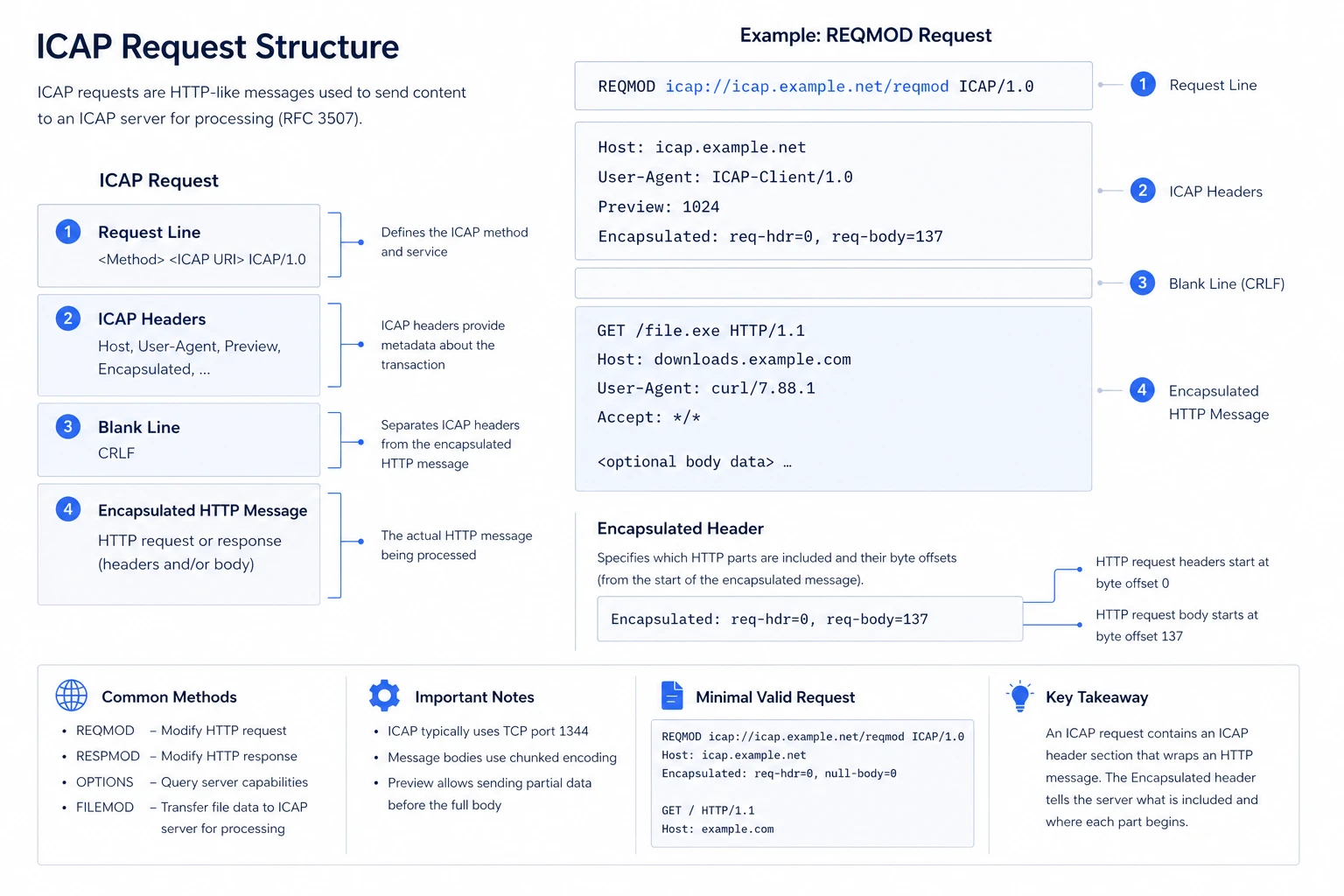
ICAP requests (defined in RFC 3507) are HTTP-like messages used to send content to the ICAP Server for processing.
Basic format:
EXAMPLE: REQMOD Request:
Key Elements:
Request line:
Defines the method and service:
REQMOD- modify HTTP requestRESPMOD- modify HTTP responseOPTIONS- query capabilitiesFILEMOD- Transfer file data to ICAP server for processing
ICAP Headers
Provide metadata (e.g.,
Host,User-Agent,Preview)
Encapsulated header (required)
Specifies which HTTP parts are included and their offsets
Example:
Embedded HTTP message
The actual HTTP request or response being processed
Invalid ICAP requests — such as those with malformed structure, unsupported methods, or missing mandatory headers — are rejected by the ICAP server and result in a 400 (Bad Request) response. Ensuring that requests follow the correct format, including a valid request line and properly defined Encapsulated header, is essential for successful processing.
OPTIONS
Sent by the client to discover what methods and capabilities the ICAP server supports.
Example request:
Example response:
REQMOD
Used to intercept and scan or modify an outgoing HTTP request, such as a file upload.
Example request:
Example response:
RESPMOD
Used to intercept and scan or modify an HTTP response being returned to the client, such as a file download.
Example request:
Example response (threat detected):
FILEMOD
A non-standard extension that passes a local file path to the ICAP server for in-place scanning, without streaming the file over the network.
Example request:
Example response (threat detected):
Example response (clean file):