
This article applies to all MetaDefender ICAP Server releases deployed on Windows and Linux systems.
In MetaDefender ICAP UI > History > Processing History, you may notice many entries labeled “No Content to Scan”
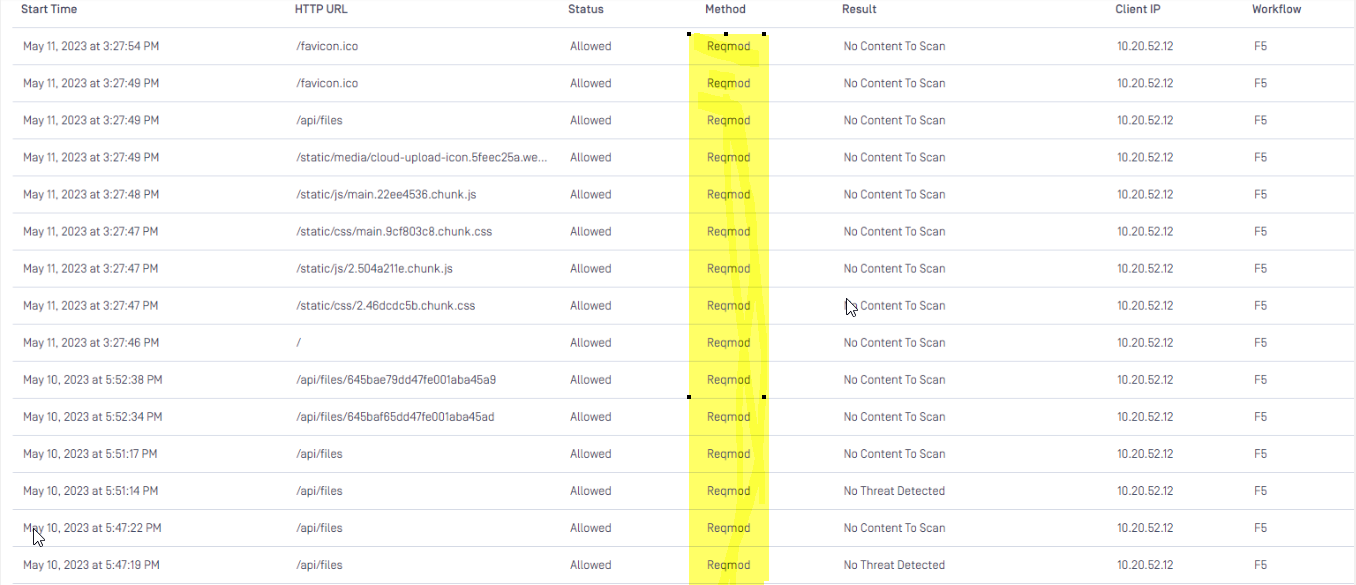
What does it mean?
When a user downloads a file through a browser, two types of ICAP requests are typically sent to the MetaDefender ICAP server:
REQMOD (Request Modification):
Sent from the client to the web server when requesting to download a file.
This request is forwarded to MD ICAP Server.
RESPMOD (Response Modification):
Sent from the web server back to the client, containing the actual file data
This request is also forwarded to the ICAP server for scanning
If the REQMOD request contains only HTTP headers (and no request body data), MD ICAP cannot scan any content.
In this case, it records the entry as “No content to scan”.
Key Point
“No content to scan” does not indicate an error.
It simply means the ICAP request had no body data available for scanning.
If Further Assistance is required, please proceed to log a support case or chatting with our support engineer.