
This article applies to all MetaDefender ICAP Server releases deployed on Windows and Linux systems when integrated with F5.
Issue
In MetaDefender ICAP UI > History > Processing History, you may notice many entries labeled “No Content to Scan”.
Root cause
F5 is sending multiple HTTP GET requests to MetaDefender ICAP server.
These requests do not include any body content.
Since there is no payload to inspect, the MetaDefender ICAP server records the events as “No content to scan”.
Solution
To reduce unneccessary scan requests, configure F5 to only send requests that includes content (e.g, POST requests).
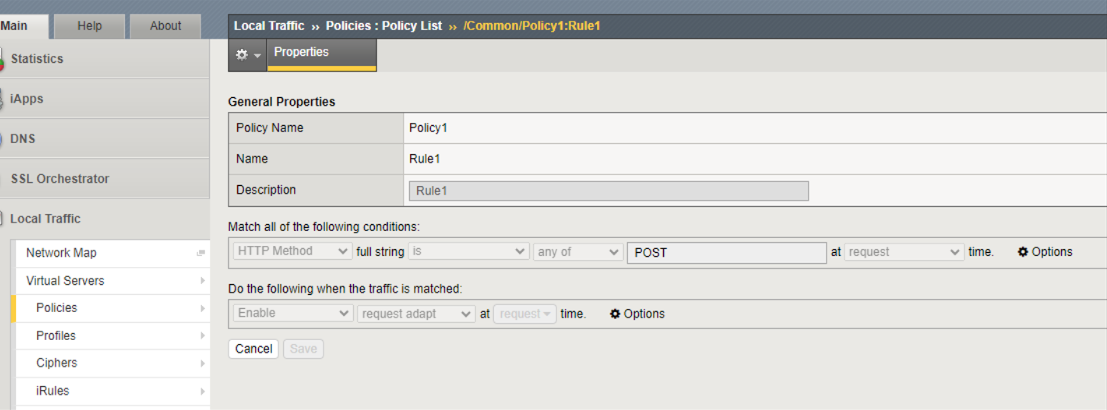
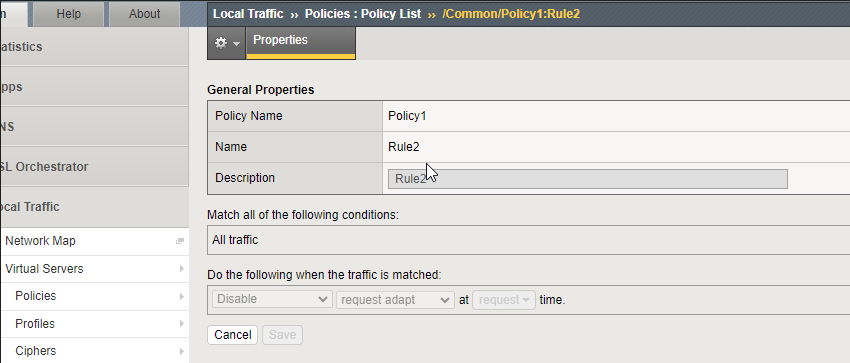
Create a Policy Create a Policy1 with two rules to filter and only scan POST request
Rule 1
Rule 2
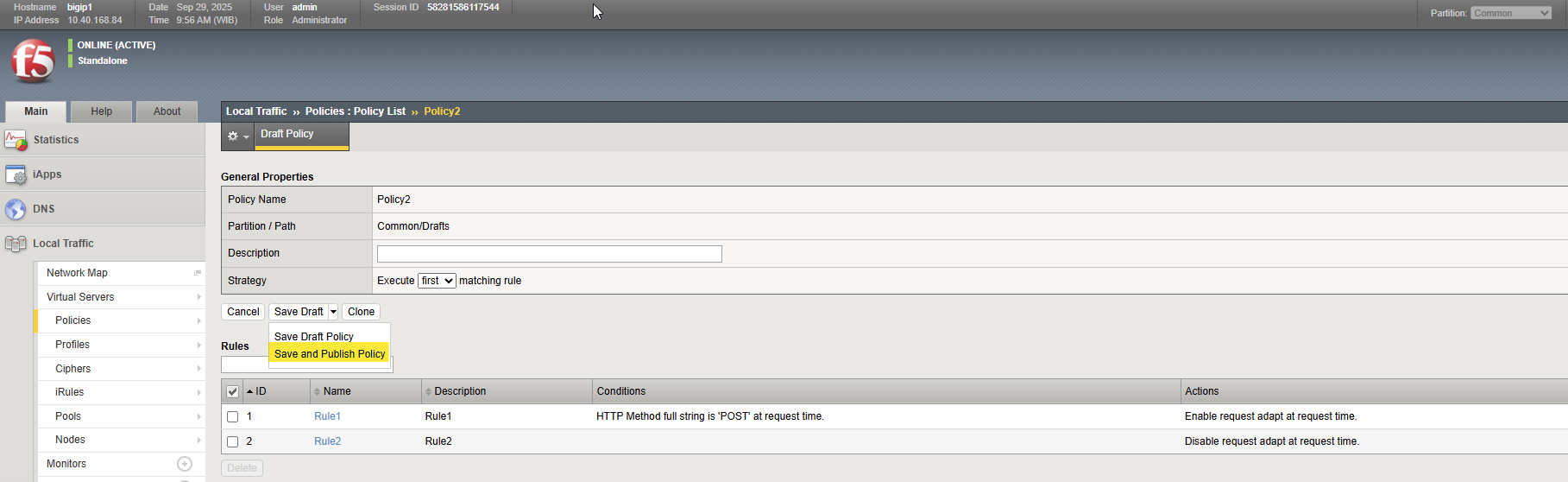
Publish the policy
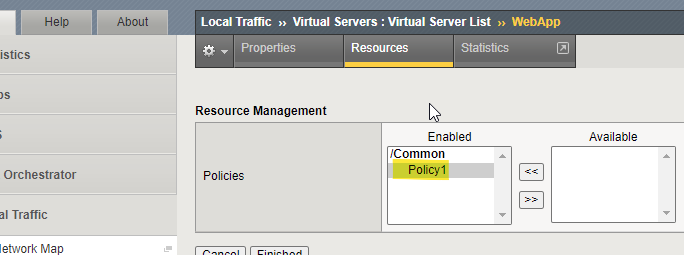
Attach the Policy to the virtual server
Edit your WebApp virtual server

Navigate to Resources tab, under iRules, click Manage button
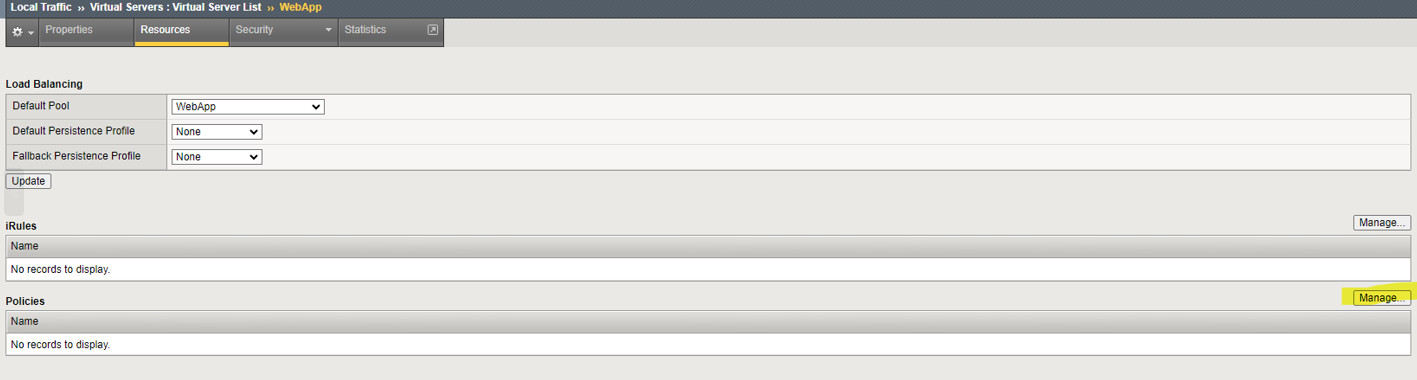
Enable Policy1 (created in Step 1)
For detailed F5 configuration guidelines,see: 4.5. Managing ICAP Policies
If Further Assistance is required, please proceed to log a support case or chatting with our support engineer.