
This article applies to all MetaDefender V5 releases deployed on Windows and Linux systems.
This knowledge base article addresses concerns regarding a database error encountered after upgrading to v5.11.0.
When this error occurs, the MD Core UI displays a database configuration error message:
“There’s a problem when connecting to the database. Please contact your administrator.”
The Core fails to connect to the database. The PostgreSQL logs indicate an issue with password authentication:
DETAIL: User "postgres" does not have a valid SCRAM secret.
This issue does not affect all cases when upgrading to v5.11.0.
It specifically occurs when the customer has previously upgraded from version 5.5.1 or older to version 5.6.0 or newer, and then again to version 5.11.0.
Remediation Steps
In the short term, the engineering team has created a workaround tool to address this issue. See the steps below for both Windows and Linux platforms.
In the long term, a fix will be included in the v5.11.1 release.
Steps to Run the Tool (Password to unzip: opswat123)
Windows:
Link to download: ometascan-fix-upgrade-scram-Windows.zip (SHA1: F6F0C8444CB99C903B52E0435A088EC398A5483E)
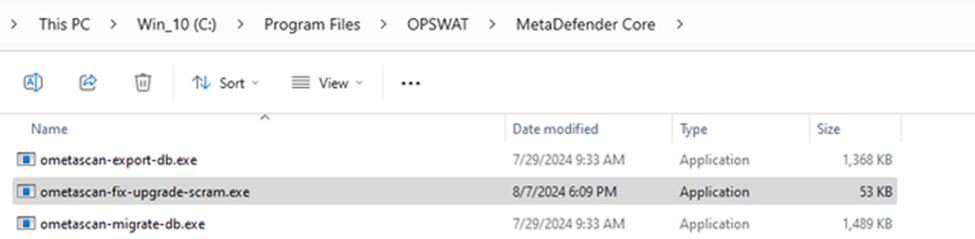
Extract and copy the tool to Core’s installation folder on Windows.
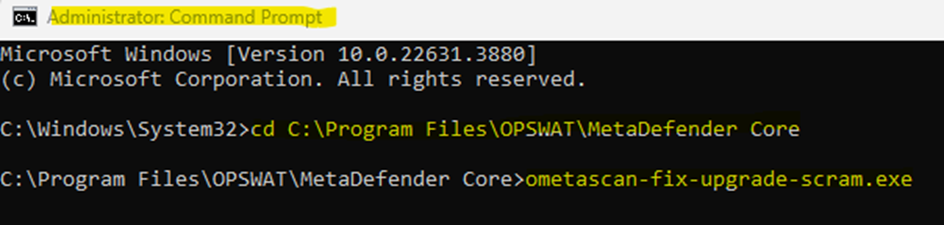
Open Command Prompt as Administrator, navigate to Core’s installation directory, and run the tool.
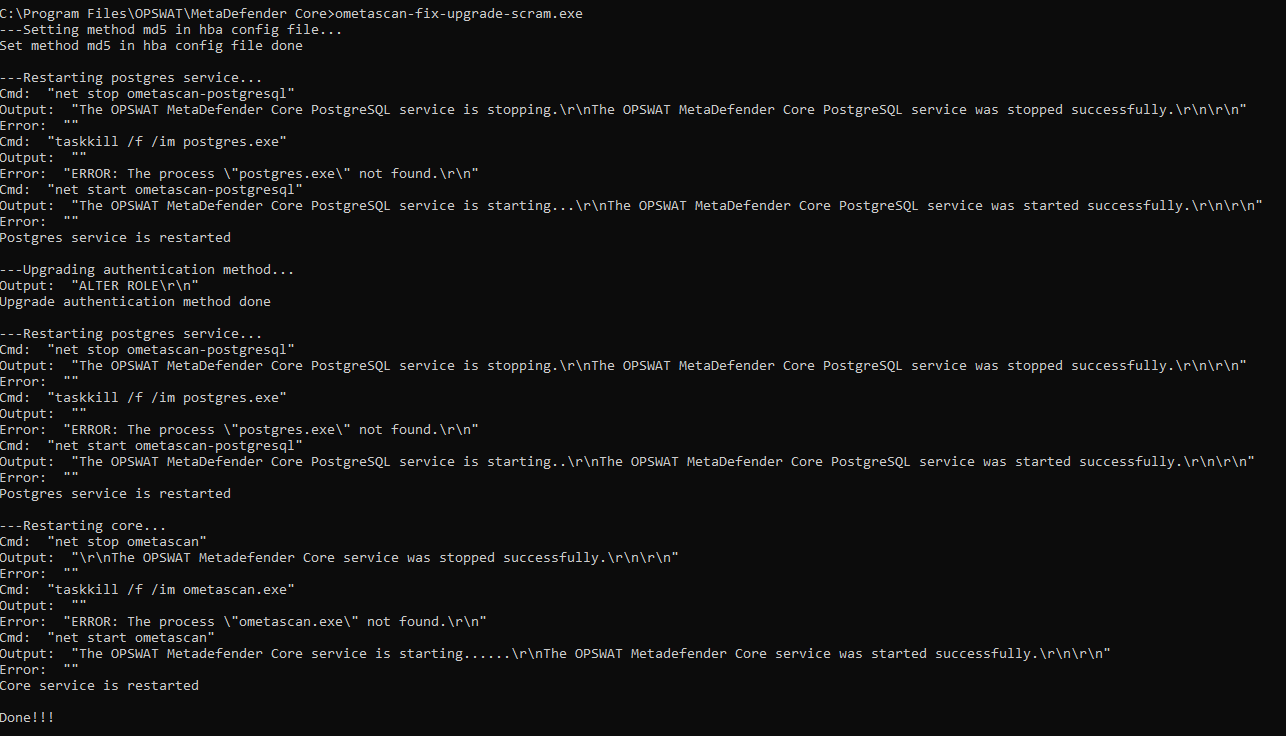
Check the output; it should look like the image below.
If the script didn't run successfully, please try restarting the system and then run the script again.
Linux:
Link to download: ometascan-fix-upgrade-scram-Linux.zip (SHA1: F8B0AA96A844EC9C455125007D673CD5F5B7C410)
Run the below commands:

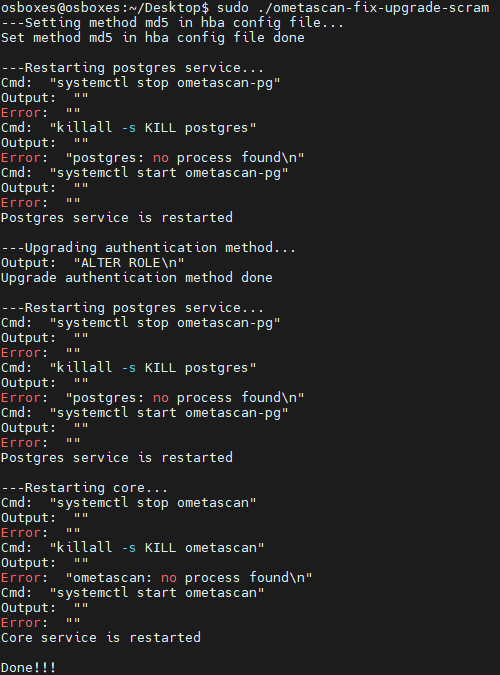
Run the tool with sudo
Check the output, it should looks as below
After running the tool, open the Core Management Console and try to log in.
If the issue persists, please capture a screenshot of step #3 and send it to Support for further analysis.
If Further Assistance is required, please follow the instructions on How to Create Support Package With Bundle Tools?, then proceed to create support case or chatting with our support engineer.