
How to completely uninstall MetaDefender Core?
This article applies to all MetaDefender Core releases deployed on Windows systems.
After uninstalling via “Add & remove”
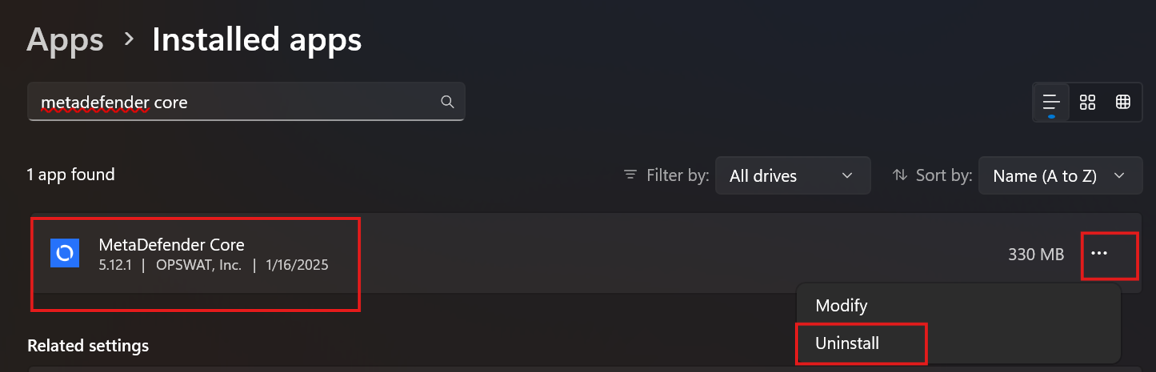
Please remove the following and restart the machine:
Default paths are mentioned below, if you performed a custom install then please ensure to use the custom path
Navigate to the File Explorer and remove the following folders if they exist:
“MetaDefender Core” located at "C:\Program Files\OPSWAT\MetaDefender Core"
“MetaDefender Core” located at “C:\ProgramData\MetaDefender Core”
Navigate to the Registry Editor and remove the following keys if they exist [any changes to the registry will require a machine restart to take effect]
“Metascan” located at “Computer\HKEY_LOCAL_MACHINE\SOFTWARE\OPSWAT\Metascan”
“MetaDefender Core” located at “Computer\HKEY_CURRENT_USER\Software\OPSWAT\MetaDefender Core”
If Further Assistance is required, please proceed to create a support case or chat with our support engineer.