
Knowledge Base
v5.14.0
Search this version
How to generate a Core's scan result summary in JSON format
Check Your Version:
This article applies to all MetaDefender Core V4 and V5 releases.
The following instructions will guide you through the process of saving your MetaDefender Core scan results to a JSON file.
Option 1 (V5)
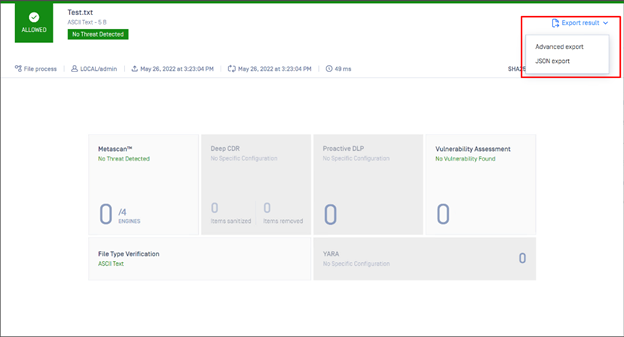
MetaDefender Core V5 releases include an option to export a JSON result directly from the Console. Select JSON Export as illustrated in the screenshot below:
Option 2 (V4/V5)
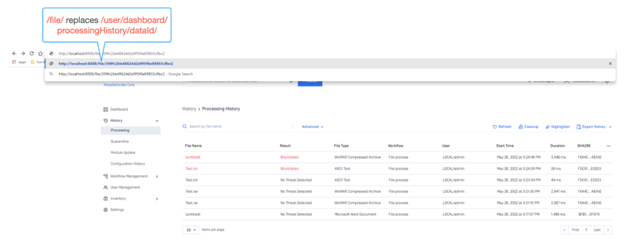
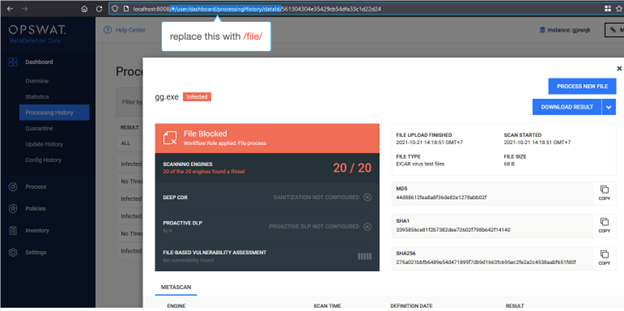
On the MetaDefender Core Scan Result Page, modify the URL as follows:
http://localhost:8008/#/user/dashboard/processingHistory/dataId/399fc2bb48624d2d9f5f6e89855c9bc2
=> http://localhost:8008/file/399fc2bb48624d2d9f5f6e89855c9bc2
Or, as illustrated in the relevant screenshot below:
V5:
V4:
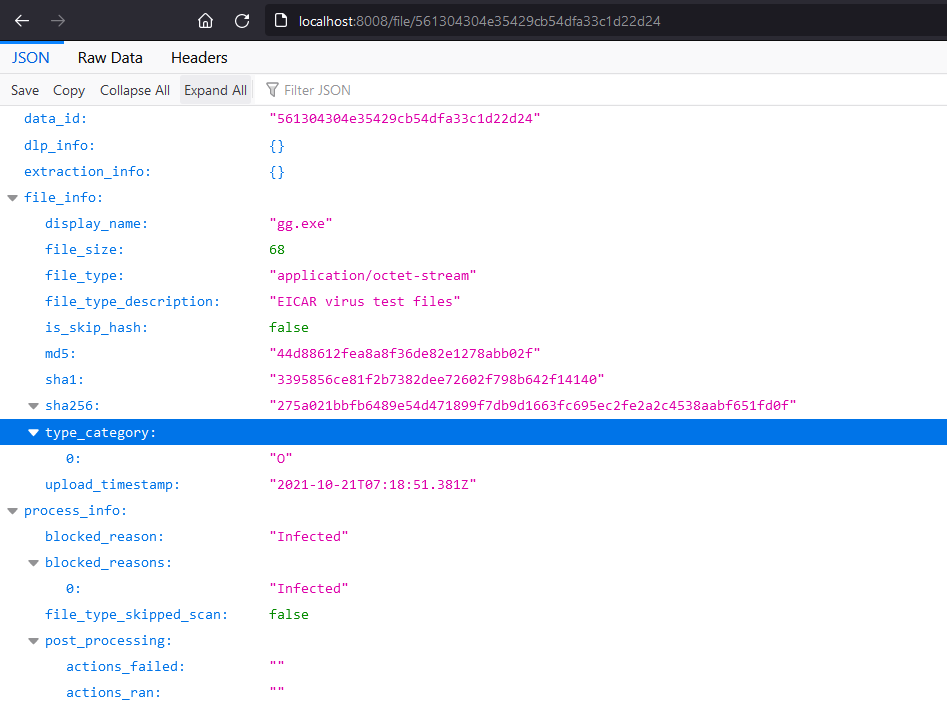
Hit Enter, and your screen will update as follows:
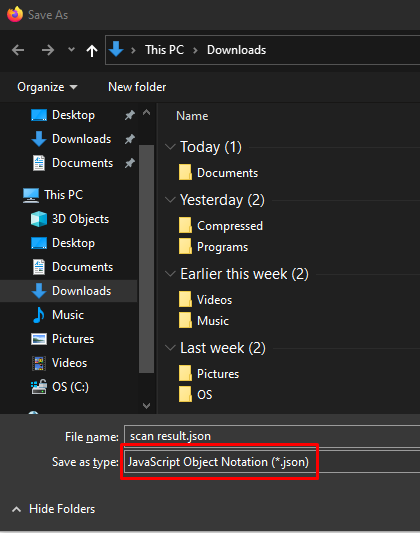
Finally, hit Ctrl+S to save this scan result into a JSON file, as follows:
Last updated on
Was this page helpful?
Knowledge Base
Knowledge Base
Configuration and Settings
Errors and Troubleshooting
Features and Functionality
Licensing, Setup and Deployment
Updates, Patches and Bug Fixes