
You can download a default rebranding package from My OPSWAT Central Management console and start customizing the logo and text in the package. Please make sure you follow the instructions below while you create a new rebranding package. My OPSWAT Central Management will not show a detailed error if you do not follow the below guideline today.
Don't alternate filenames in the default package
Don't alternate field names in all JSON file
All JSON files must be saved in UTF-8 format
Don't delete variables and html, for example My OPSWAT Central Management, in JSON files
The zip file should contain both logo.png and all JSON file in the root folder.
The screenshots and tables below show you how to customize color and logo for each section on the remediation page.
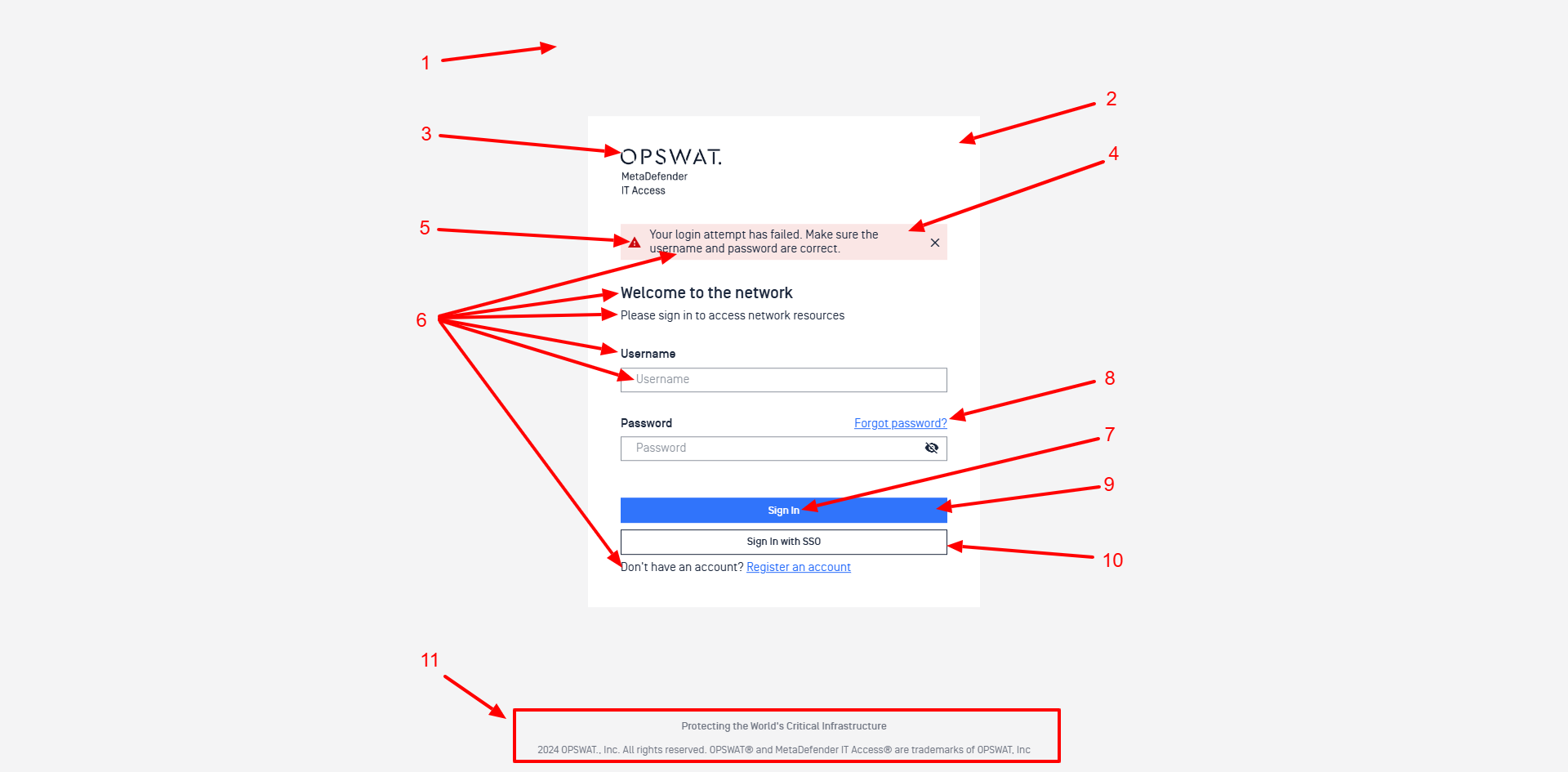
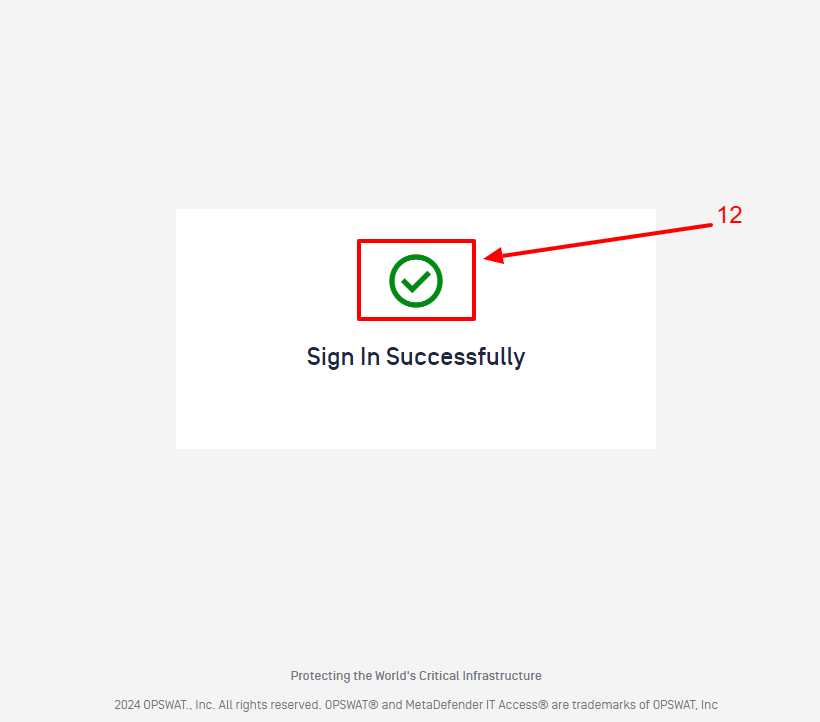
Table 1: Logo Guideline
Instructions to logo on the remediation on the Guest login page.
rebranding.zip
Section | File | Description |
|---|---|---|
03 | Logo.png | Replace the logo.png file in the rebranding package with your organization logo. |
Table 2: Color Guideline
Define colors you would like to use on the Guest login page.
File: generic.json
Section | Color Parameter | Description |
|---|---|---|
01 |
| This is indicates the background color of the whole page |
02 |
| This is used for the background color of the Guest form |
04 |
| The background color of the alert popup |
05 |
| The color of the Warning icon displays on the alert popup |
06 |
| Apply the color for the normal text on the page, does not include button text and text link |
07 |
| Color of the text on the button Sign In (Login page) and Register (Registration page) |
08 |
| Color of text link |
09 |
| Background color of the button Sign In (Login page) and Register (Registration page) |
10 |
| Color of the text and border on the Sign In with SSO button |
11 |
| Color of the trademark text at the end of page |
12 |
| Color of the icon display after a User successfully Sign in |