
This feature requires a premium My OPSWAT Central Management License.
This section guides you through a workflow to protect your applications with SDP method. For testing purposes, OPSWAT hosts a demo application at demo.sdp.opswat.com
On This Page
Before You Begin
You will need to ensure that Enable Secure Access is checked off. This can be found in Secure Access > Protected Apps.
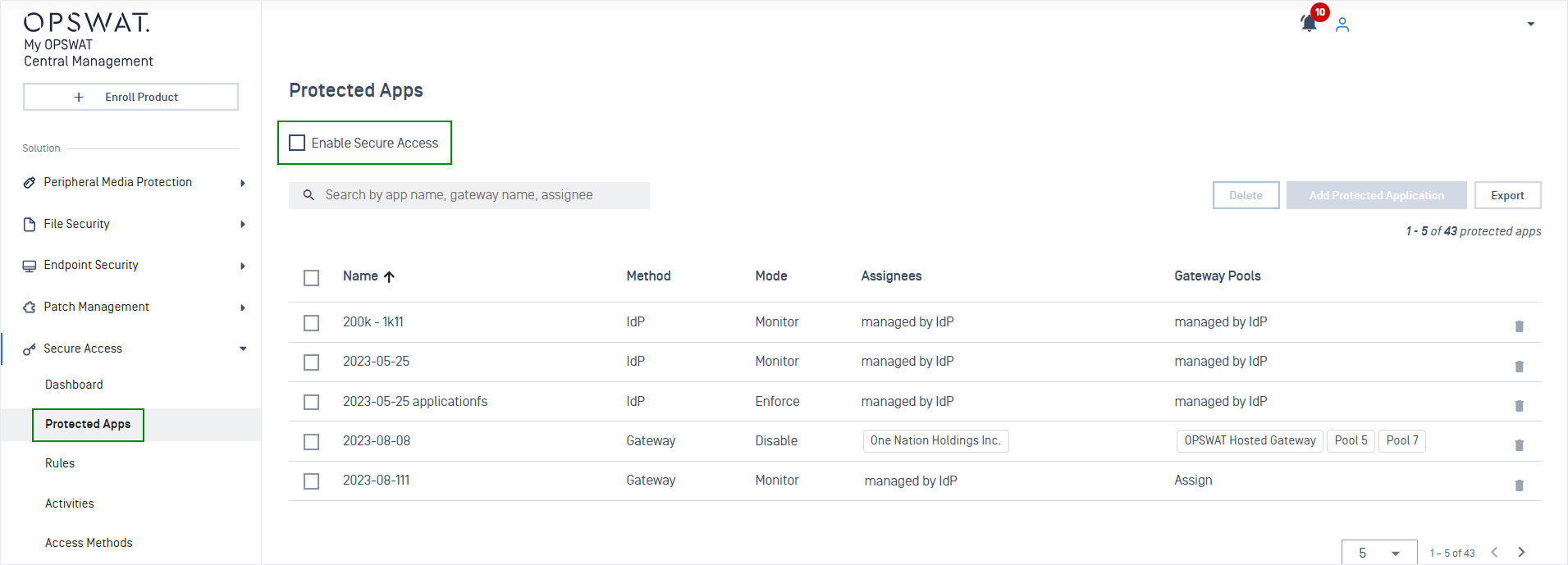
Add Protected Application
Click Add Protected Application, then choose your preferred method.
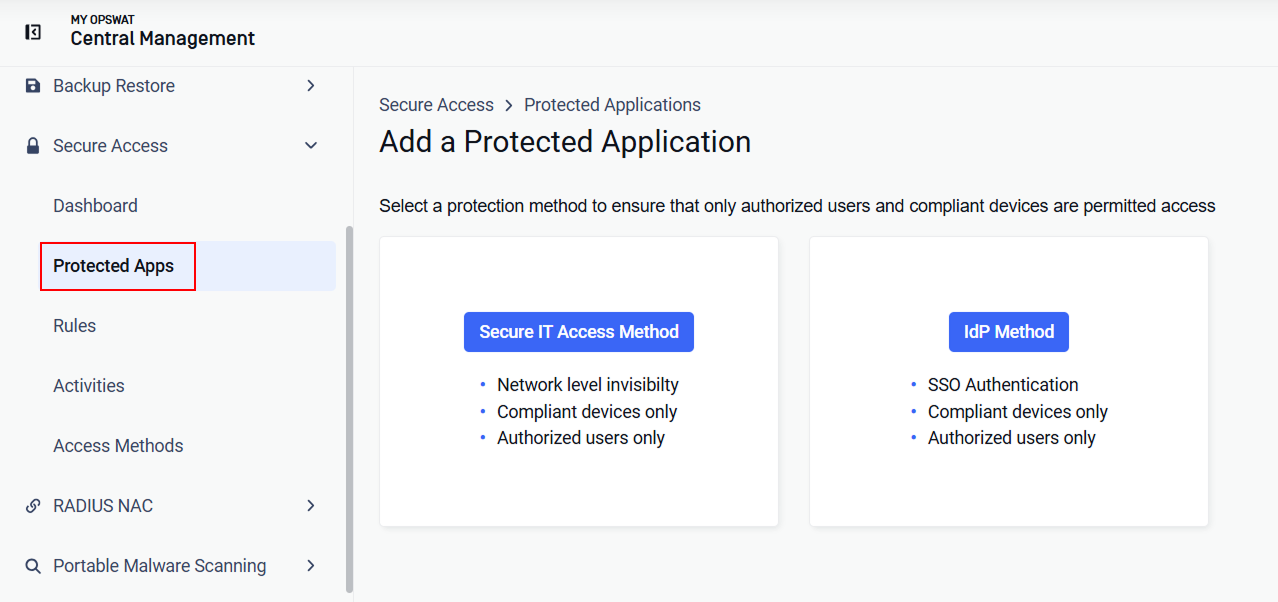
Secure IT Access Method
Select Secure IT Access Method to begin.
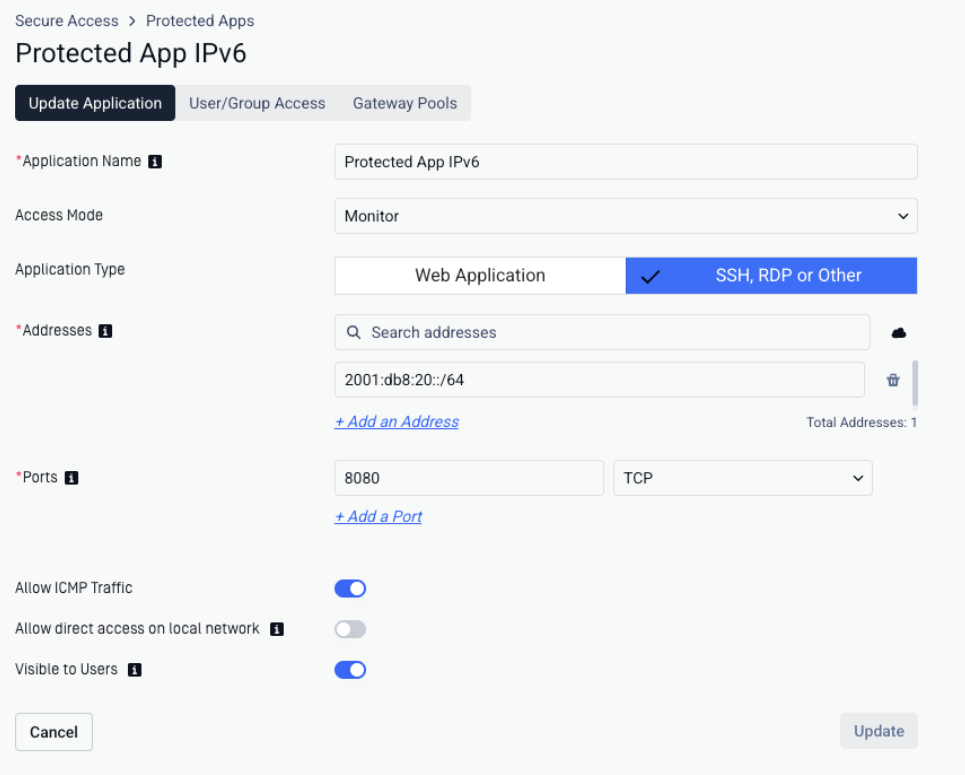
Configuration | Details |
|---|---|
Application Name | This name will be shown to your end-users |
Access Mode |
|
Application Type | Select Web Application or SSH, RDP, or Other
|
Addresses (for SSH, RDP, or Other) | Each address can be an IPv4 or IPv6 address, range or CIDR block, or a domain:
An application can list IPv4 and IPv6 addresses together |
Application URL (for Web Application) | Where the application is hosted |
Ports | Ports the application is running |
Allow ICMP Traffic | Check Allow ICMP Traffic if you allow devices send ICMP traffic to the application |
Visible to Users | Check Visible to Users if you want to users to see the applications listed in the SDP section of the OPSWAT Client. Hidden applications will still be accessible to users according to your access rules |
Note: For commonly used applications, please refer to Common Used Applications guideline.
idP Method
To protect applications with the IdP Method, you can refer Add Protected Applications with IdP Method.
User Assignment
Assign who can access to this application. This step can be skipped and do later. Refer Assign Users/Groups to a Protected Application for more details.
Click the arrow icon to add to the selected Users/Groups lists to grant end-users/IdP groups access to the applications.
Click Assign.
Gateways
You may be asked to set up a SDP Gateway if you have not set up SDP Gateway, please refer Set Up Gateways for more details.
Configure your firewall/proxy to lock the application down so only SDP Gateways can reach your application. Allow each gateway's IPv4 address for IPv4 applications and its IPv6 address for IPv6 applications. Both are shown in the Gateway Configuration Tool under [F7] Network Info.
Note A gateway reaches an application over the same IP version as the application's address. To protect IPv6 applications, assign them to gateways that have IPv6 configured.
Assign what gateways can access to this application. This step can be skipped and do later.
Click the arrow icon to add the selected gateway(s) to the access list for applications.
Click Assign.