
Ping Identity and OPSWAT have collaborated on an DaVinci Connector that permits an authentication flow to check a device’s compliance using My OPSWAT Central Management. This is a different integration approach than outlined PingOne IdP with Salesforce, which uses My OPSWAT Central Management’s ability to be in the SAML authentication flow of an IdP like PingFederation.
This integration approach, leveraging DaVinci, is easier to integrate than the SAML IdP approach as there is no need to understand the SAML protocol and cross integrate the IdP with My OPSWAT Central Management. As described below, within DaVinci, as a result of the collaboration between OPSWAT and PingIdentity, you will find a pre-built Connector for My OPSWAT Central Management that is easy to add to a flow. You can find details here.
The following describes how to prepare My OPSWAT Central Management for the DaVinci integration, and then details how to configure the DaVinci flow to call to My OPSWAT Central Management.
Preparing My OPSWAT Central Management
Below are the provided steps for establishing Ping DaVinci with My OPSWAT Central Management
Sign up for an account on My OPSWAT Central Management
Create an application on My OPSWAT Central Management OAuth portal to get client key and client secret.
Navigate to the OAuth Application Portal: My OPSWAT Central Management
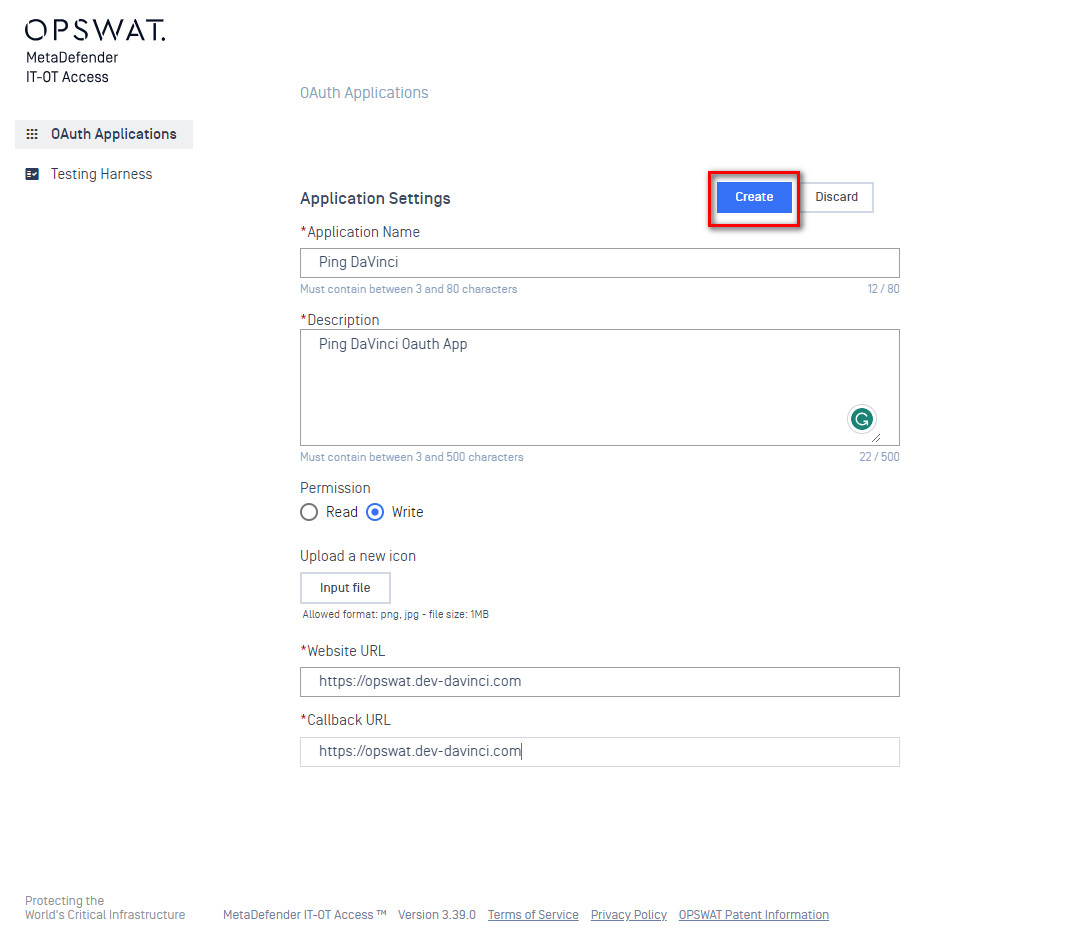
Create an OAuth Application for Ping DaVinci:
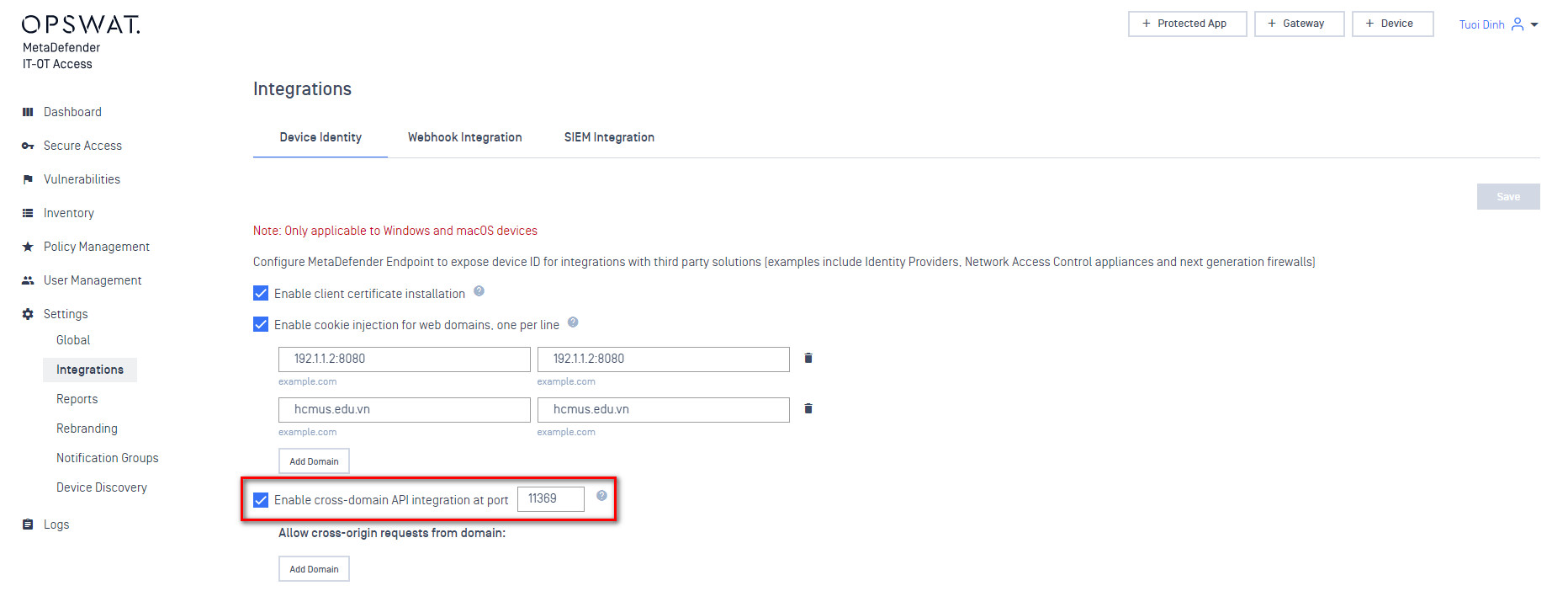
Enable Cross-domain API settings, in Settings > Integrations, on your My OPSWAT Central Management account.
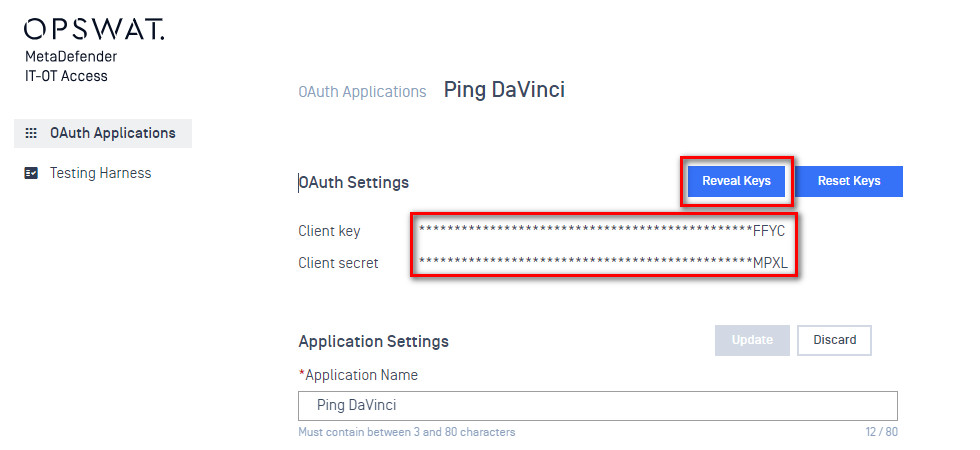
Client key and secret, from the My OPSWAT Central Management OAuth Settings Portal, will be required when configuring the Davinci Connector
Configuring the DaVinci Flow
Input your My OPSWAT Central Management settings to your Connector configuration:
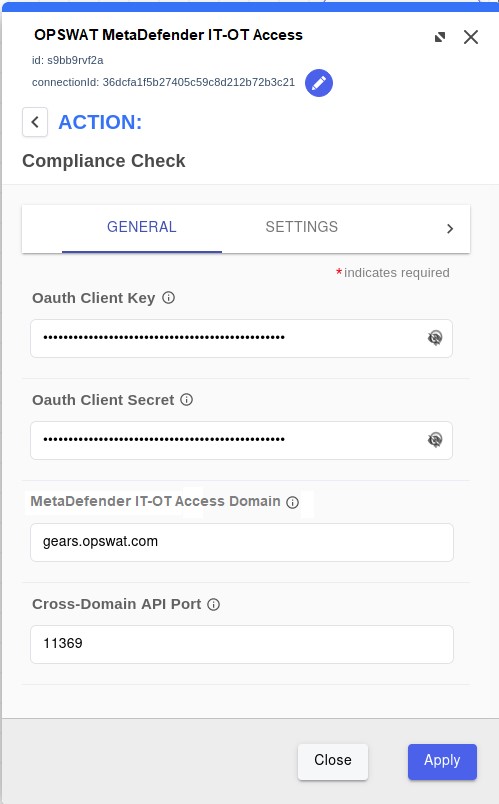
DaVinci Connector Settings:
Oauth Client Key and Oauth Client Secret of the app they created on My OPSWAT Central Management Oauth Portal.
My OPSWAT Central Management Domain where they set up their account, for example: gears.opswat.com.
Cross-domain API Port which they configured on My OPSWAT Central Management console if your solution uses cross-domain API to query device id.