Secure Access Solution
10.4.2602
Search this version
Secure Access Solution
NAC
3rd Party Integration
Title
Message
Create new category
What is the title of your new category?
Edit page index title
What is the title of the page index?
Edit category
What is the new title of your category?
Edit link
What is the new title and URL of your link?
HA (High Availability) Mode
Summarize Page
Copy Markdown
Open in ChatGPT
Open in Claude
HA (High Availability) Mode is all about keeping your systems running, come what may. It's that redundancy, that safety net, that ensures minimal downtime. Think of it as having a backup plan for your entire infrastructure. If one server goes belly up, another seamlessly takes over, keeping the lights on and the data flowing.
How to Enable
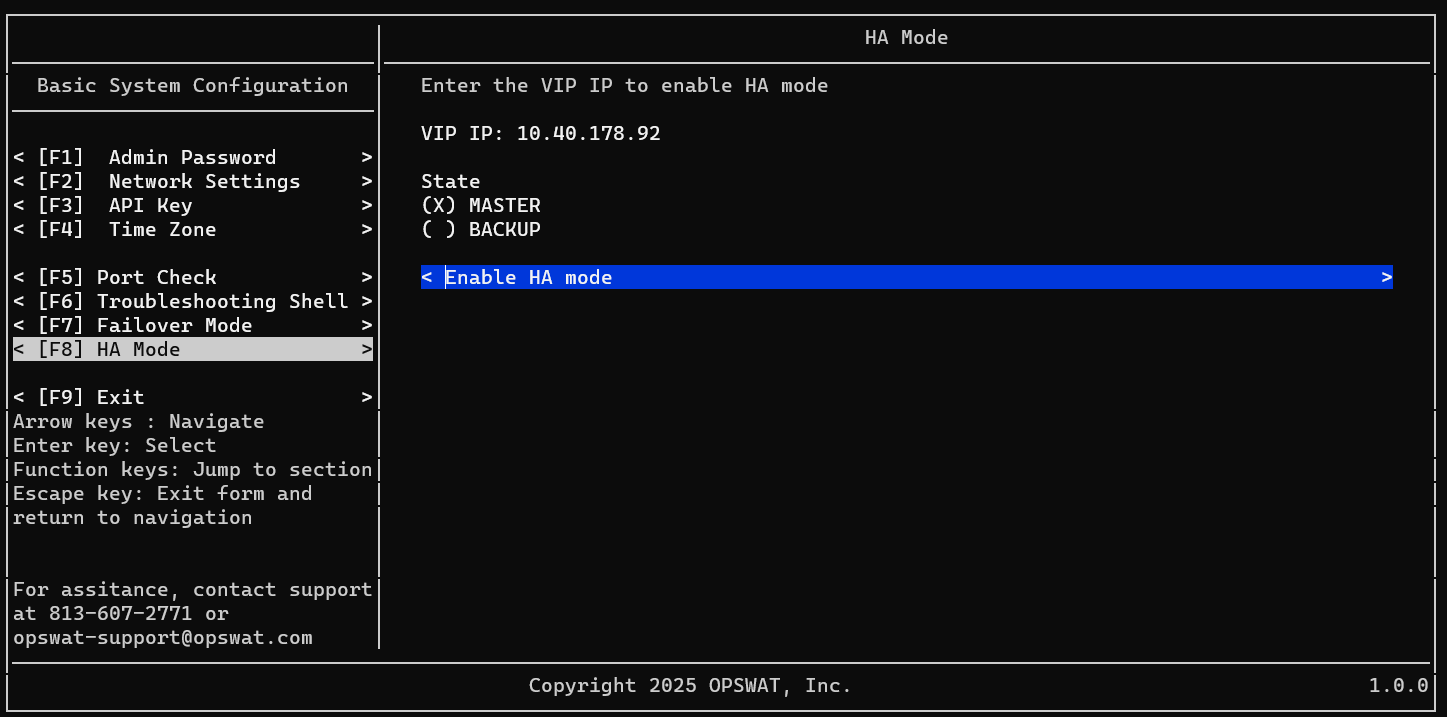
Setup Master node
- Login to your 1st NAC VM as admin user
- Navigate to HA Mode
- Input your VIP (Virtual IP)
- Select state as Master
- Select Enable HA Mode

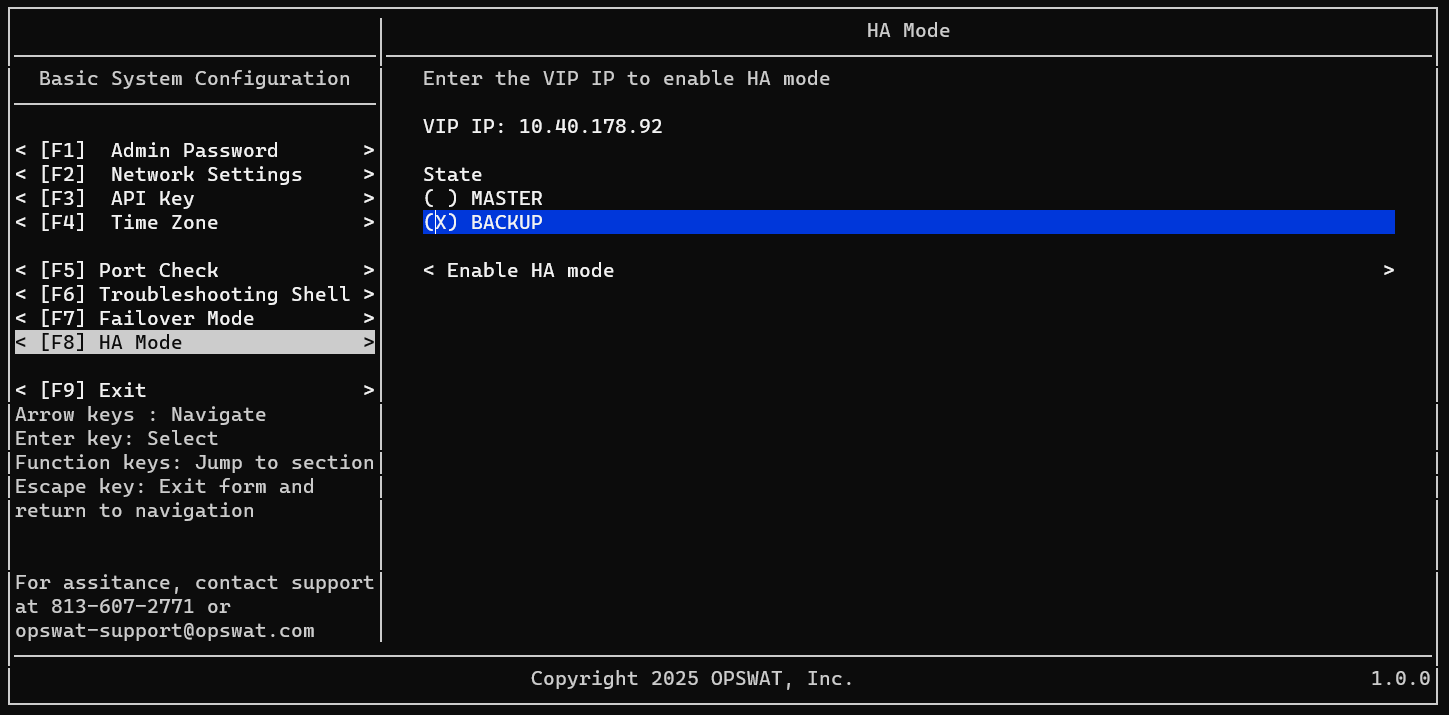
Setup Backup node
- Login to your 2nd NAC VM as admin user
- Navigate to HA Mode
- Input your VIP (Virtual IP)
- Select state as Backup
- Select Enable HA Mode

Type to search, ESC to discard
Last updated on
Was this page helpful?
Next to read:
Rebranding Guest loginDiscard Changes
Do you want to discard your current changes and overwrite with the template?
Archive Synced Block
Message
Create new Template
What is this template's title?
Delete Template
Message