Secure Access Solution
10.4.2602
Search this version
Secure Access Solution
NAC
3rd Party Integration
Title
Message
Create new category
What is the title of your new category?
Edit page index title
What is the title of the page index?
Edit category
What is the new title of your category?
Edit link
What is the new title and URL of your link?
Fail-Open Mode
Summarize Page
Copy Markdown
Open in ChatGPT
Open in Claude
The Fail Open feature ensures continued network connectivity if the switch is unable to communicate with the RADIUS server. When this feature is enabled, any authenticated devices are automatically assigned to the specified Fail Open VLAN, maintaining network access under these circumstances.
Enable Fail Open Mode
- Login to your NAC VM as 'admin' user
- Navigate to Failover Mode
- Input a specific VLAN
- Select Enable Failover mode
- Upon enable successfully, any devices authenticate to the Network will be assigned to the VLAN
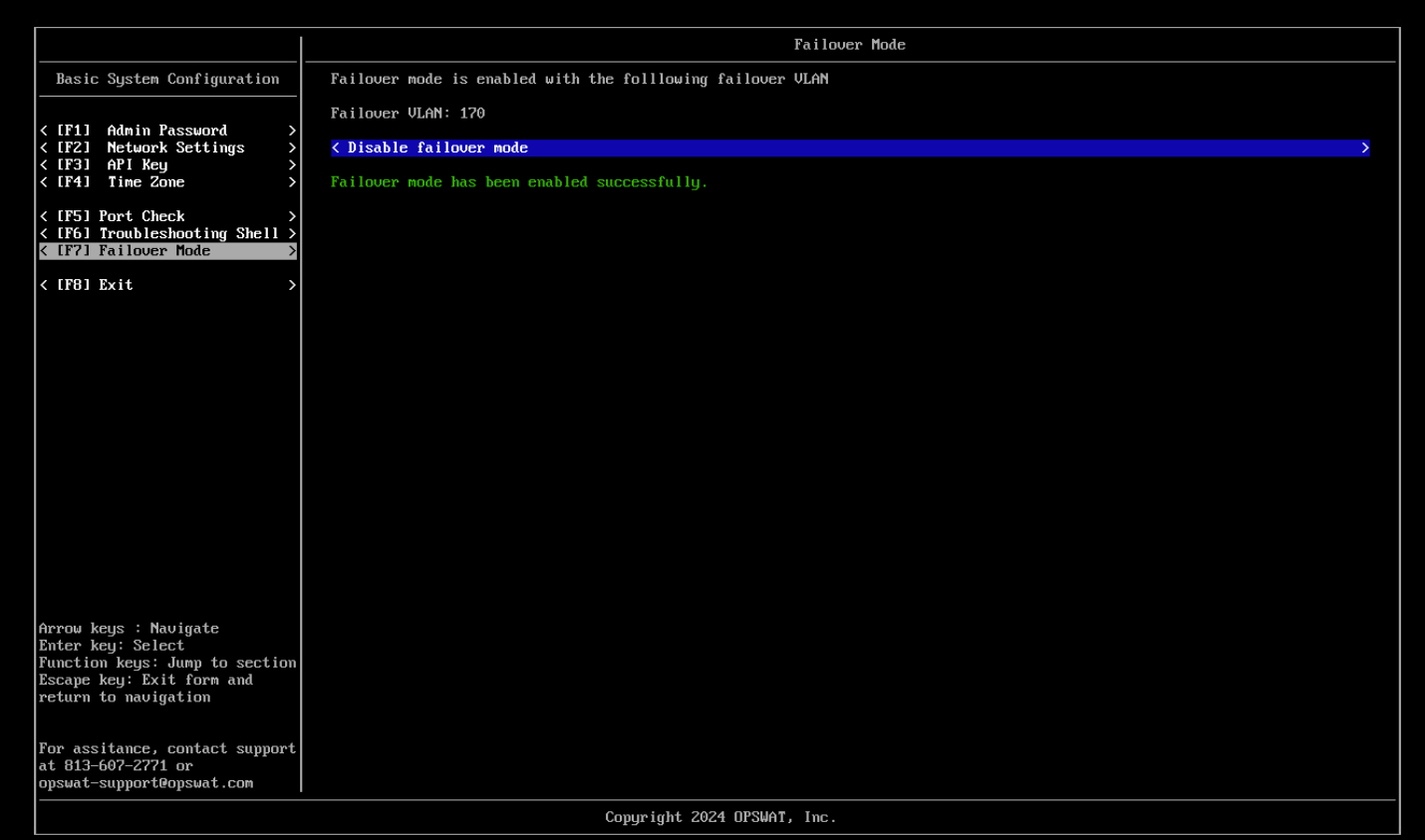
Note: While Fail Open mode is enabled, all authenticated devices will not write session on My OPSWAT Central Management console --> Logs --> RADIUS Events.
Type to search, ESC to discard
Last updated on
Was this page helpful?
Next to read:
HA (High Availability) ModeDiscard Changes
Do you want to discard your current changes and overwrite with the template?
Archive Synced Block
Message
Create new Template
What is this template's title?
Delete Template
Message
