
My OPSWAT Portal supports two user types: Personal User and Organization User.
Personal User: You’re not yet tied to any organization.
Organization User: You belong to at least one organization, which gain access to extra, organization-level features.
While all users can access basic features, joining an organization unlocks additional capabilities essential for managing licenses, role-based access control, and more.
Personal User
As a Personal User, you can access core, self-service features without belonging to an organization:
My Information - Access and customize your personal settings.
Product Details and Downloads - Explore OPSWAT products, view documentation, and download installers.
Personal License Management - Manage personal licenses for MetaDefender Cloud and MetaDefender IT Access.
Academy - Track your learning progress and certifications.
Support - Utilize the AI Assistant and other support functions.
Access to Cloud Services - Access and evaluate OPSWAT's cloud services.
Product Feedback - Leave your feedbacks on OPSWAT's products and services you're using.
Report False Detection - Report files you feel have been wrongly flagged as malicious by an OPSWAT Product.
How to Check Organization Status
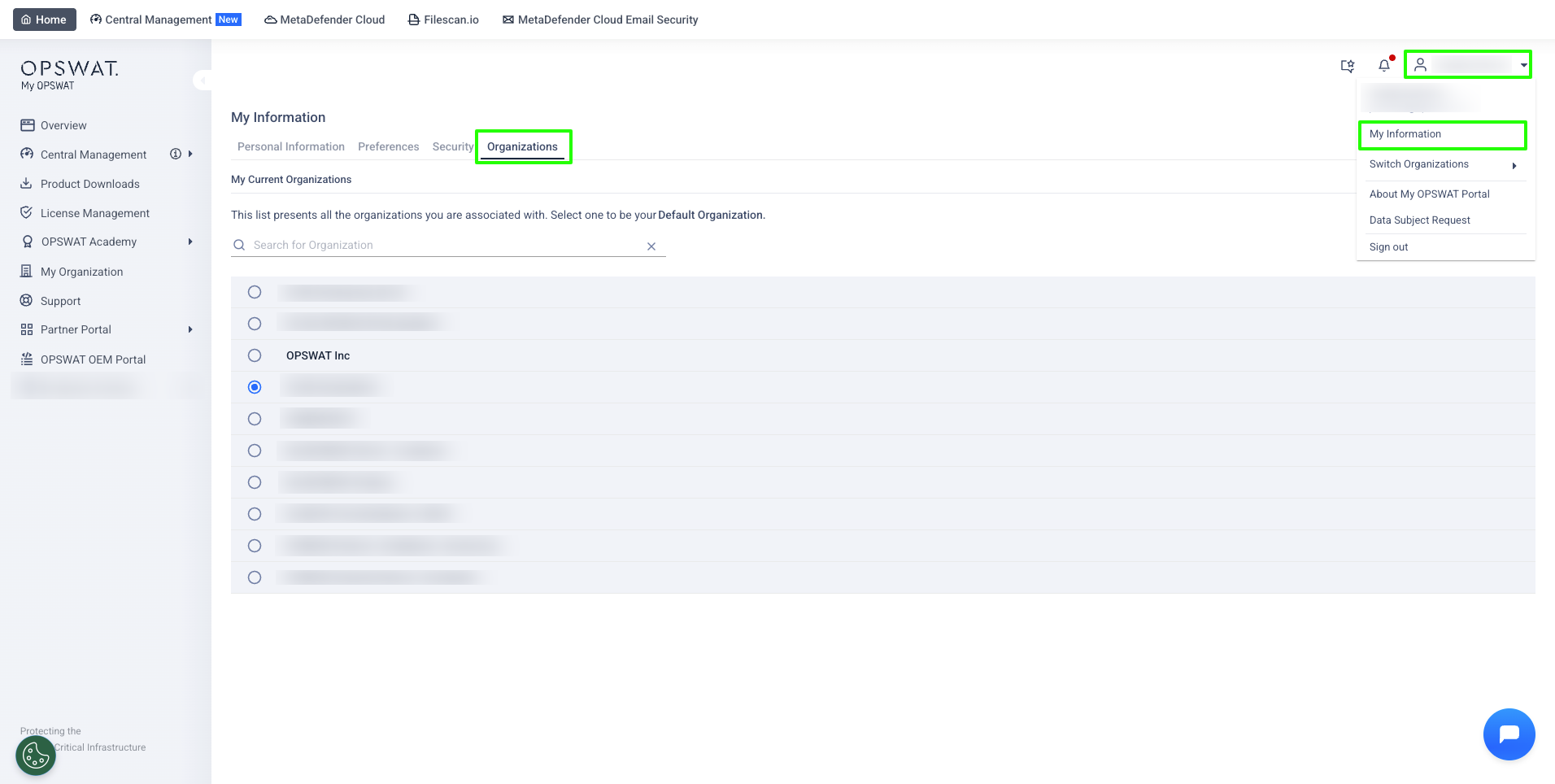
Log in to My OPSWAT Portal
Click your profile icon in the top-right corner and select My Information.
Navigate to Organizations tab
If organization names are displayed, you belong to those organizations.
If the tab is empty, you are a Personal User with no organization association.
Organization users will also see an organization list when they click the Profile menu and expand Switch Organizations.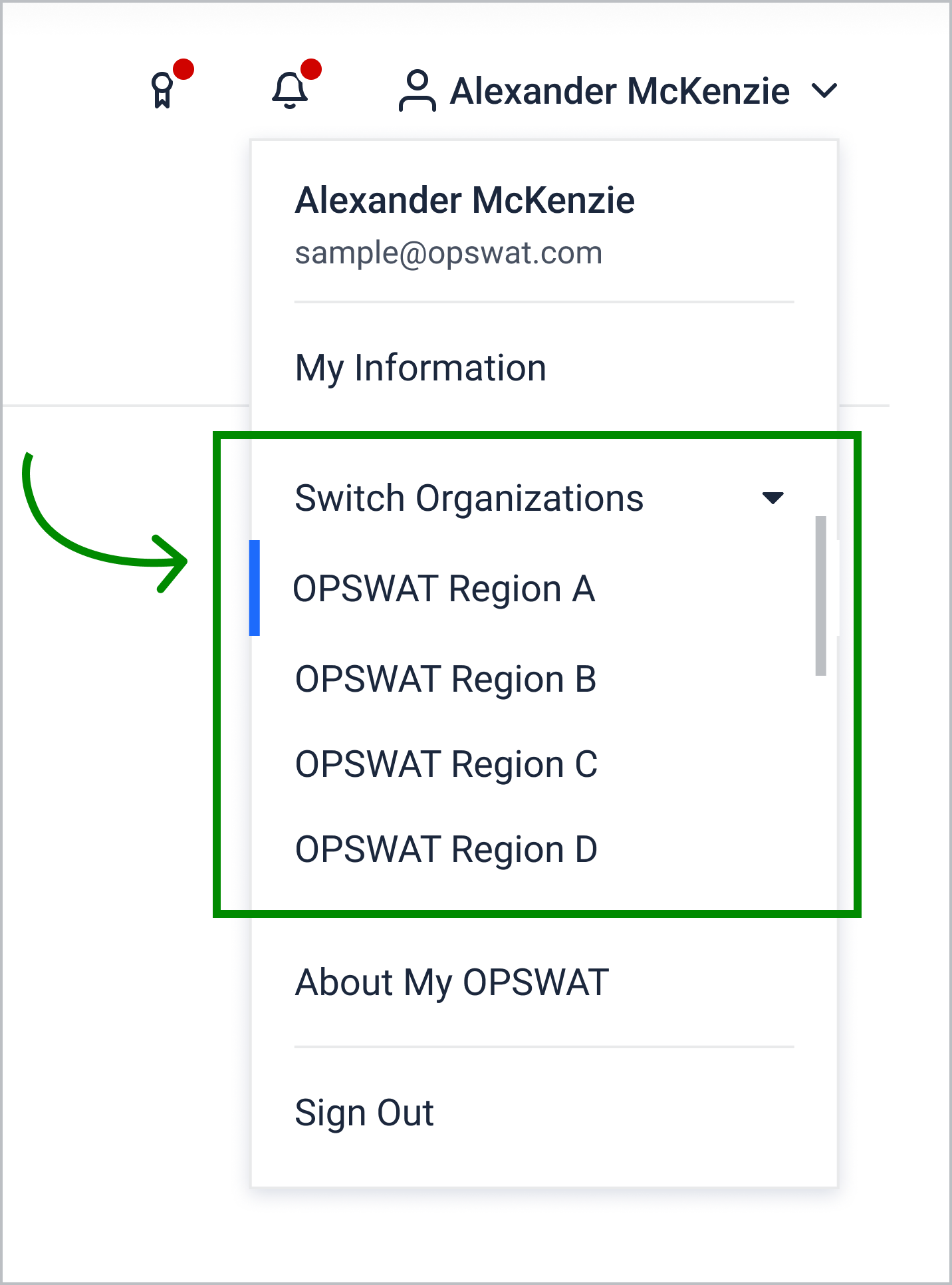
Organization User
Once you belong to at least one organization (and have the proper role permissions), you get everything a Personal User sees—plus:
My Organization - General Information - Configure your organization’s basic settings and approved domains.
My Organization - Users and Roles - Invite users, assign roles, and control access via RBAC.
My Organization - Security - Configure organization-level security.
Support (Organization-wide) - View organization's support benefits, including: Response time ETA, Support level, Your OPSWAT team, and more.
License Management - See and manage your organization’s licenses.
If you’re a Personal User wanting organization-level features, ask your Admin to invite you or set up an approved email domain so you can request to join. Further reading at
If you’re an Organization User missing a tab, check your permissions or reach out to your Admin for access.
If you need assistance joining an organization or have questions about user types, reach out to OPSWAT support.