
User type: Both Personal and Organization users
The Report False Detection feature allows users to report files they feel have been wrongly flagged as malicious by an OPSWAT Product. OPSWAT's expert analyst team will review these submissions for false positives/negatives and update our Reputation Engine database as needed.
Definition of a False Detection
A false detection occurs when the verdict of a detection system does not match the actual nature of a file.
The first case is a false positive, where a benign file is incorrectly flagged as malicious. The risk here is mostly operational, since critical business tasks may be delayed. Within OPSWAT solutions, a false positive is considered any clean file detected as LIKELY_MALICIOUS or MALICIOUS.
The second case is a false negative, which occurs when a malicious sample goes undetected. These cases pose a higher security risk because they allow compromise to remain unnoticed and potentially cause significant impact. Any malware not detected as LIKELY_MALICIOUS or MALICIOUS is considered a false negative. Newly requested detection logic or file type support also falls into this category, as it highlights a missed threat under current capabilities.
A clean file flagged as SUSPICIOUS is not considered a false positive under this service. A suspicious verdict indicates that the file shows indicators warranting further review. For more details, please refer to the Sandbox verdict documentation here.
HOW User can submit an False Detection report by access to Support > Report False Detection
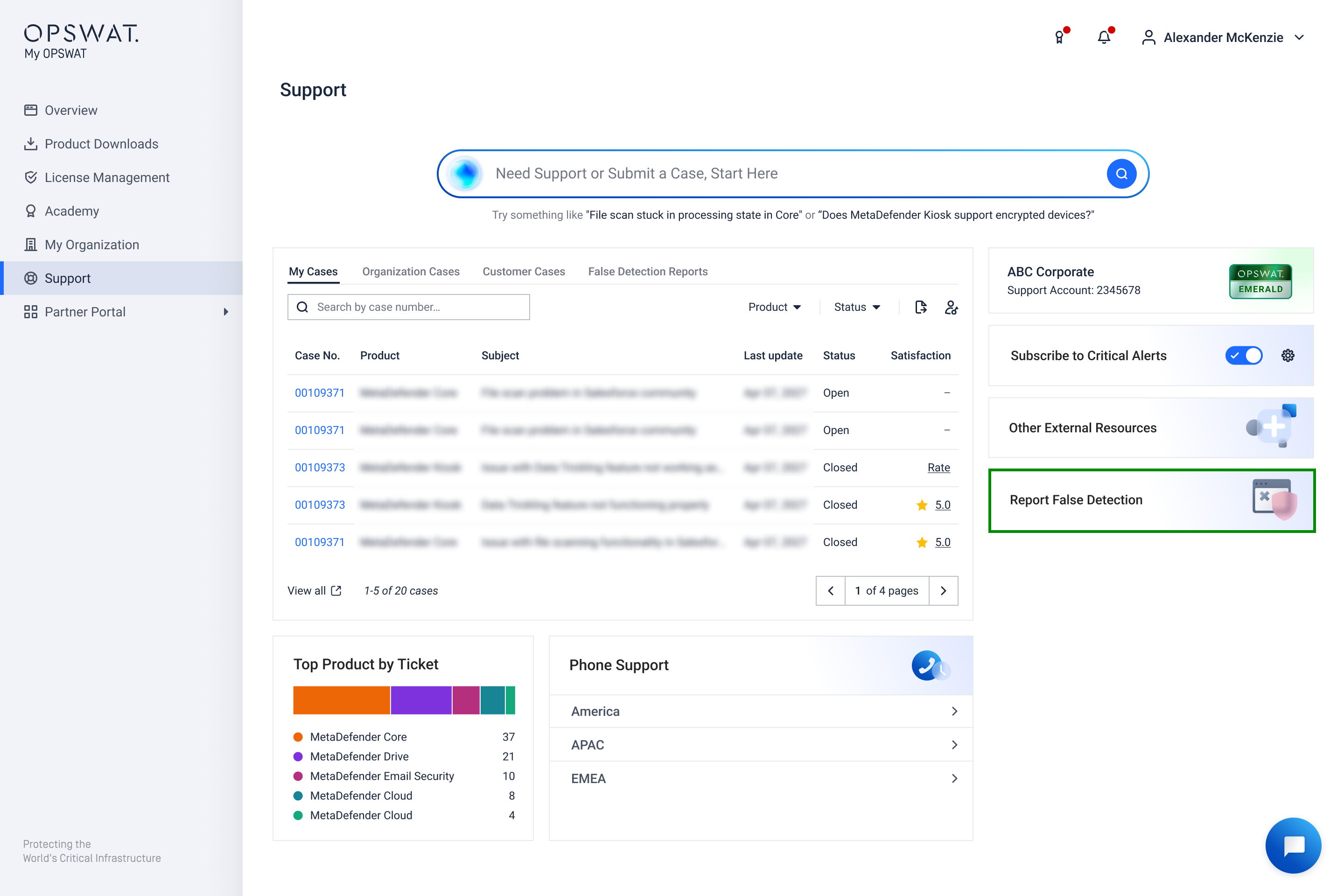
How to Report False Detection
A user can submit up to 40 False Detection reports per day. For large numbers of related files, users should compress them into a single ZIP archive and submit one report with full details in the description.
You can report false positive or false negative by submitting a report in Support > Report False Detection function and have the file analyzed by OPSWAT's expert analyst team. Follow the below steps to submit the report of the file that you think has been misidentified:
Field | Description |
|---|---|
Submission Type – What are you reporting? | Select False Positive: A clean file incorrectly detected as malicious. |
Submission File – Please upload the file for analysis | Submit a single file (max size: 2 GB). For multiple files, compress them into a ZIP archive Warning Requests containing more than 3 actionable files will be rejected. An actionable file is any individual file inside the archive that requires analysis, please refer to How to Identify Actionable Files. |
In which product did the false detection occur? | Select a product that has Scannable tag:
|
Which OPSWAT product version? | Select or enter version(s) |
File Scan Results – Please export and upload scan results | Upload PNG file only (max size: 10 MB).
Reference document: How to Export Scan Results for Submission |
Which detection engine triggered the false positive? | Select Antivirus / Reputation / Sandbox Reference document: Understand What You’re Reporting If Antivirus is selected Which antivirus engine triggered the false positive?* Select from the list or input manually antivirus engines AV detection / Threat name:* e.g. Trojan/Win32.Downloader **File Sharing Consent: *** Checkbox: "User’s consent to share the file to AV vendors for further analysis.” If Sandbox is selected Which Adaptive Sandbox Mode?* Select Remote Engine/ Embedded Engine |
What is the origin of the file? | Select one of the below option:
|
What is the purpose of the submitted file? | Describe the file’s purpose and provide technical or contextual reasoning to support your claim. If it’s an archive, note issues for each child file. |
Field | Description |
|---|---|
Submission Type – What are you reporting? | Select False Negative: A malicious file that was not detected. |
Submission File – Please upload the file for analysis | Submit a single file (max size: 2 GB). For multiple files, compress them into a ZIP archive Warning Requests containing more than 3 actionable files will be rejected. An actionable file is any individual file inside the archive that requires analysis, please refer to How to Identify Actionable Files. |
In which product did the false detection occur? | Select a product that has Scannable tag:
|
Which Adaptive Sandbox Mode? | This field is displayed if MetaDefender Core is selected.
|
Which OPSWAT product version? | Select or enter version(s) |
File Scan Results – Please export and upload scan results | Upload PNG file only (max size: 10 MB). Reference document: How to Export Scan Results for Submission |
What is the origin of the file? | Select one of the below option:
|
Why do you think this is a missed threat? | Provide reasoning or evidence that indicates the file is malicious. |
Once you submit a False Detection report, system will automatically generate a Support case showing in Support > False Detection Reports tab, allowing you to easily monitor the progress.
Submission History
Starting November 6th, Submission History tab will be merged into Support > False Detection cases
You can find history of submissions with detailed information by navigating to Support > False Detection Reports tabs.
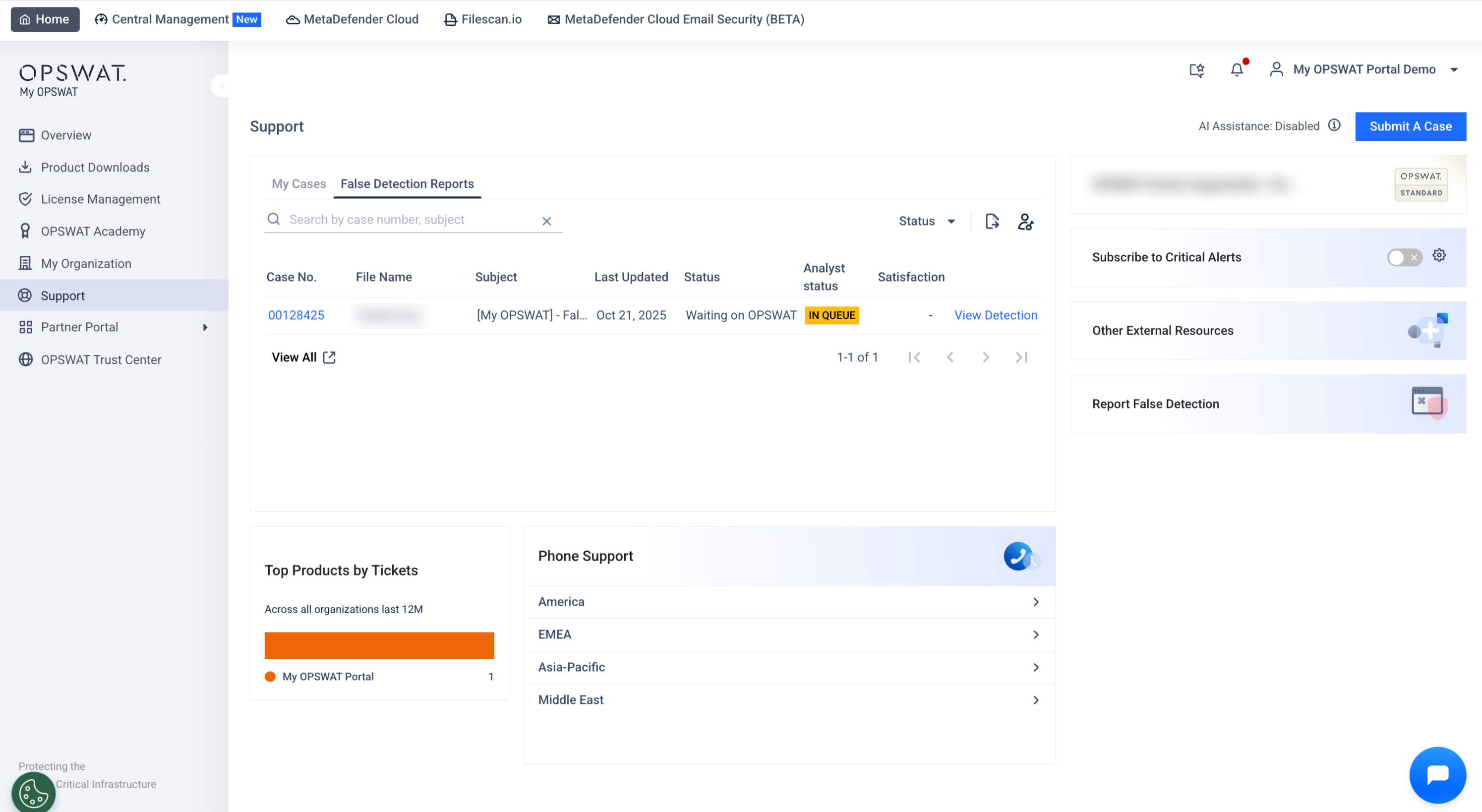
In this tab, you can
Search by Case number or Subject
Filter cases by Status (Open/Closed/Waiting on me/Waiting on OPSWAT)
View details of False Detection - "View Detection"
Export case details to CSV for offline use.
Access the full submission list by clicking View All button
Submissions with statuses Confirmed Benign, Confirmed Malicious, Confirmed PUP or Rejected will have their associated files automatically removed 90 days after the submission date.
Submissions with statuses In Queue, In Progress, or Release Pending will have their associated files removed 365 days after the submission date.