
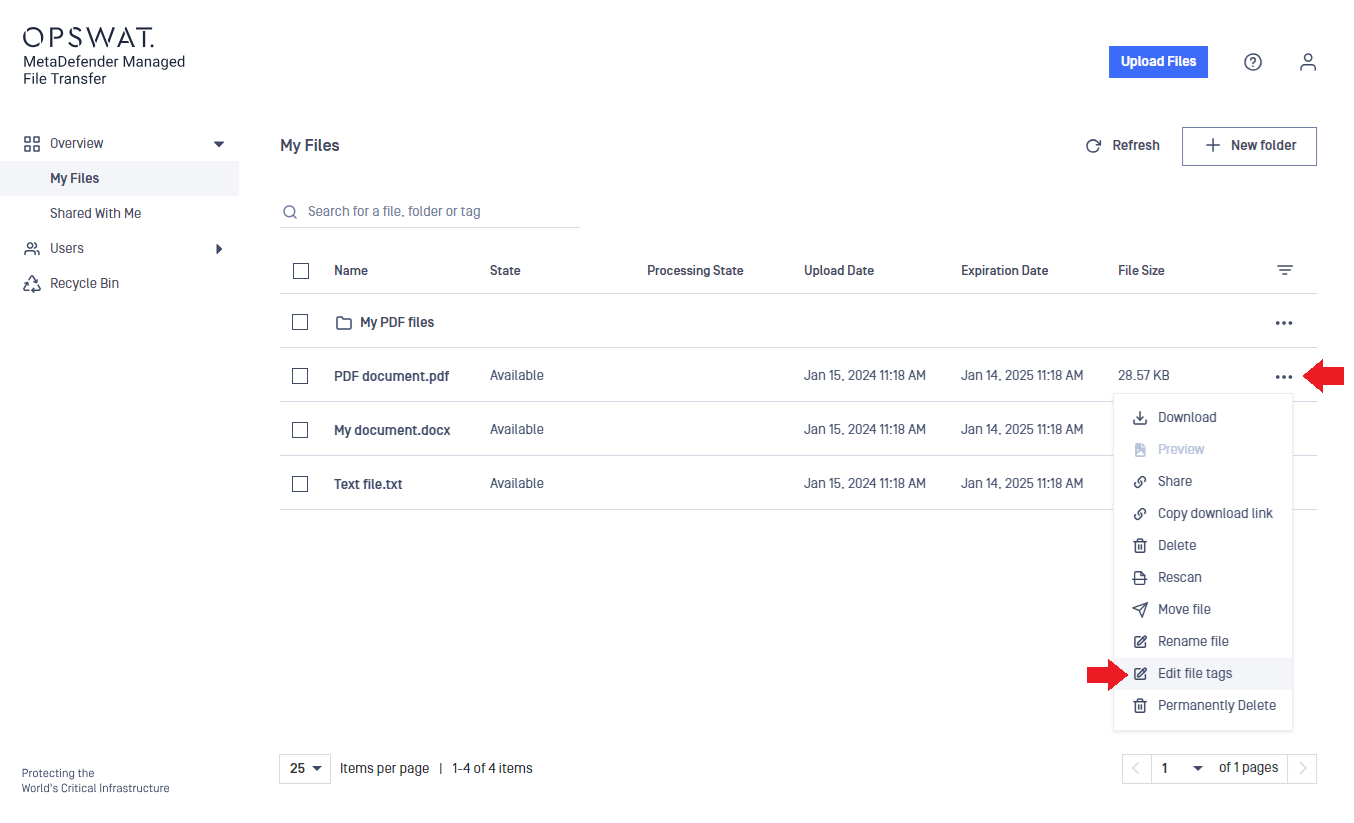
You can add tags to your files. Tags are used as keywords to find your files later more easily. To edit tags, follow the steps below:
Click on the action menu (three dots) in the right-most column in the table.
Select Edit file tags option from the menu.
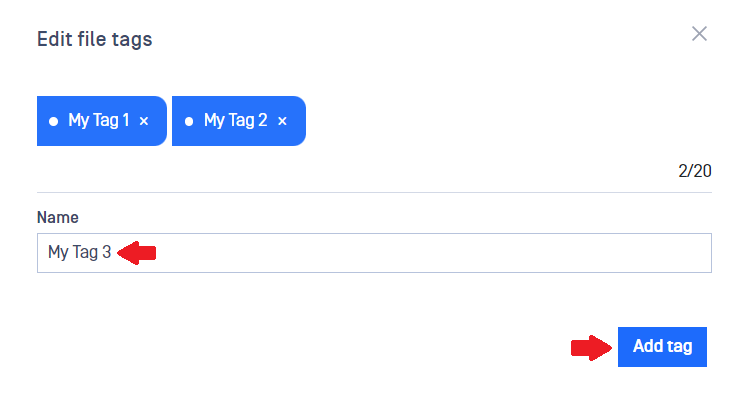
Enter a new tag into the text box and click on Add tag. You can remove unwanted tags as well by clicking on the x next to the tag.
Search
Now, you can search for files using tags.
Info
Tag search is case insensitive, so using MyProject or myproject as a tag will yield the same in the search results.
You can assign up to 20 tags to each file. A tag cannot exceed 50 characters in length.
Was this page helpful?
End-User Guide