End-User Guide
v3.7.3
Search this version
End-User Guide
End-User Guide
Title
Message
Create new category
What is the title of your new category?
Edit page index title
What is the title of the page index?
Edit category
What is the new title of your category?
Edit link
What is the new title and URL of your link?
Shared with me
Copy Markdown
Open in ChatGPT
Open in Claude
Files and folders that other MD MFT users have shared with you can be seen in the Overview -> Shared With Me menu. To download the files and folders from the share, follow the same steps as you would for your own files. It is possible to preview and get the download link for these files as well.
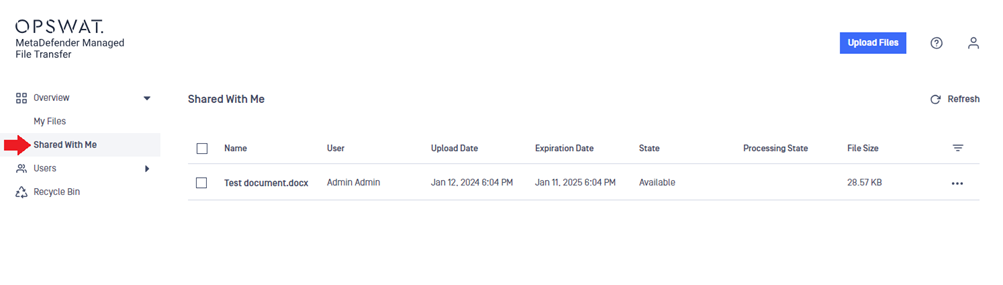
You can customize the file list in the Shared With Me menu similarly to My Files.
Type to search, ESC to discard
Last updated on
Was this page helpful?
Next to read:
Tag filesDiscard Changes
Do you want to discard your current changes and overwrite with the template?
Archive Synced Block
Message
Create new Template
What is this template's title?
Delete Template
Message
