End-User Guide
v3.7.3
Search this version
End-User Guide
End-User Guide
Title
Message
Create new category
What is the title of your new category?
Edit page index title
What is the title of the page index?
Edit category
What is the new title of your category?
Edit link
What is the new title and URL of your link?
Forgotten password
Copy Markdown
Open in ChatGPT
Open in Claude
In case you forget your password, you can easily reset it by following the steps:
Please note that guests and third-party users, including AD and SSO users, cannot utilize this method to reset their passwords.
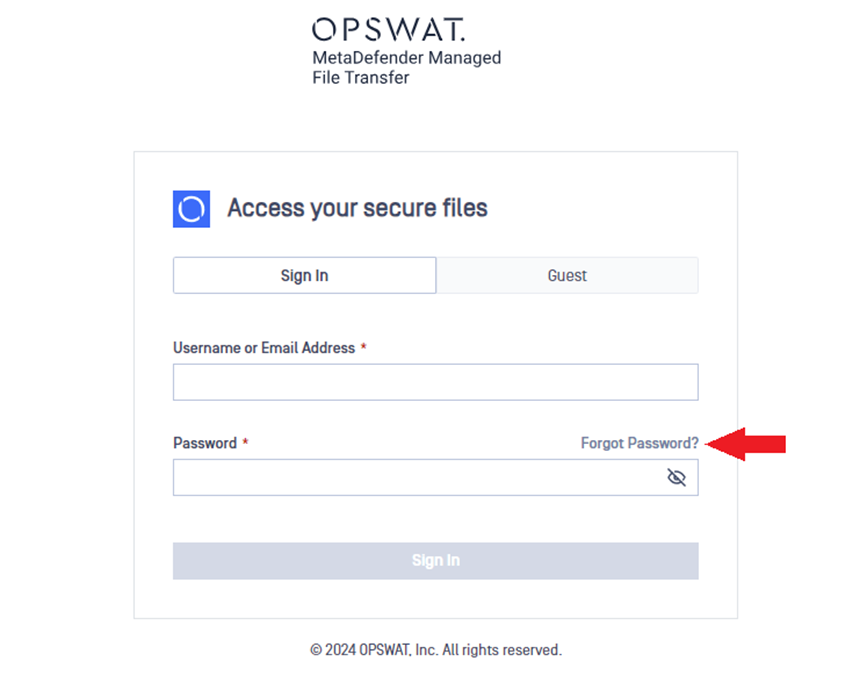
- Click on the Forgot Password? on the sign-in page.
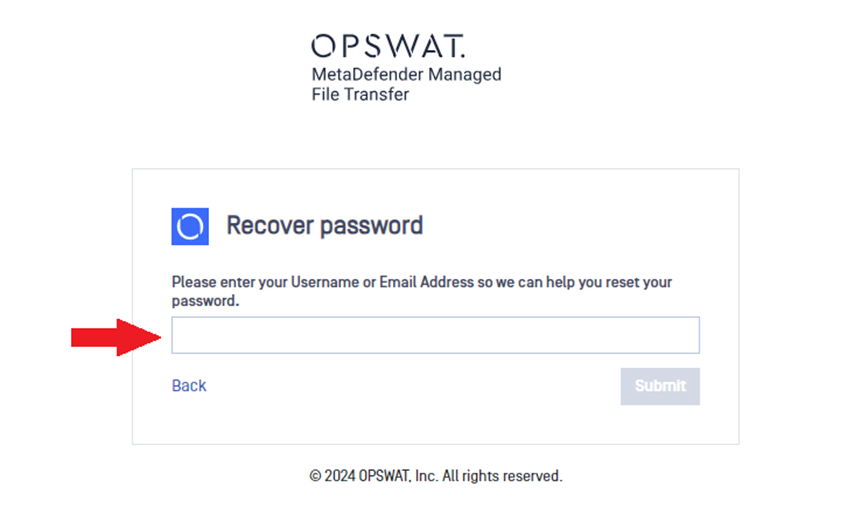
- Enter your username or email address and click Submit.
- You will receive an email which contains reset password link. Click on the provided link.
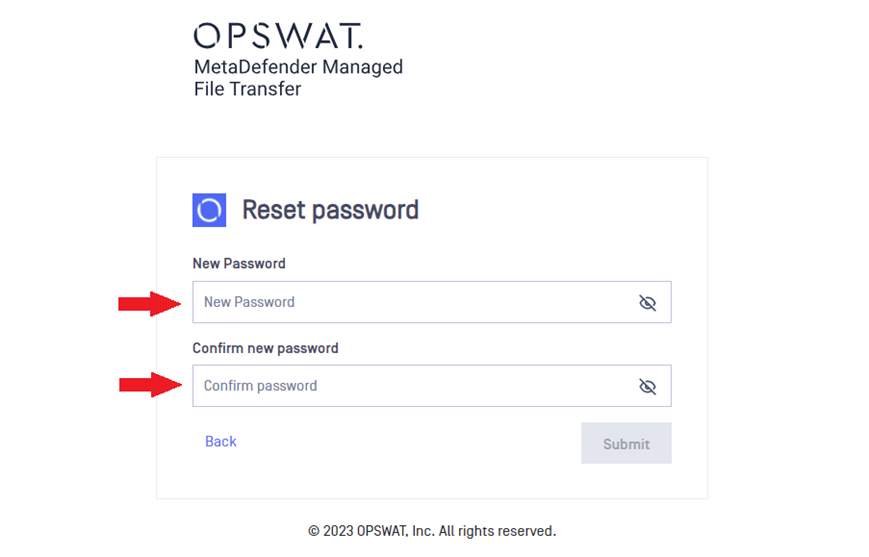
- The link will redirect you to the Reset password page. Enter your new password twice and click Submit.
- You can sign in with your new password.
Type to search, ESC to discard
Last updated on
Was this page helpful?
Next to read:
Guest passwordDiscard Changes
Do you want to discard your current changes and overwrite with the template?
Archive Synced Block
Message
Create new Template
What is this template's title?
Delete Template
Message
