You can download the files and folders either individually or as a package of elements.
Download a single file
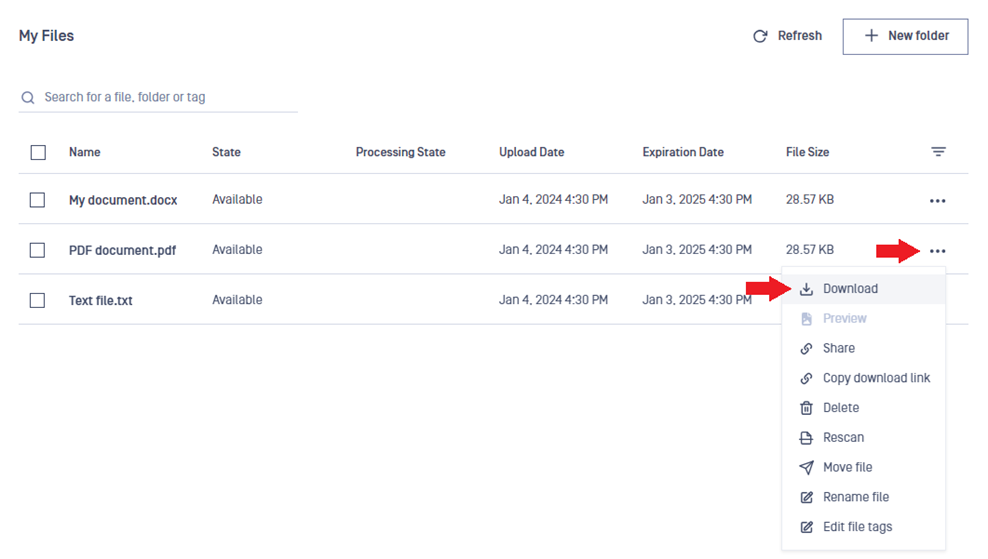
Click on the action menu (three dots) in the right-most column in the table.
Select Download option from the menu.
Download multiple files at once
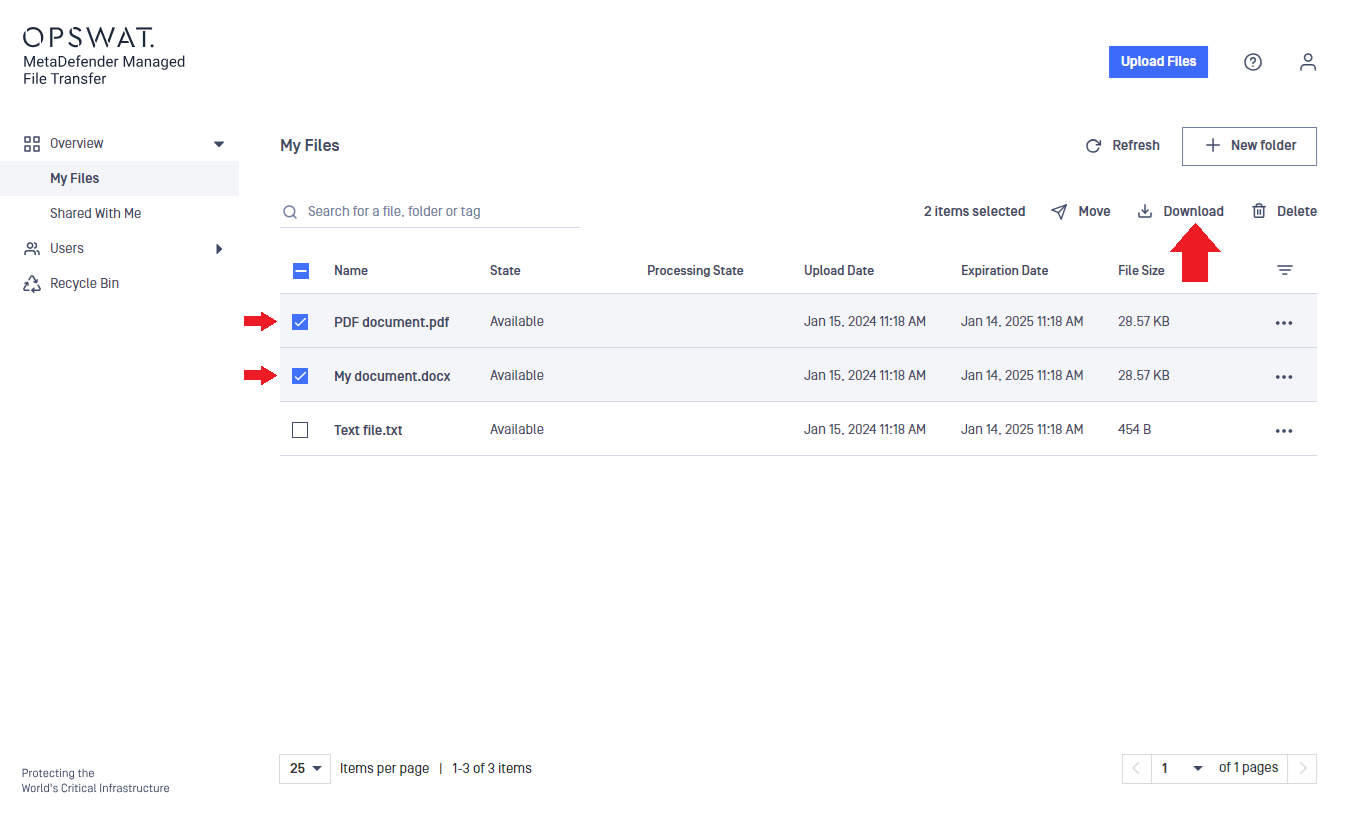
Check the checkboxes of the files to be downloaded in the left-most column of the table.
A menu will be displayed above the table.
Click on the Download option in the menu above the table.
Please note that the three-dot menu option is designed for downloading individual files, so it will not initiate a group download.
Multiple selections will be downloaded as a single ZIP file, so you must extract your files from the downloaded ZIP before use.
Password protected (encrypted) download
MD MFT can be configured to either disable, enable, or enforce password protected downloads. This feature is set by the administrators to one of the following options:
Password protection is disabled: If your download starts immediately after clicking on Download, then you cannot password protect your downloaded files.
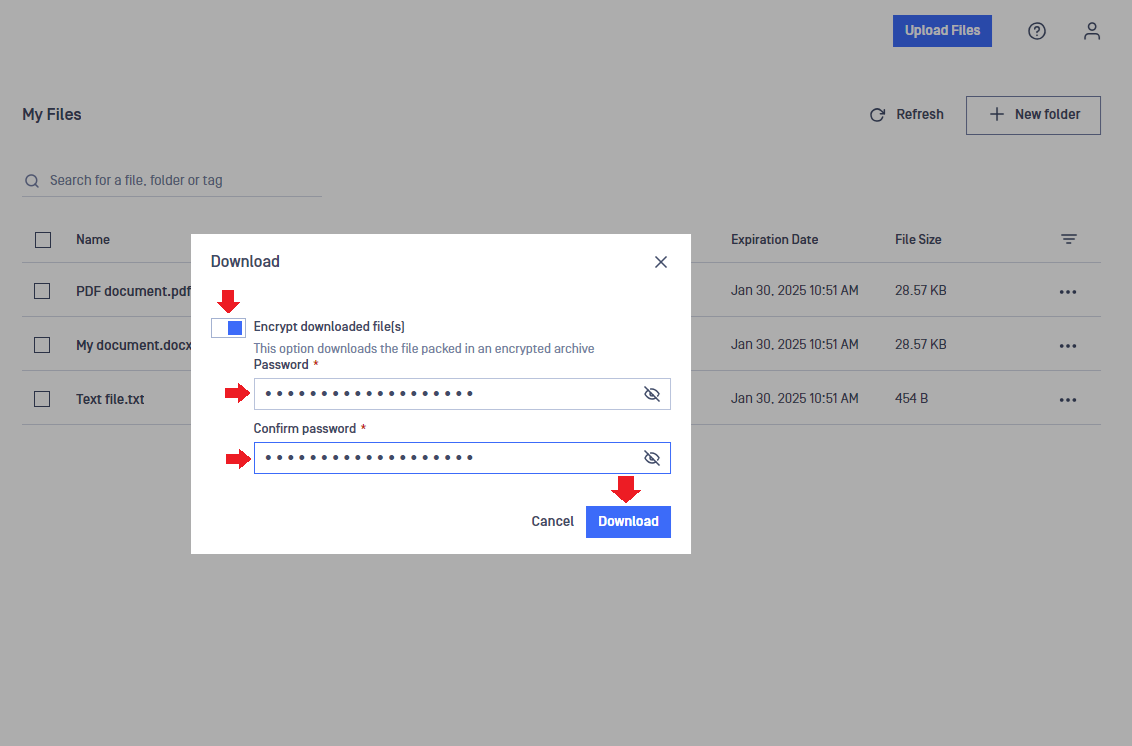
Password protection is enabled: In this case, an option will be displayed to enable password protection (encryption) for your downloaded file(s).
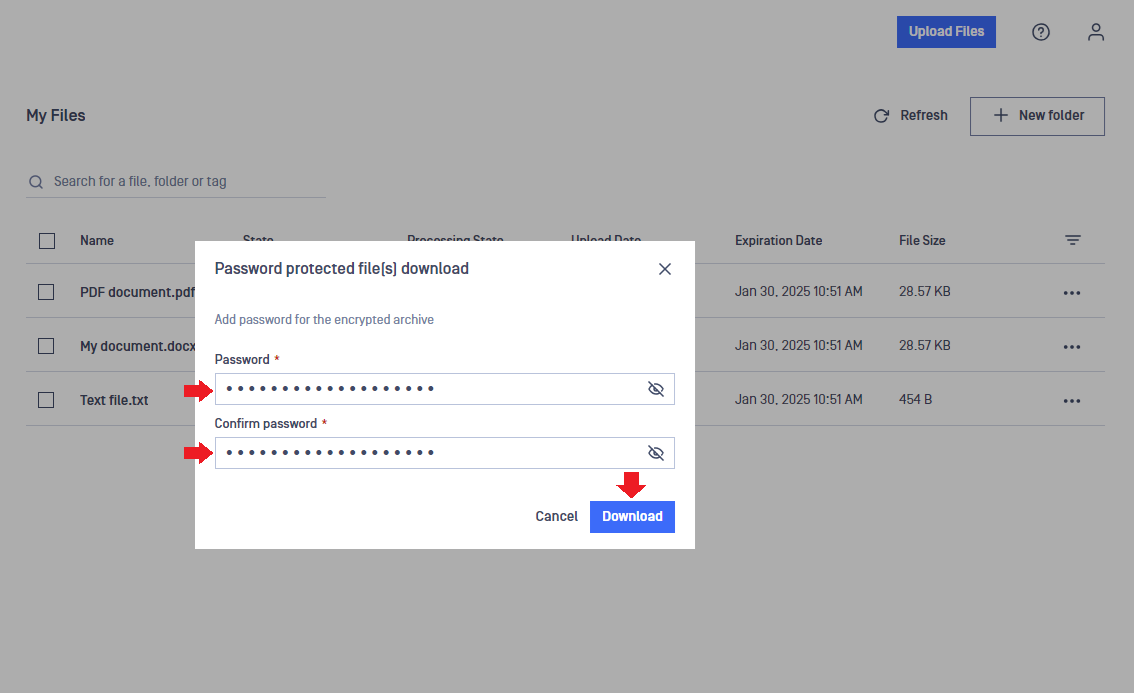
Password protection is enforced: In this case, a window will be displayed where you have to enter a password to protect (encrypt) your downloaded files.