
How to Update Antivirus Engines in MetaDefender Core Manually?
This KB's purpose is a POV of the user on how to download the Antivirus engine individually or a specific selection that the user wants.
Online download
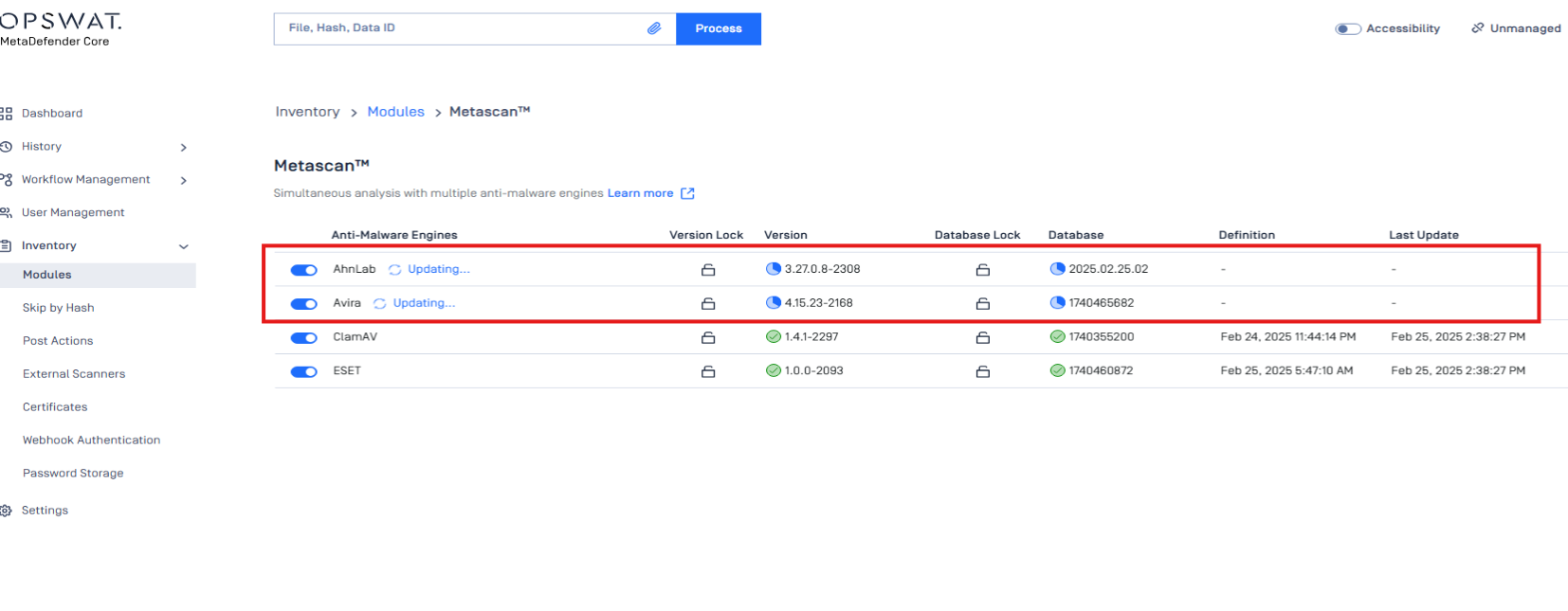
One of the issues that we commonly see is that the engine is unable to be uploaded, or a network error, which results in Metascan features missing engines. Specifically for this case, which is the AhnLab and Avira.
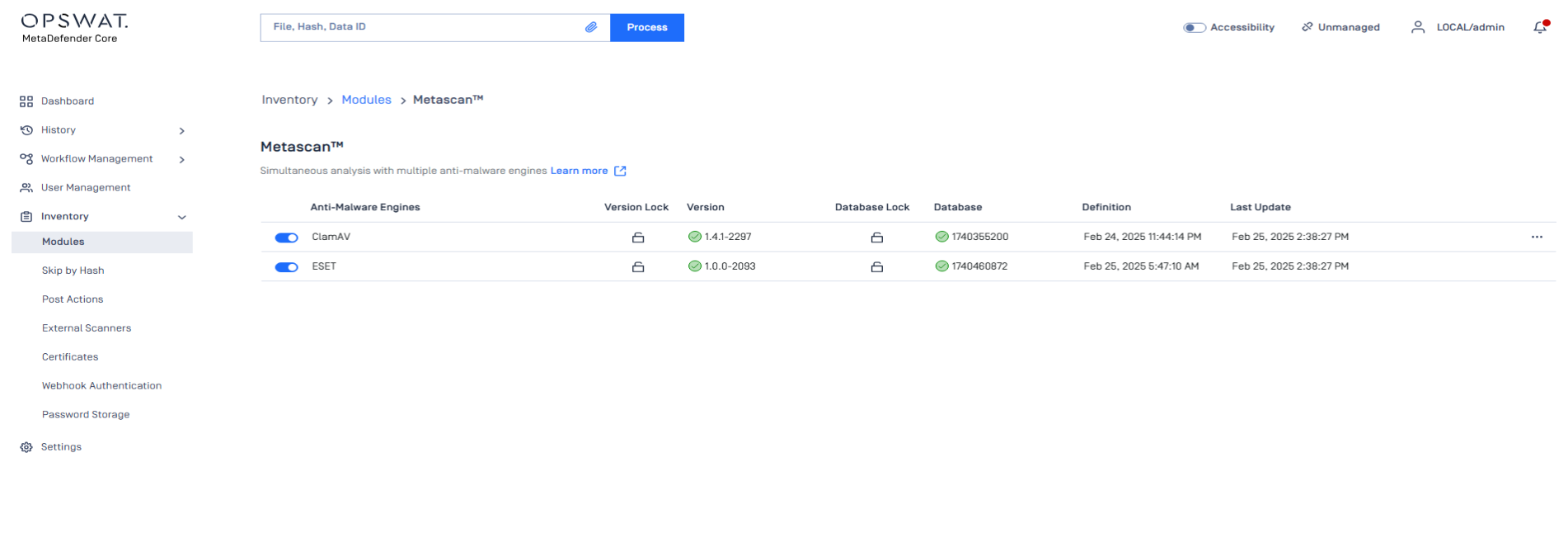
We will use the online download option, which is to click on the Upload all button to retrieve all the engines that were missing or unfinished downloads.
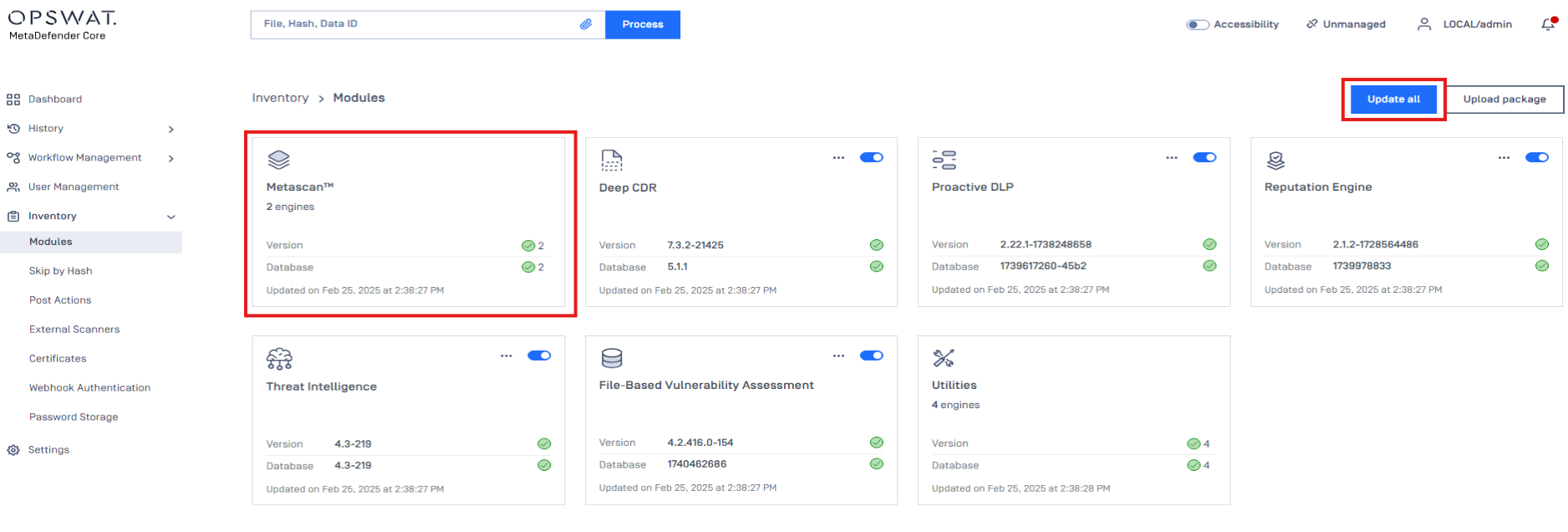
After hitting the button, MetaDefender Core will automatically find a suitable engine and download it to the Metascan tab.
Offline download
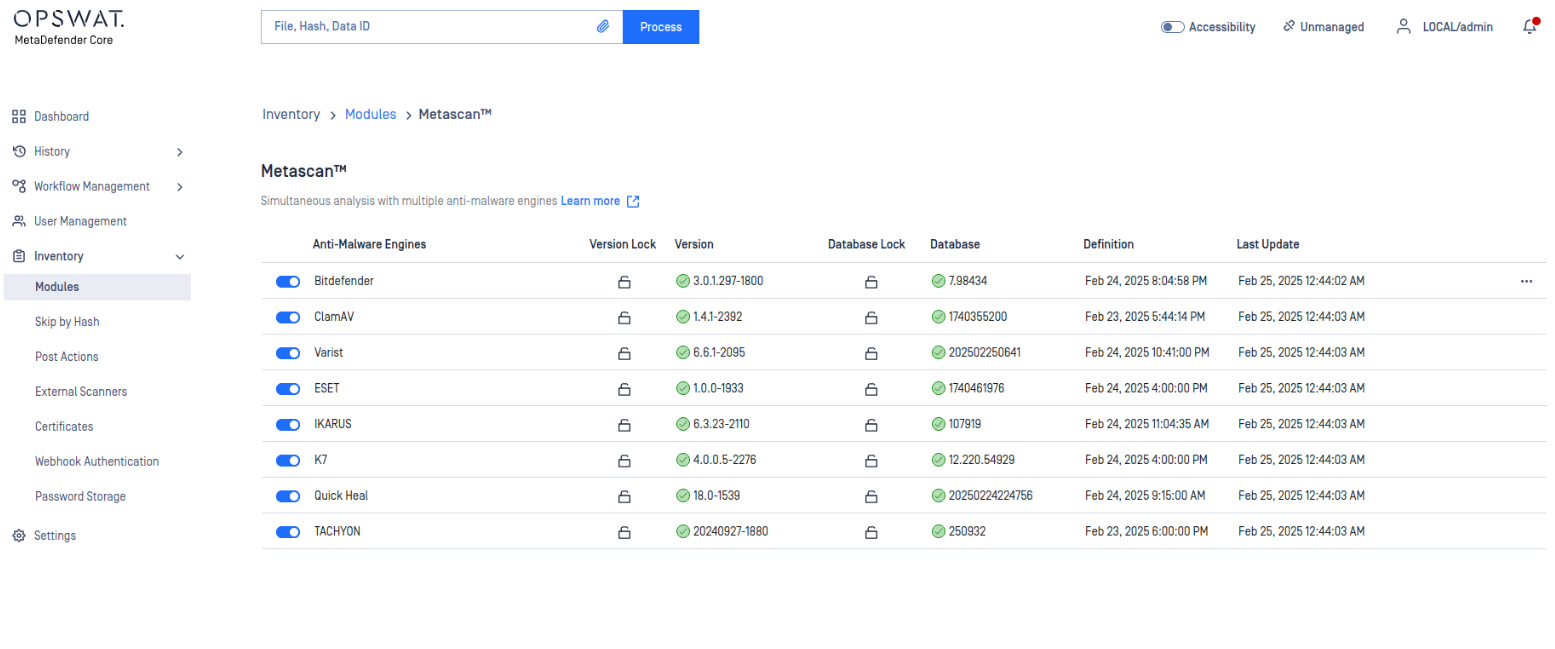
For the offline download, we will choose the Antivirus engine that is the same as the online downloader, which is AhnLab and Avira.
In this situation, we will utilize the tool MetaDefender Update Downloader. Please follow the link on how to download the tools here: How do I deploy MetaDefender Core to an offline Windows environment?
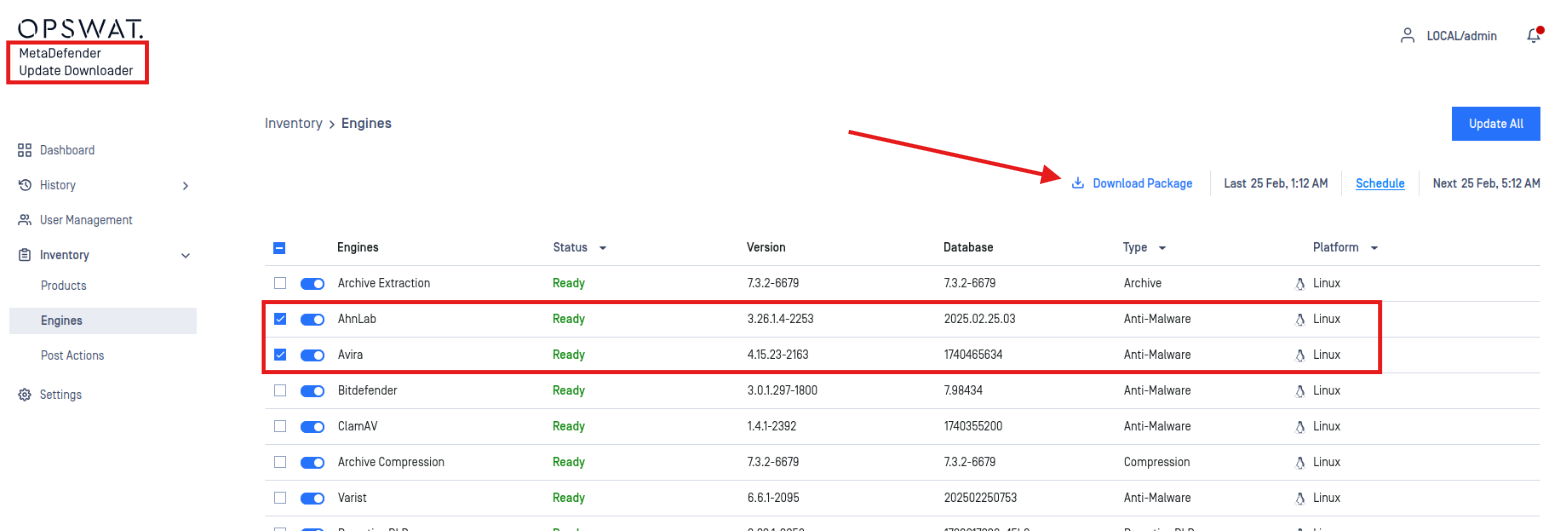
From this step, we choose the option that are needed from the tab and click on “Download Package” to download the zip that contains all the package we need for the Antivirus engines.
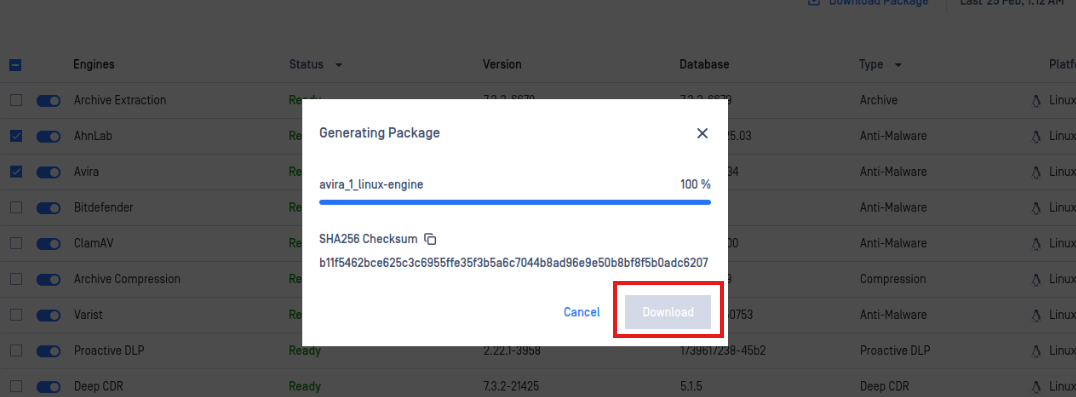
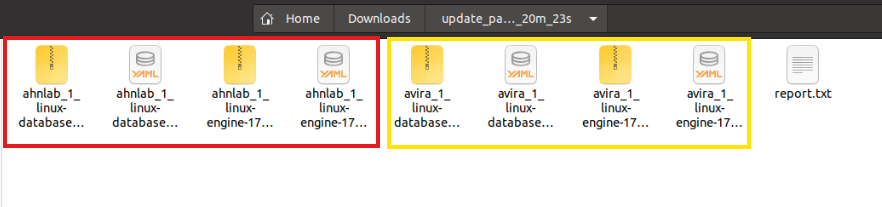
From the Zip that was downloaded, please extract it and prepare for uploading the packages to the MetaDefender Core. From the folder, the Engine and the databases of the engine can be seen from the folder.
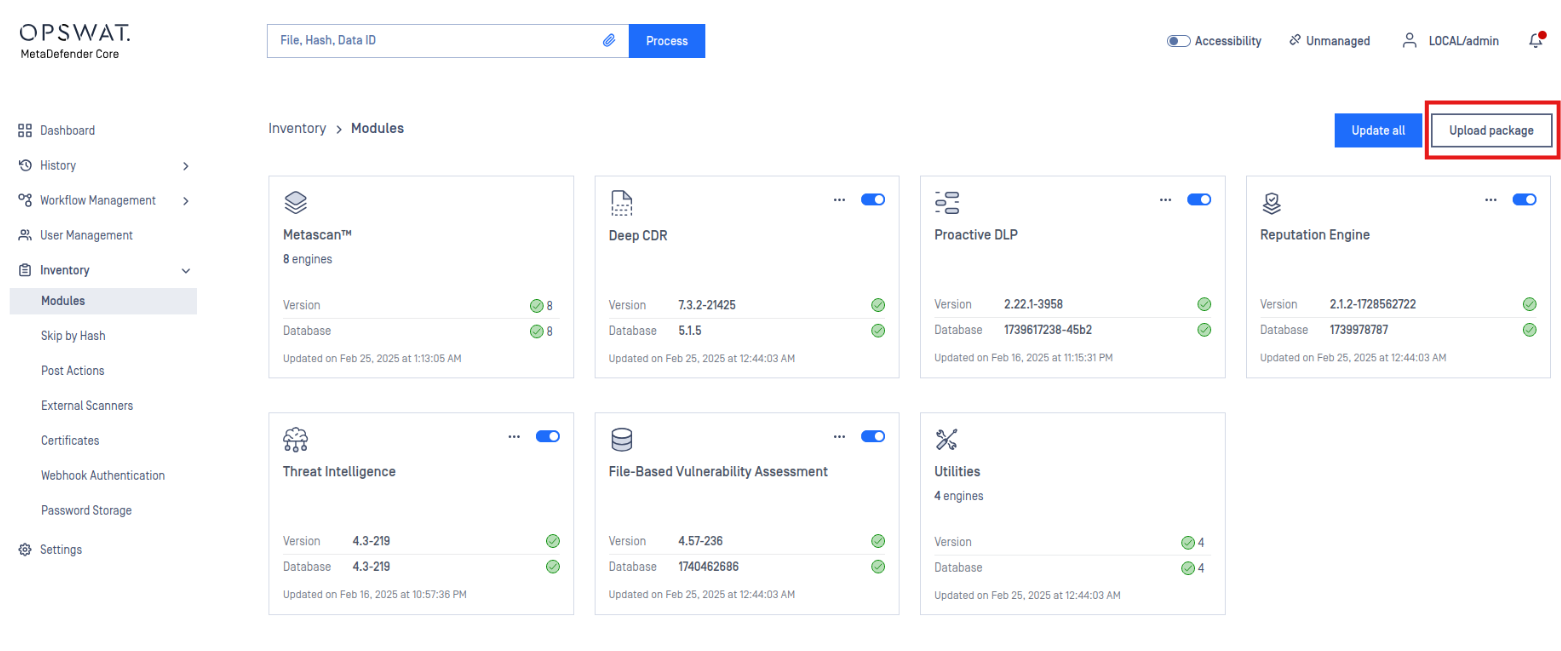
Navigate back to the MetaDefender Core Module tab, click on the “Upload Packages”. And manually upload 1 engine at a time as follows from the image below.
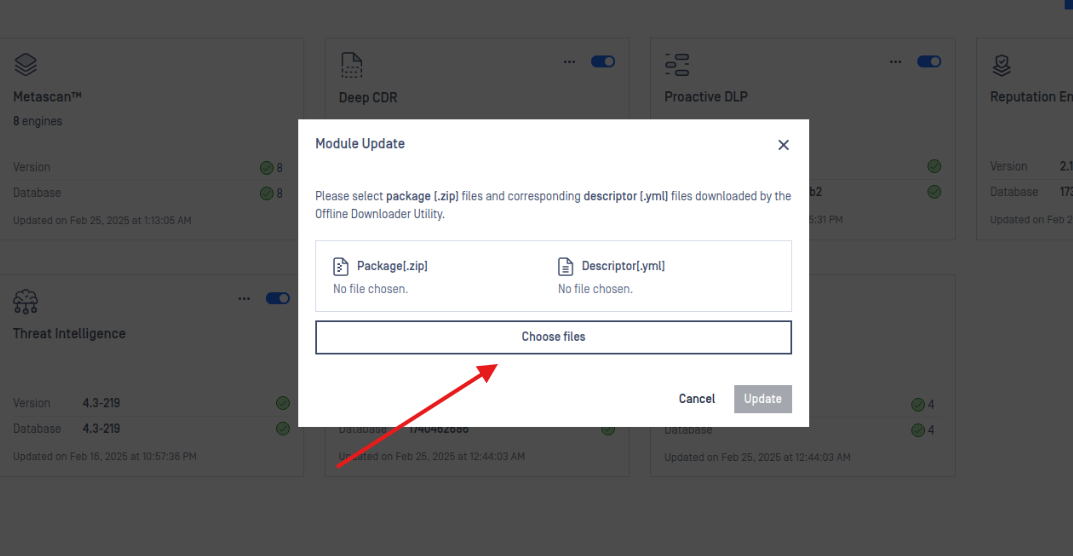
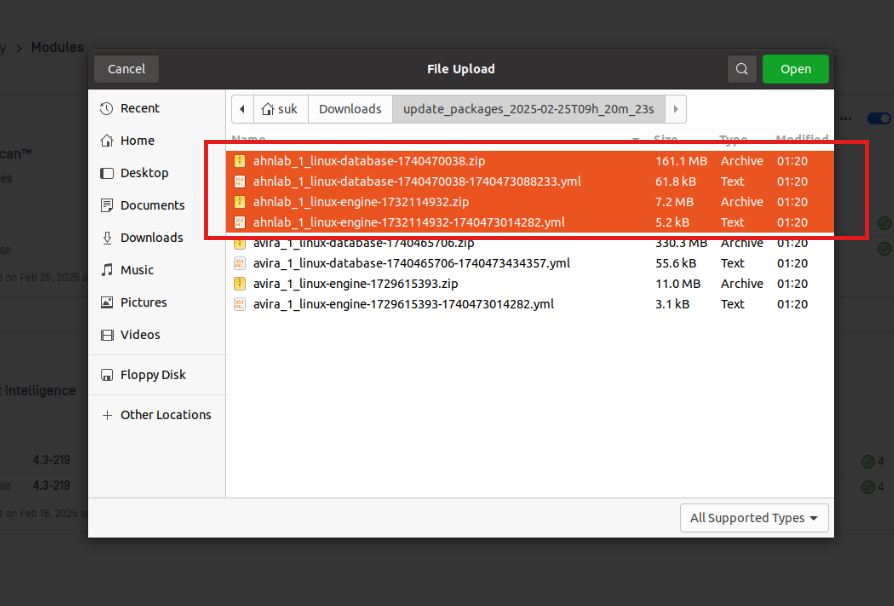
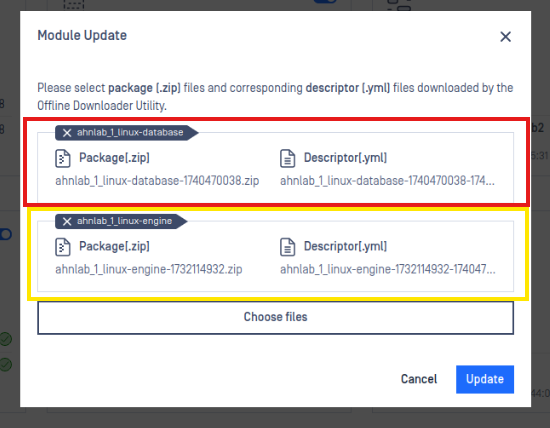
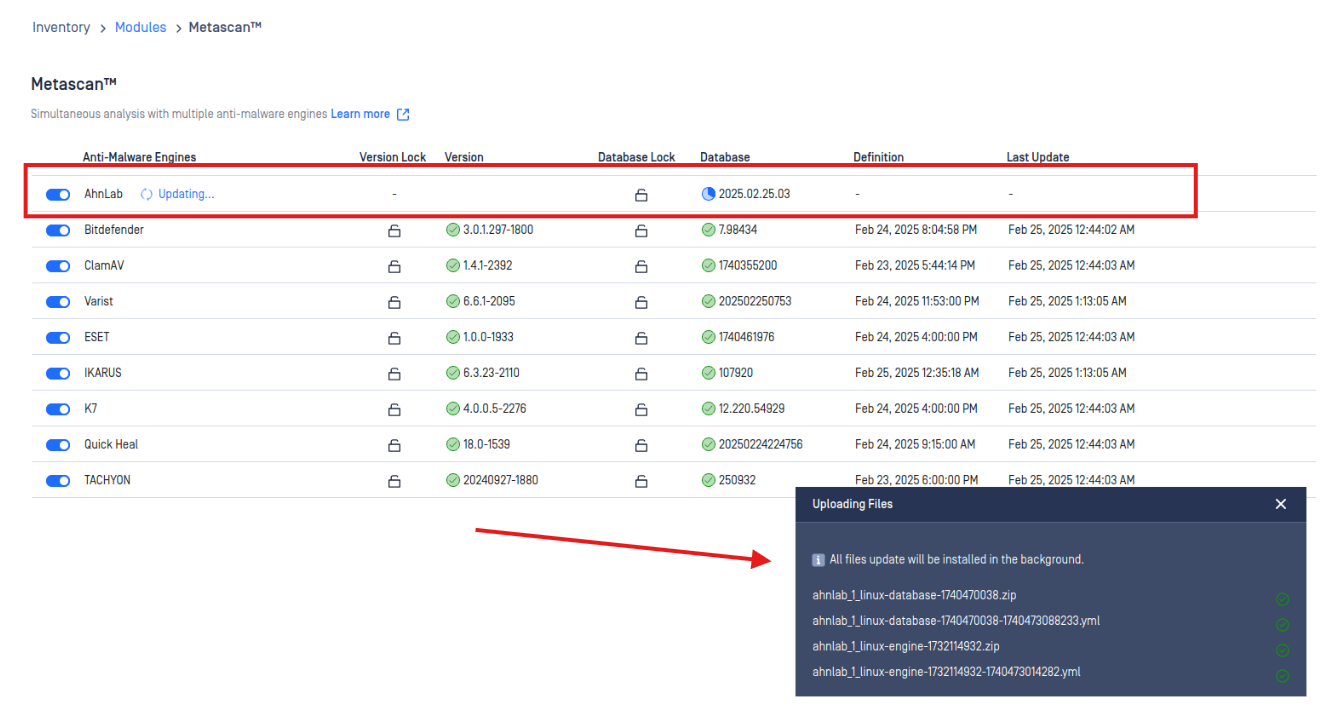
Once the Antivirus engine update process can be seen from the dashboard and verified that the update is complete. It will be the final steps on how to manually update Antivirus engines.
If Further Assistance is required, please proceed to log a support case or chatting with our support engineer.