
How do I receive MD Core scan results using a static callback URL without specifying the URL in request headers?
This article applies to MD Core version 5.5.0 and later
Please note that the webhook server must be managed and hosted by you.
From version 5.13.0, certificate loading is enhanced to ensure Webhook communication over TLS.
Overview
MetaDefender Core allows the use of webhooks for post-scan actions. You can pre-configure a static callback URL under the Post Action section (via the Inventory menu). When enabled, MD Core will send scan results to this static URL using multi-threaded asynchronous workflow processing. This setup is ideal for disaster recovery scenarios where header-based dynamic URLs are not feasible.
By default, webhook callbacks from MetaDefender Core are sent over an unsecured connection. To enhance security and protect against potential man-in-the-middle attacks—which could lead to unauthorized alteration of scan results—MetaDefender Core supports mutual TLS (mTLS) authentication. This mechanism ensures secure communication between the MetaDefender Core server and the client receiving the callback.
For detailed guidance on configuring webhook authentication, please refer to the official documentation: Webhook Authentication Configuration
Workflow configuration
On the left panel, navigate to Inventory > Post Actions > Add action
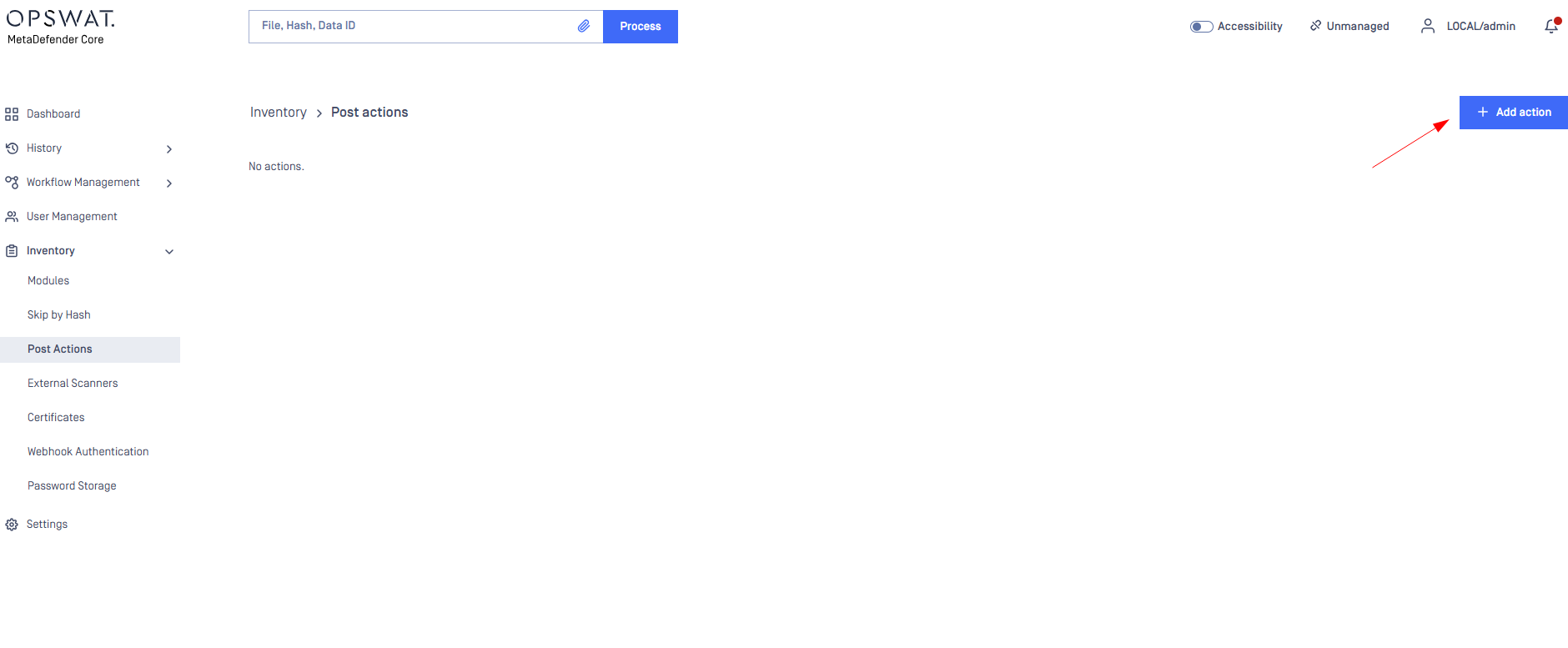
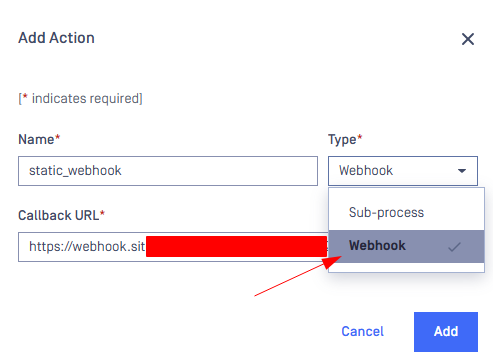
Choose Webhook type, then setup the Name and static Callback URL. Press the “Add” button.
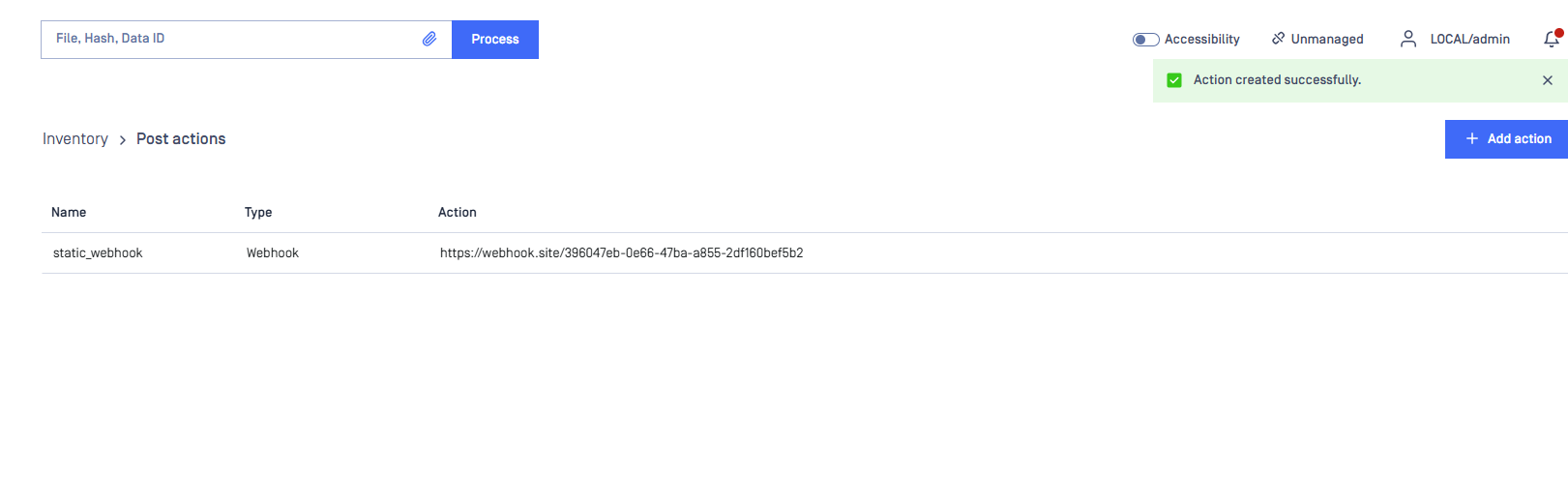
You shall receive the successful message afterwards.
After successfully added the action, navigate to the Workflow that you would like to trigger the Post-action, for e.g FileProcess. Then, choose the Post-Action tab to enable the action on the workflow
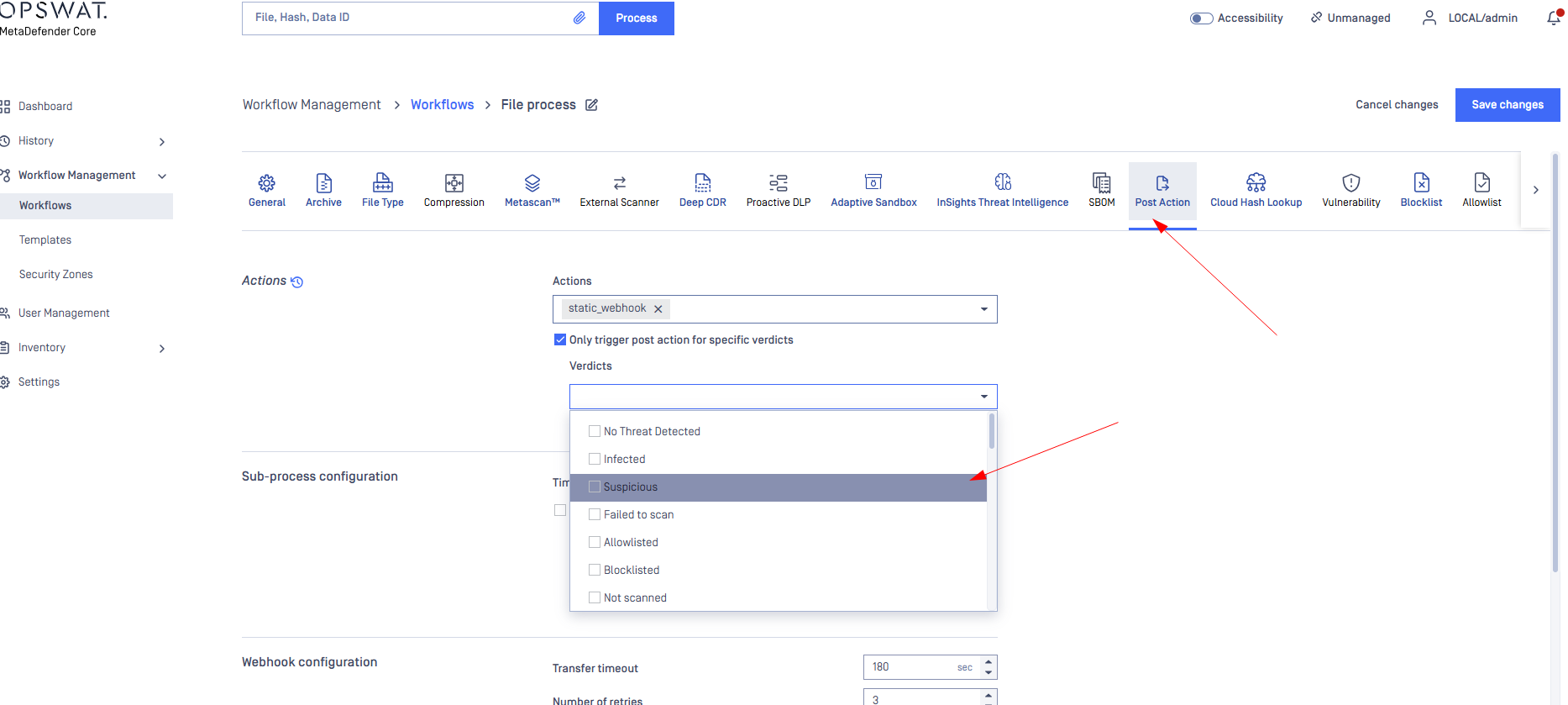
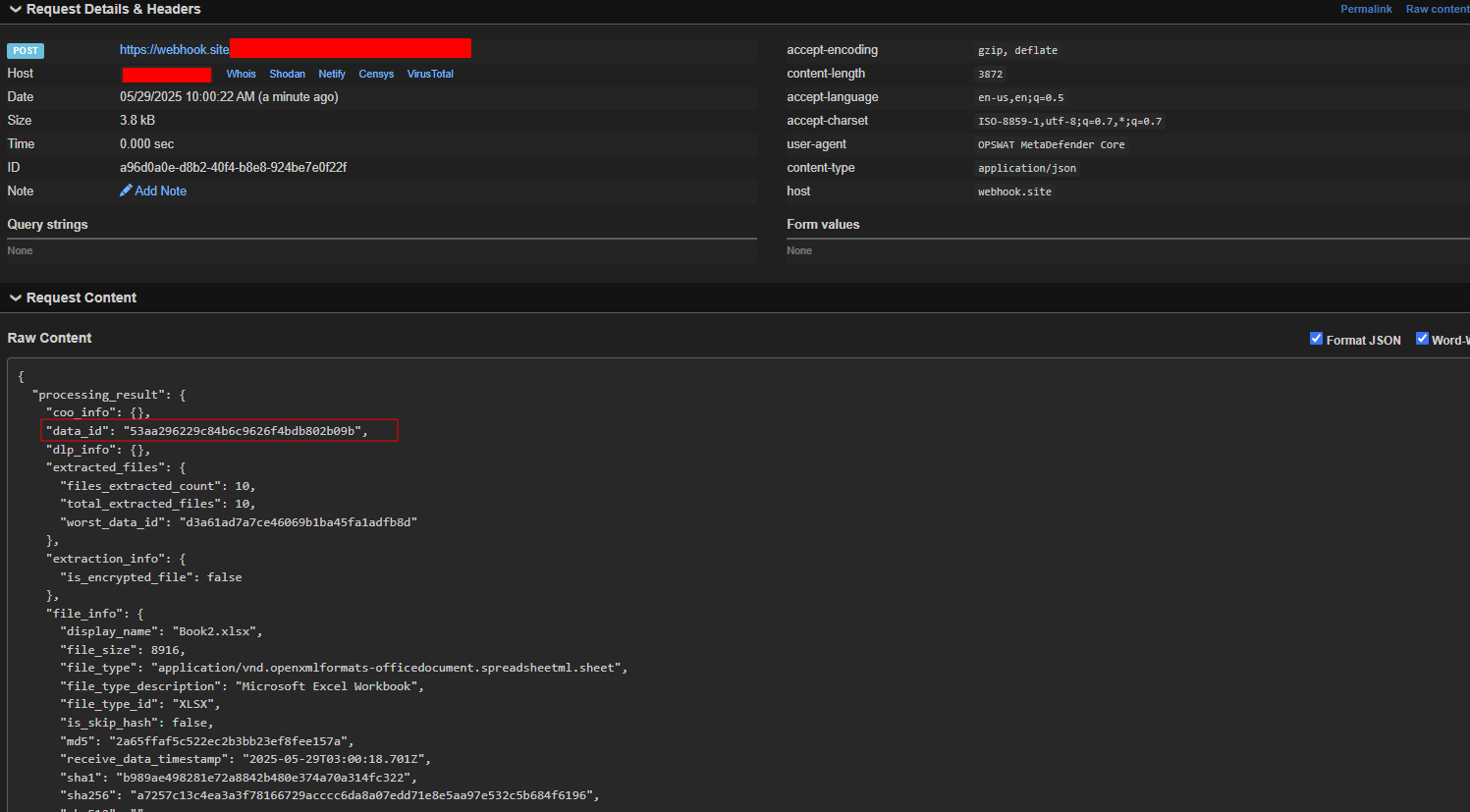
Save the configuration and verify the result
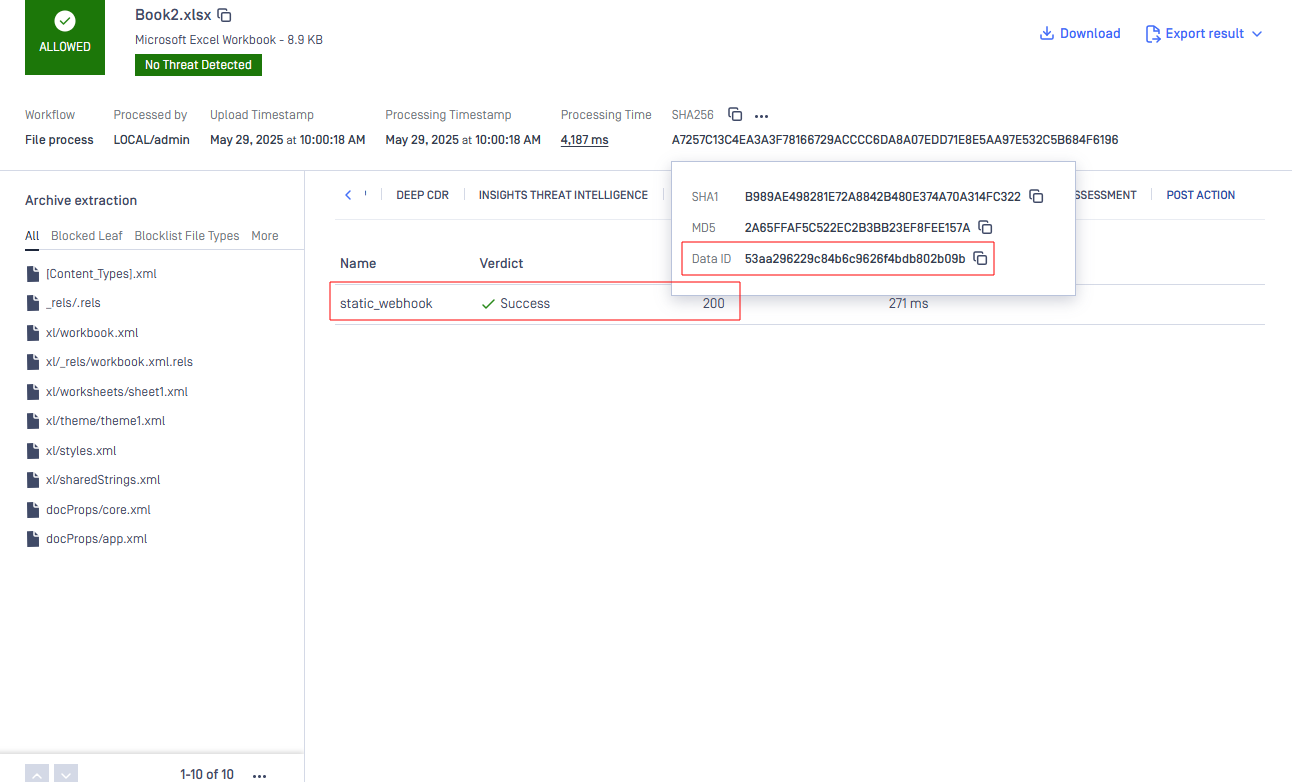
Result from webhook:
If you require further assistance, please follow these instructions on How to Create Support Package With Bundle Tools?, before creating a support case or chatting with our support engineer.