
Does MetaDefender Core generate a file download link after all scan sessions?
This article applies to all MetaDefender Core V4 and V5 releases deployed on Windows systems.
Workflow without DeepCDR, Proactive DLP
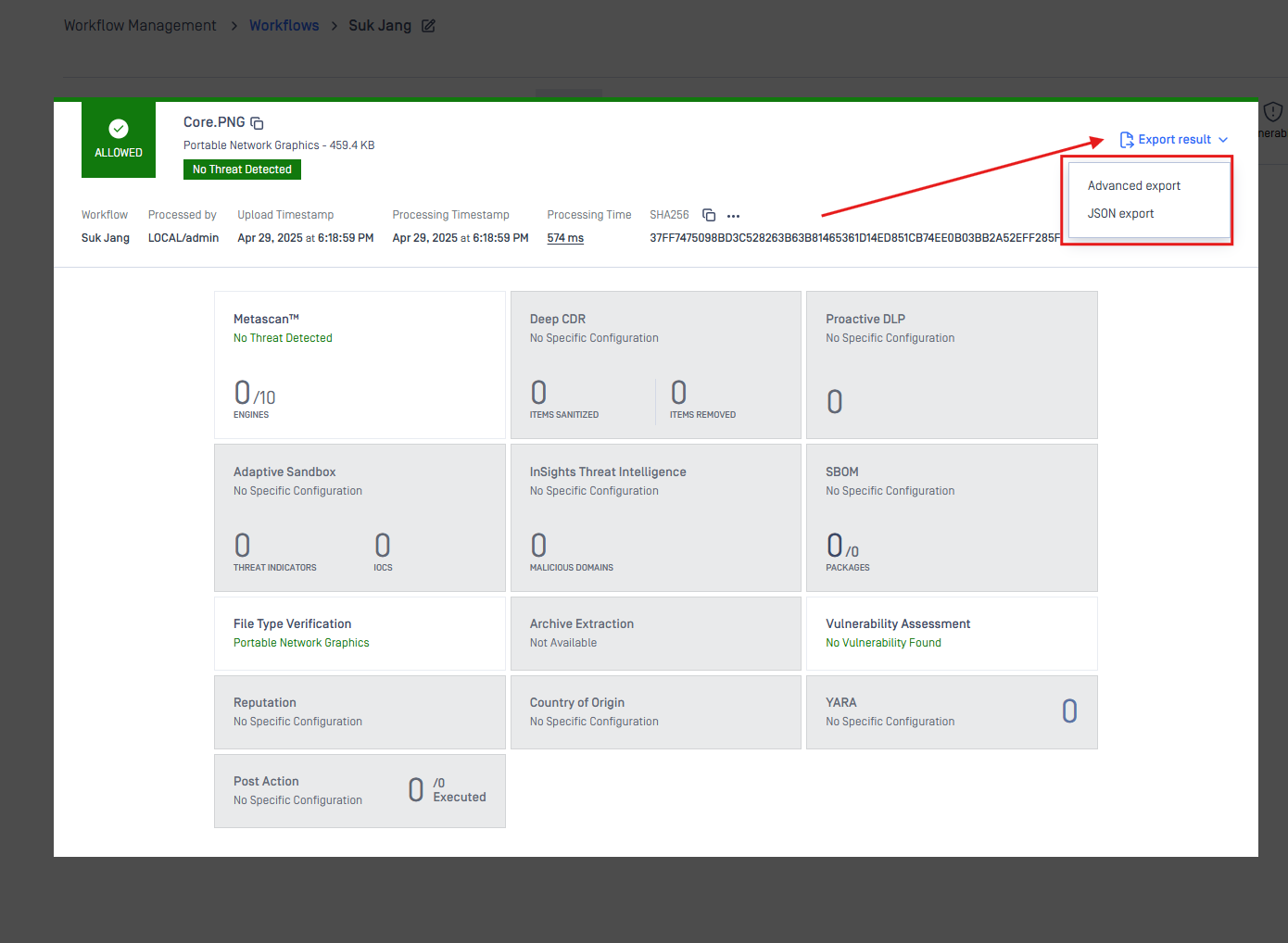
When a file is scanned through MetaDefender Core without Deep CDR or Proactive DLP enabled, the scan session will not generate any download link for the scanned file.
Once the scan is completed, MetaDefender Core provides two options for retrieving scan results:
Download JSON export
Download the PDF scan report
In this configuration, the original file remains unchanged, as no sanitization or DLP policy is applied.
Workflow with DeepCDR Or DLP
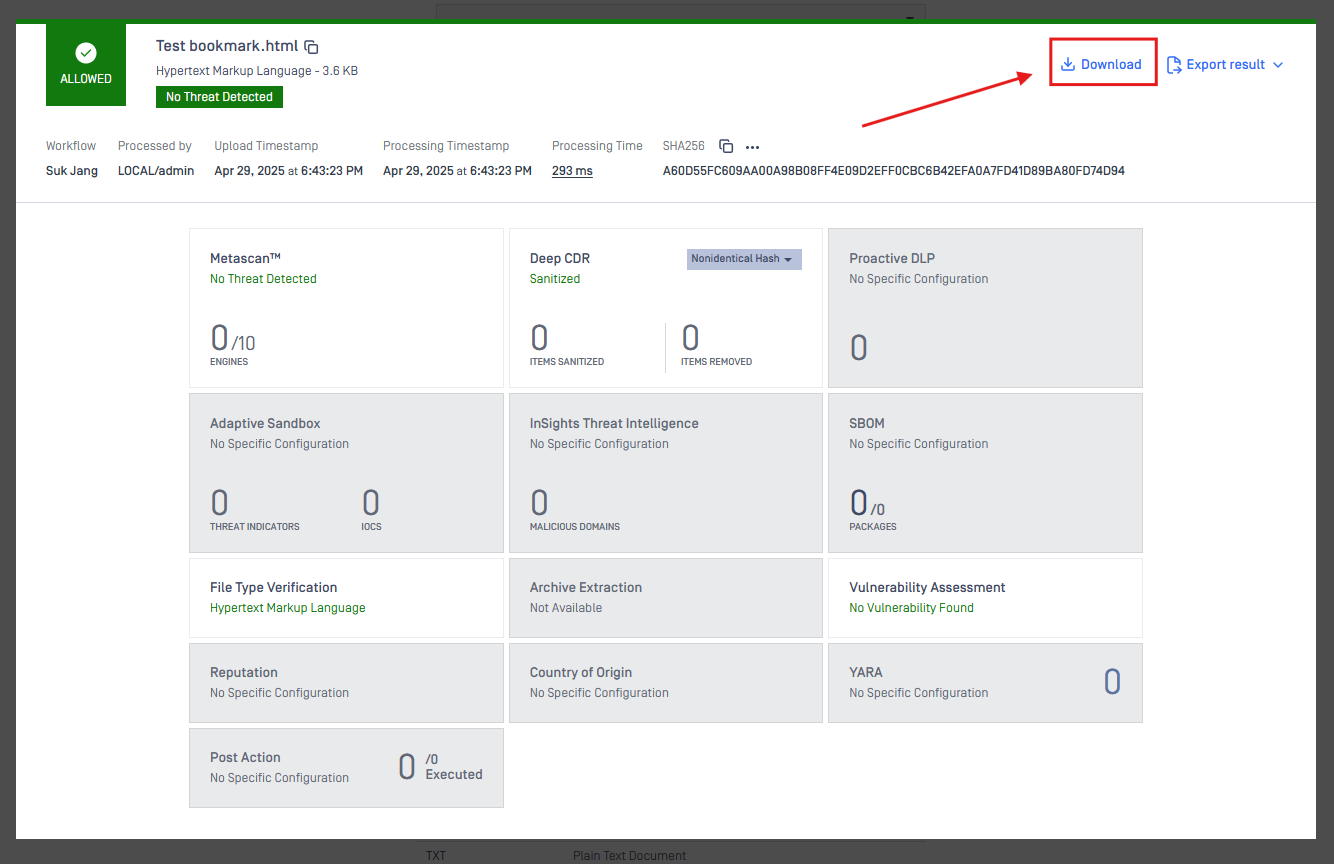
When Deep CDR is enabled in the workflow:
The original file is scanned and sanitized, meaning any potentially harmful components (such as embedded scripts, macros, or obfuscated code) are removed or replaced.
Deep CDR reconstructs the file to retain usability while eliminating threats, which may result in structural or visual changes to the file.
The output is a sanitized version of the file. The original file is not retained after scanning.
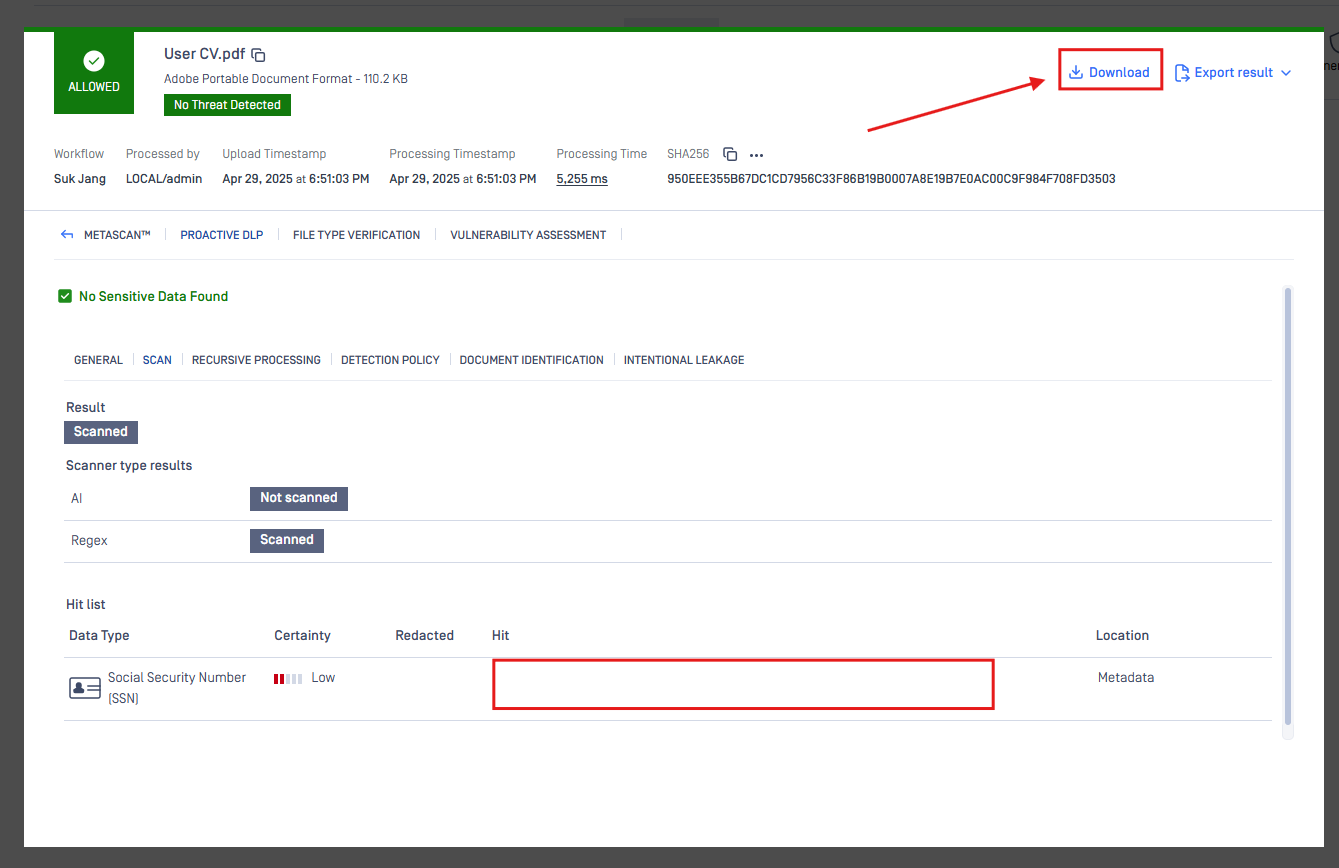
When DLP (Data Loss Prevention) is enabled in the workflow:
Files are scanned for sensitive content such as personally identifiable information (PII), credit card numbers, or custom-defined patterns.
The file may be blocked, quarantined, or redacted if a match is found based on your configured policy.
Unlike Deep CDR, DLP does not reconstruct the file. Instead, it focuses on adding a watermark and controlling the distribution of confidential data.
Proactive DLP will add a watermark to the areas containing sensitive data of the user.
If you have followed all of the steps above but are still unable to resolve the issue. Please follow these instructions on How to Create Support Package With Bundle Tools?, before creating a support case or chatting with our support engineer.