
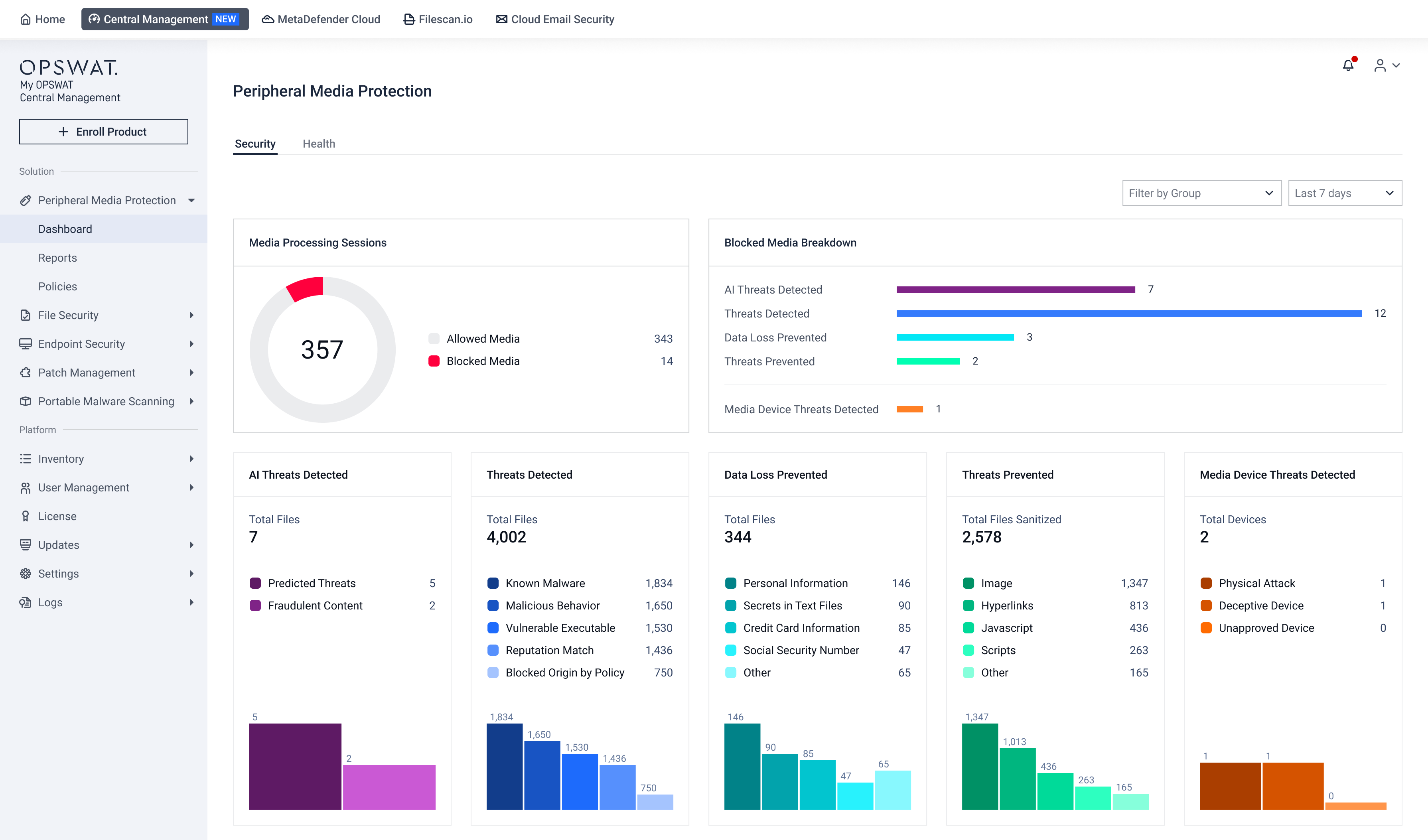
Peripheral Media Protection Dashboard gives you a centralized view of every piece of removable media entering your environment, and the health of the devices inspecting it. Use dashboard widgets to see what was blocked, understand why, and confirm your protection is actually running.
Open Peripheral Media Protection Dashboard
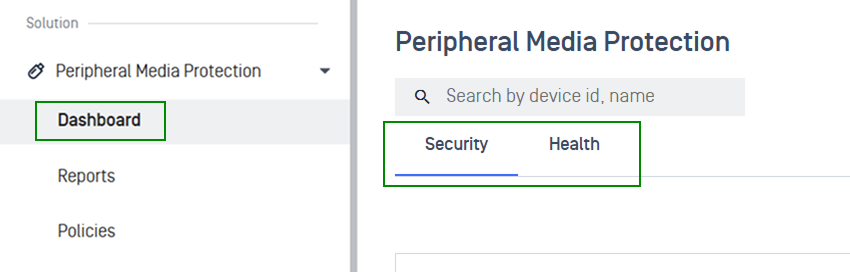
In the left navigation, select Peripheral Media Protection > Dashboard.
Choose the tab you need:
Security: View the overall security status of peripheral media activity across your environment
Health: Monitor product instance connection and health status
Use Filter by Group and Timeframe to scope the view. Widen the timeframe before concluding a widget is empty.

Detect and Investigate Threats
The Security tab on the Peripheral Media Protection dashboard provides interactive widgets to help you detect and investigate file-based threats, data loss events, content sanitization outcomes, and USB device threats detected across your environment.
Quick jump to your specific focus:
Assess overall media activity
Identify which security layer is driving the most interventions, so you can prioritize policy tuning and resource allocation.
Widgets | What It Shows |
|---|---|
Media Processing Sessions 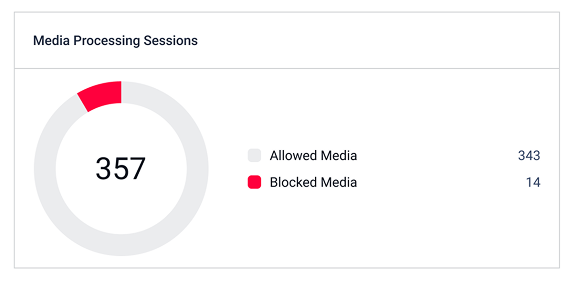 | Shows the total number of media sessions within the selected timeframe, split into Allowed Media and Blocked Media |
Blocked Media Breakdown 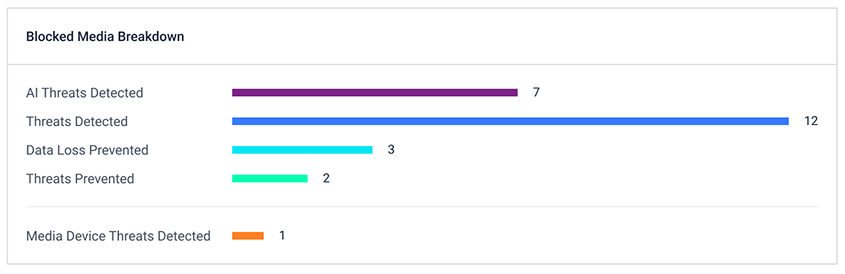 | Breaks down blocked sessions by the reason they were blocked |
Allowed Media by Group 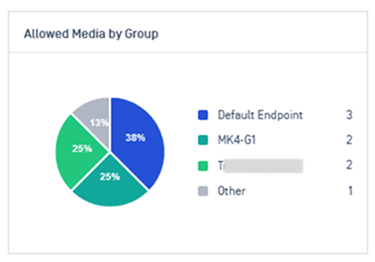 | Shows the distribution of allowed media sessions across different device or endpoint groups within the selected timeframe. |
Blocked Media by Group 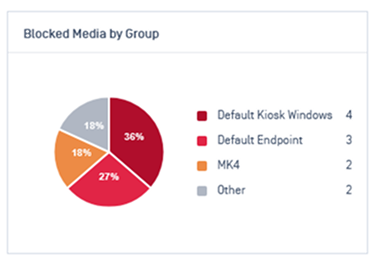 | Breaks down blocked media sessions across different device or endpoint groups to pinpoint where security interventions occur most frequently. |
Identify threat categories
Five widgets drills down into the specific threat categories across all processed sessions
Widgets | What It Shows |
|---|---|
AI Threats Detected 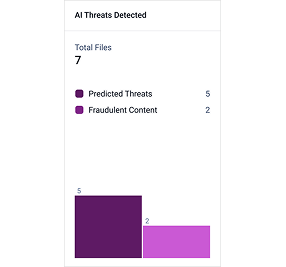 | Displays the total number of files flagged by the AI engine, with a breakdown visualizes the relative volume of each category |
Threats Detected 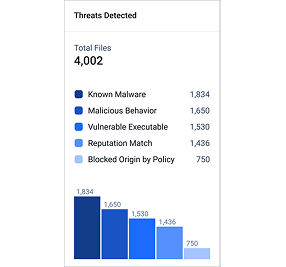 | Files identified as threats by traditional engines |
Data Loss Prevented 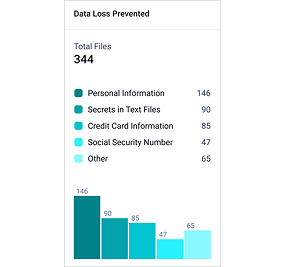 | Files containing sensitive data categories that triggered a DLP rule |
Threats Prevented 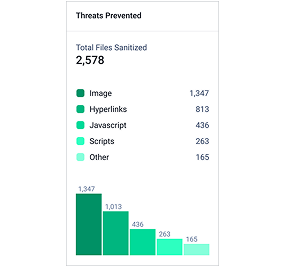 | Files where content was sanitized (Deep CDR) to remove embedded threats before allowing access |
Media Device Threats Detected 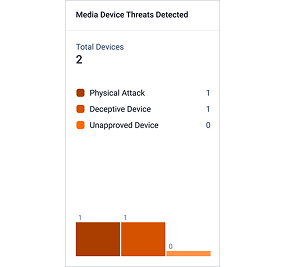 | Peripheral devices flagged by USB-threat detection (physical attack, deceptive device, unapproved device). Refer to BadUSB Protection guidelines for more details |
Identify high-risk users and media types
Widgets | What It Shows |
|---|---|
Blocked Sessions by Media Type 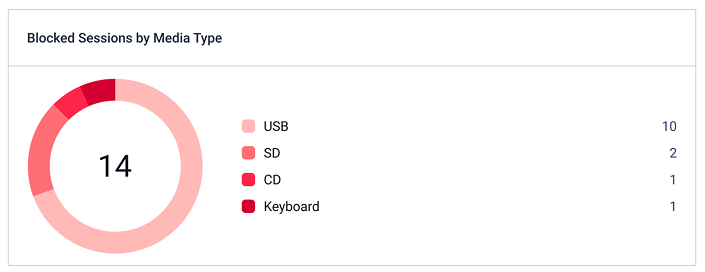 | Shows how blocked sessions distribute across physical media types |
Blocked Sessions by User 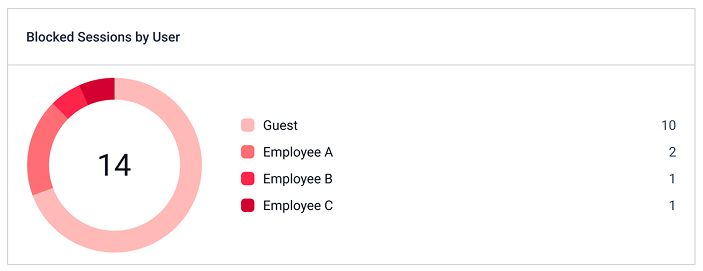 | Shows which users triggered blocked sessions. Users are identified by their authenticated identity at the Kiosk or Endpoint |
Investigate individual security incidents
Widgets | What It Shows |
|---|---|
Blocked Media Sessions 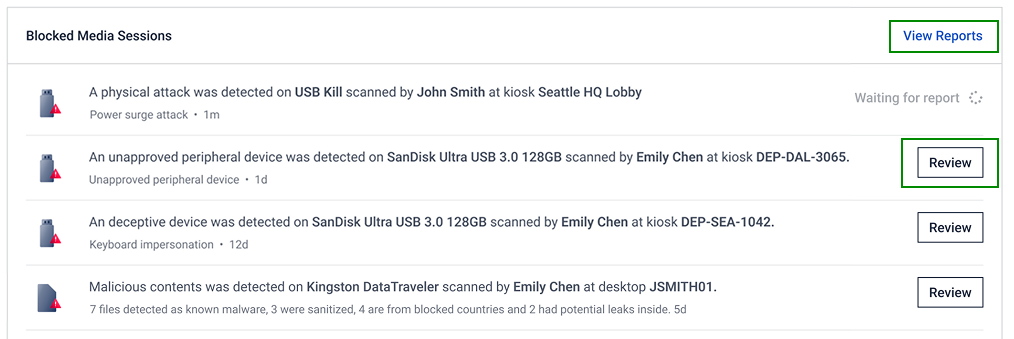
| Lists the most recent blocked media sessions in chronological order |
Monitor Product Instance Health
The Health tab provides a real-time overview of your managed product instances. Use these widgets to quickly verify that your deployed instances are actively communicating with My OPSWAT Central Management and running supported software versions.
Widgets | What It Shows | How To Interpret |
|---|---|---|
Last Seen | Shows when each device last reported to My OPSWAT Central Management 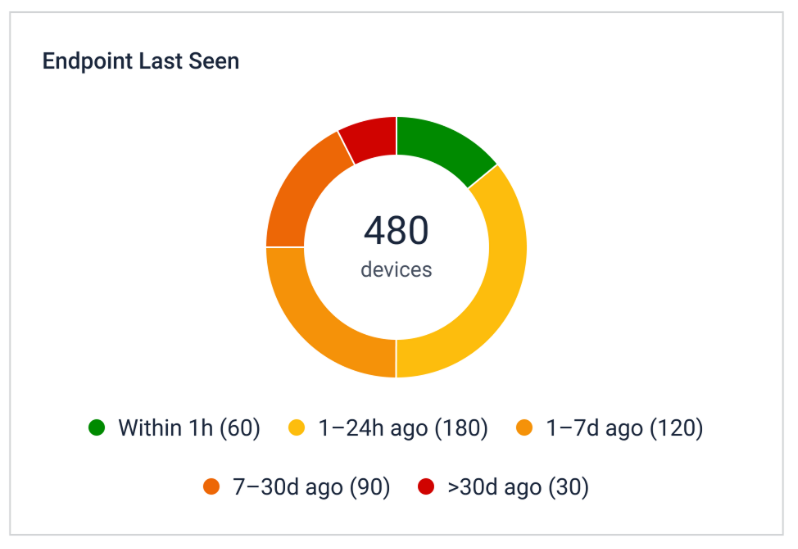 |
|
Version Status | Indicates whether each device is running the latest supported software version 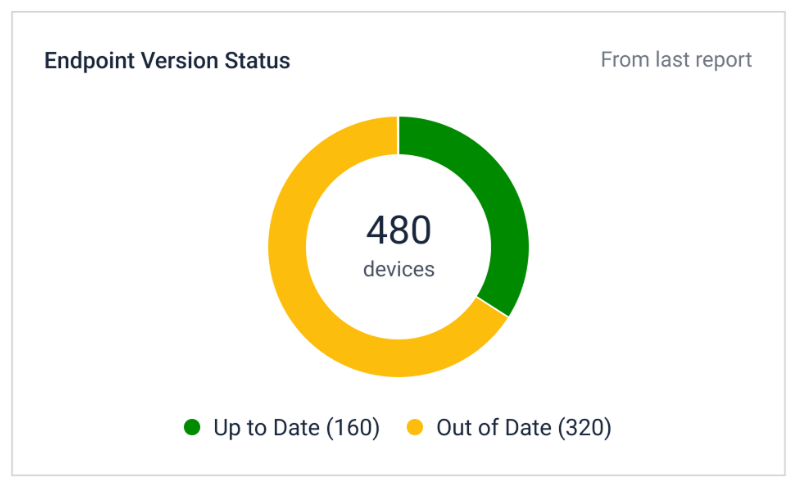 |
|