
Currently for Windows managed devices only.
In April 2023, My OPSWAT Central Management introduces it's newest feature, geolocation. When enabled, the MetaDefender Endpoint will be able to send location data to My OPSWAT Central Management for administrators to monitor and track.
To utilize Geolocation, Administrators must do the following to activate Geolocation:
Sign into My OPSWAT Central Management
Navigate to Settings > Global > Account.
Uncheck Geolocation from Privacy Settings.
Once these steps are completed, the end user will be prompted to enable location services to be used by the MetaDefender Endpoint.
After gathering location data, Administrators are able to view the location of each device from two areas in My OPSWAT Central Management:
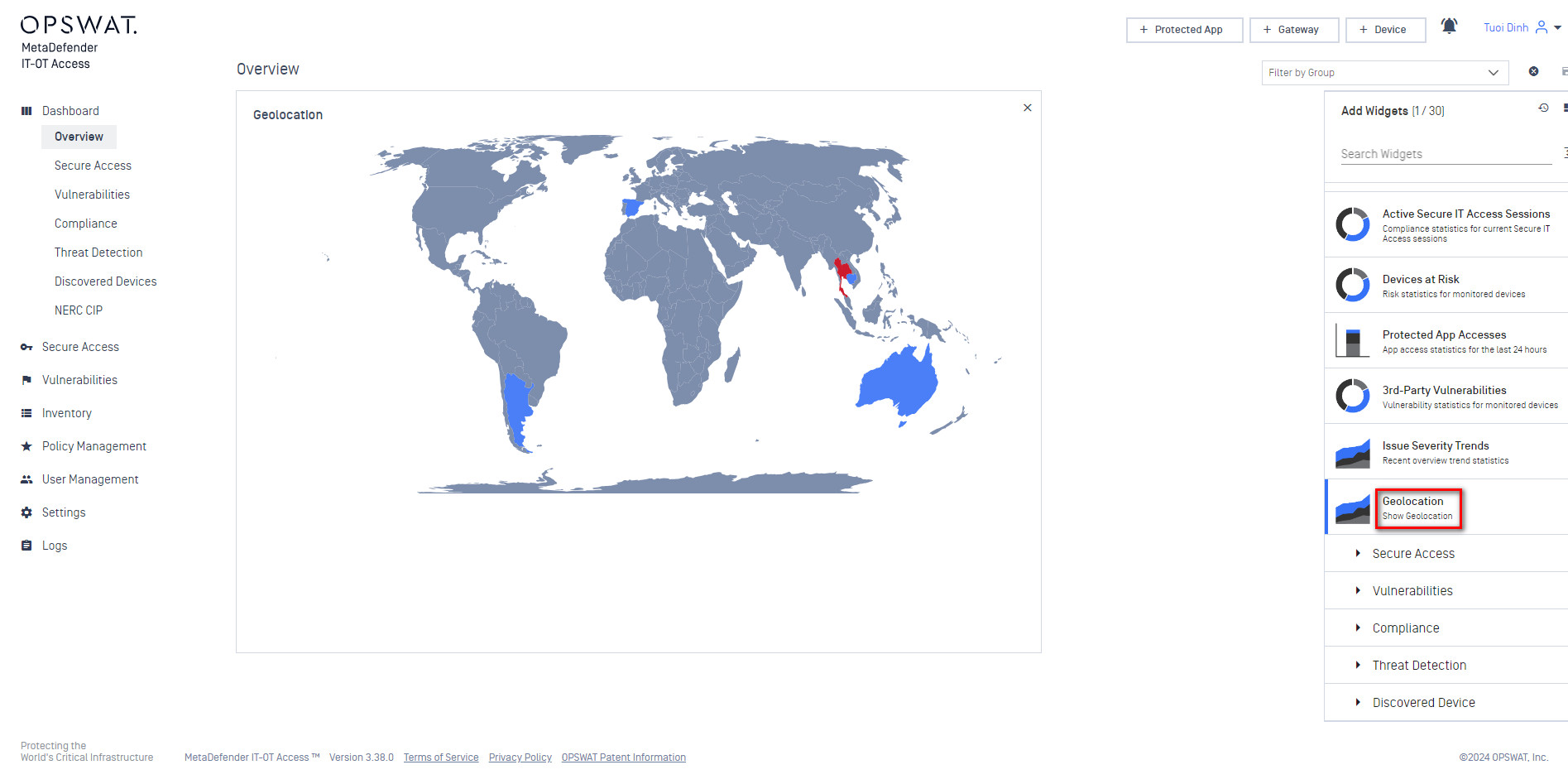
Under Dashboard, Administrators can add the Geolocation widget to view a map of all managed devices with their locations, compliance, and corresponding colors based on compliance data. Hovering over each area where devices are located, administrators can view the count of devices per compliance status.
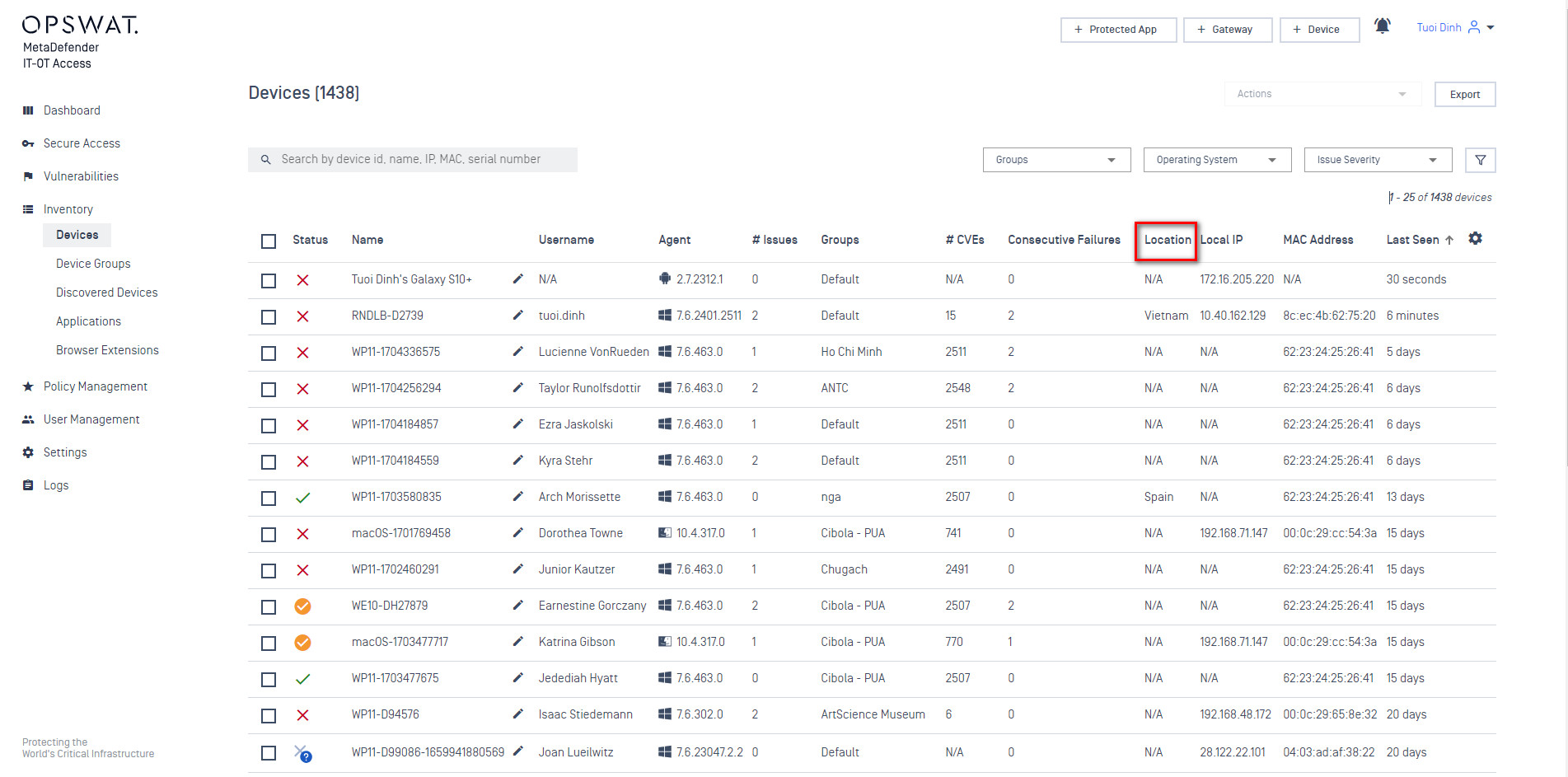
Under Inventory, Administrators can view the location of a device based on the location column that has been added to the Devices page.
For instances where administrators need do not need to track devices and their locations, simply enable Geolocation under Privacy Settings, and My OPSWAT Central Management will no longer receive location data from the MetaDefender Endpoint on your managed devices.