
MetaDefender Endpoint devices can be added into My OPSWAT Central Management by obtaining an installer for the MetaDefender Endpoint. Administrators can also go a step beyond and have their devices be sorted into groups via auto-assignment. For more information on device groups and auto-assignment, please use the links below:
Enroll a device
To add devices into My OPSWAT Central Management, administrators need to do the following:
Log into My OPSWAT Central Management .
In the top-right corner of any page, select Enroll Product. The Enroll Product page opens.
In the Add an endpoint device card, select a group from the Group dropdown. Devices installed from this link are assigned to that group.
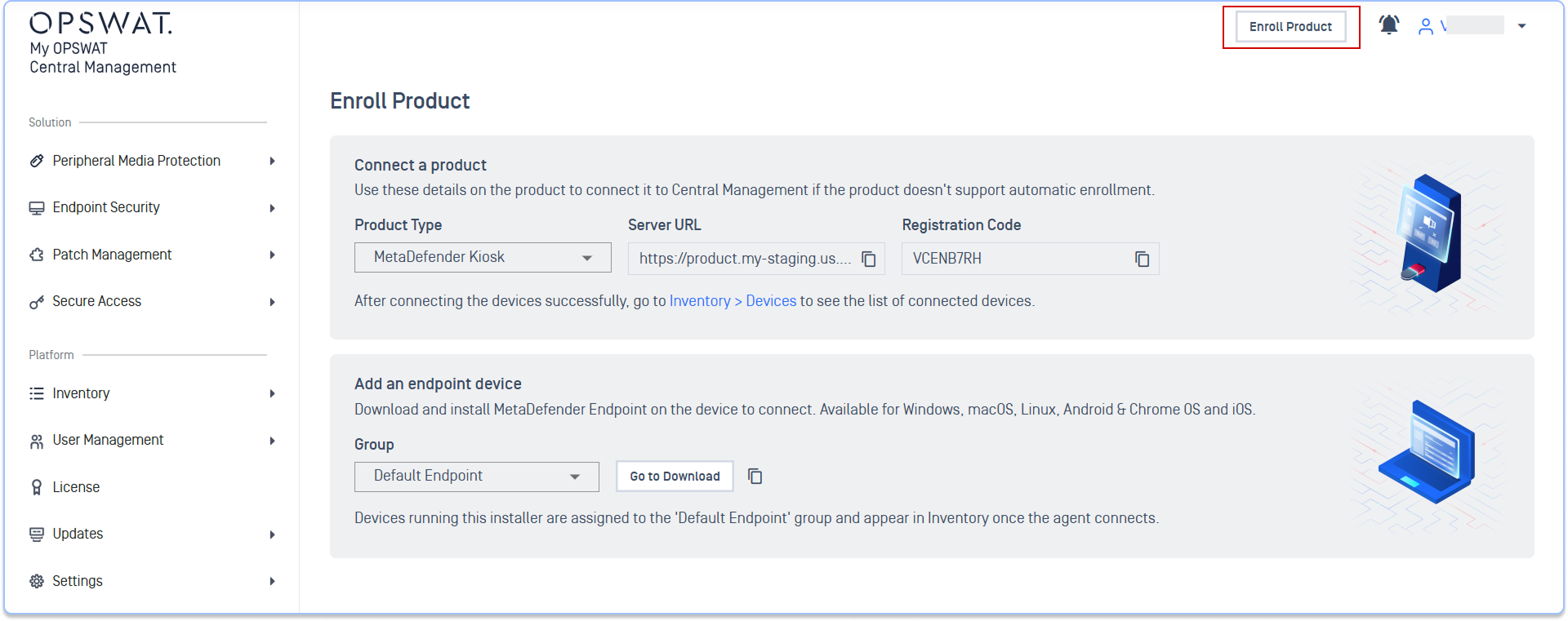
Select Go to Download. The Download MetaDefender Endpoint page opens.
To share the download with someone else, such as the device owner, select the copy-link icon next to Go to Download instead.
Select the operating system and agent type, then download the installer.
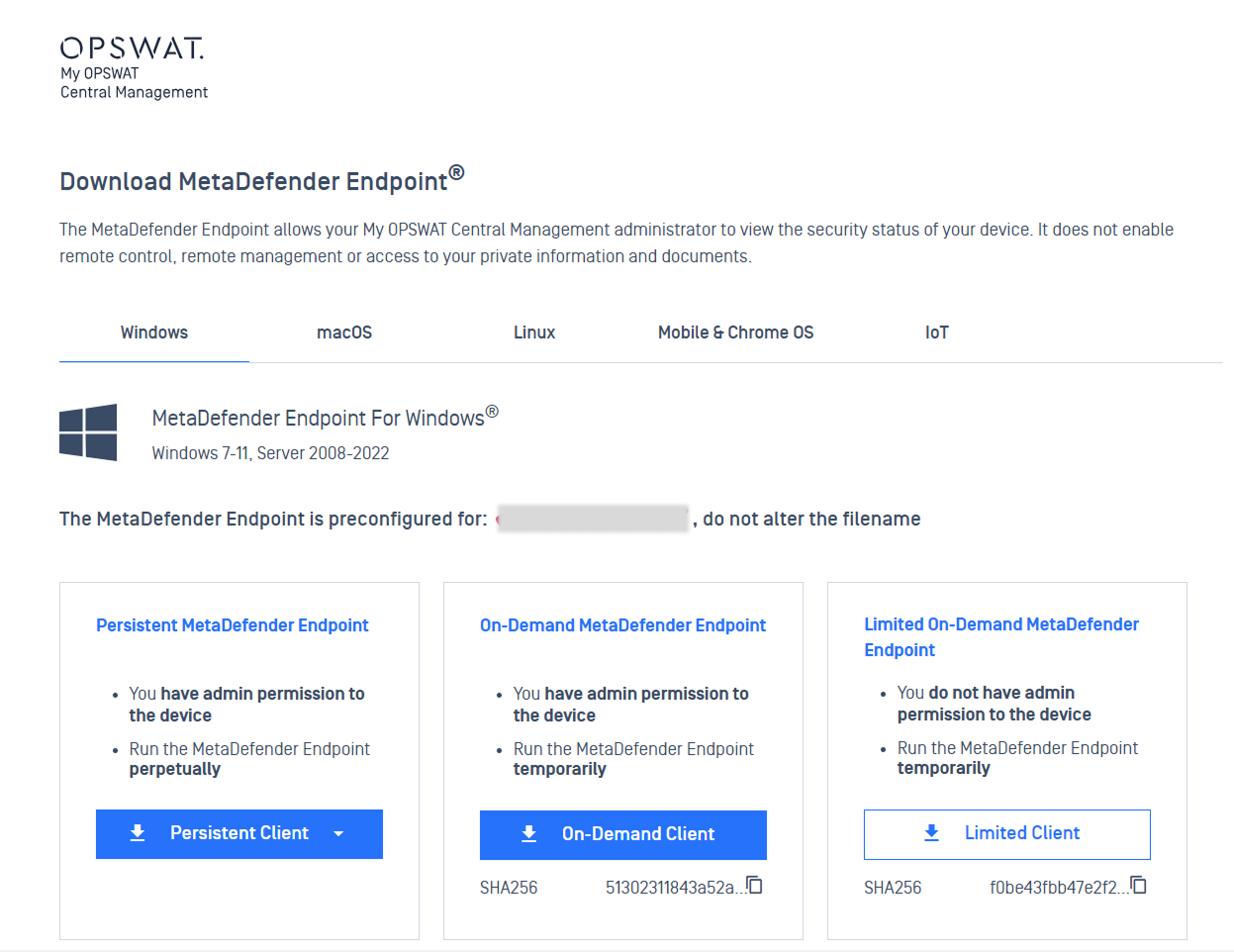
On the device, run the installer with administrator privileges.
Next Steps
Review or create the policy that applies to the device's group.
Check device posture on the Endpoint Security Dashboard.