
Info:
This article applies to MetaDefender Managed File Transfer (MFT) 3.9.3.0 and earlier
Issue:
In MetaDefender MFT 3.9.3.0 and earlier versions, files may remain in Scanning when MetaDefender Core is slow or unavailable. If scan requests exceed MFT’s retry and timeout limits, the MFT console may display a 504 Gateway Timeout. This usually indicates delayed Core processing, queue congestion, or inconsistent routing through the load balancer—not a problem with the uploaded file.
Technical background and common causes:
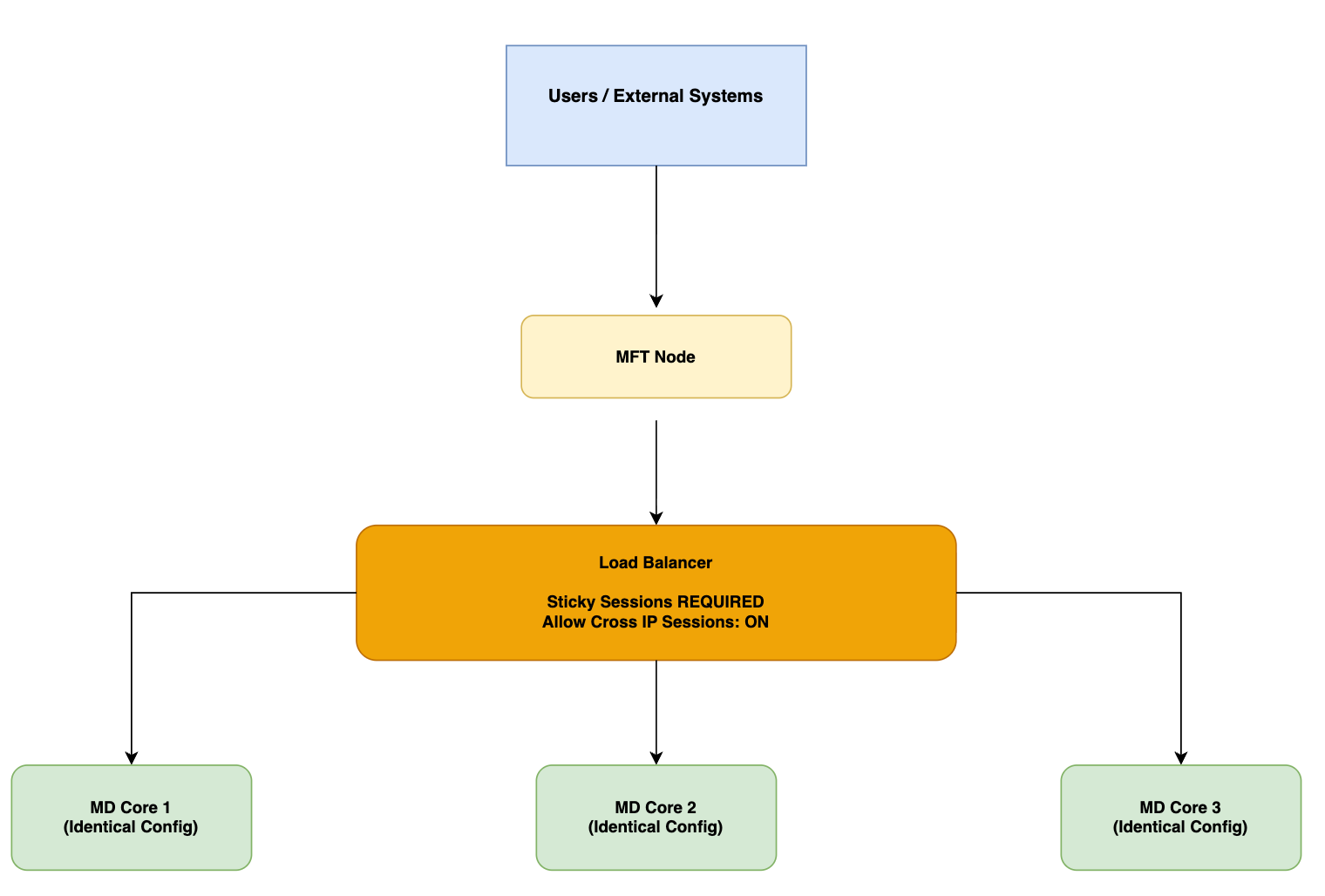
During the incident, one MetaDefender Core instance was interrupted, reducing cluster capacity and causing jobs to queue on the remaining instance. As response times exceeded MFT’s timeout, scan requests were cancelled and retried; without MFT Smart Routing or load-balancer session affinity, related requests could reach different Core nodes and prolong recovery, leaving files in Scanning.
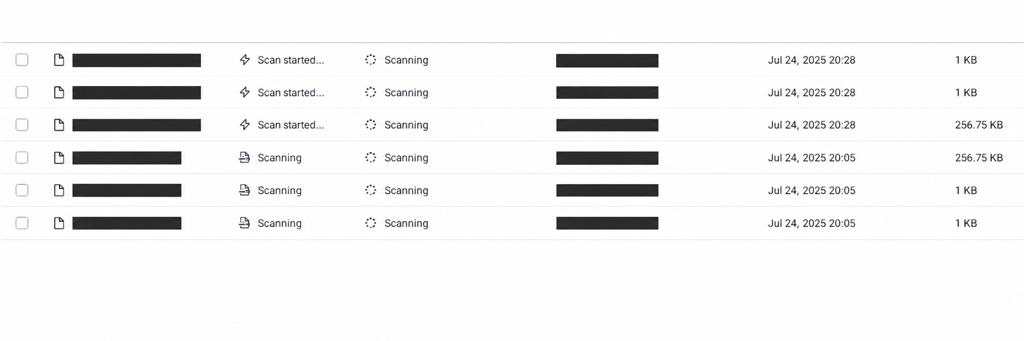
The same Core-side capacity strain also caused the read-only workflow lookup (/vault_rest/settings/mdcore/workflows) to exceed nginx’s 360-second read timeout, producing a downstream 504 Gateway Timeout. This lookup does not use the scan-cancellation path.
Workarounds:
While restoring Core capacity, reduce or pause non-critical upload and scan traffic. Remove unhealthy Core nodes from load-balancer rotation until recovery and validation are complete. Then restart MFT services.
Resolution:
Upgrade MFT to 3.11.4 or later to prevent indefinite Scanning and ensure failed scans reach a terminal state, such as Processing Failed. On the Core/load-balancer side, use MFT Smart Routing or session affinity (sticky sessions) so submit, status, and cancel requests for a scan stay on the same Core node.
MFT Smart Routing: Routes submit, status-polling, and cancel requests for a scan to the same MetaDefender Core node, preventing cross-node cancellation failures. Reference: https://www.opswat.com/docs/mdmft/integrations/listing-metadefender-core-integrations#load-balancing .
Load-balancing guidance: https://www.opswat.com/docs/mdmft/knowledge-base/how-do-i-choose-between-round-robin-and-core-health-for-load-bal .
Monitor Core availability, queue depth, and scan latency; alert on node outages or sustained queue growth. For workflow-list 504 errors, restore Core capacity and responsiveness; increasing the nginx timeout will not fix the issue.
Support:
If you require further assistance, please follow these instructions on How to Create Support Package? before creating a support case or chatting with our support engineer.