
Is Kiosk Active Directory integration possible?
This article applies to all MetaDefender Kiosk V4 releases deployed on Windows or Linux systems.
In order to perform a successful Kiosk Active Directory (AD) integration, the following steps must be followed:
Navigate to the Kiosk console to User Management > Add new directory
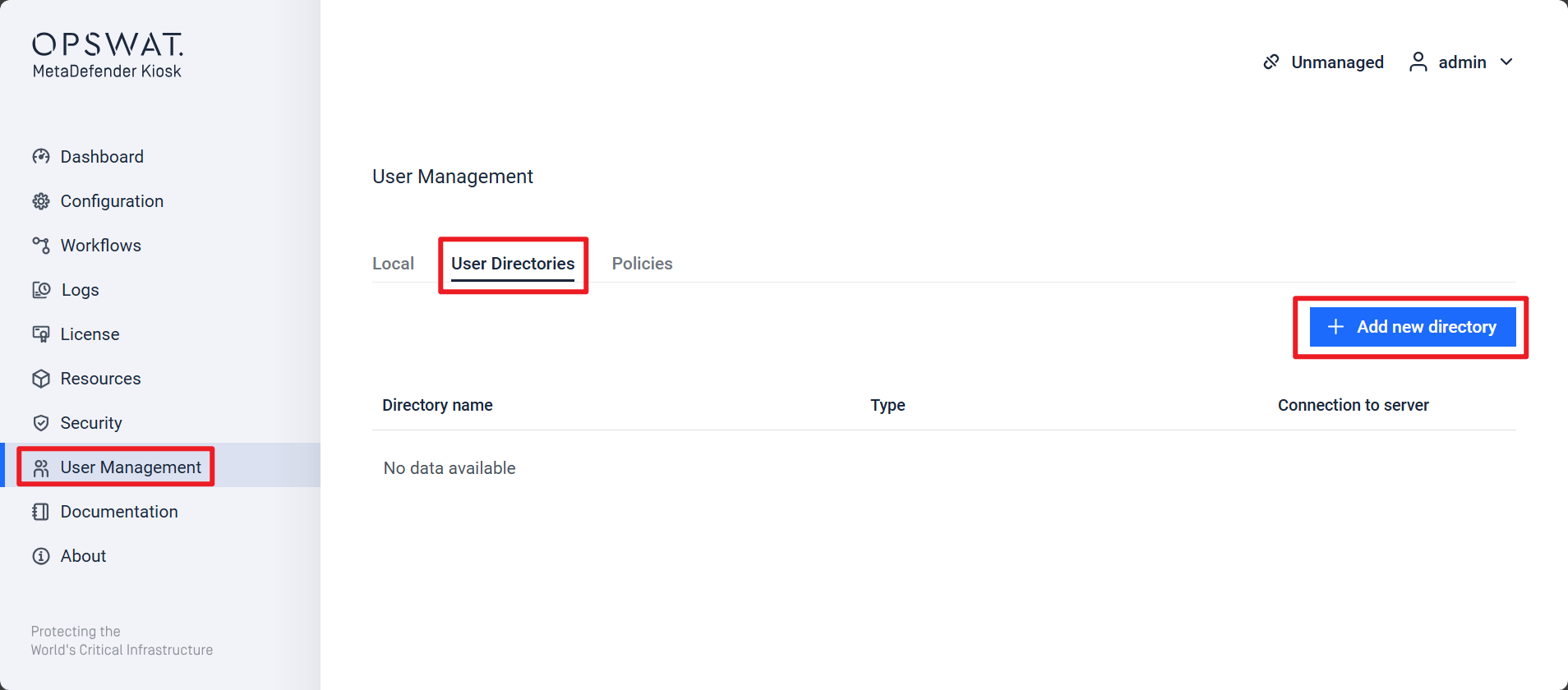
Select Type of directory > Active Directory (AD)
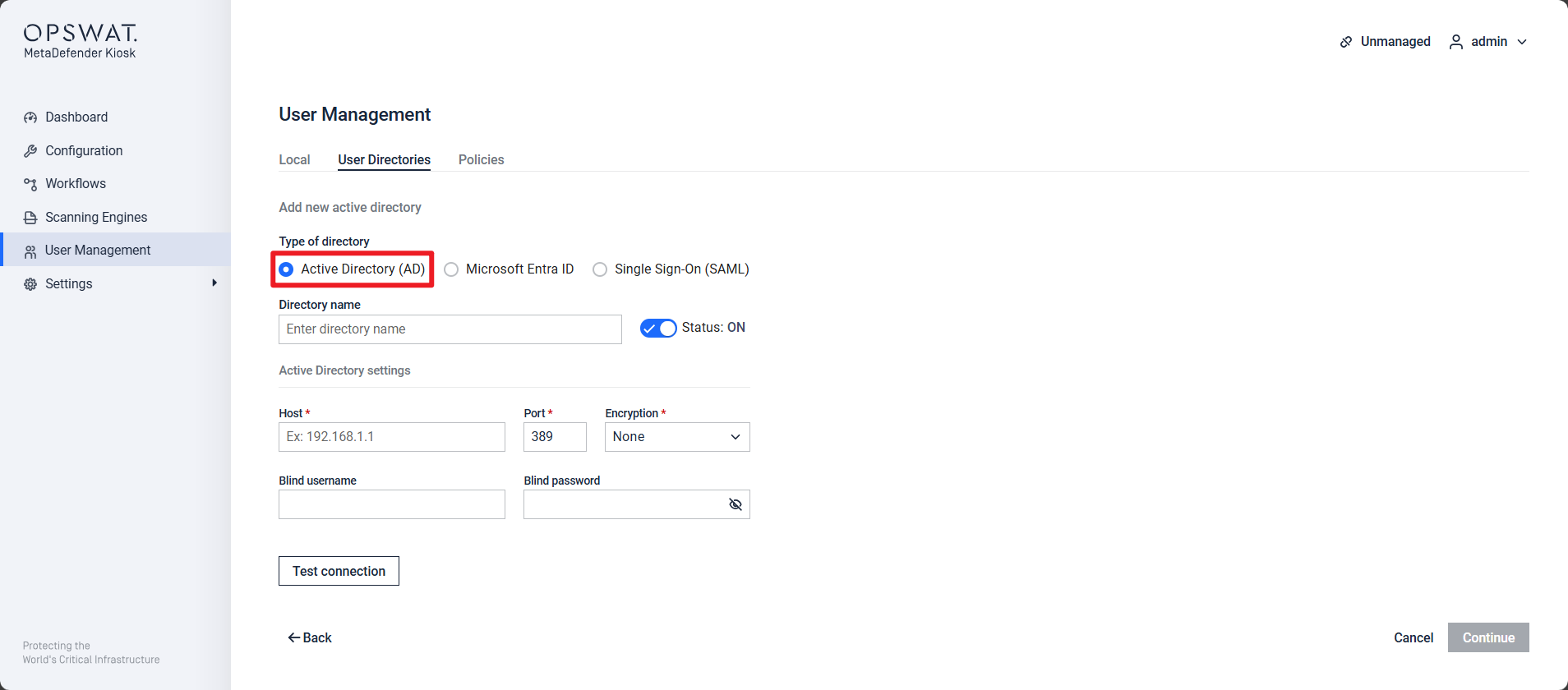
Fill in the correct credentials and select Test connection to make sure the AD server is reachable from the Kiosk side)
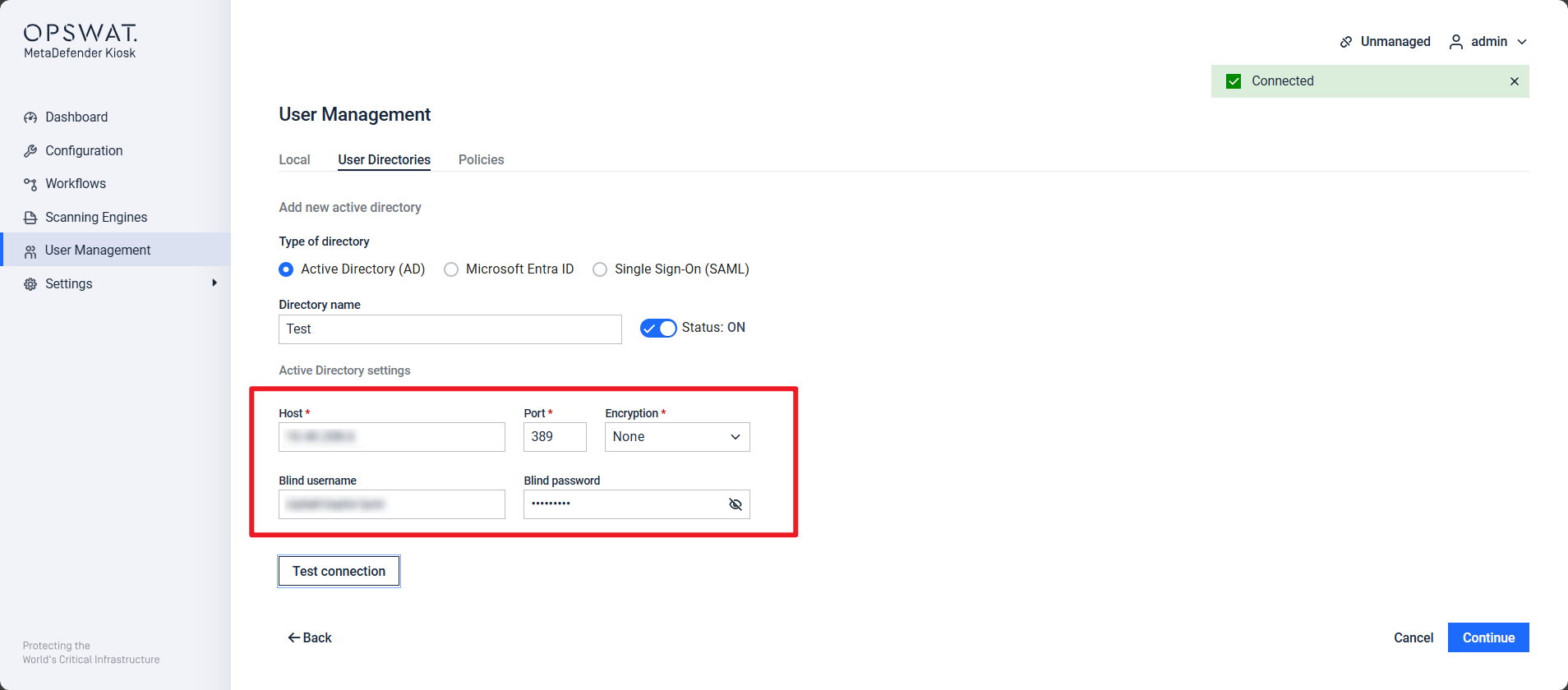
The next page allows you to assign users to either the Administrator or Auditor role.
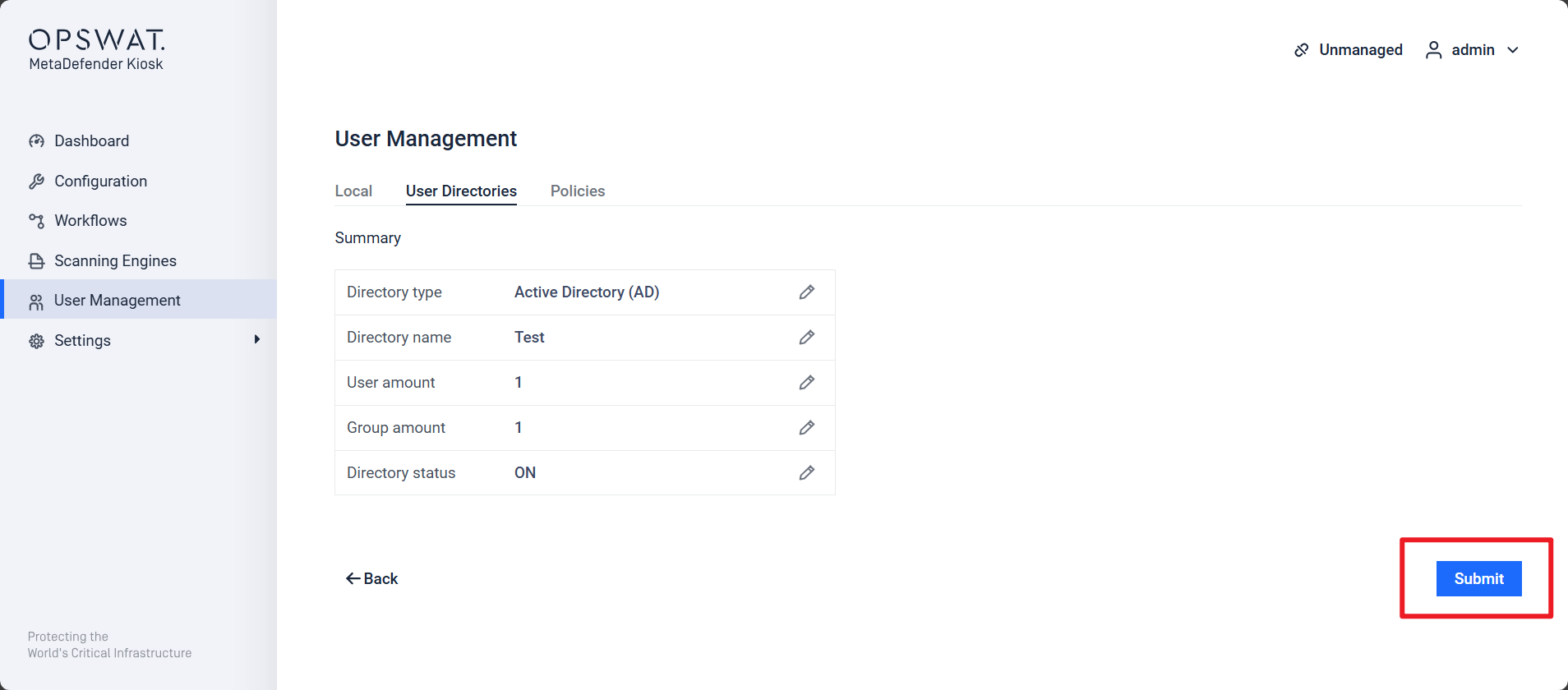
The next page you can see the Summary, and click Submit
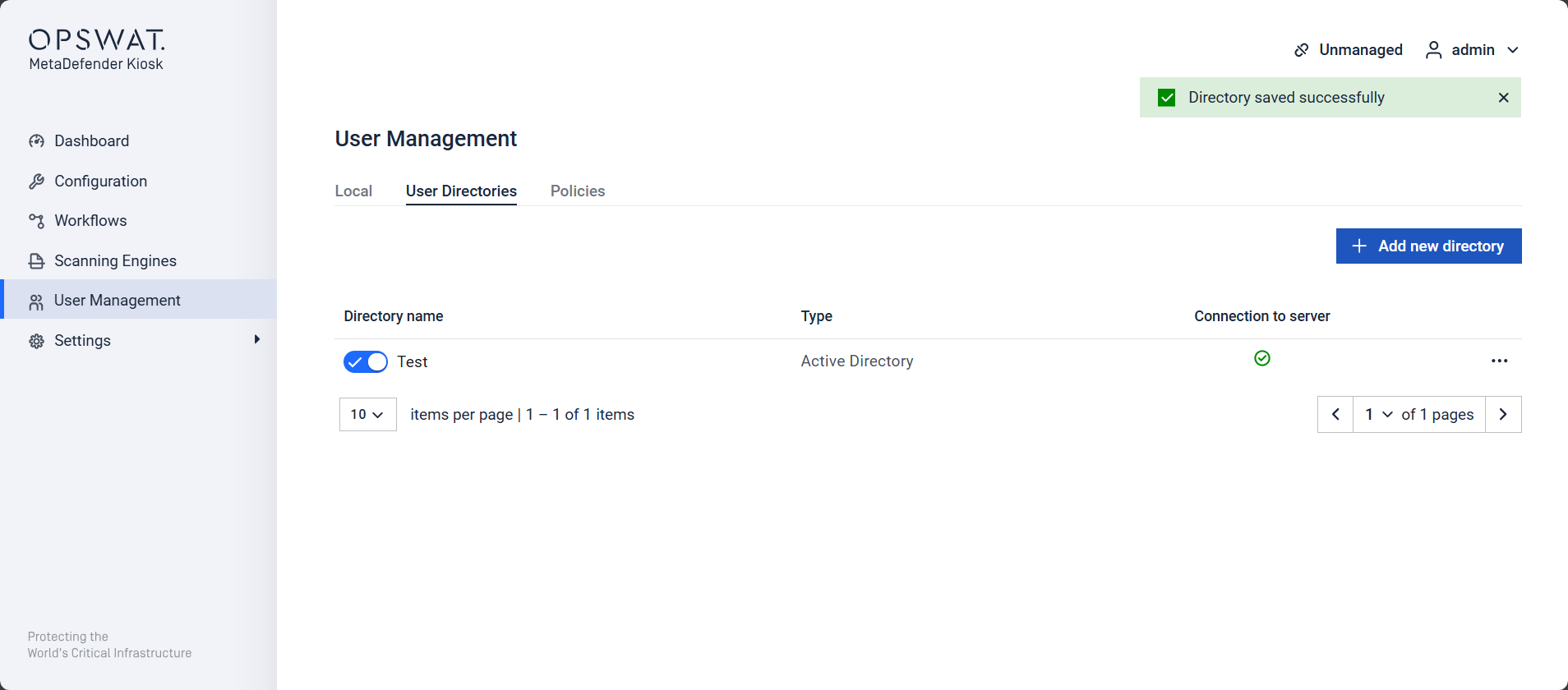
After completing the steps mentioned above you should get the following confirmation of the Directory saved successfully.
If Further Assistance is required, please proceed to create a support case or chat with our support engineer.