
This article applies to all MetaDefender Kiosk releases managed by OPSWAT Central Management v7
Overview
By default, MetaDefender Kiosk workflows enforce maximum file size limits for scanning. Files larger than the configured limit may be rejected, resulting in failed scans. This article explains how to increase the maximum allowable file size for scanning within MetaDefender Kiosk workflows using OPSWAT Central Management v7.
Steps
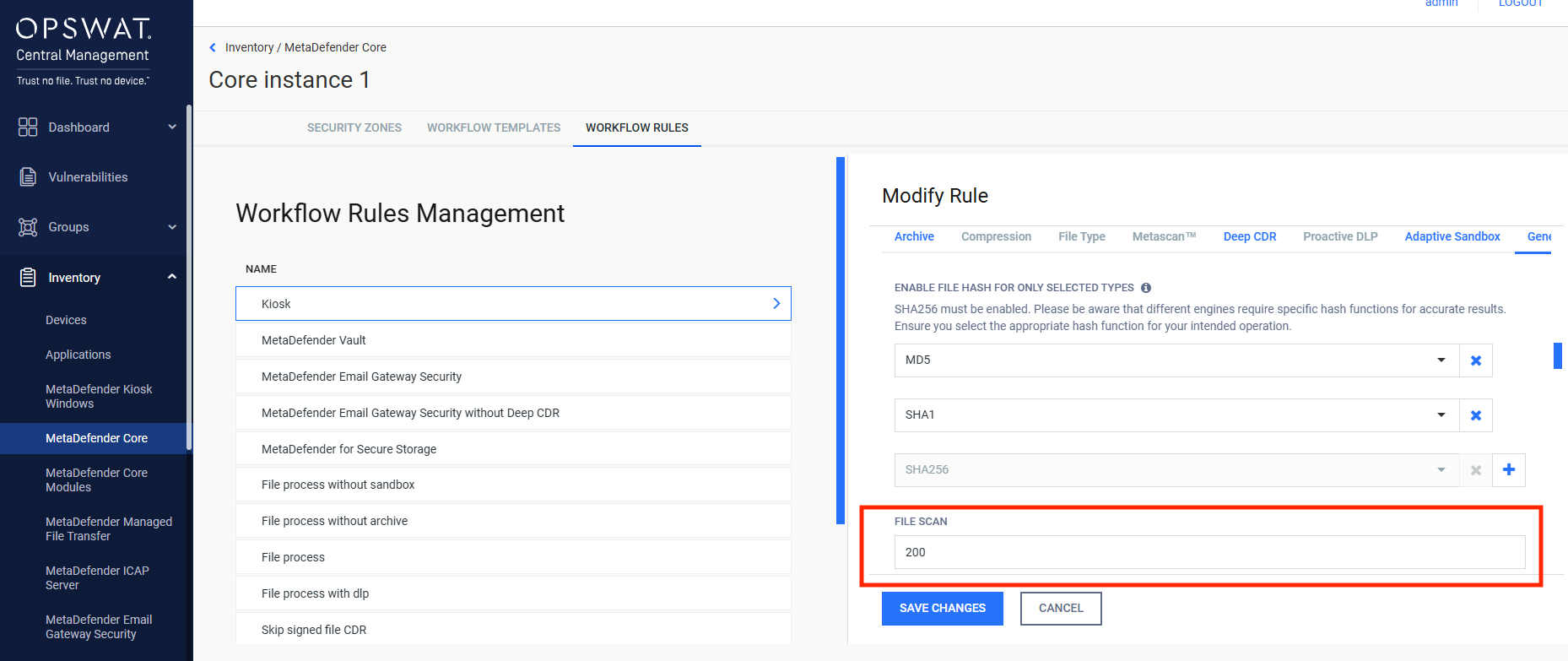
Increase the maximum file size on the Kiosk workflow in the MetaDefender Core used by Kiosk
Log in to OPSWAT Central Management v7.
Navigate to Inventory → MetaDefender Core.
Locate the integrated Core instance used by Kiosk and click the Settings (gear) icon.
Go to Workflow Rules → Kiosk.
Under the General tab, find the FILE SCAN setting.
Increase the maximum file size limit to suit your environment’s needs.
Save your changes and deploy policy updates.
Increase the maximum file size on Guest or Employee workflows on MetaDefender Kiosk (if applicable)
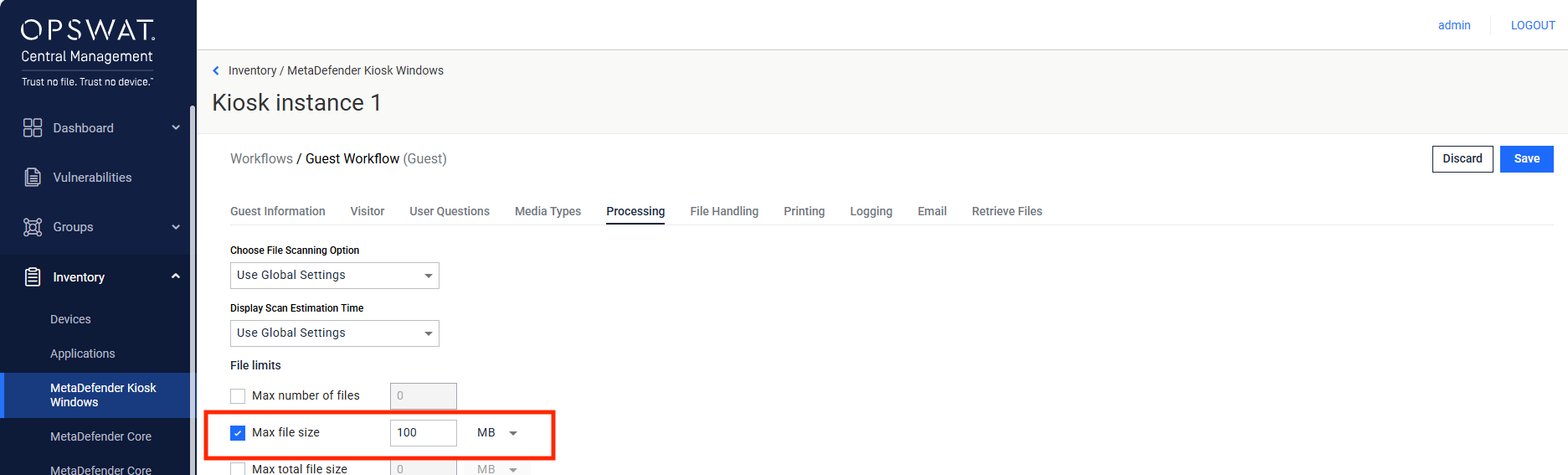
Within Central Management, go to Inventory → MetaDefender Kiosk.
Click the Settings (gear) icon for the relevant Kiosk instance.
Navigate to Workflows settings.
Edit the Guest or Employee workflow by clicking the pen icon.
Under the Processing tab, locate the File limits section.
If the Max file size option is enabled, adjust the value accordingly.
Save changes and deploy policy updates.
If Further Assistance is required, please proceed to log a support case or chatting with our support engineer.