
Why does MetaDefender Core show “Blocked” with a scan result of “Not Scanned” when no malware is detected?
This article applies to all MetaDefender Core V4 and V5 releases deployed on Windows/Linux systems.
Overview
This article explains the reason why files scanned through MetaDefender Core receive a “Blocked” status with a scan result of “Not Scanned” even when no malware is detected and suggests a solution.
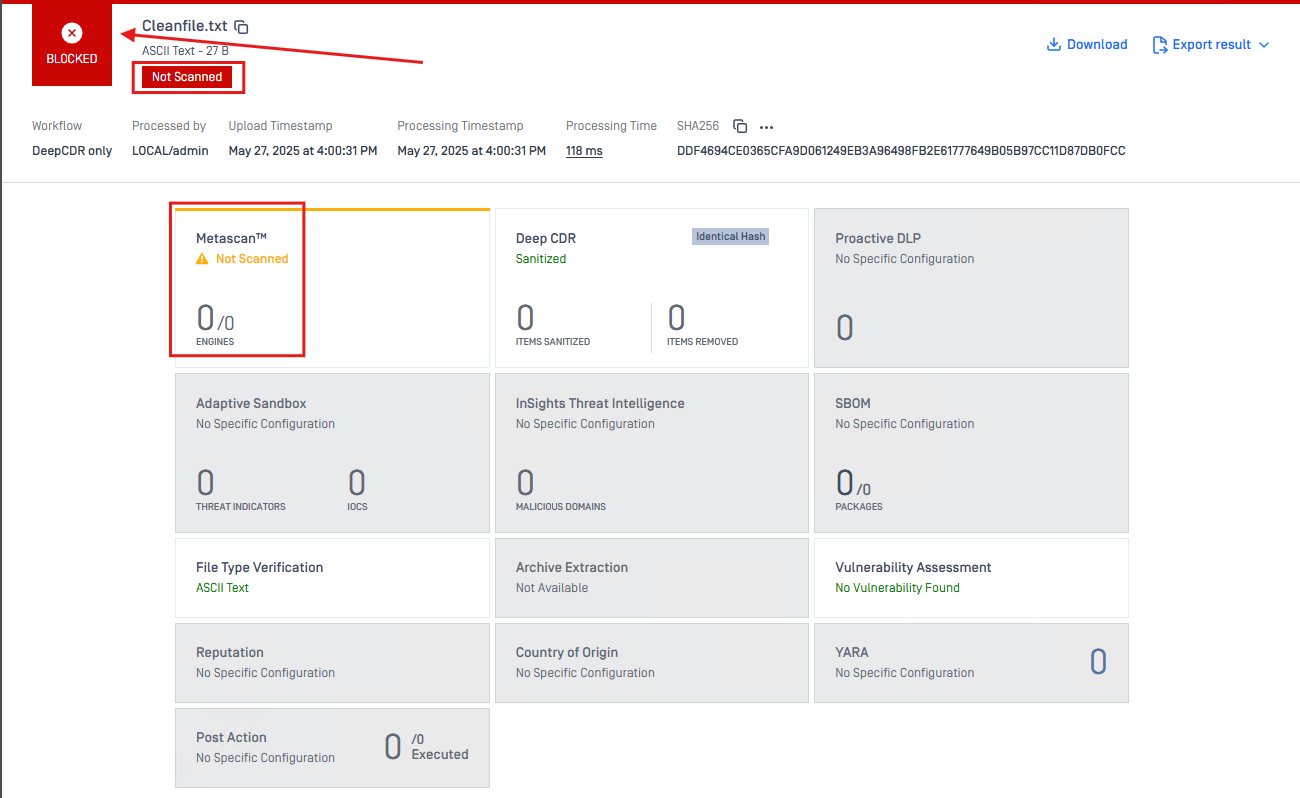
Reason
The issue occurred because no antivirus engine was available to scan the file. As a result, the scanning session was marked as “Not Scanned” This is expected behavior when no AV engine participates in the scanning process.
Solution
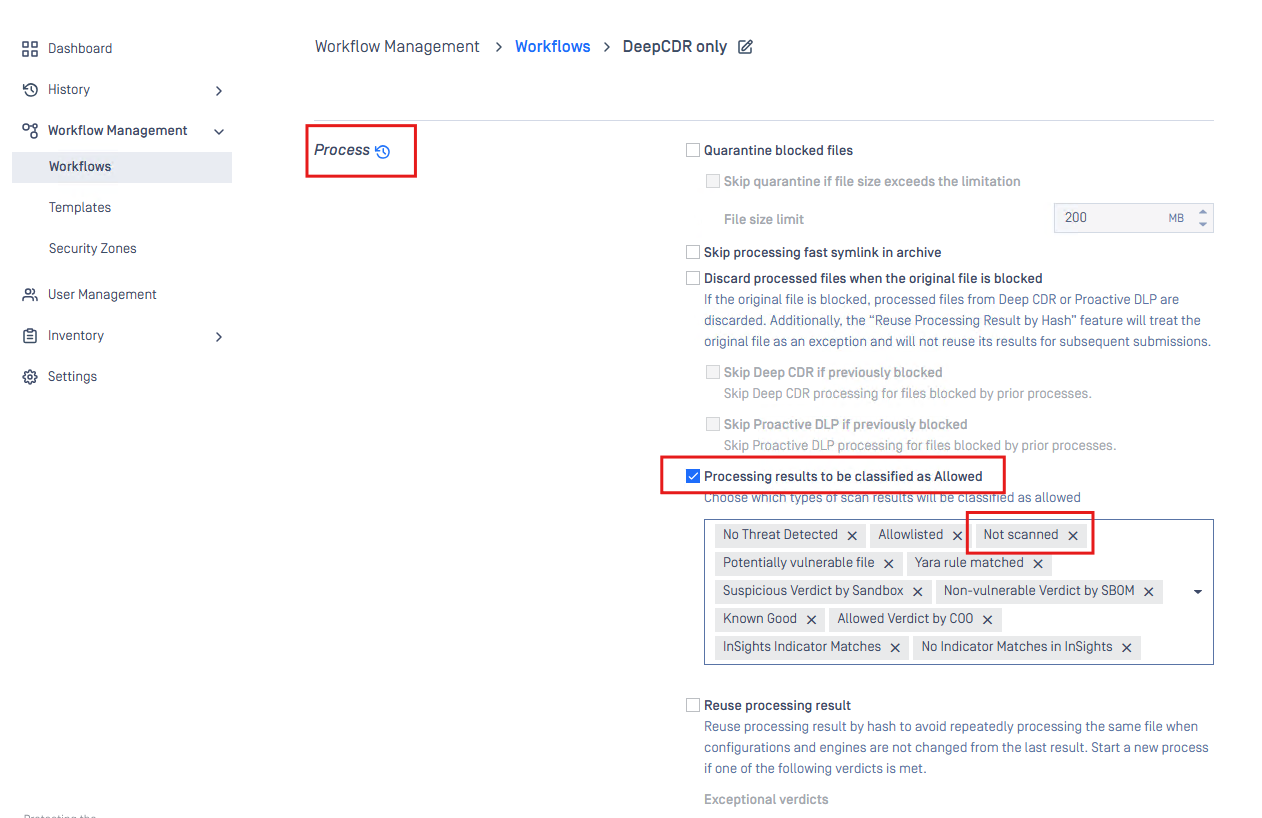
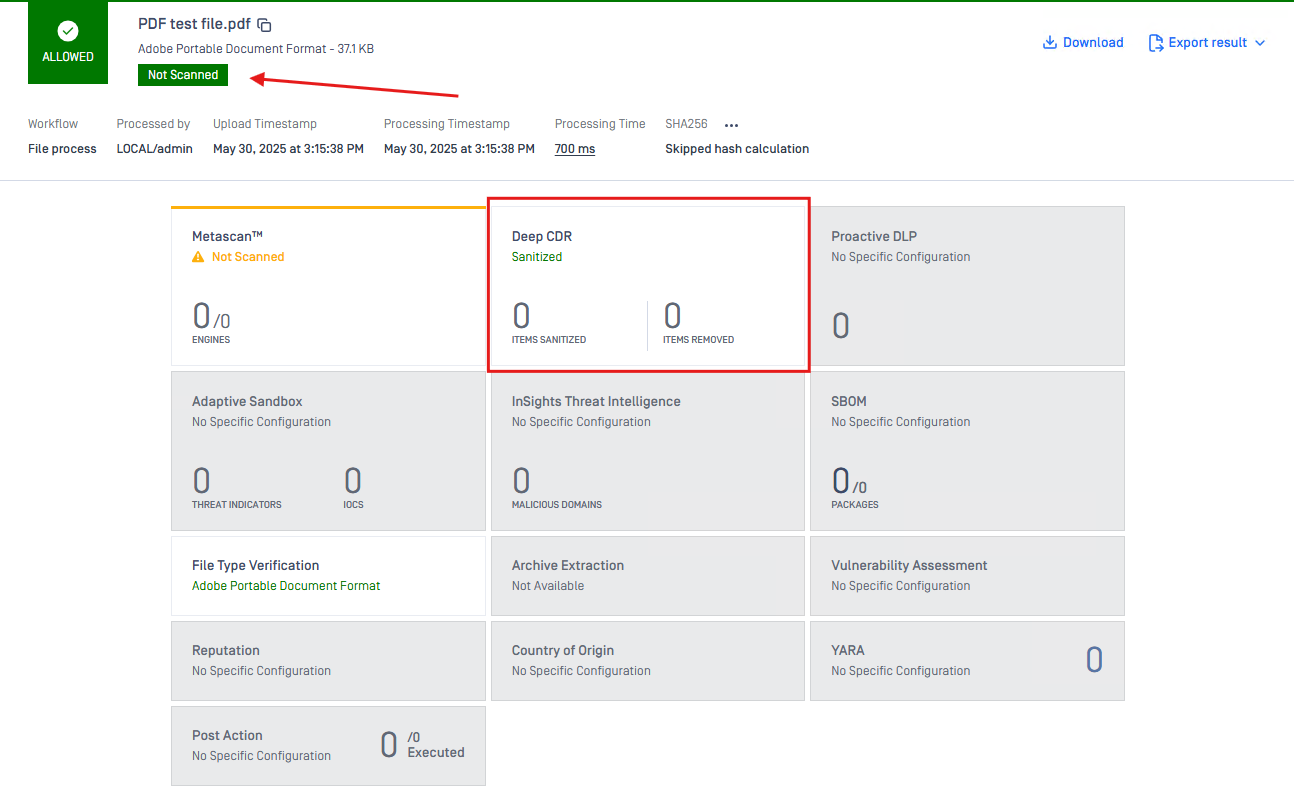
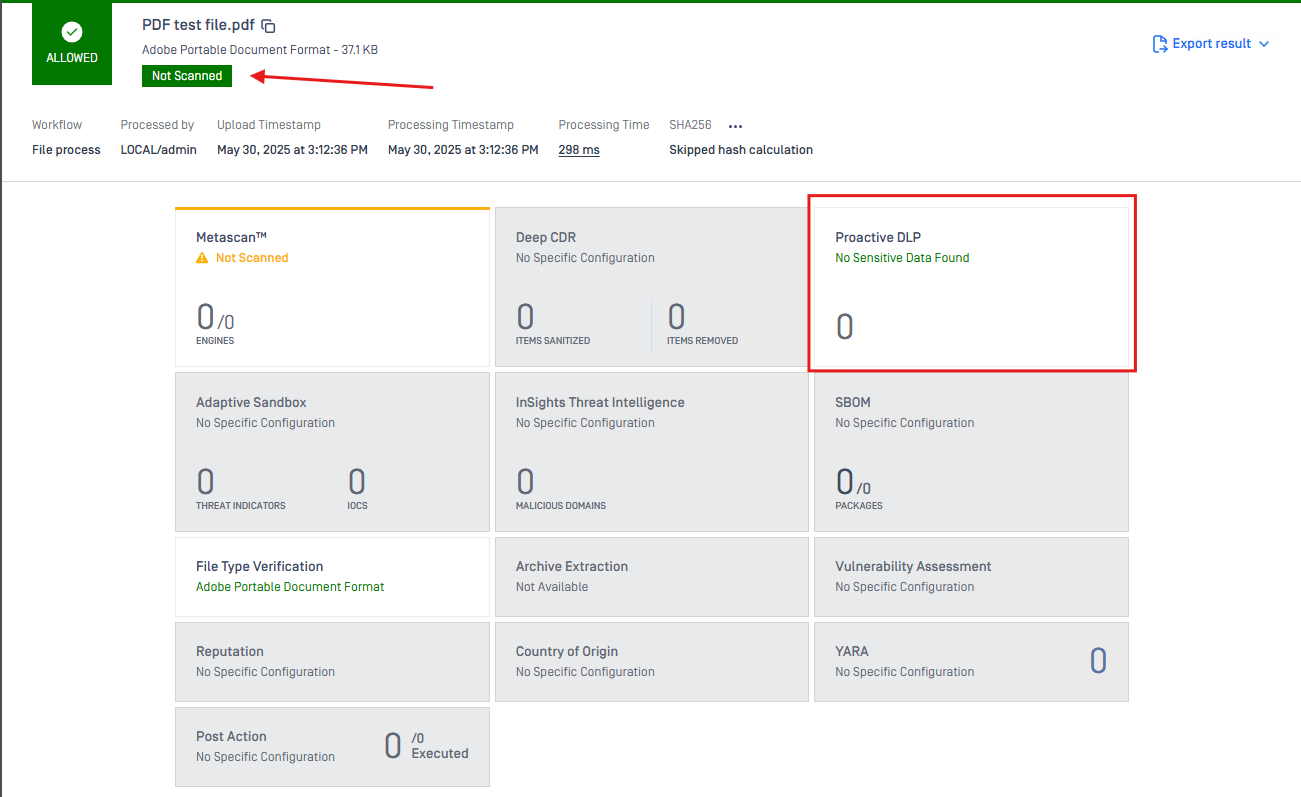
After adding the “Not Scanned” scan result option to the enabled Processing result to be classified as Allowed setting under the Process section in the General tab of the workflow, files with a “Not Scanned” scan result will now be classified as Allowed instead of Blocked.
Option 1: Example CDR
Option 2: Example DLP
If Further Assistance is required, please proceed to log a support case or chatting with our support engineer.