
Why do I receive the error of "Failed to request scan. Insufficient number of anti-malware engines active"?
This article is applied to MD Core versions released in Window and Linux.
Root Causes
This error occurs when the minimum required number of AV engines is not available. Common reasons include:
All AV engines are updating or All AV engines fail to start or are stuck in staging.
Minimum engine count setting too high.
How to Prevent It
1. Fix Unavailable Engines
Go to Inventory > Modules >Metascan> Manually delete problematic engines by clicking on the three dots (…) > Delete
Inventory > Modules > Click Update All.
2. Schedule Updates After Hours
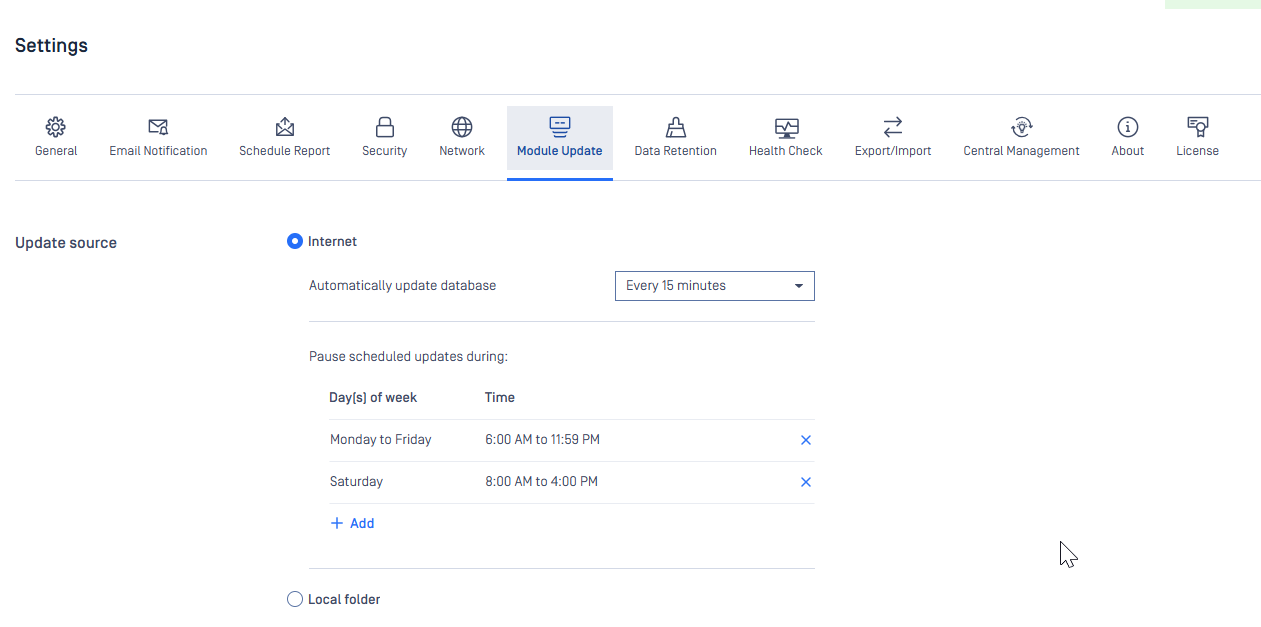
Go to Settings > Modules Update > Internet/Local Folder.
Use "Pause scheduled update during" to avoid updates during business hours.
3. Lower the Required AV Engine Count in your workflow
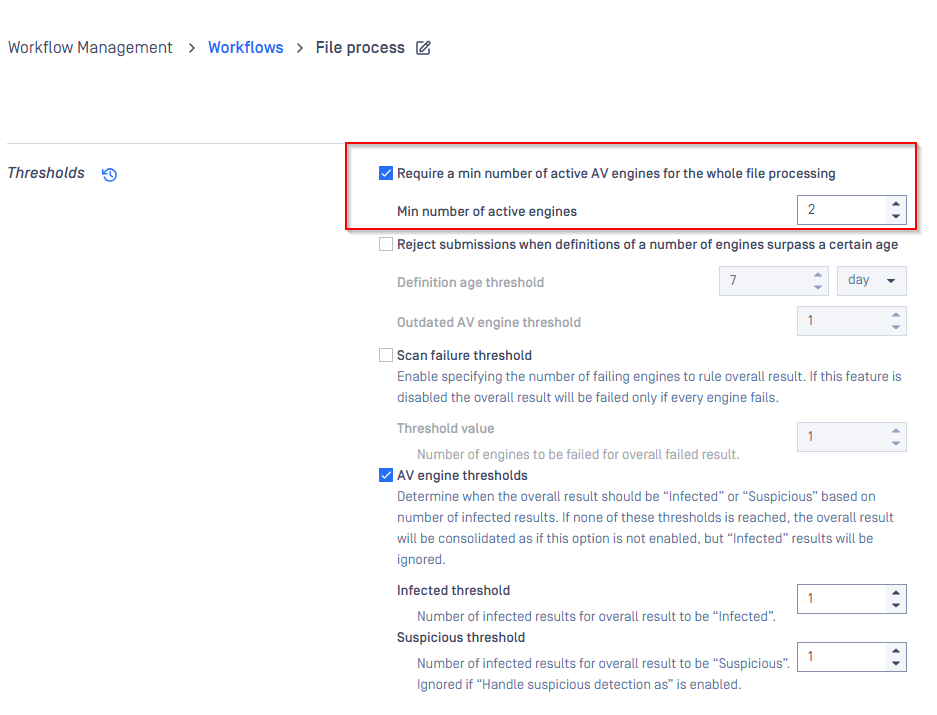
Set the required number of AV engines to less than the total available.
Example: If you have 8 engines, set required to as low as 1 or any number smaller than 8. Workflow setting
Workflows > <name of workflow> > Metascan
If Further Assistance is required, please proceed to log a support case or chatting with our support engineer.