
Knowledge Base
v5.13.2
Search this version
Can I create new workflows?
Check Your Version:
This article applies to all MetaDefender Core V4 and V5 releases deployed on Windows and Linux systems.
In order to create new custom workflow rules on the MetaDefender Core product, you will need to perform the following steps:
Navigate to the Core console and access the Workflows tab.

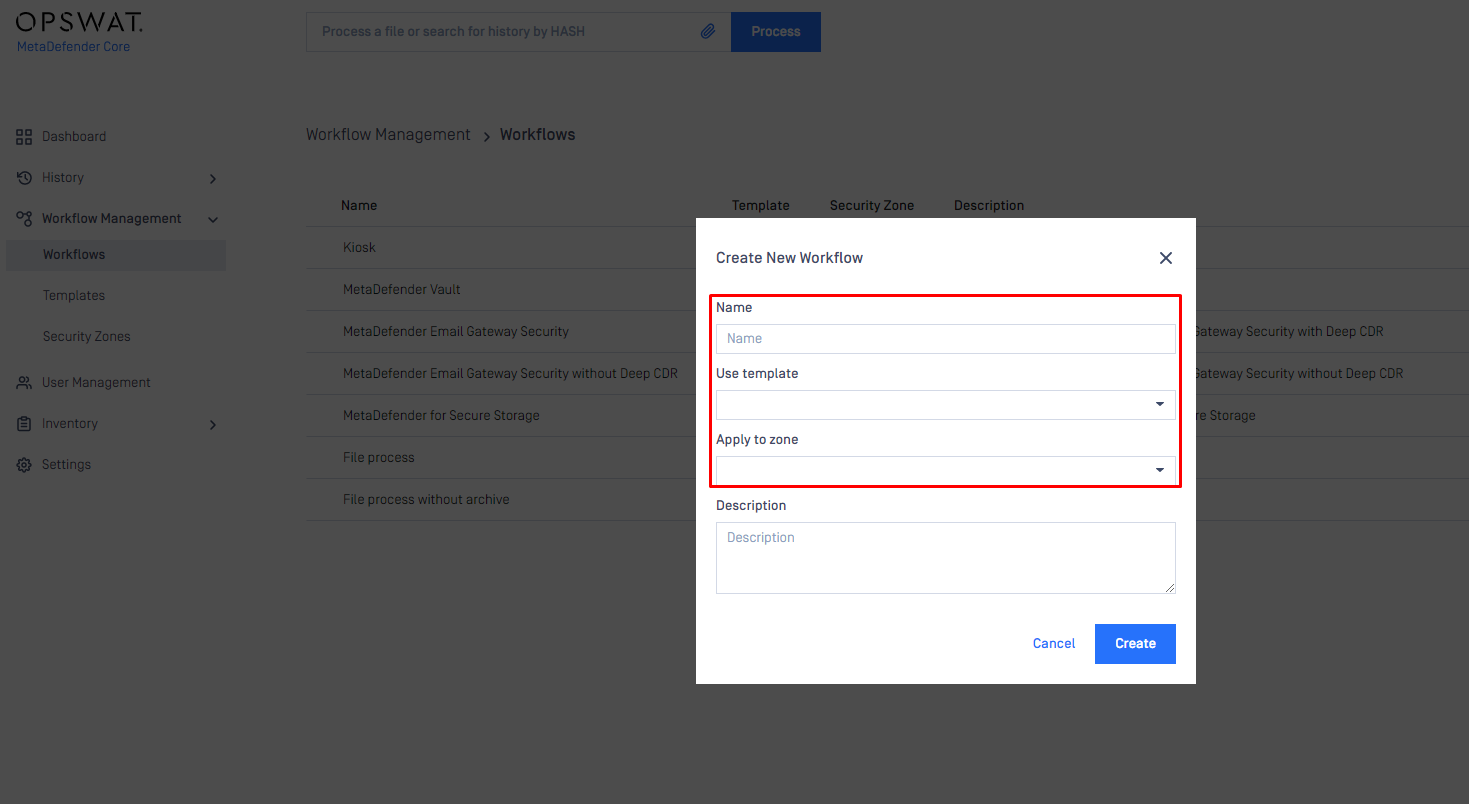
Click on the “New workflow” tab and provide the requested information.
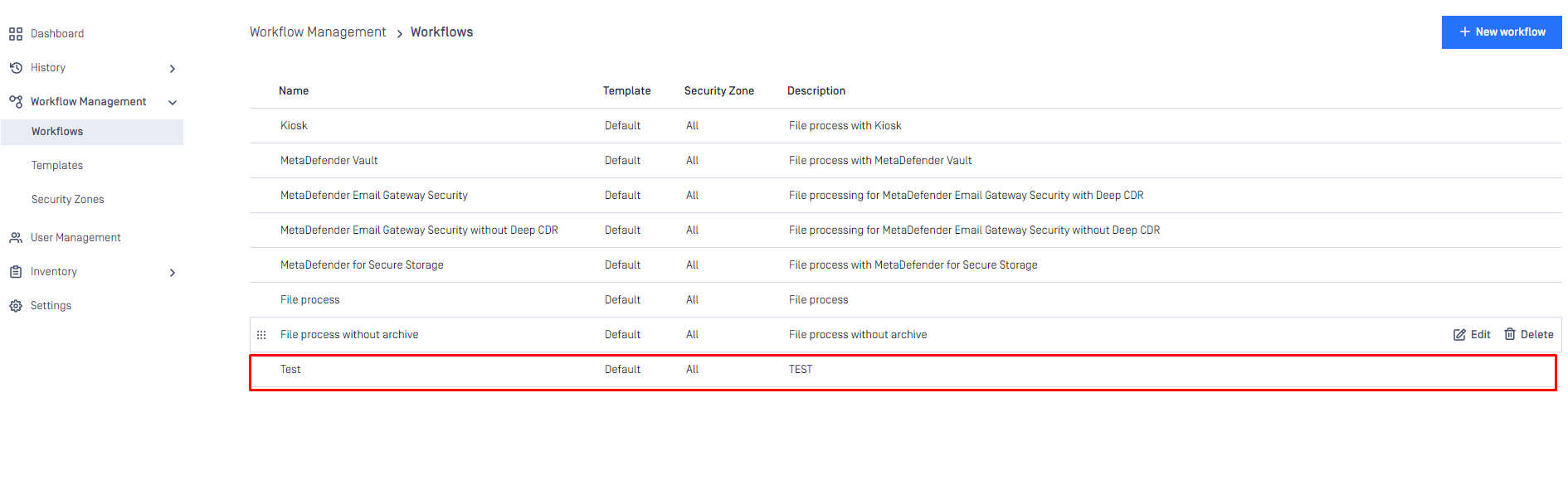
Once the workflow rule has been created it is visible at the bottom of the list.
Support:
If Further Assistance is required, please follow the instructions on How to Create Support Package?, then proceed to create a support case or chat with our support engineer.
Last updated on
Was this page helpful?
Knowledge Base
Knowledge Base
Configuration and Settings
Errors and Troubleshooting
Features and Functionality
Licensing, Setup and Deployment
Updates, Patches and Bug Fixes