
Knowledge Base
v5.12.0
Search this version
Can I control access to the RAM disk in MetaDefender Core v5?
Check Your Version:
This article applies to all MetaDefender Core V4 and V5 releases deployed on Windows systems.
Yes.
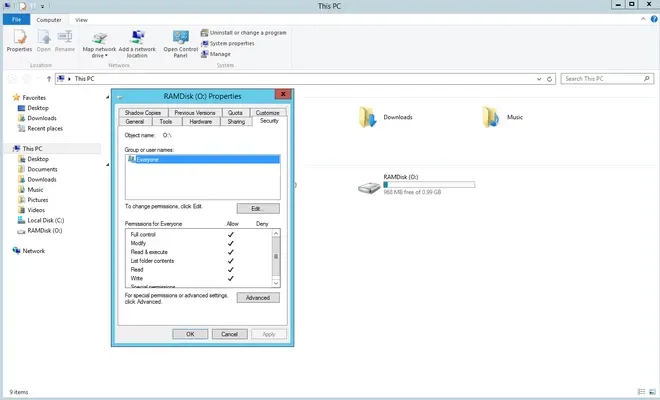
You can set security permissions for the RAM disk just like a regular hard disk.
To do so, right-click on the RAM Drive, select Properties, and then navigate to the Security tab to access security permissions for that drive.
Support:
If you have followed all of the steps above but are still unable to set the desired RAM Drive security permissions, please follow these instructions on How To Create a Support Package, before creating a support case or chatting with our support engineer.
Last updated on
Was this page helpful?
Next to read:
How can I add a mail server to the Core deployment?Knowledge Base
Knowledge Base
Configuration and Settings
Errors and Troubleshooting
Features and Functionality
Licensing, Setup and Deployment
Updates, Patches and Bug Fixes