
If you are using OPSWAT's multi-scanning feature and believe that one or more of the associated anti-malware engines is incorrectly labeling (i.e., falsely detecting) whether a file is malicious, you can have that file analyzed by OPSWAT's expert analyst team by logging into My OPSWAT (http://my.opswat.com ) and submitting a report.
OPSWAT's malware analyst team will provide the results of the analysis within 7 business days and ensure that the OPSWAT Reputation Engine is updated accordingly.
Follow these steps to submit a report for a file you think has been misidentified:
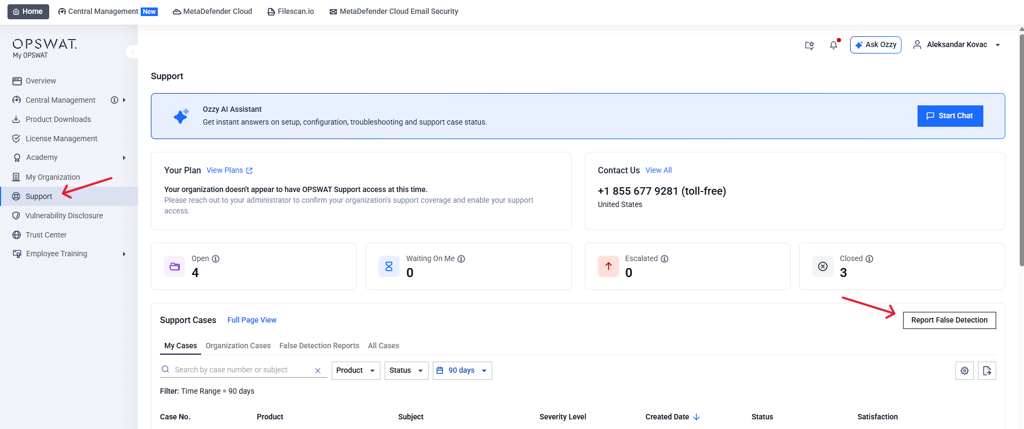
Log into My OPSWAT.
In the left-hand menu, select "Support." On the Support page, click the "Report False Detection" button on the right-hand side.
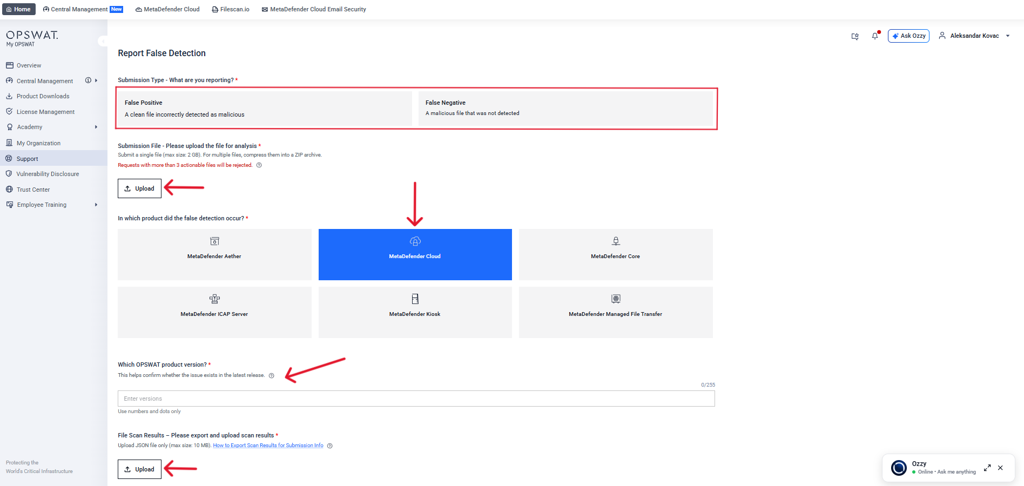
In the "Submission Type" section, specify whether you suspect the file is a false positive (a clean file incorrectly flagged as malicious) or a false negative (a malicious file that was not detected). Note: You don't need to worry about categorizing your submission perfectly. OPSWAT uses a thorough validation process when analyzing submitted files.
Under "Submission File," upload the file you want analyzed. You can submit a single file up to 2 GB. To submit multiple files, compress them into a ZIP archive. Requests with more than three actionable files will be rejected.
Under "In which product did the false detection occur?", select the OPSWAT product (MetaDefender Cloud) that produced the suspected incorrect result.
In the "Which OPSWAT product version?" field, select the product version. This helps confirm whether the issue still exists in the latest release.
Under "File Scan Results," export your scan results and upload them as a JSON file (max size: 10 MB). If you need guidance, use the "How to Export Scan Results for Submission Info" link.
Click Continue to submit.
Choose the OPSWAT product you were using that provided the suspected incorrect results. You can select multiple products.
We recommend that you provide a detailed description explaining why you think the detection is wrong, as this information provides context that better helps us analyze the file.
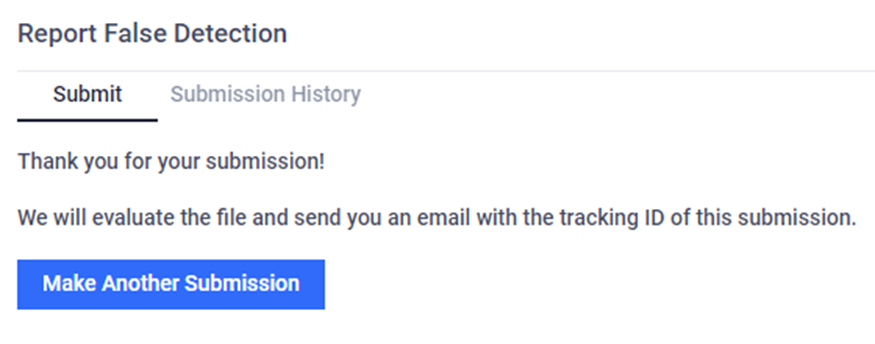
Finally, click on the 'Submit for Analysis' button. A notification will pop up to confirm your submission. You will also have the option to make another submission.
You can view your complete submission history under the 'Submission History' tab. This includes all relevant details such as File Name or Hash, Hash types (MD5/SHA1/SHA256), submission category, submission time, file size, and status of your submission.
User submissions from enterprise accounts are typically analyzed and processed within 7 business days. Community user submissions are handled with best efforts, aiming for timely processing. Upon completion of the analysis, you will receive notification regarding the validity of your submission.