To ensure the accuracy of your account information while purchasing our products through MetaDefender Cloud Online Store, it is necessary to maintain up-to-date records. To modify or update your card information for the Payment Method, a series of steps can be followed.
Please go to https://metadefender.opswat.com/settings/licensing with the account you subscribed to our products.
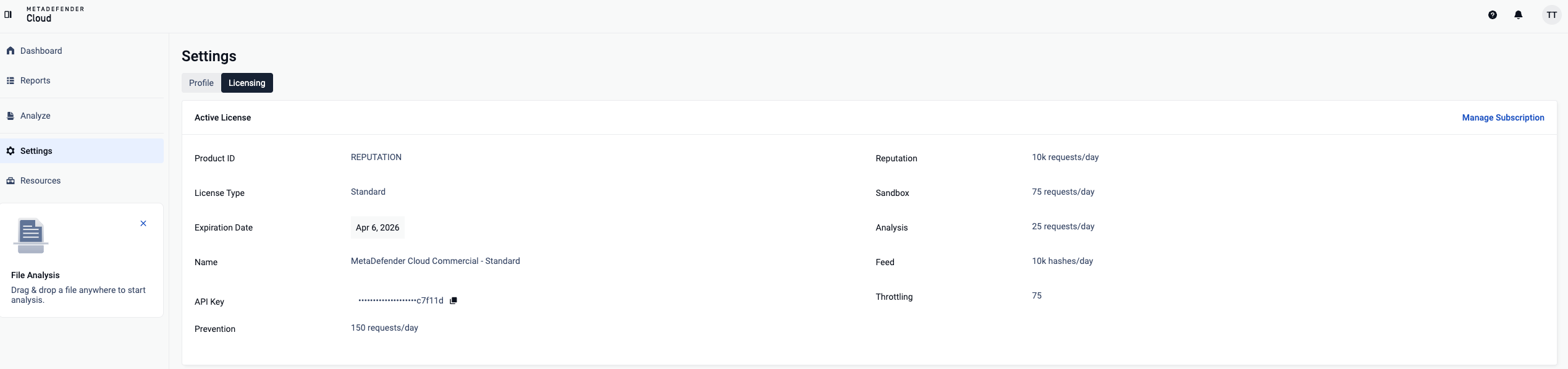
Under Licensing, you will find in the bottom of the page the Active License panel as in the below sample. Press Manage Subscription button on the right side of the screen
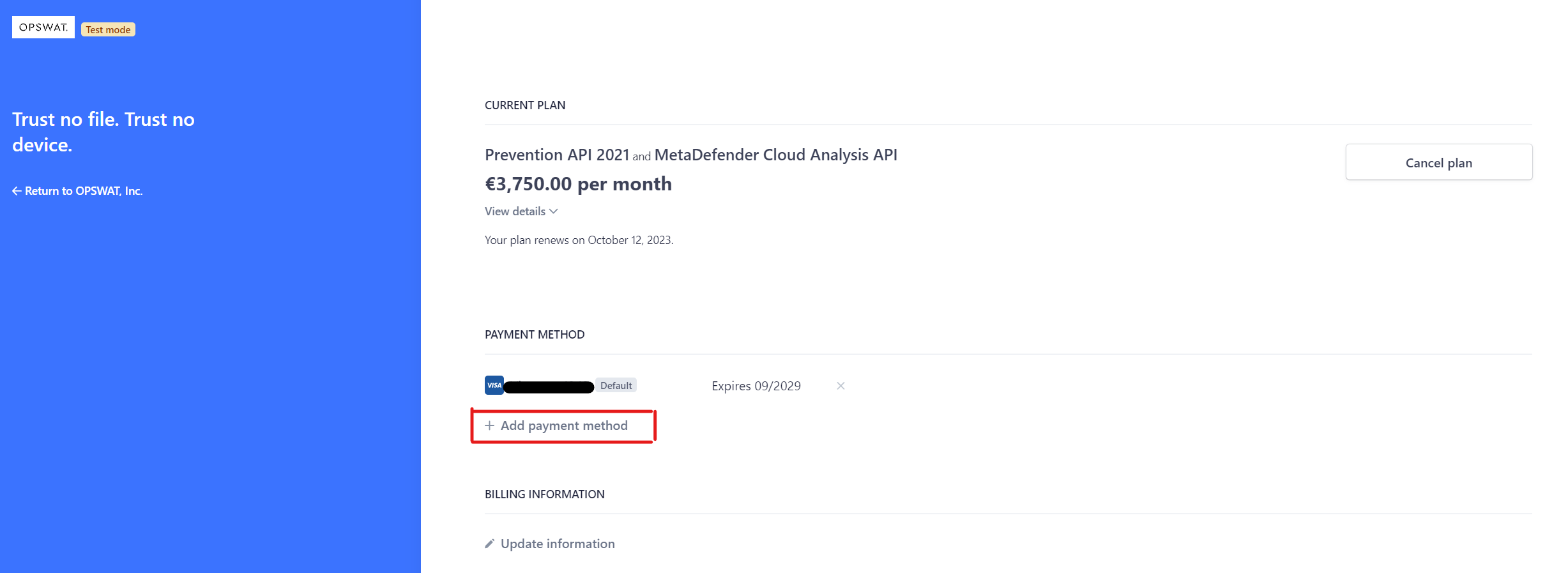
By clicking on Manage Subscription, You will be redirected to a link under stripe.com, and then you can update the payment method as below. Now you can select Add payment method to update or change the information.
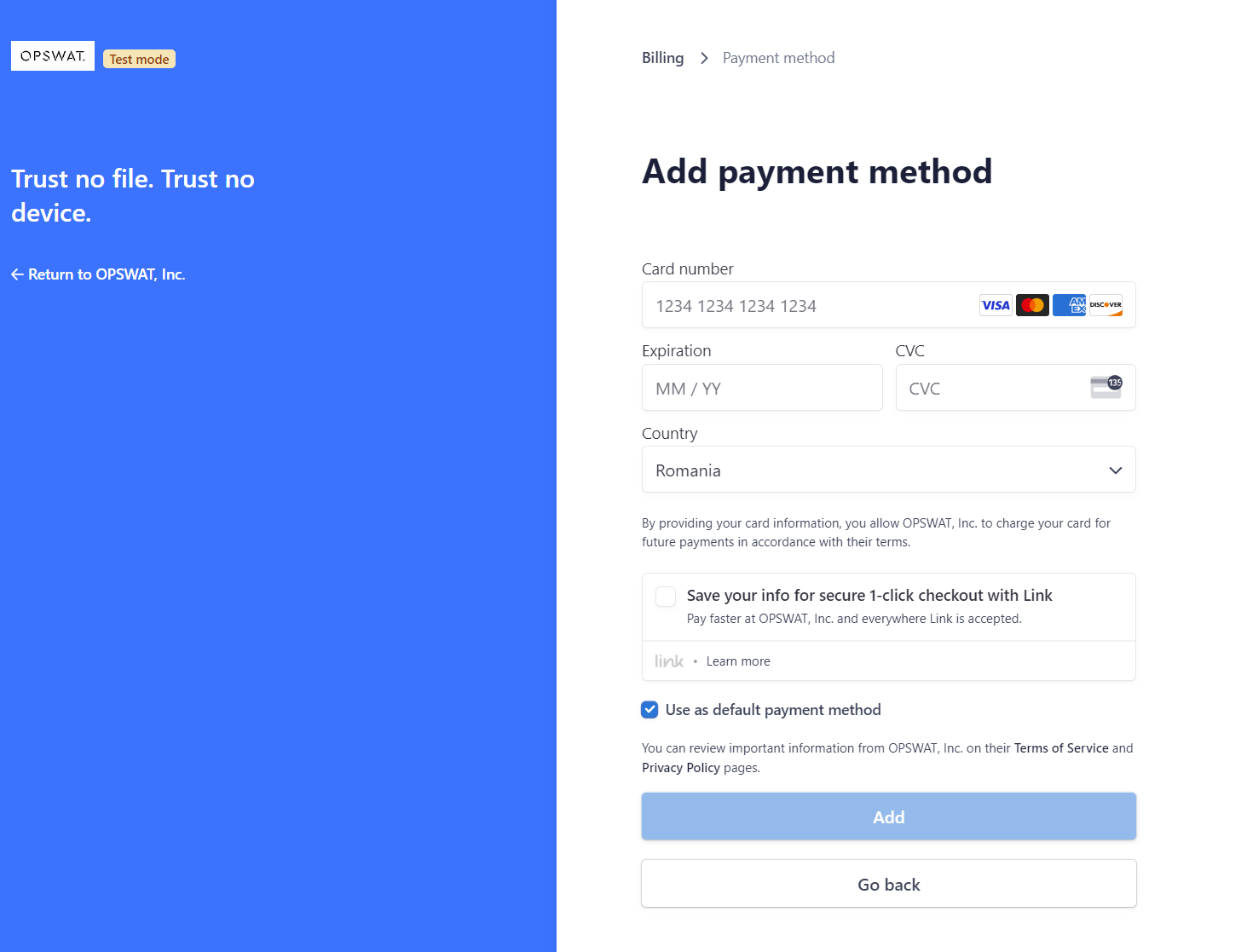
After you fill in all the information needed, just click Add, and your new Payment Method will be displayed. From this interface, you have the possibility to select if the new payment method will be used as default or not, by clicking on the checkbox.
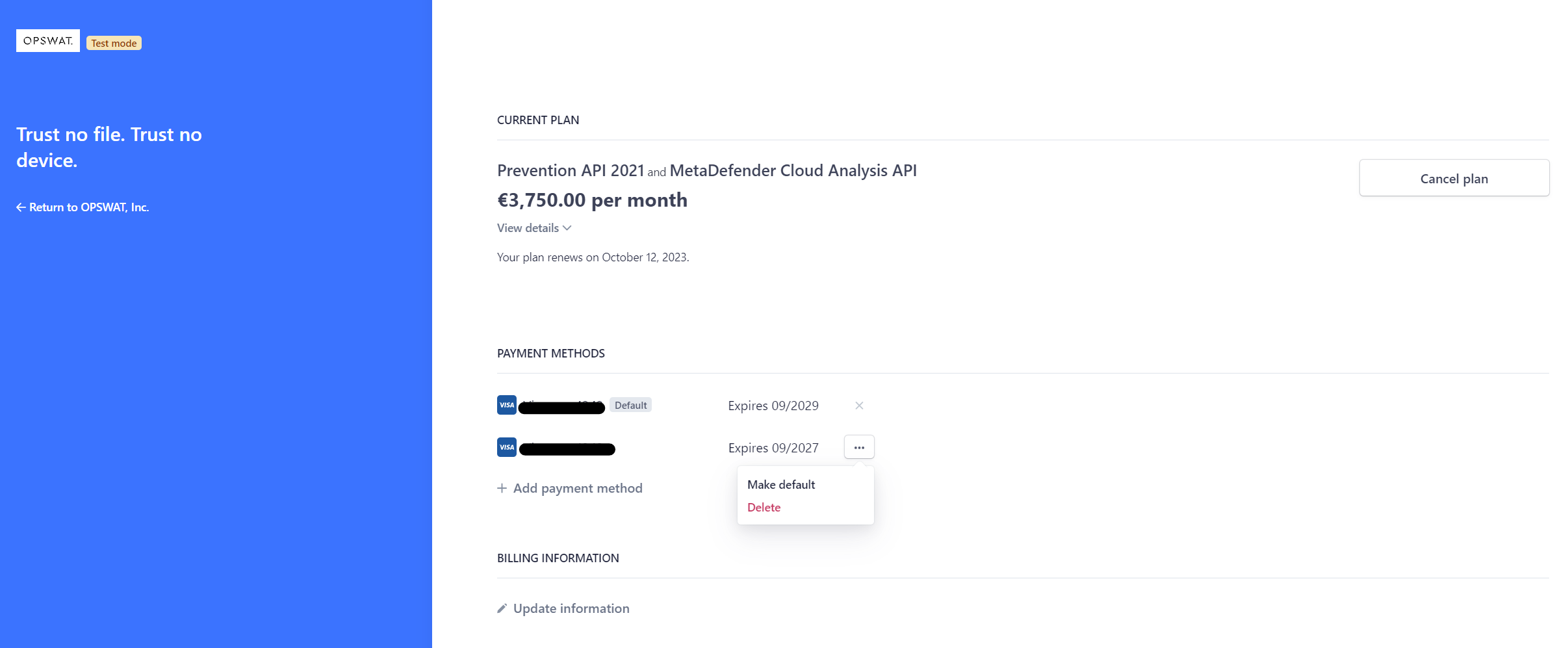
Now you have all your Payment Information up to date within your account, and you can chose your payment method by making the one you would like to use as default, by selecting Make default.