
Knowledge Base
nac_v8.2.0
Search this version
How to send DHCP Syslog from Infoblox to NAC
Copy Markdown
Open in ChatGPT
Open in Claude
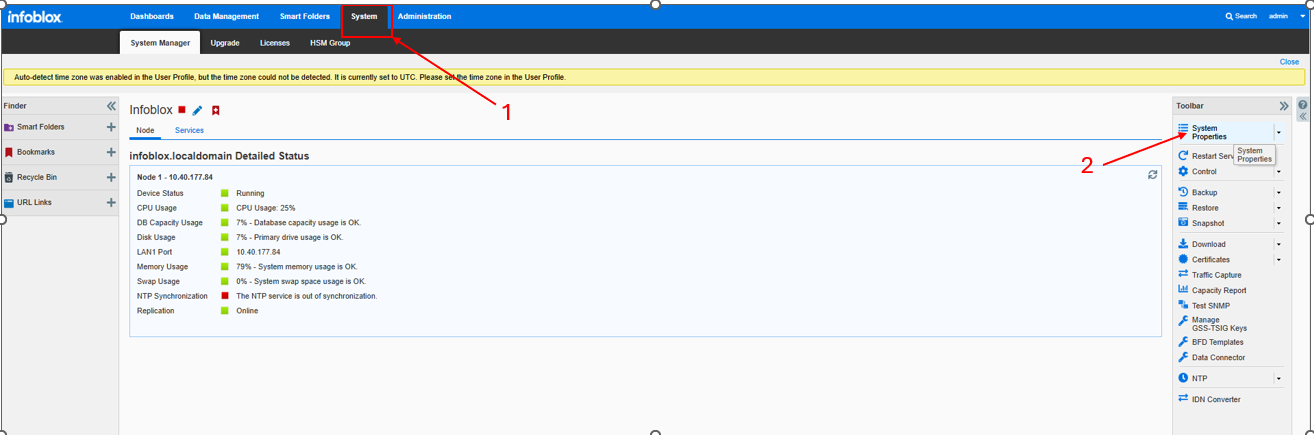
Access to Infoblox Dashboard -> System -> System Properties
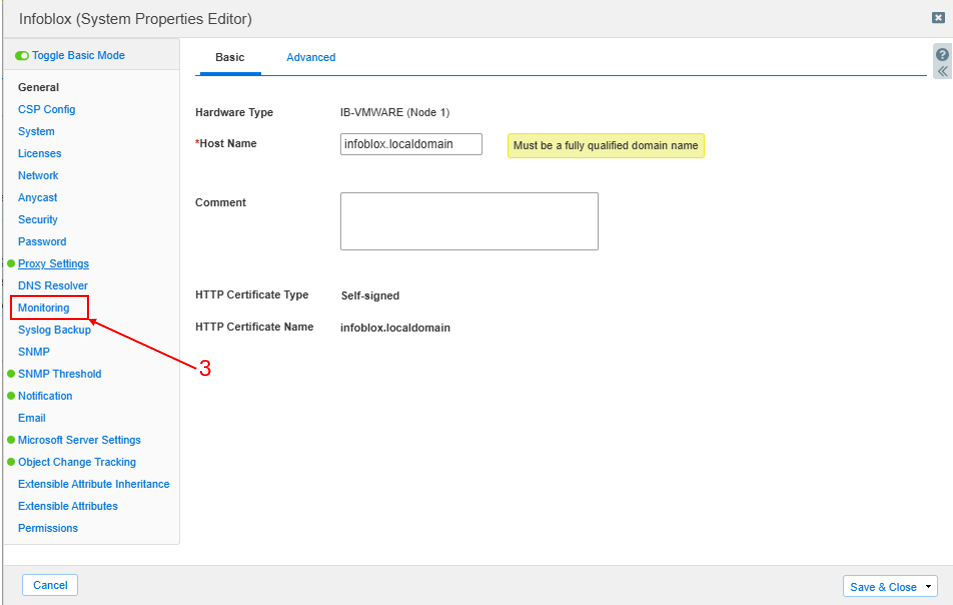
Choose Monitoring
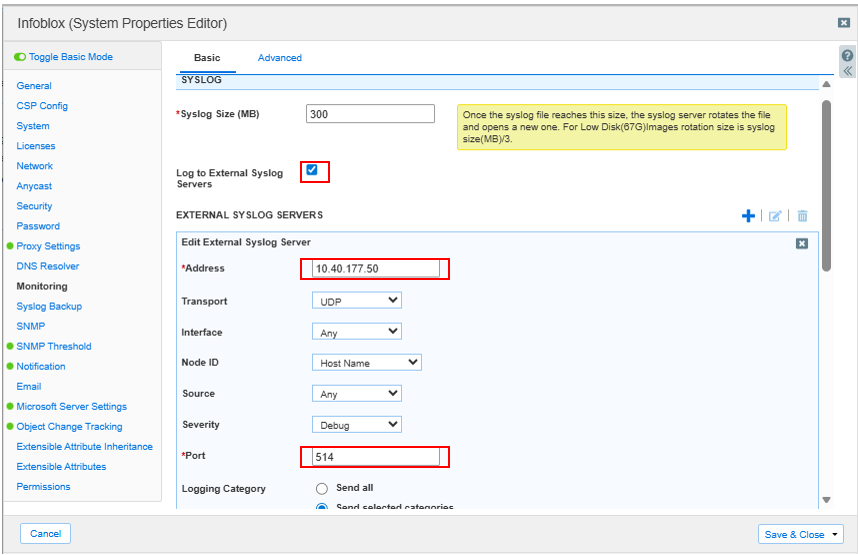
Configure value
Check the box "Log to External Syslog Servers"
Address "IP address of NAC"
Port "514"
Logging Category - > Select DHCP Process

Last updated on
Was this page helpful?
Next to read:
End of Sale and End of Life for MetaDefender NAC v8null
Discard Changes
Do you want to discard your current changes and overwrite with the template?
Archive Synced Block
Message
Create new Template
What is this template's title?
Delete Template
Message
Knowledge Base
Knowledge Base
Page
Code Steps
Category
Label
Link
Separator
Title
Message
Page icon
No icon. This page keeps the plain index row.
orSVG or PNG, square, at least 32×32.
Create new category
What is the title of your new category?
Edit page index title
What is the title of the page index?
Edit category
What is the new title of your category?
Edit link
What is the new title and URL of your link?