
Check Your Product:
This article applies to the Xirrus Cloud Management System, and the current NAC Enforcer
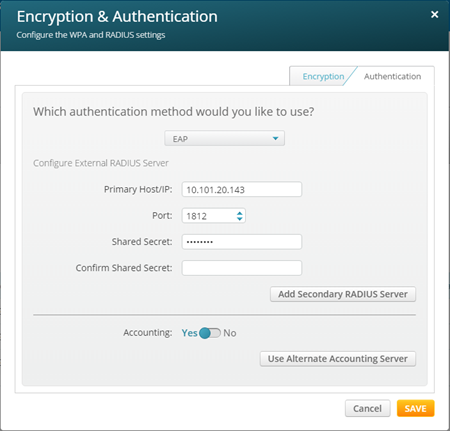
Edit your existing WPA2/802.1 X SSID as follows.
Under Encryption & Authentication, select the Authentication tab.
Under Accounting, select Use Alternate Accounting Server.
Set the Primary Host/IP to the IP address of your NAC appliance.
Set the Port to 1813.
Enter the desired value for the Secret.
Click Save to apply your changes.
Support:
If you have followed the instructions above but have been unable to Send RADIUS Accounting To NAC For Xirrus Cloud Management System, please open a Support Case with the OPSWAT team via phone, online chat or form, or feel free to ask the community on our OPSWAT Expert Forum.
Was this page helpful?
Knowledge Base