
This article applies to the Aruba Mobility Controller, and the current NAC Enforcer
Add a new RADIUS Server as follows.
Navigate to Configuration>Authentication>Auth Servers.
Under the All Servers tab, click +.

Enter a Name and IP for the RADIUS Server, then click Submit.
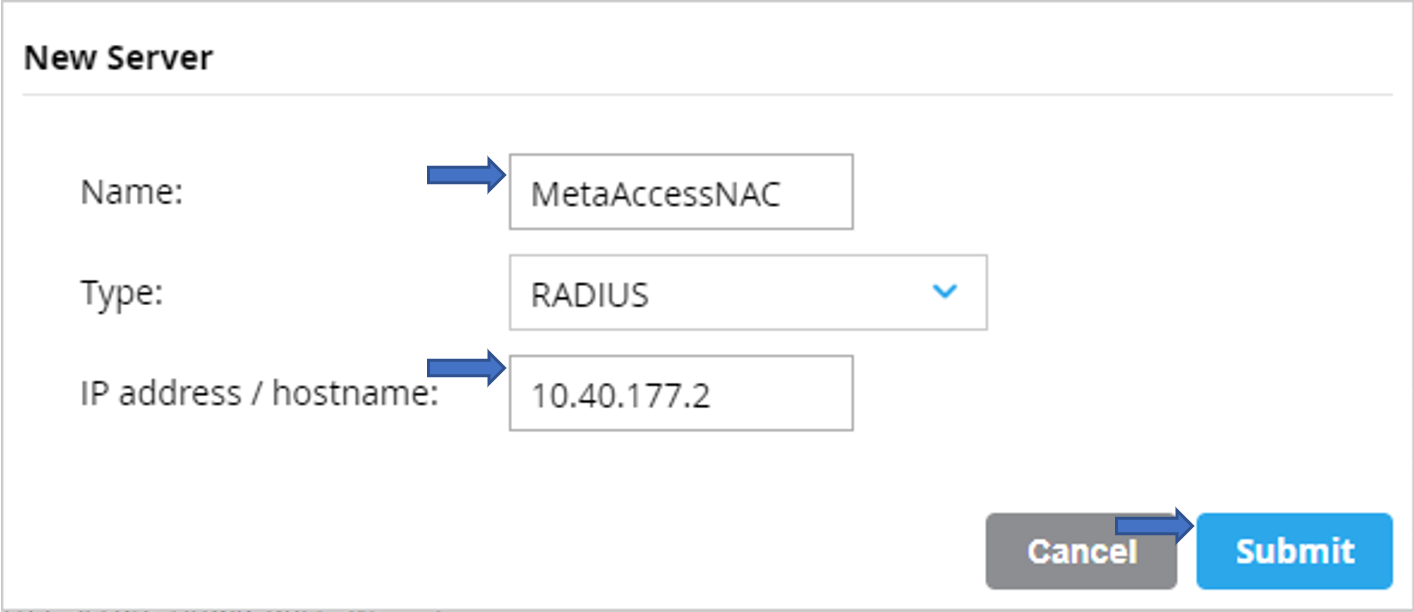
To configure the RADIUS Server, do the following.
Click on the newly created RADIUS Server to open the Server Options.
On the Server Options page, enter the IP Address of your NAC Enforcer or, in a cluster, the Manager’s IP Address.
Enter the desired value for the Key (shared Secret).
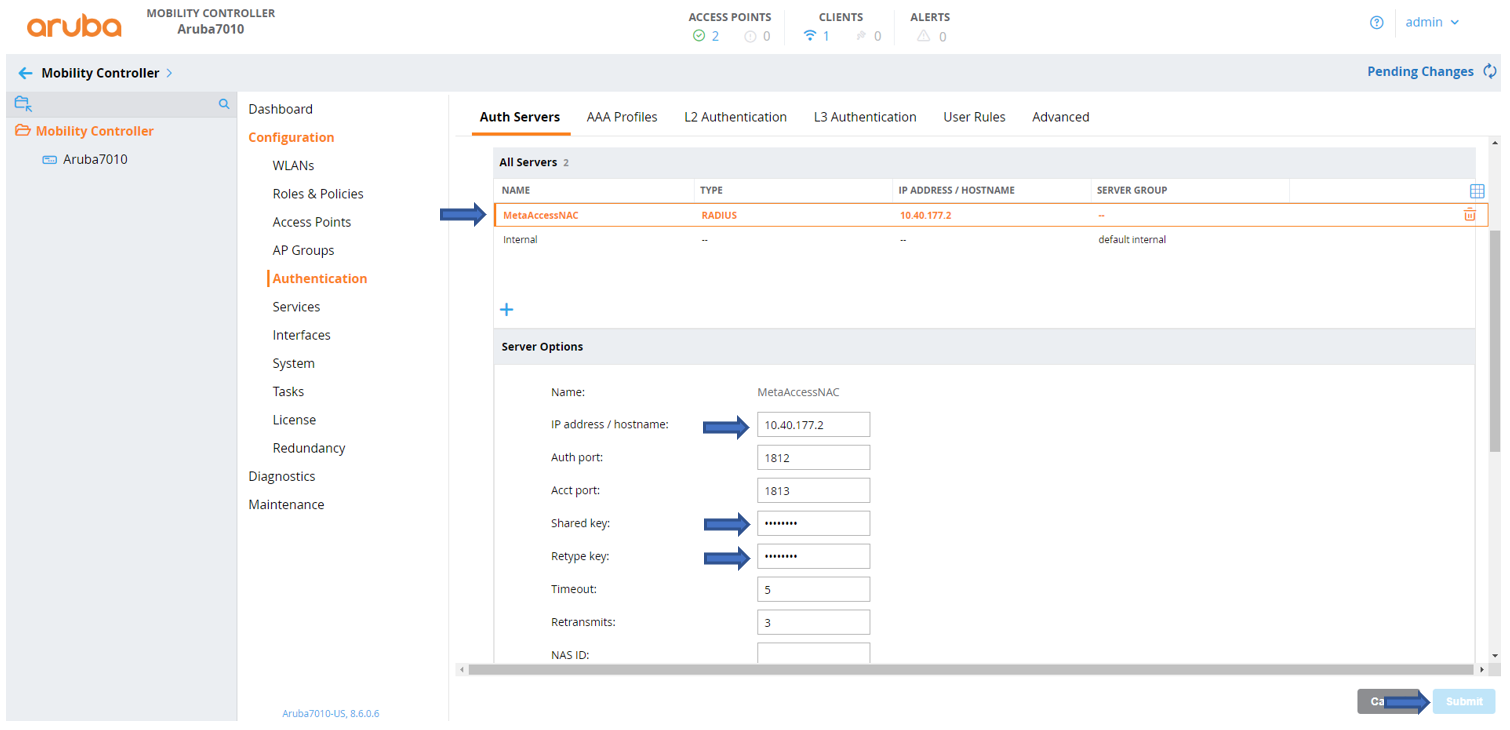
Click the Submit button in the lower right-hand corner of the screen to implement your settings.
Add a New Server Group as follow:
Navigate to Configuration>Authentication>Auth Servers, under the Servers Group tab, click +.
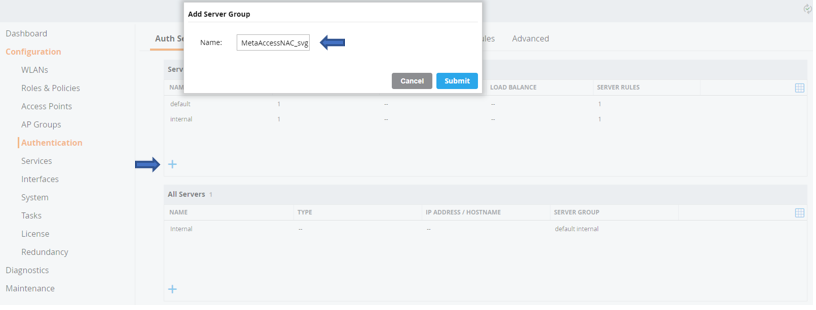
Enter a Name for the Server Group, then click Submit
Add the RADIUS Server to an existing Server Group as follows.
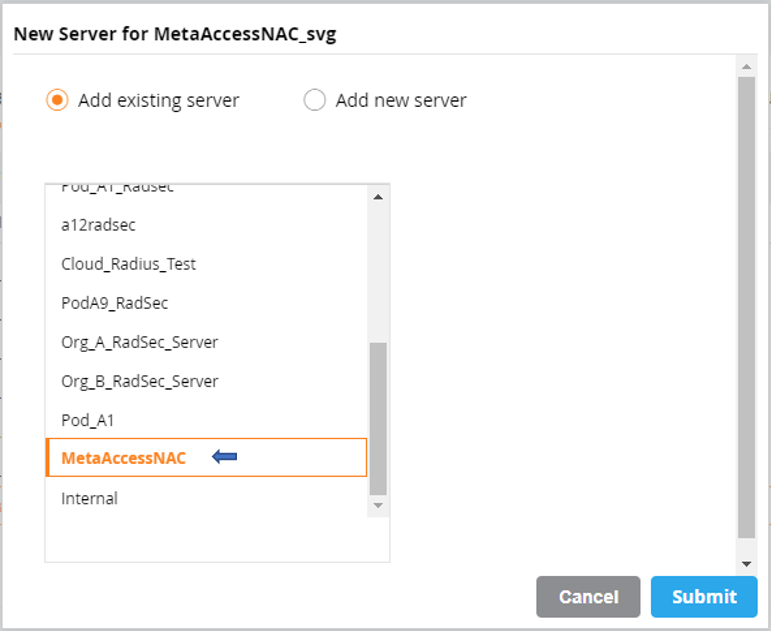
Click on the newly created Server Group open the windows.
Click on RADIUS Server you want to add to Server Group and Submit
Associate the RaADIUS Server with the AAA Profile for the appropriate SSID as follows.
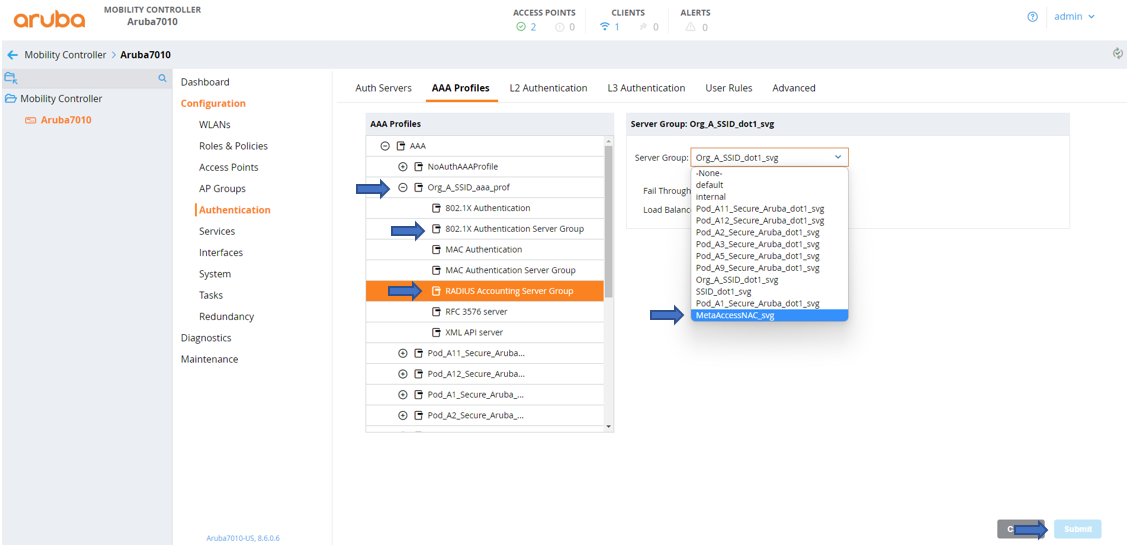
Navigate to Configuration>Authentication> AAA Profiles.
Under AAA Profiles tab, click the AAA Profile for the appropriate SSID.
Click to Radius Accouting Group Server, on the Server Group drop down box select your Server Group then click Submit.
Gather the required information as follows.
To complete configuration you will need the following information:
The Key (Shared Secret) gathered in the step 2 above.
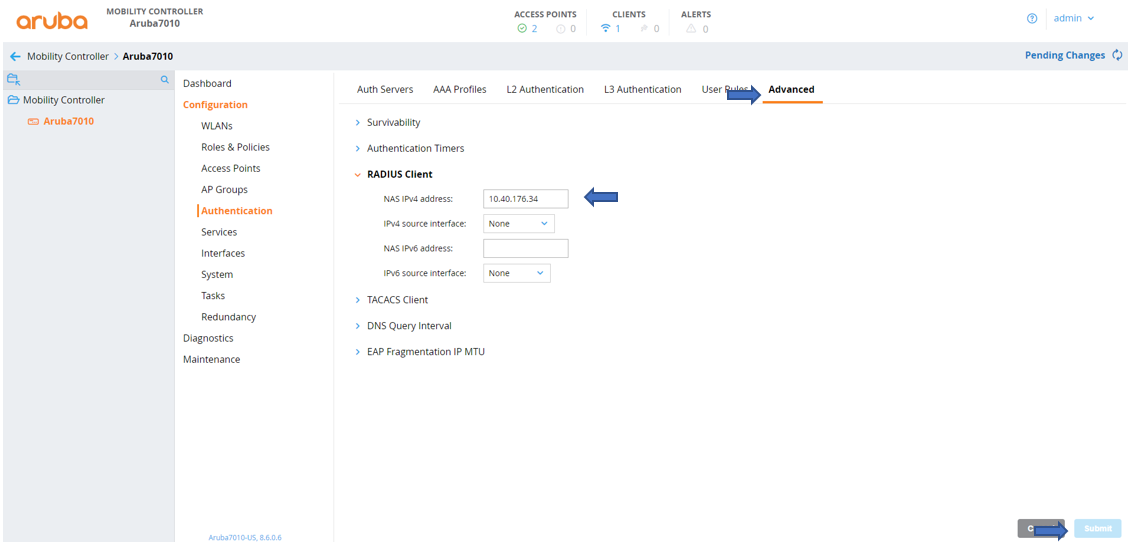
The IP Address of the RADIUS Client of the Aruba Controller.
Navigate toConfiguration>Authentication>Advanced.
Copy the IP Address listed under RADIUS Client>NAS IPv4 Address.
If you have followed the instructions above but have been unable to Send RADIUS Accounting To NAC For Aruba Mobility Controllers, please open a Support Case with the OPSWAT team via phone, online chat or form, or feel free to ask the community on our OPSWAT Expert Forum.