
This article applies to the current NAC Enforcer.
To add new subnets
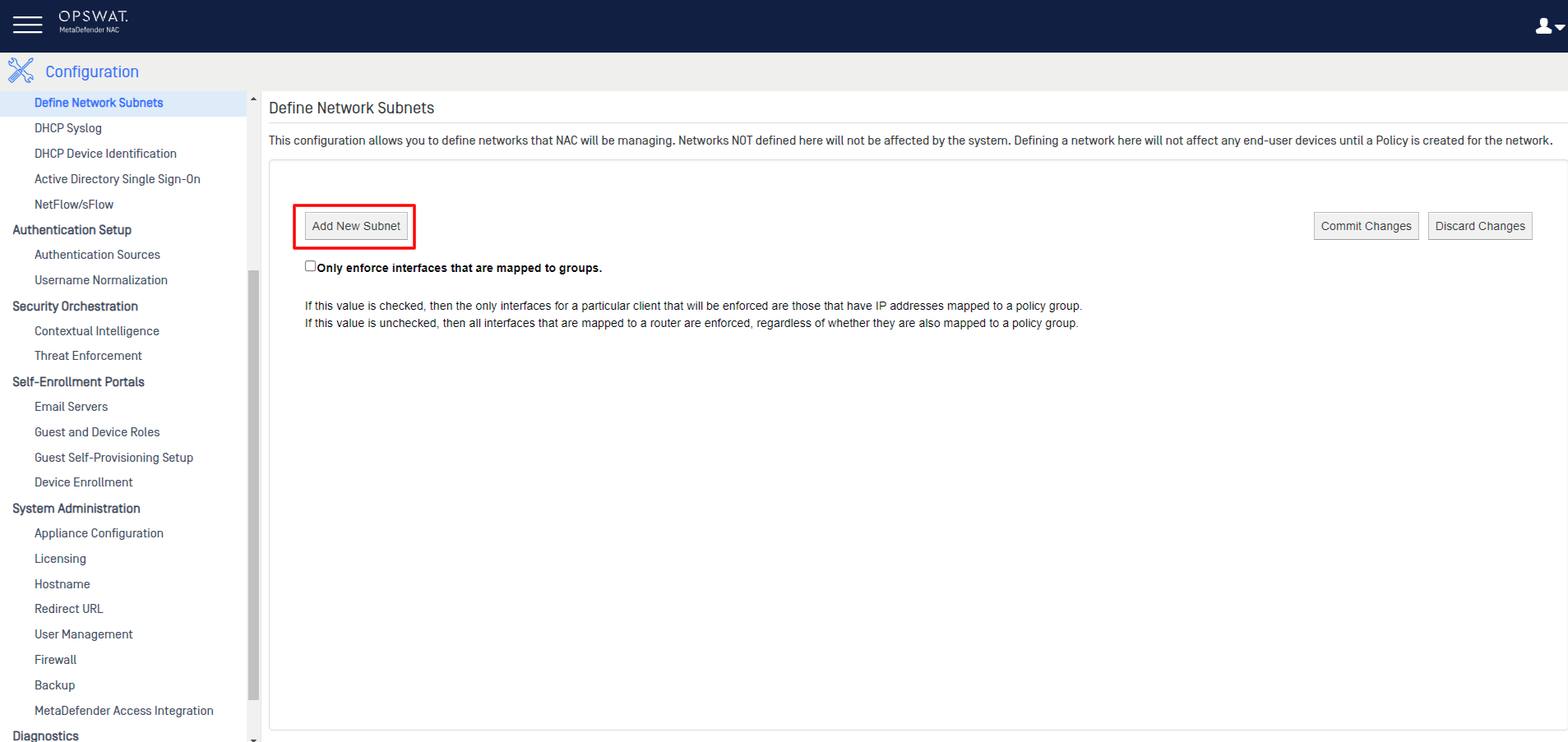
To add subnets, navigate to the NAC Dashboard>Configuration>Network Inputs>define Network Subnets, then click the Add New Subnet, as illustrated below.
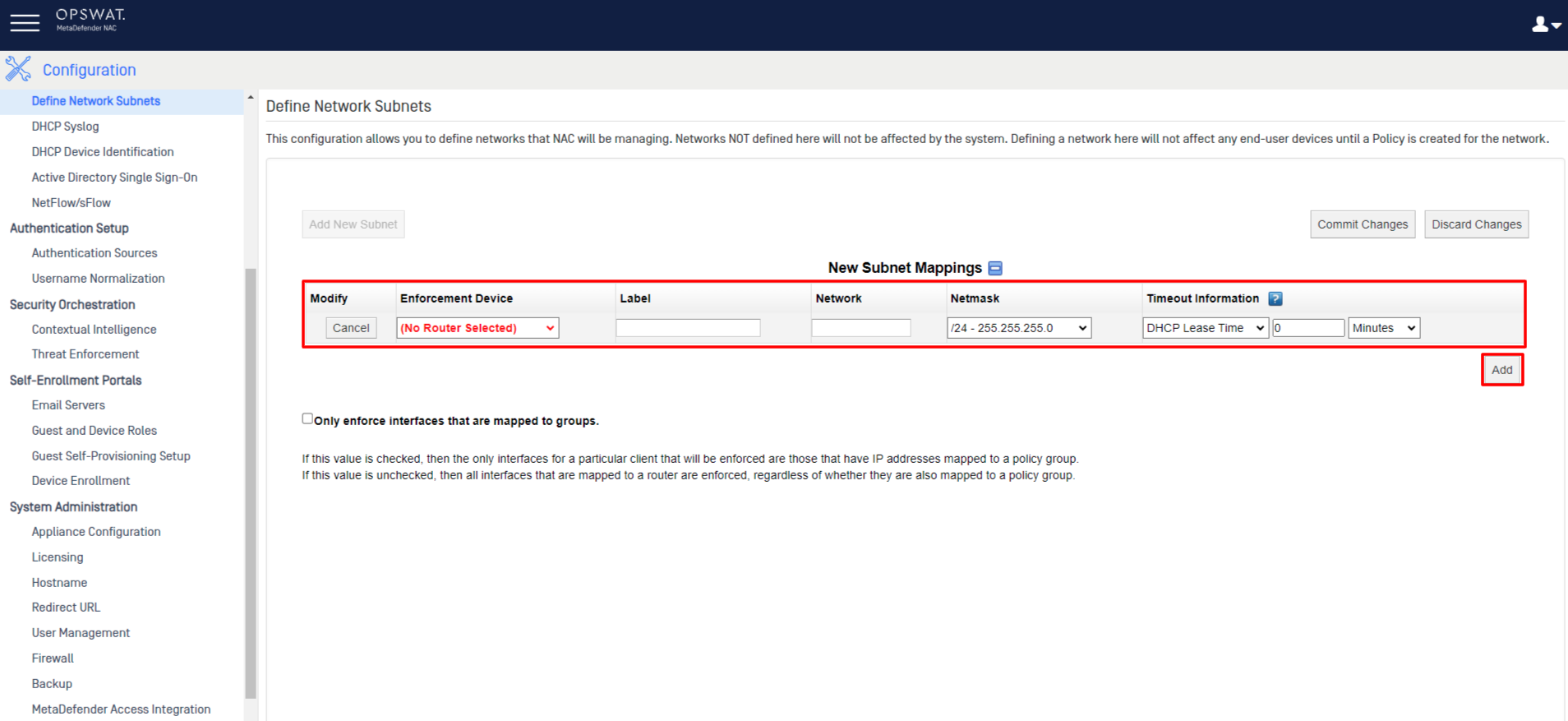
Fill out all of the required fields, then click the Add New Subnet button again, and repeat the process until all of your desired subnets have been defined.
Click the Commit Changes button.
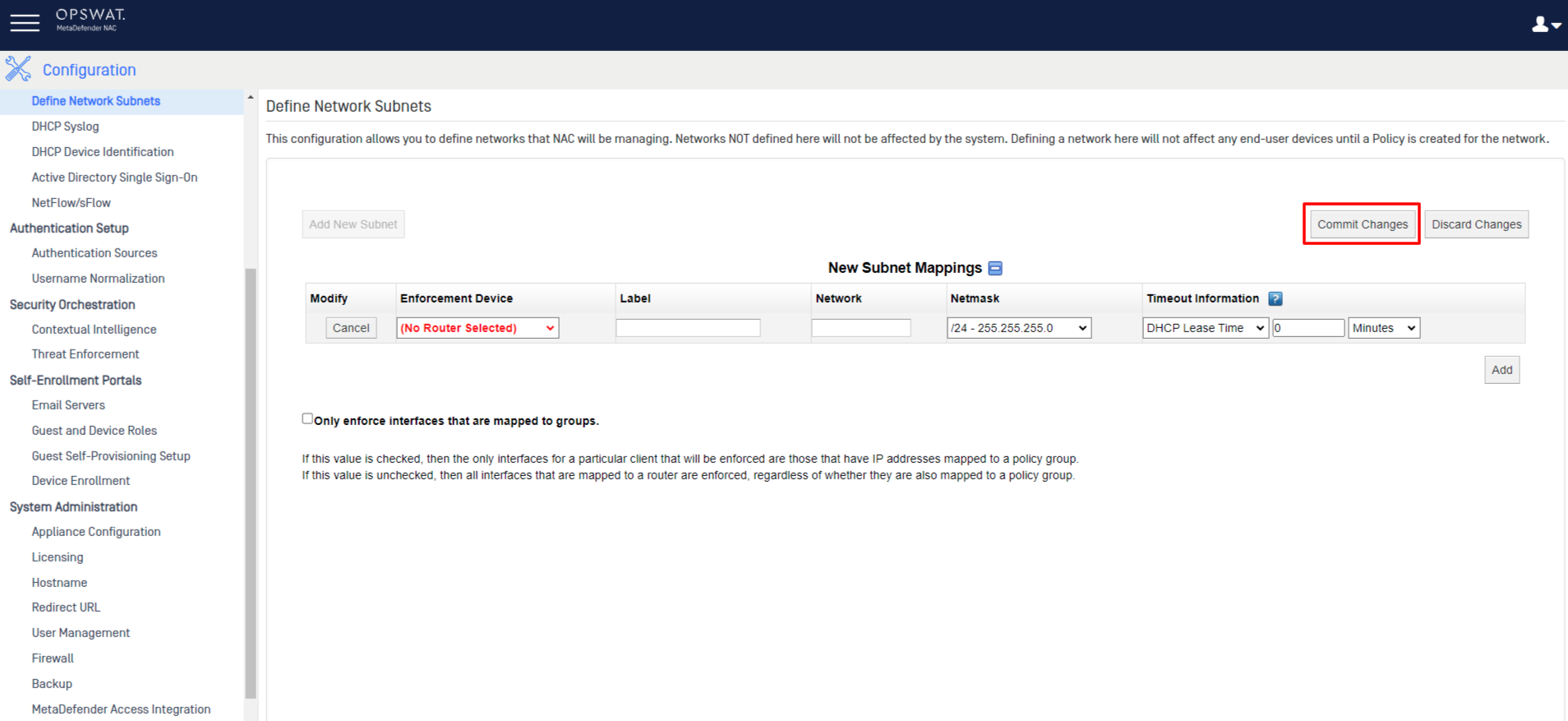
Any device that falls under one of the subnets listed here will be tracked and managed by the NAC system.
However, networks listed here will need to be included as qualifiers in a policy group, for any device in those networks to fall under the enforcement of the group policy.
To add the newly created subnets to a policy group
To add your subnets to a policy, go to the NAC Dashboard>Policies>Qualifiers Menu>Qualifiers Set.
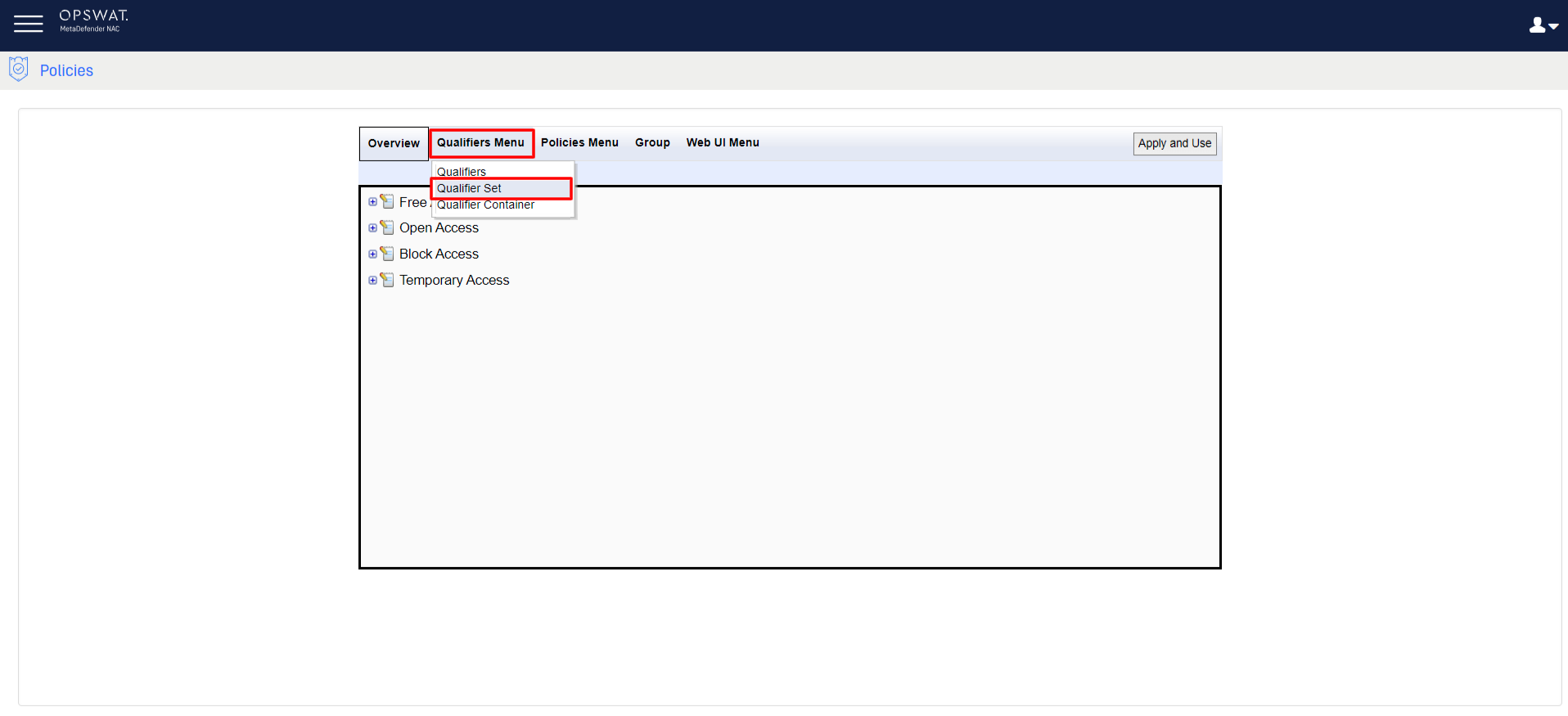
Uncheck all boxes except Networking in the filter on the left-hande panel, select the Network Set corresponding to the desired Policy Group, move the new subnet qualifier from the Available column to the Selected column, and click Save
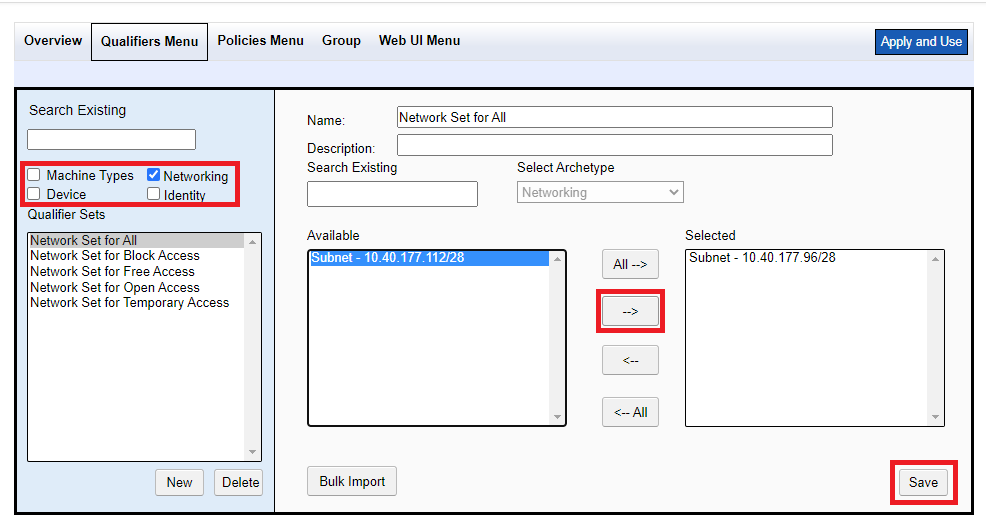
Finally, when you are ready to put you changes into production, click Apply and Use, in the top right-hand corner of the screen.
If you do not already have a policy group set up for this network, you will need to create one. Follow the steps for creating a policy group outlined in This Guide.
If you have followed the instructions above but have been unable to Configure Subnets To Fall Under NAC Enforcement, please open a Support Case with the OPSWAT team via phone, online chat or form, or feel free to ask the community on our OPSWAT Expert Forum.