
Set up a reusable deployment configuration, then stage its rollout into rings in the steps that follow.
Please Note
Ring deployment only support Window patches. Non-Window devices will be automatically excluded.
Driver & Firmware Updates is supported on Dell and Lenovo Windows devices only.
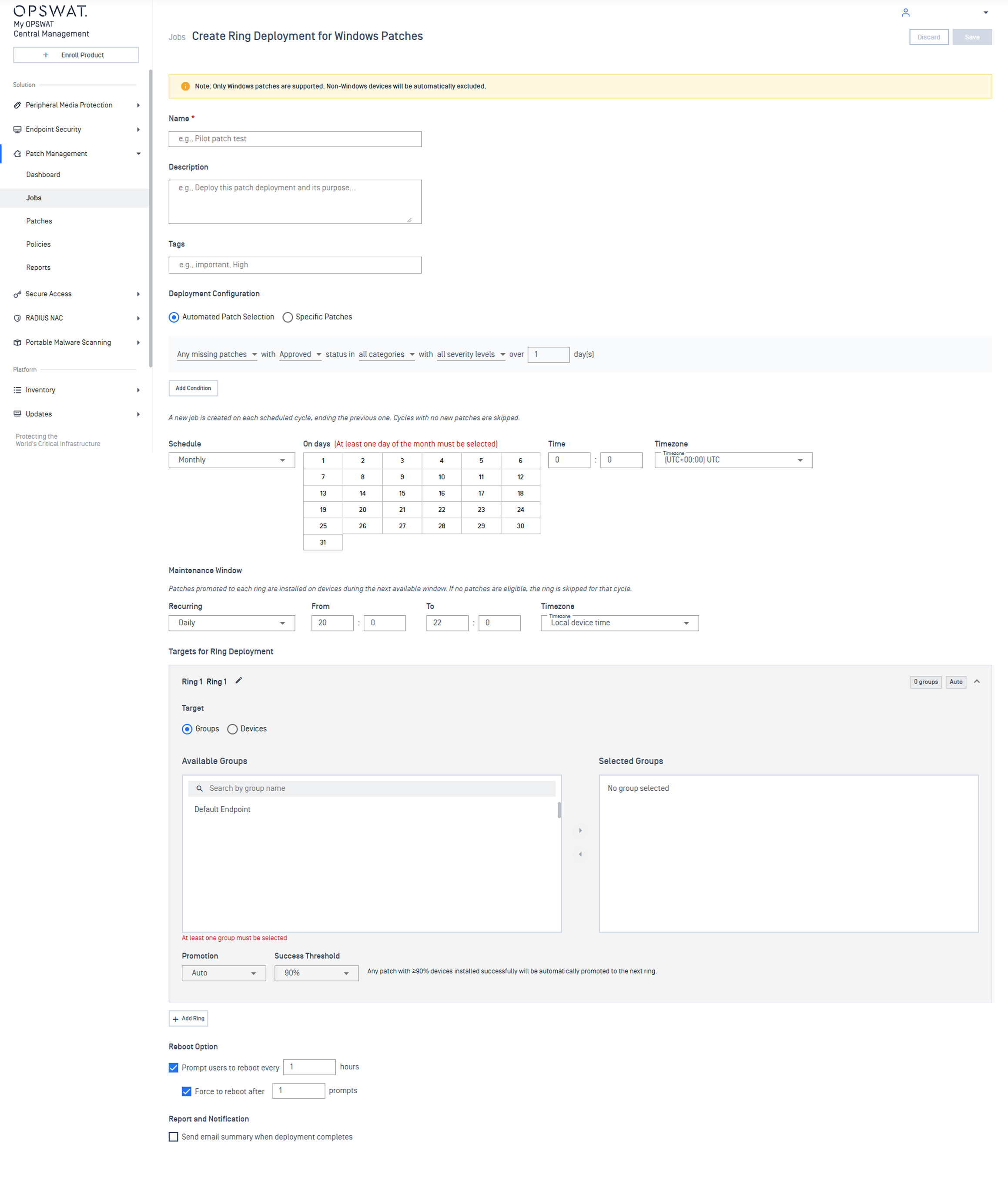
Create Ring Deployment
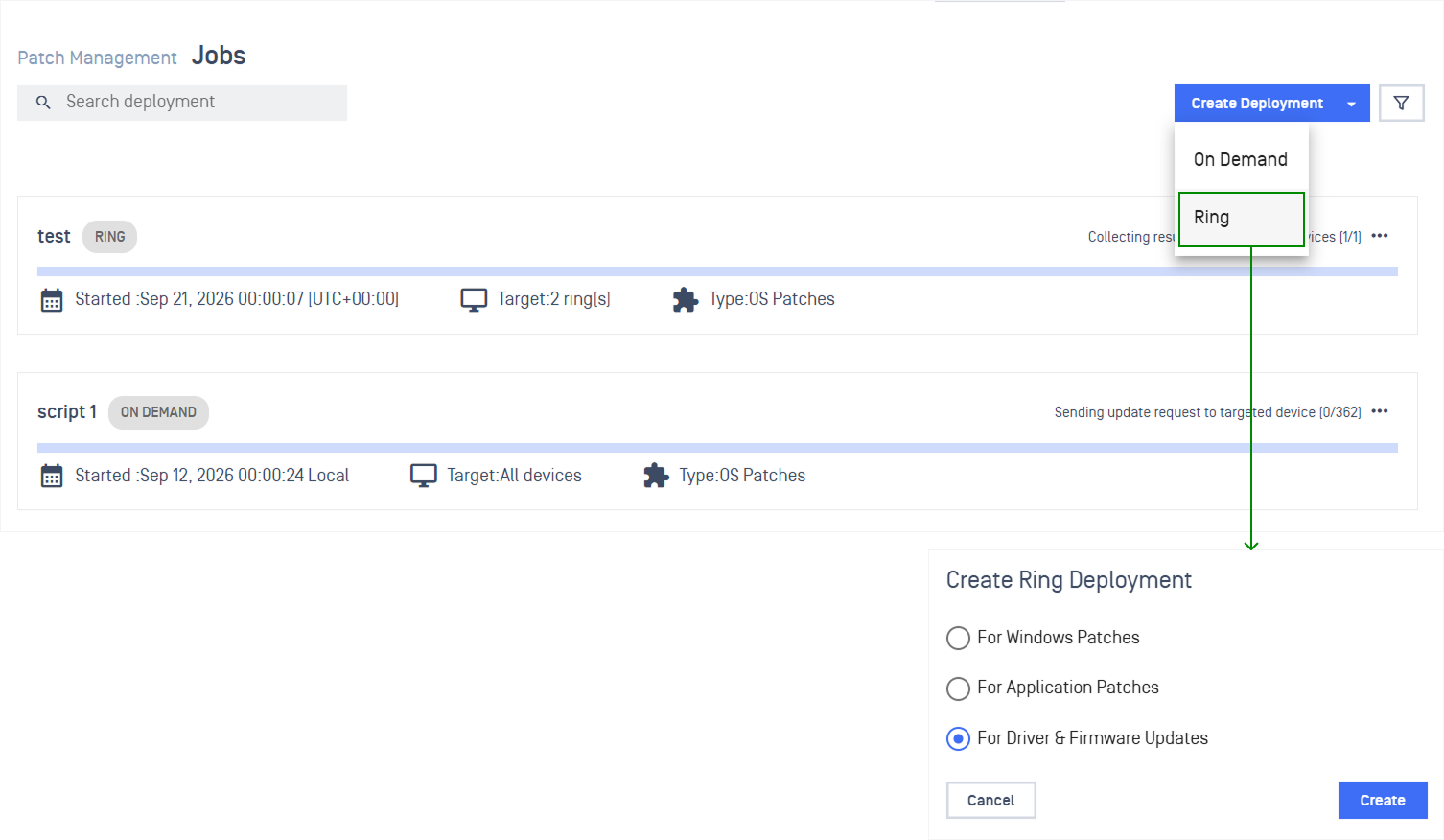
In the left navigation, select Patch Management > Jobs
Select Create Deployment, then choose Ring from the dropdown
In the dialog, choose what to deploy:
For Windows Patches
For Application Patches
For Driver & Firmware Updates
Configure Ring Deployment
Configuration | Details |
|---|---|
Name and describe the deployment | Enter a Name, a short Description, and any Tags you want to filter by later 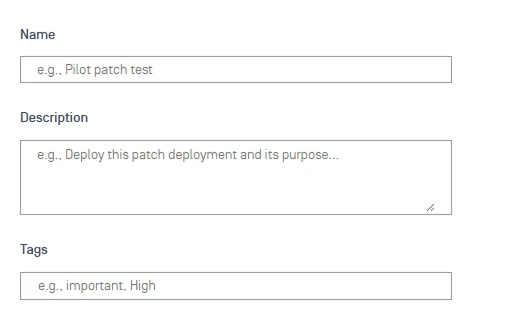 |
Choose what gets installed | Use condition-based selection to automatically include updates that match criteria, or pick Specific Patches / Specific Applications manually Note Rejected and unsupported items are automatically excluded, even if they match your selection criteria 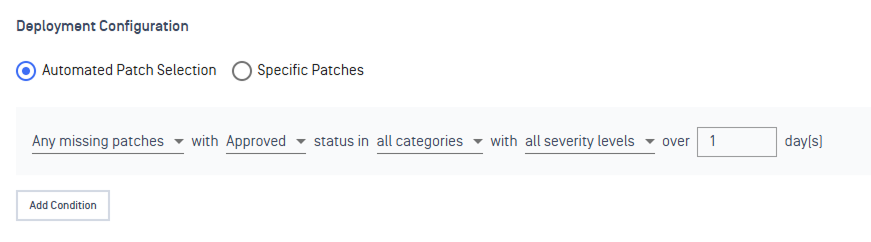 |
Set how often the deployment runs | Set the Date and Start time. Add an End time if you want it to stop automatically. Refer to Ring Schedule to understand how it works 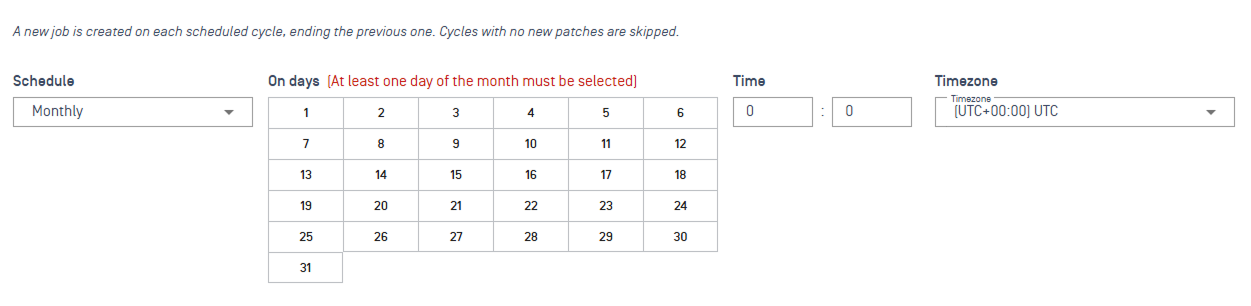 Note If no end time is specified, the deployment is marked complete only once every endpoint finishes and reports back to My OPSWAT Central Management. Offline endpoints during the window are marked Unreachable. |
Control when deployments can occur | Configure a Maintenance Window to limit deployments to approved times. Refer to Maintenance Window to understand how it works  |
Stage your rollout across rings | Configure deployment rings under Targets for Ring Deployment. Refer to Targets for Ring Deployment to understand how they work Note You can configure up to 10 rings per deployment. At least one ring is required before saving. 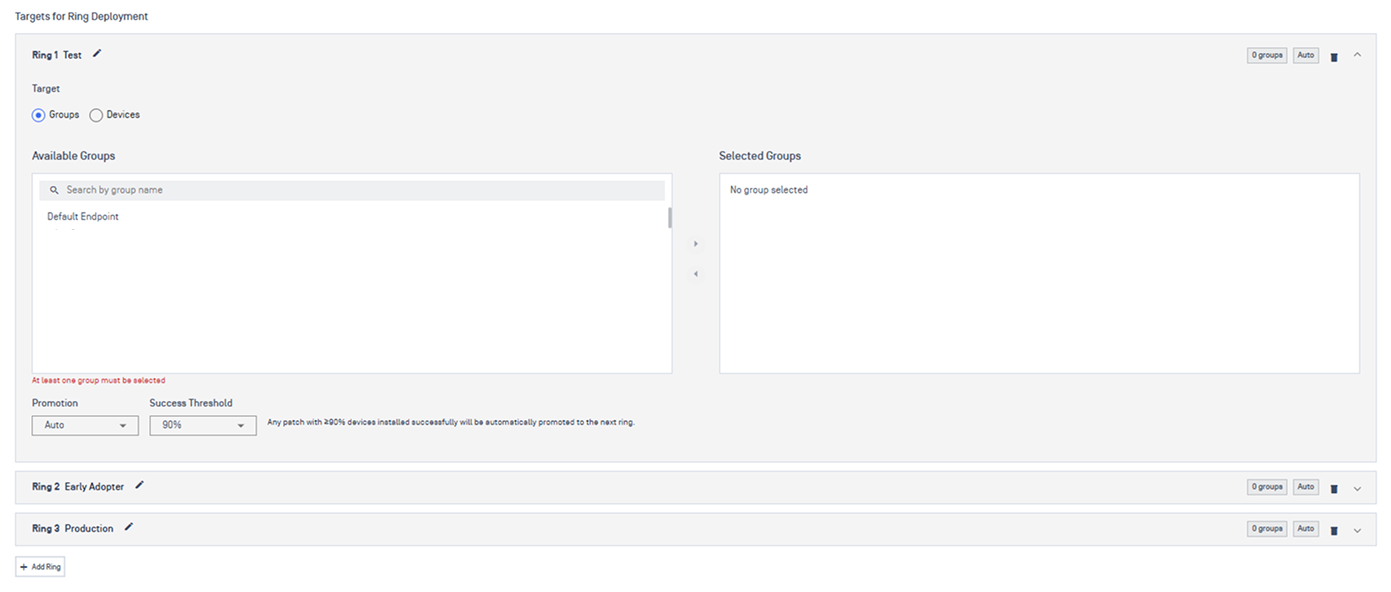 |
Control restart and user notifications | Configure Reboot Options (Windows) or Update Notification (Application) to reduce user disruption 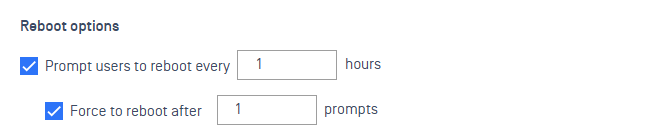 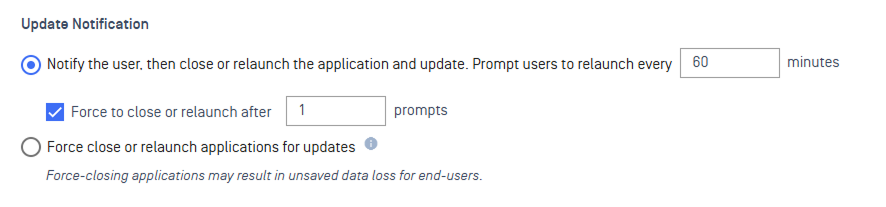 |
Get notified when it's done | Add one or more email addresses under Report to receive a summary 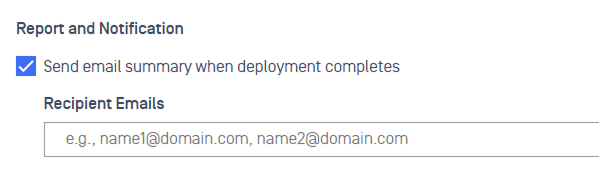 |
Next Steps
Track a specific deployment in Monitor Deployment
Configure point-in-time patch reports with Custom Patch Reports
Set real-time alerts for key patch events under Patch Notification
Define SLA timeframes to maintain compliance visibility via Patch SLA