
The Patches page is where you review missing OS patches, outdated third-party applications, as well as outdated drivers, firmware, and BIOS across your managed endpoints.
In the left navigation, select Patch Management > Patches.
It has two tabs that work the same way:
Operating System: missing OS patches across all endpoints.
Third Party Applications: installed applications running an outdated version.
Driver & Firmware: outdated or missing drivers, BIOS, and firmware updates across supported endpoints.
The workflow below applies to both tabs.
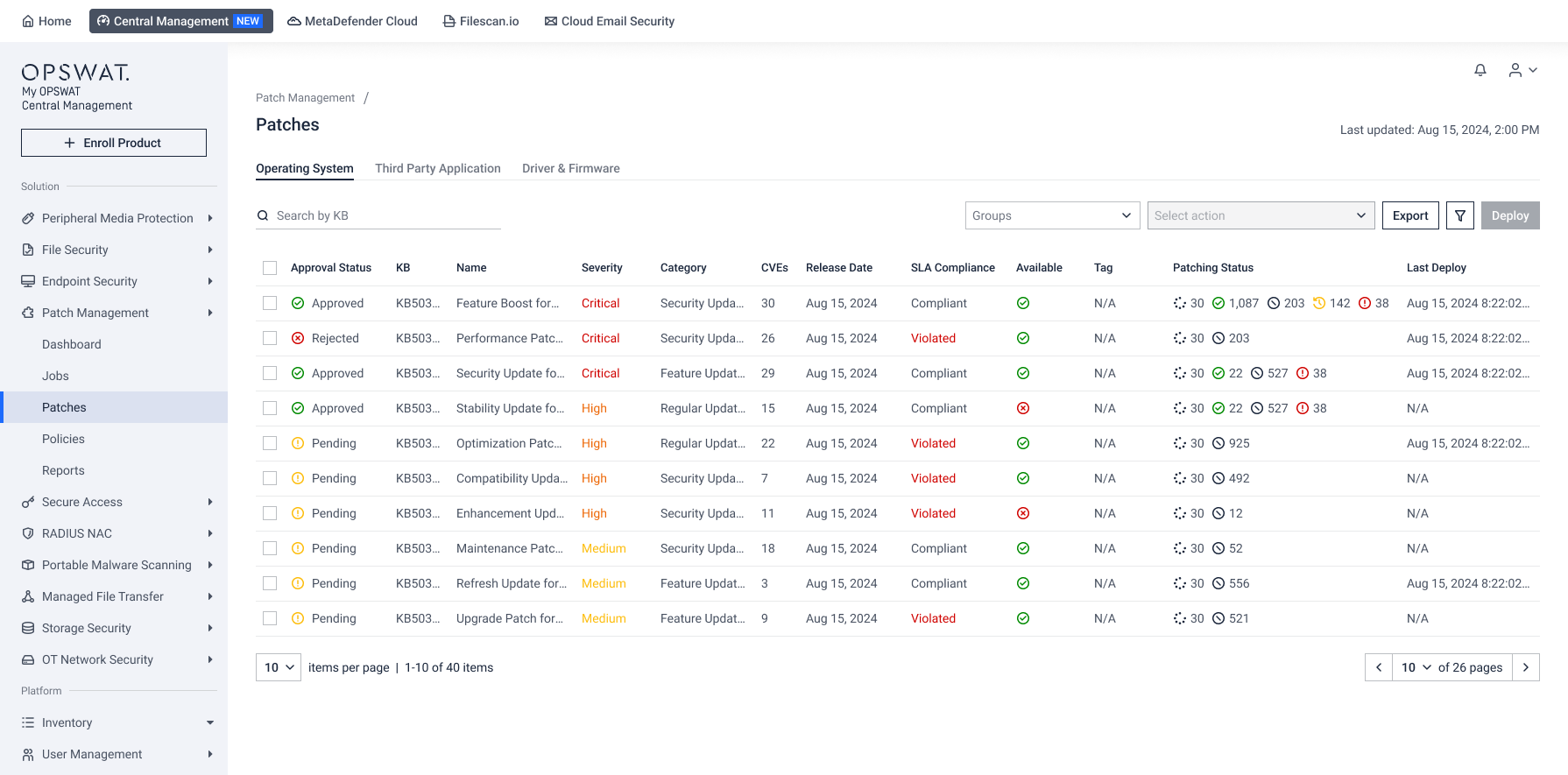
Find What Matters

Goal | How to do it |
|---|---|
| Search by patch name or KB number, or by application name |
| Select one or more endpoint groups from the Groups dropdown |
| Select Export to download the current patch list. |
| Filter by SLA Compliance, Category, Severity, Approval Status, or OS |
| Set a Timeframe to show items that remained missing or outdated for a specific period |
| Set SLA Due Date to identify patches that are overdue or approaching their due dates |
| Use Display settings to show or hide columns such as Severity, Release Date, or CVE count |
Take Actions
Select the checkbox next to one or more patches. The Actions menu becomes available.
Open the Actions menu and choose the action that fits.

Action | What It Means |
|---|---|
Deploy Now | Starts an immediate, on-demand deployment to the affected endpoints. |
Approve for Scheduled Deployment | Approve the patch for use in scheduled deployment. |
Reject for Scheduled Deployment | Excludes it automatically from scheduled deployment. |
Edit Tag (OS only) | Apply or update tags to help organize and filter patches. |
Note After you approve or reject an item, its Approval Status updates in the list.
Investigate Patch Details
To view more information about a patch, select it from the list.
The patch details page provides several tabs and section to help you assess impact and determine the appropriate action.
Section/Tab | Details |
|---|---|
Summary 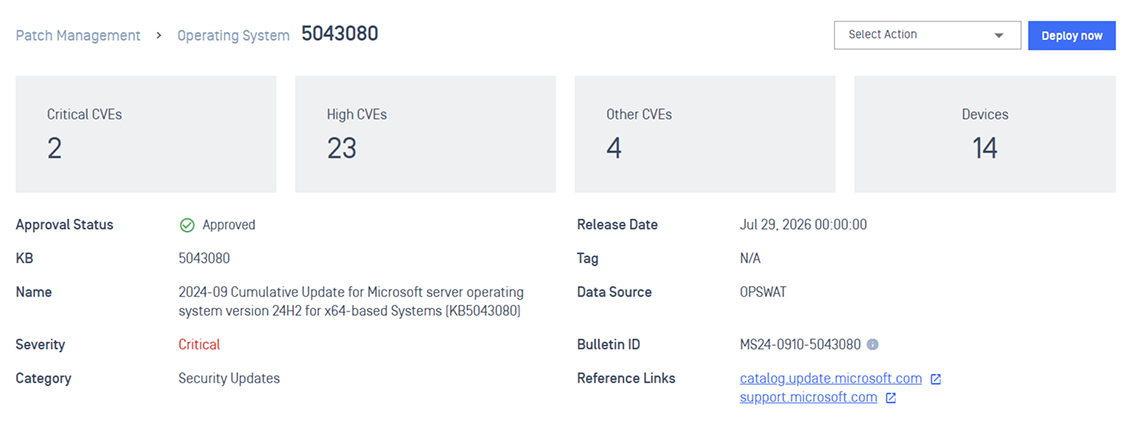 | View all key details about this patch |
Vulnerabilities 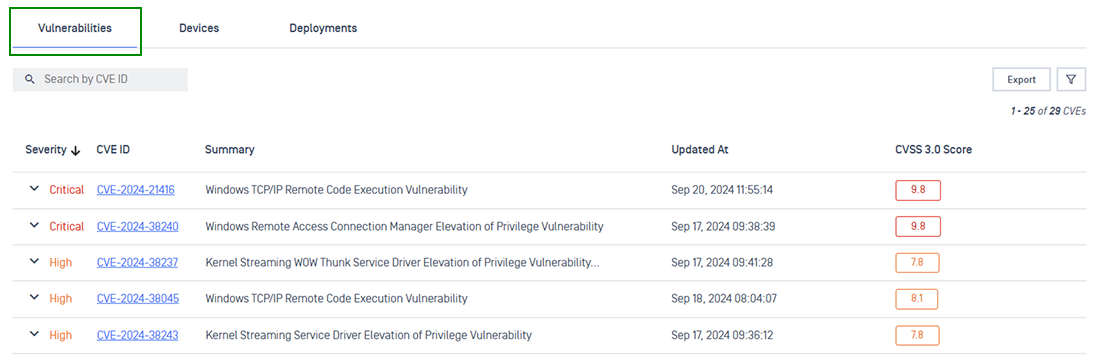 | Review the CVEs and security vulnerabilities fixed by the patch |
Devices 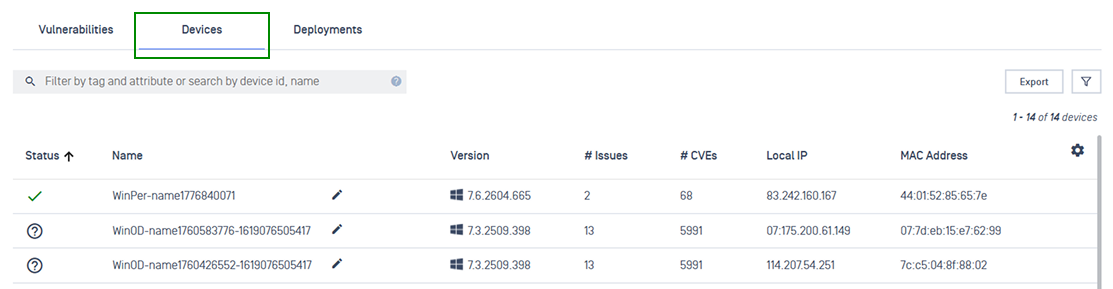 | See all endpoints that are missing this OS patch, or are running this outdated application version |
Deployments 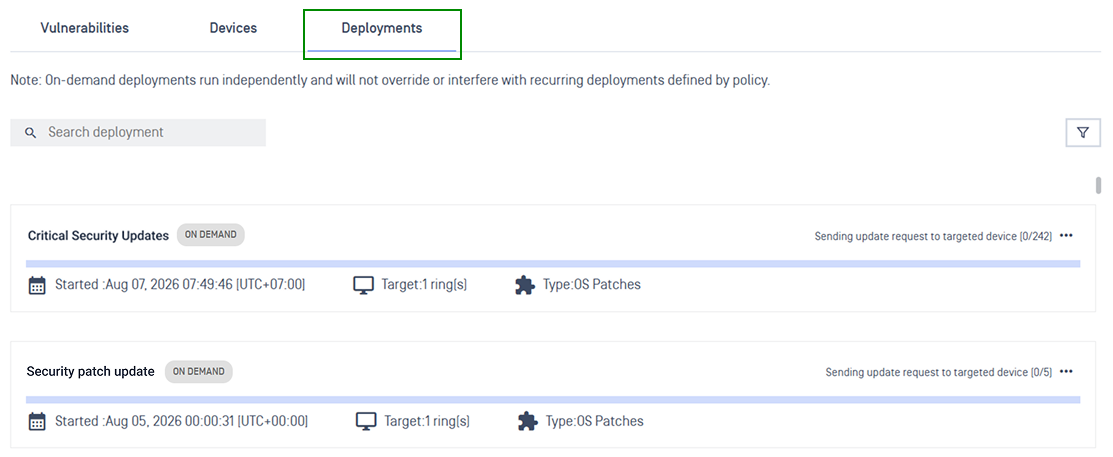 | Review existing deployments that already target this patch |
Note From the patch detail page, you can open the Actions menu or choose Deploy to start an on-demand deployment for that specific patch.

Next Steps
Push an urgent fix with On-Demand Deployment
Automate recurring patching with Policy Deployment
Track a specific deployment in Monitor Deployment
Run pre- and post-script with Deployment Scripts