
Patch Management is a complete, unified solution that strengthens patching operations from end to end. It provides comprehensive visibility into patch landscape, automates vulnerabilities detection, and streamlines deployment capabilities, ensuring strong security posture and operational stability.
Deployment Models
There are three main options:
Deployment | Diagram |
|---|---|
SaaS Deployment | 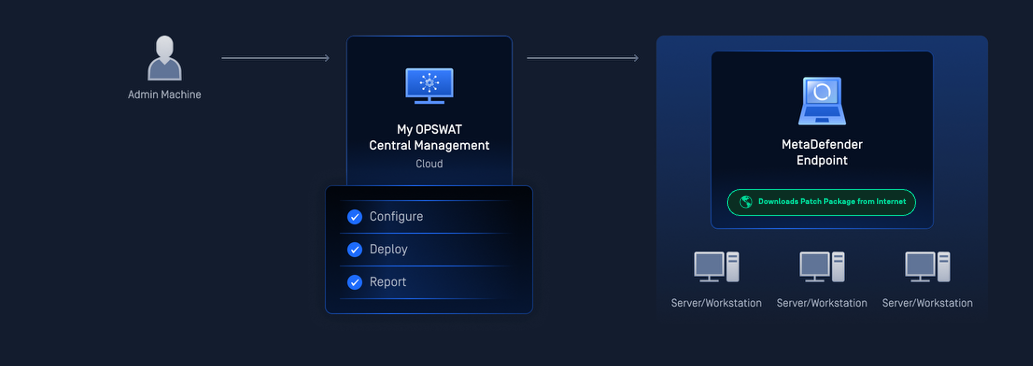 |
On-Premise Deployment | 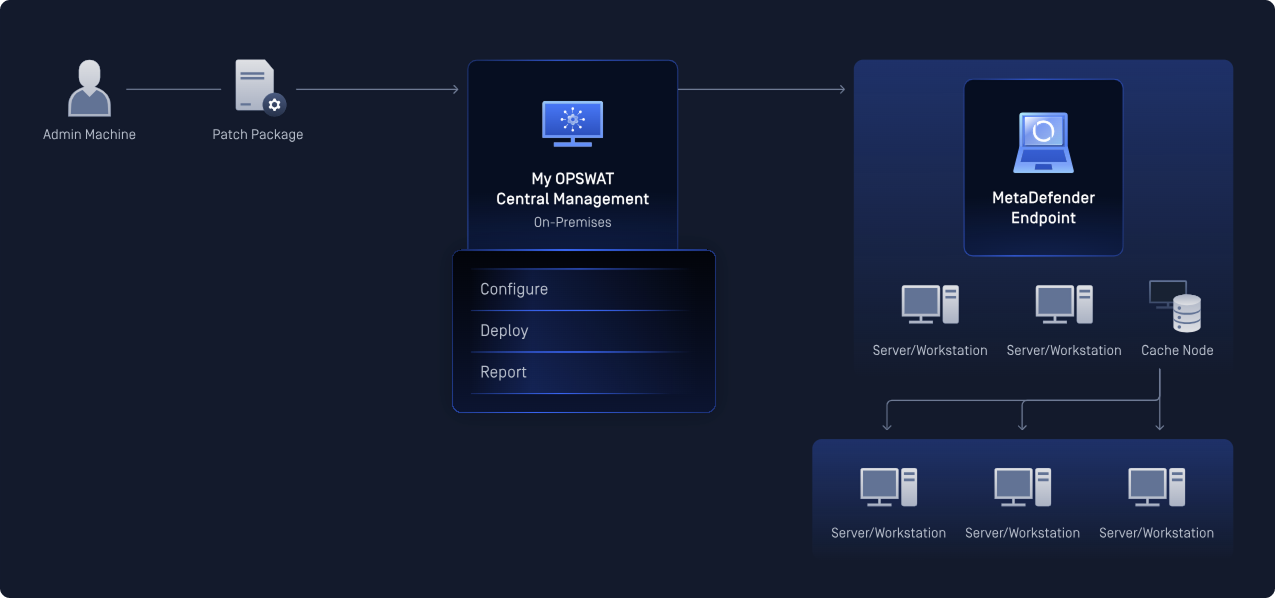 |
Air-gapped Deployment | 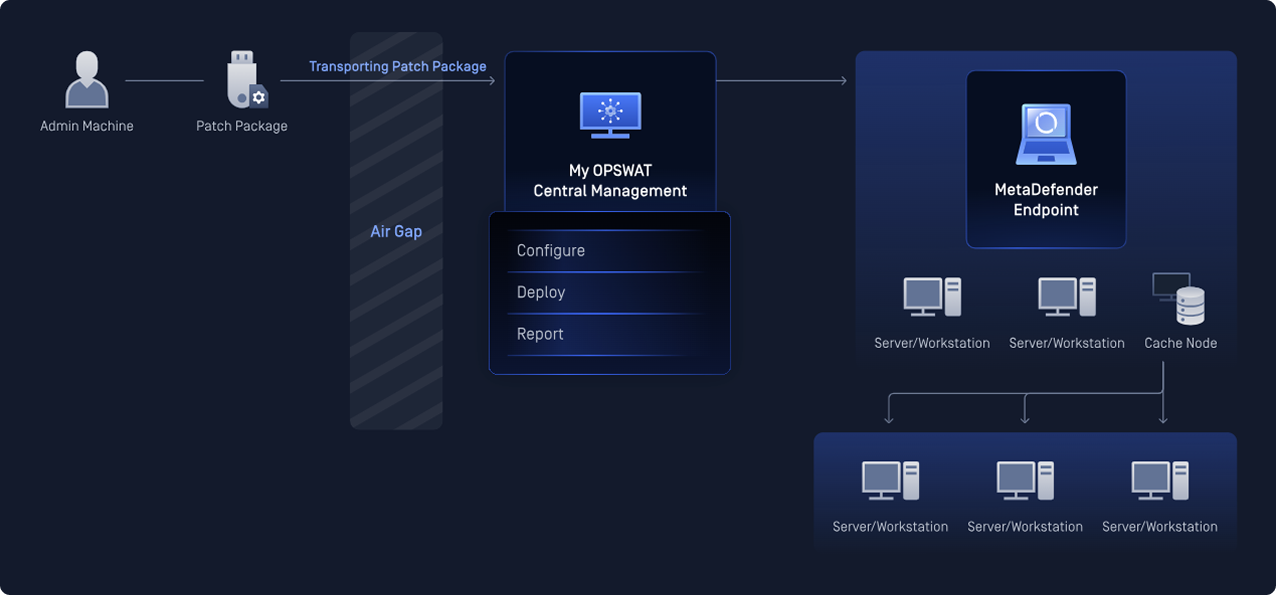 |
Patch Workflow At a Glance
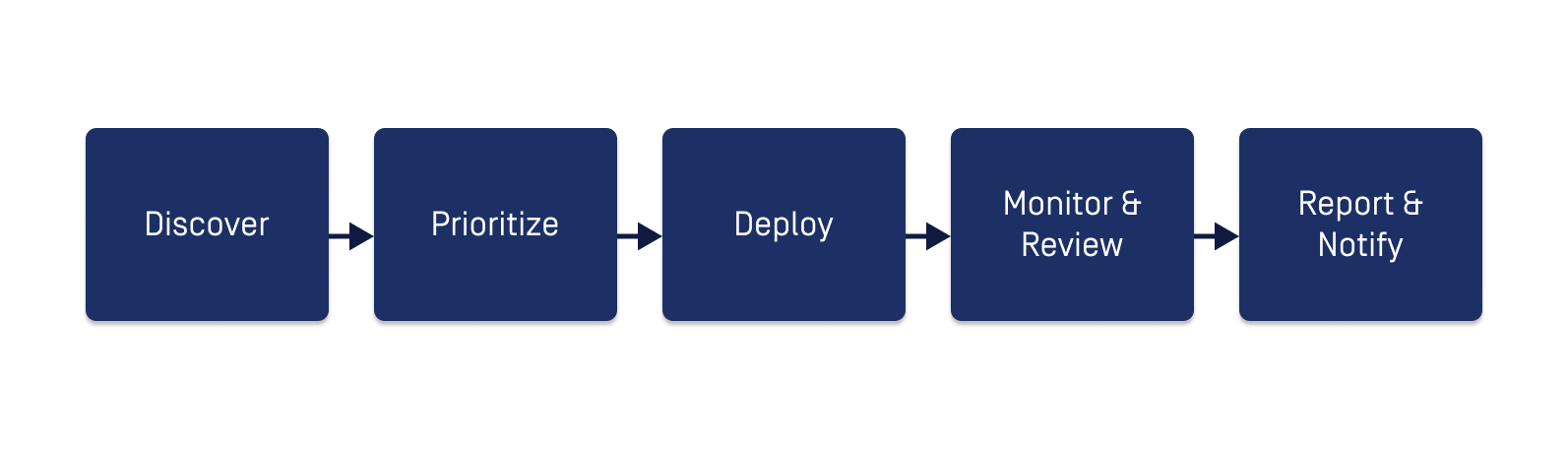
Steps | Details |
|---|---|
Step 1. Discover | Use Patch Dashboard to identify security gaps and prioritize remediation efforts across your environment |
Step 2. Prioritize | Open Patches list to review missing OS patches and outdated third-party applications. Use filters to focus on critical or high-priority items as needed |
Step 3. Deploy | Choose the patch deployment method:
|
Step 4. Monitor & Review | Use Jobs to monitor active deployments and review results |
Step 5. Report & Notify |
|
Related Resources
Patch Dashboard: Get a single-pane view of your environment's patch posture
Missing Patches: Find and act on missing patches and outdated application across your environment
Deploy Patches: Roll out patches and application updates
Monitor Deployment: Track a specific deployment
Custom Patch Reports: Configure point-in-time patch reports
Patch Notification: Set real-time alerts for key patch events
Patch SLA: Define SLA timeframes to maintain compliance visibility