
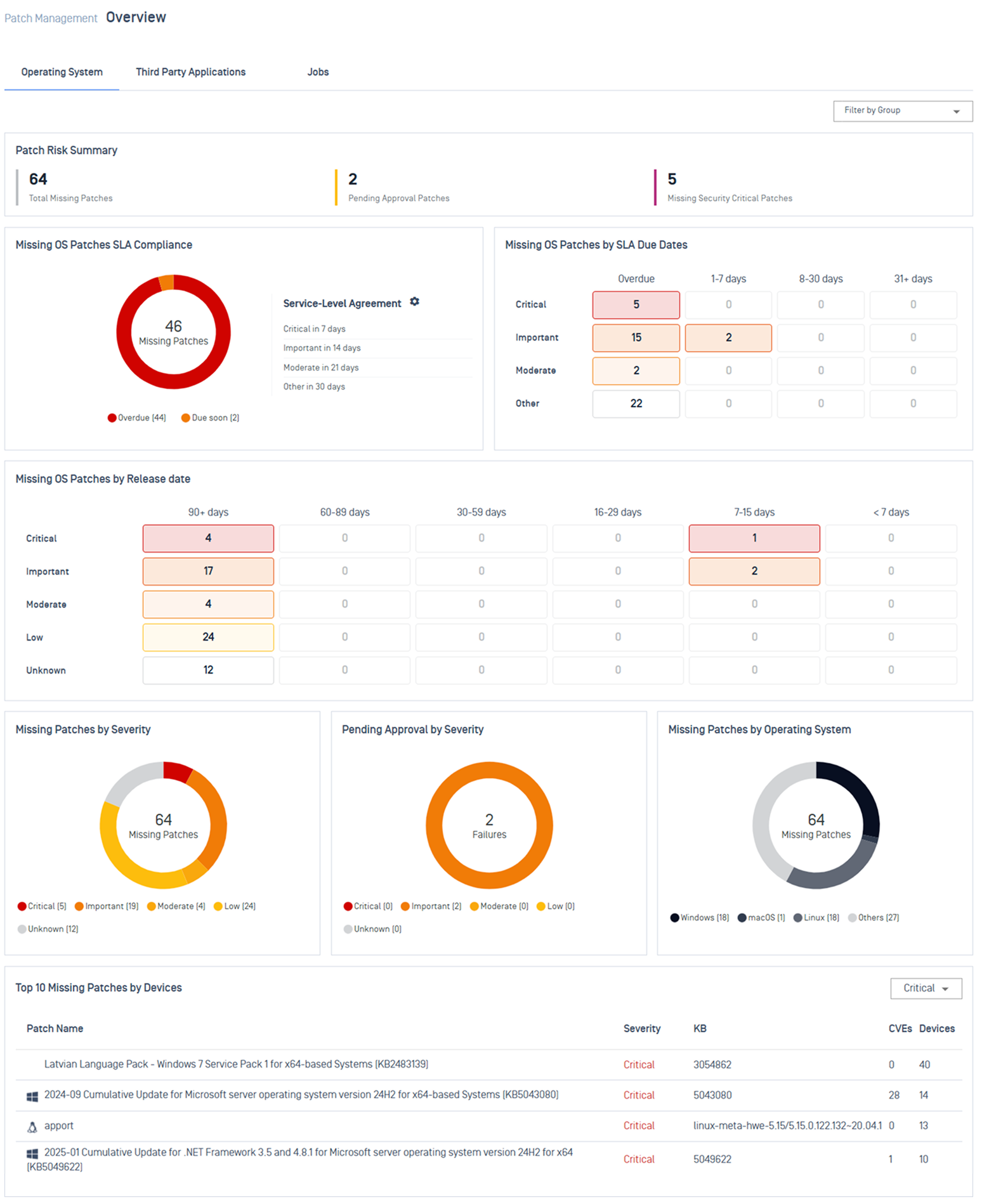
Patch Dashboard gives you a centralized view of OS and application patch posture, and deployment results across your environment. Use dashboard widgets to discover security gaps, prioritize what to fix first, and confirm your deployment outcome.
In the left navigation, select Patch Management > Overview.
Choose the tab you need:
Operating System: OS patch posture across Windows, Linux, and macOS.
Third Party Applications: Installed-software posture.
Driver & Firmware: Driver, BIOS, and firmware update posture.
Job: Deployment activity and outcomes.
Discover and Prioritize Risk
Use the dashboard widgets from Operating System or Third Party Applications tab to find your biggest gaps and decide what to fix first.
Quick jump to your specific goal:
Assess overall exposure
Widgets | Details |
|---|---|


 | Gives the quickest overview of your patch posture and critical gaps. |
Prioritize what to fix
If your organization tracks remediation targets, start with SLA compliance. Otherwise, start with severity.
Priority | Widgets | Details |
|---|---|---|
SLA Compliance |
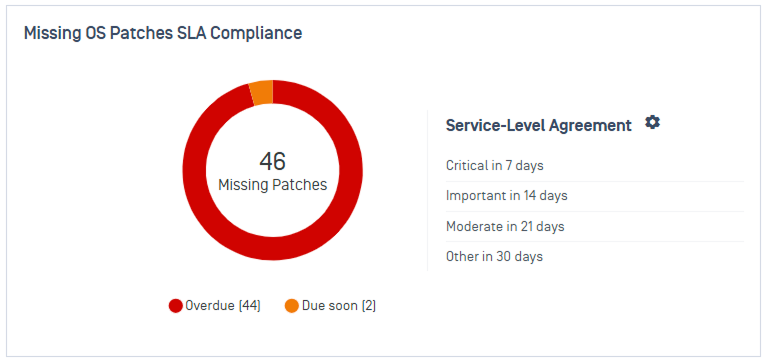
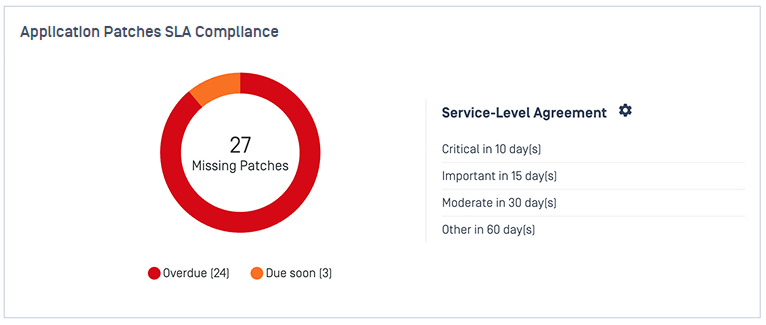
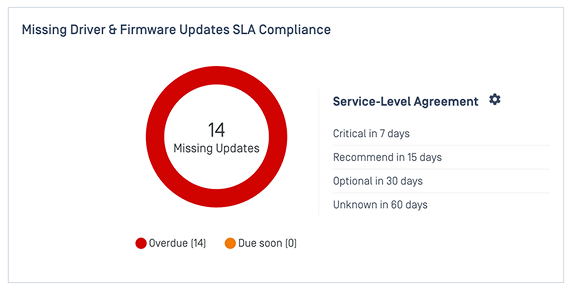 | Show patches that require immediate attention based on configured SLA. See Patch SLA for configuration guideline. |
Severity |
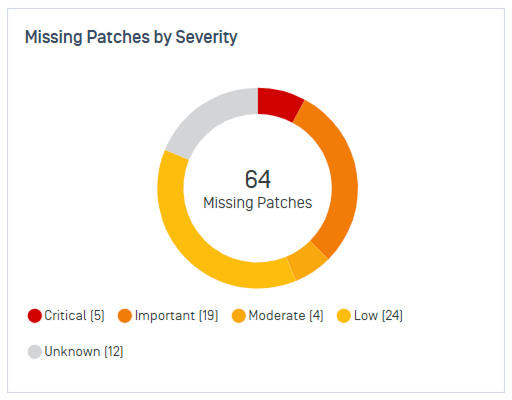
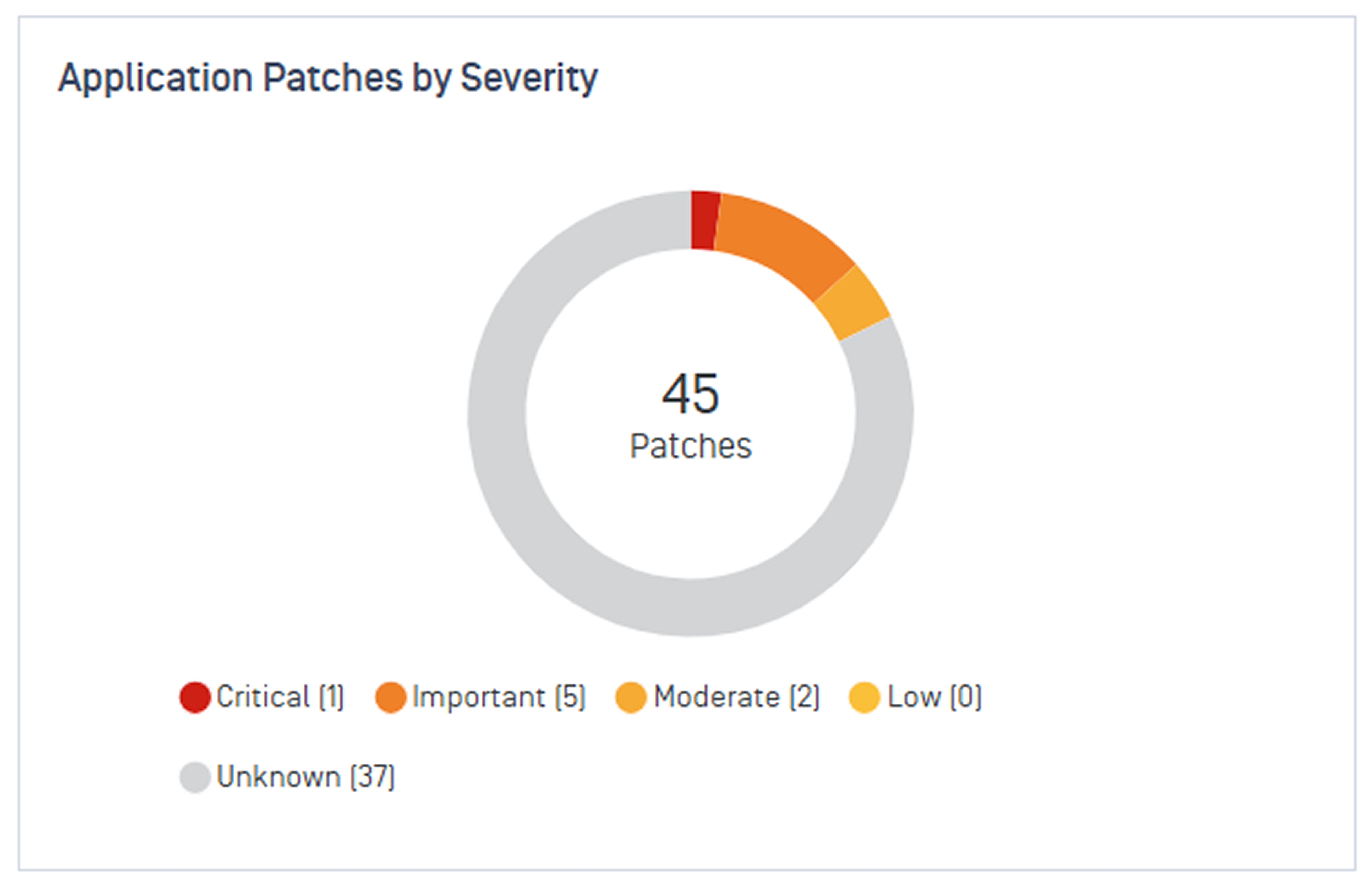
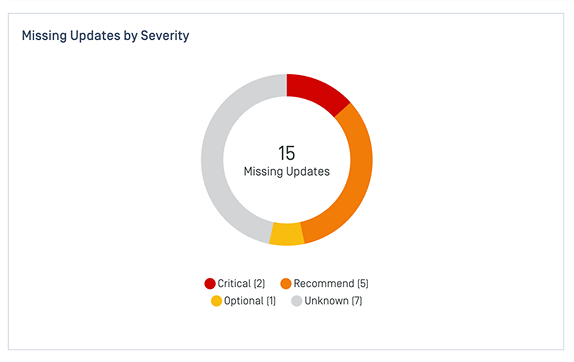 | Break down missing patches and application updates by severity level. See Manage Missing Patches and Outdated Applications for more details. |
Find long-standing risks
Widgets | Details |
|---|---|
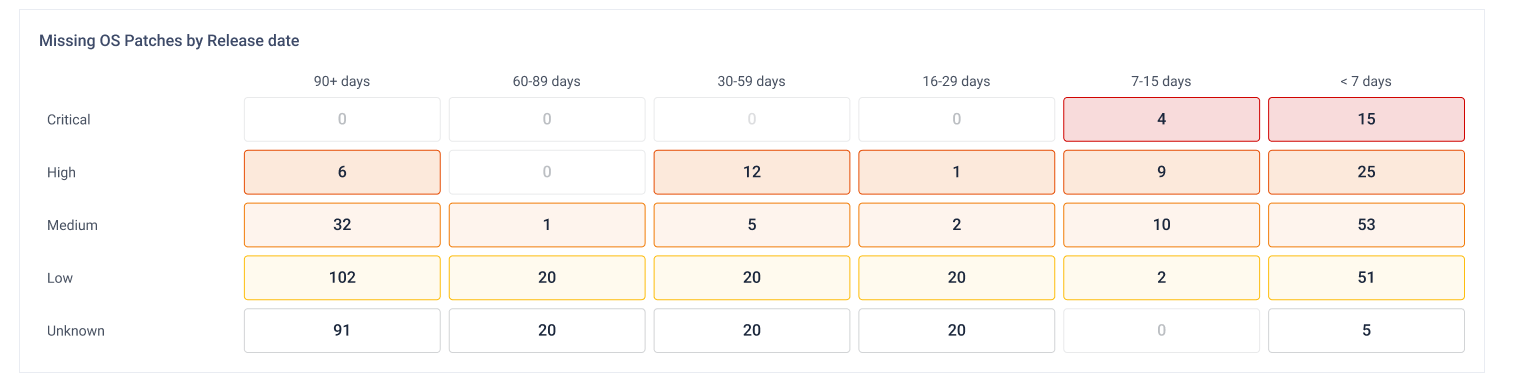
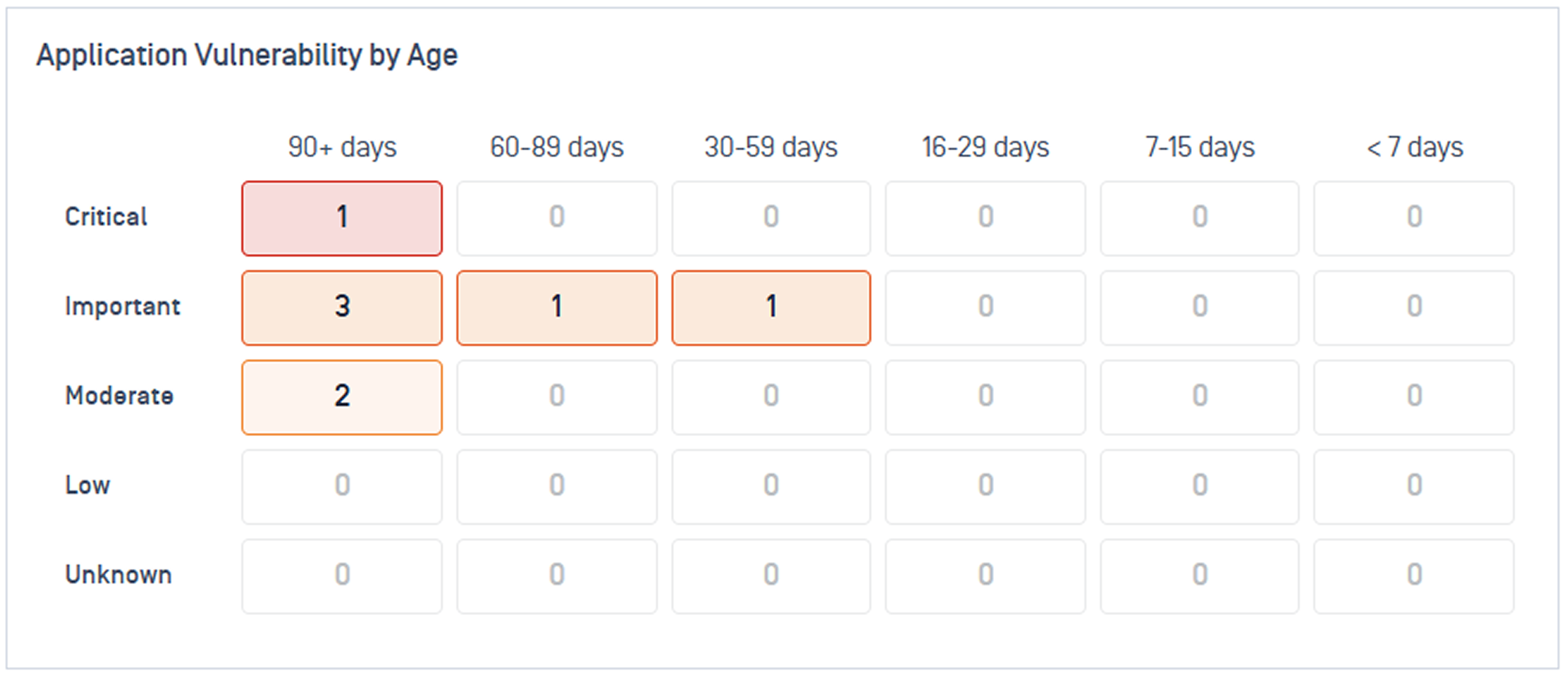
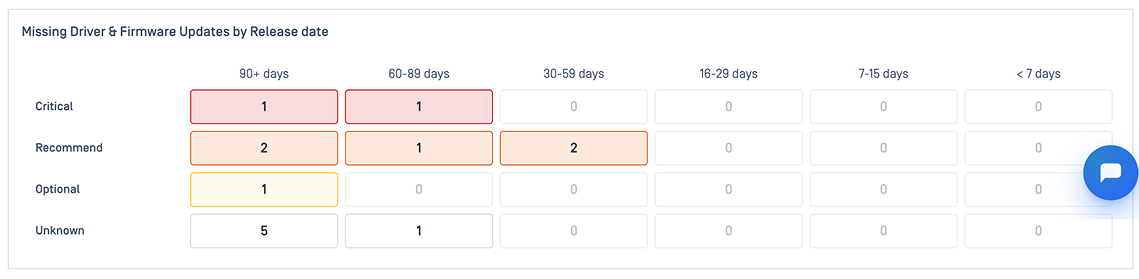 | Surfacing long-standing missing patches and vulnerable applications that may indicate neglected devices or unsuccessful remediation efforts |
Track risk trend (Application)
Widgets | Details |
|---|---|
Vulnerabilities Trend Last 14 Days 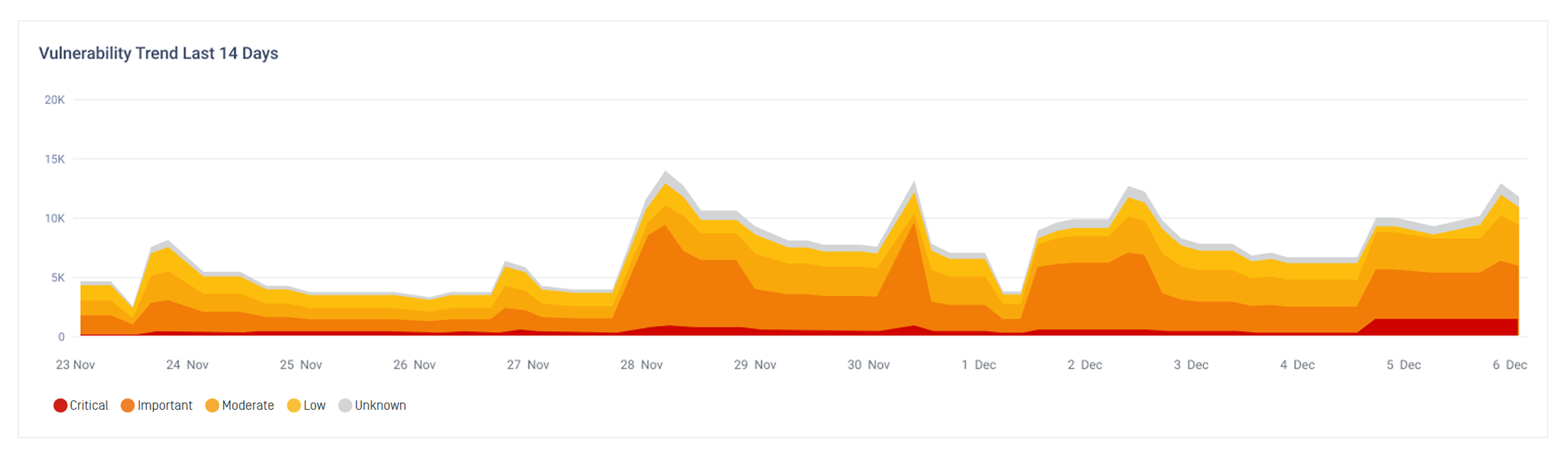 | Show whether application vulnerabilities are increasing, decreasing, or remaining unchanged over time |
Check for approval bottlenecks (OS)
Widgets | Details |
|---|---|
Pending Approval by Severity 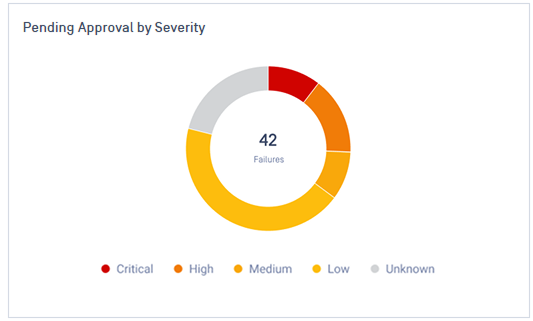 | Identify updates awaiting approval and their severity levels, helping you spot bottlenecks that may prevent timely deployment. |
Determine platform-specific risk
Widgets | Details |
|---|---|
Missing Patches by Operating System 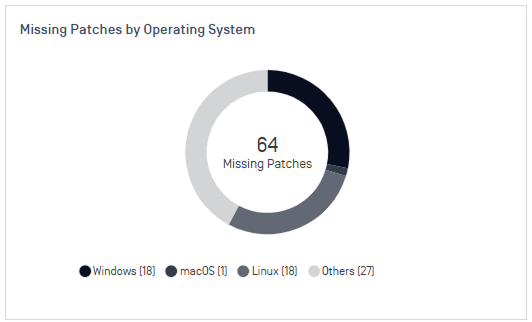 | Shows how missing patches are distributed across Windows, Linux, macOS, and other platforms |
Focus on high-impact patches
Widgets | Details |
|---|---|
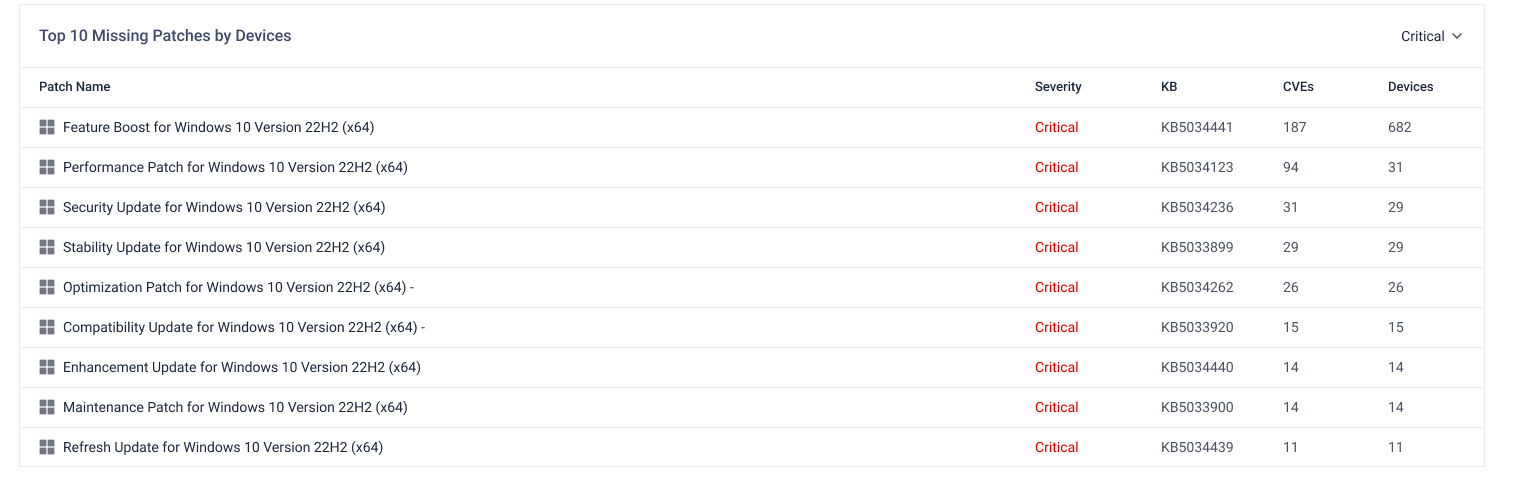
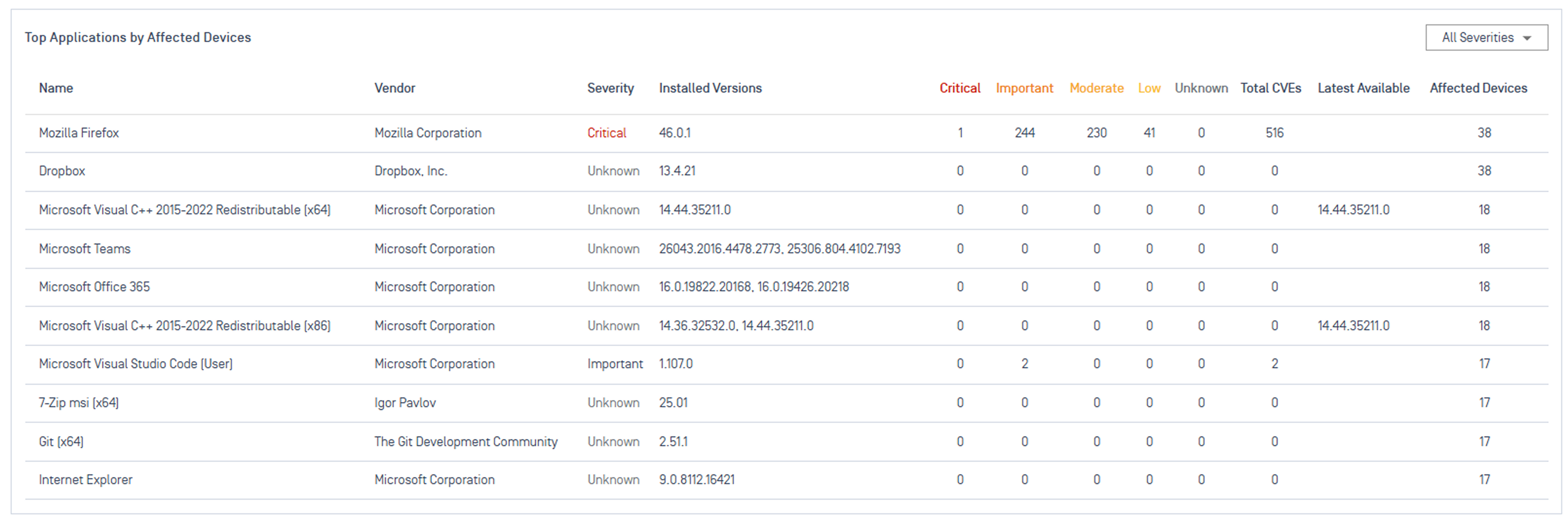
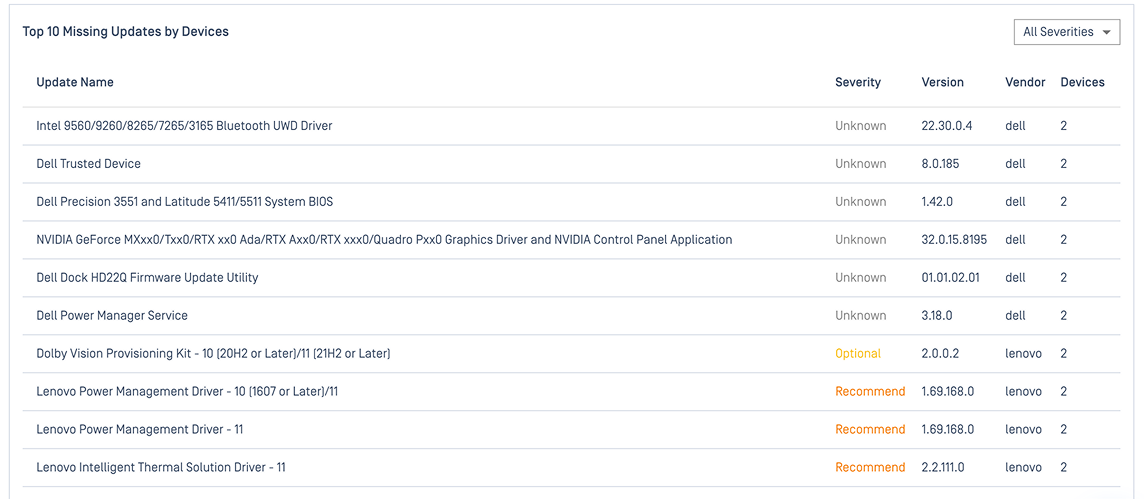 | Identifies the patches or applications affecting the most devices. Fixing these closes the most gaps for the least deployment effort. |
Monitor and Review Deployments
Use the Jobs tab to confirm your deployments worked and catch problems early. These widgets cover both OS and application deployments.
Quick jump to your specific goal:
Confirm deployments succeeded
Widget | Details |
|---|---|
Deployment Summary  | Overview of all active and completed deployment states. |
Patch Installation Success Rate 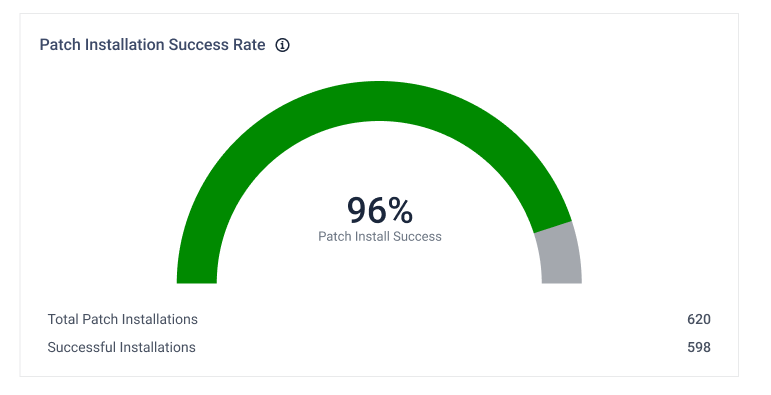 | Ratio of successful installs to total installation attempts. Your clearest signal that patching is working. |
Review device-level outcomes
Widget | Details |
|---|---|
Deployment Results by Device 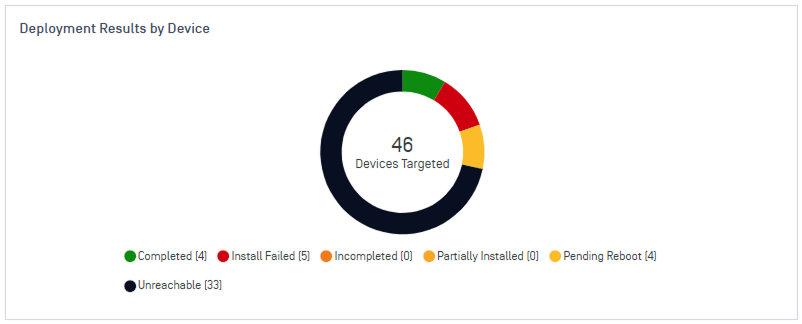 | Groups every endpoint by outcome, so you can spot patterns across devices. |
Investigate deployment issues
Widget | Details |
|---|---|
Deployment Issues Trend 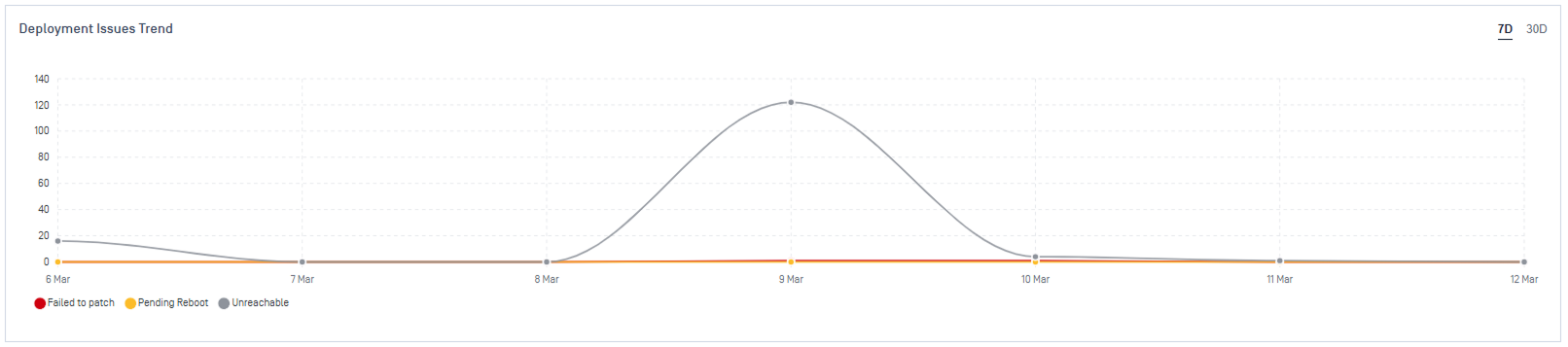 | Daily failure counts by error reason. Helps you spot a systemic cause instead of a one-off error. |
Track deployment volume
Widget | Details |
|---|---|
Deployment History 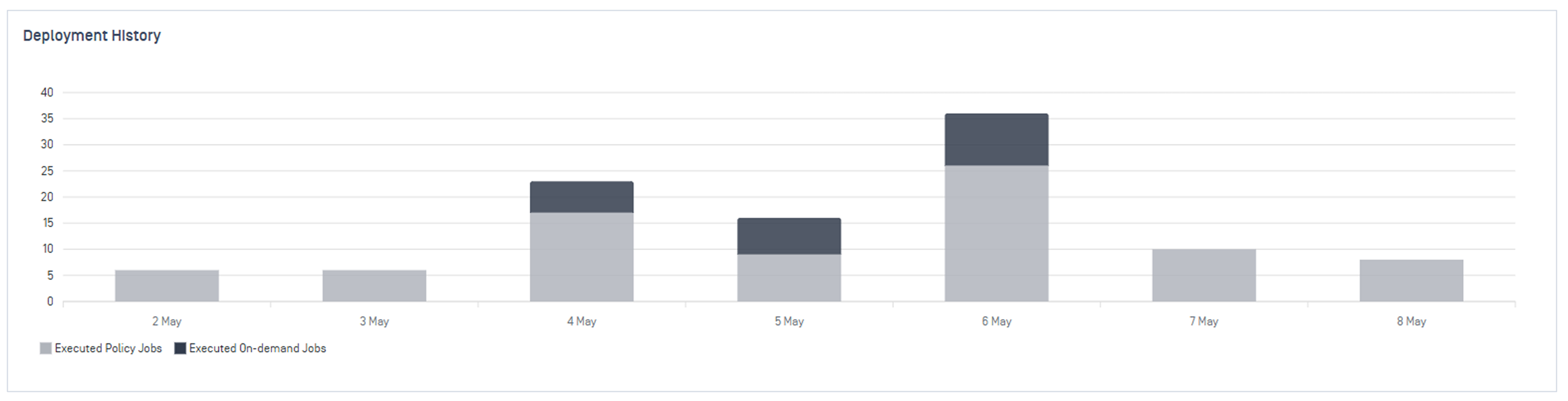 | Daily deployment volume over time. |
Top 10 Deployments by Target Devices 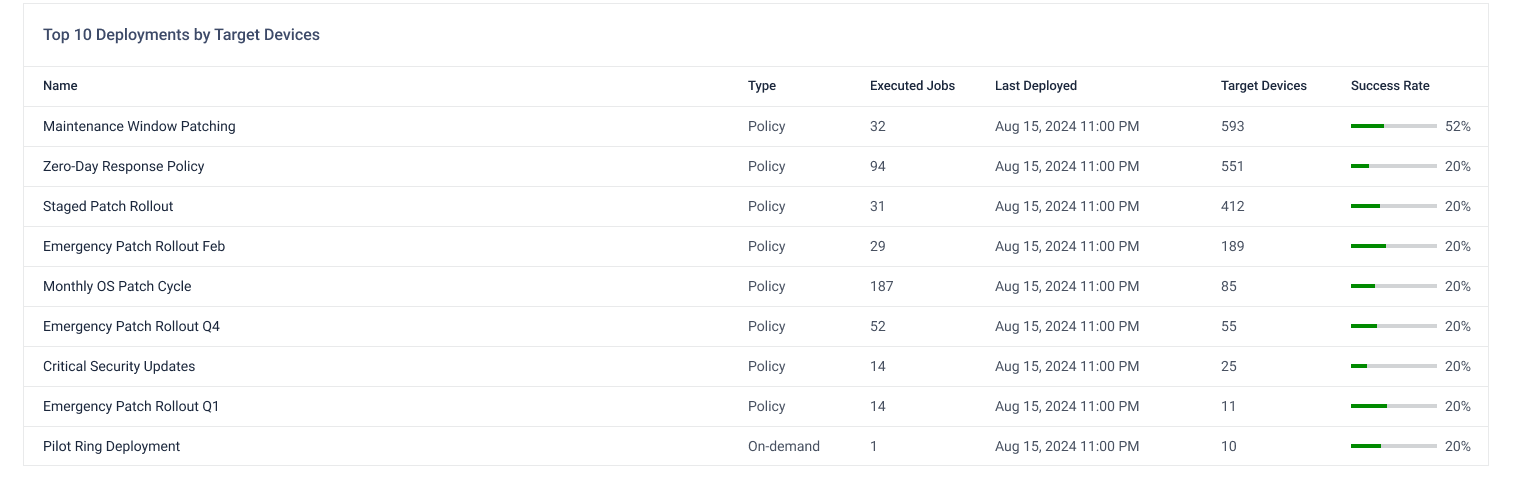 | Your largest jobs by number of targeted endpoints. Worth watching closely. |
Act on what you find
The Dashboard helps you identify risks. To investigate further and take action, select any widget or chart to open the Patches list, where you can drill down on missing patches and outdated applications in greater detail.
You can then:
Push urgent fixes with On-Demand Deployment
Automate recurring patching with Policy Deployment
Track active and completed deployment jobs in real time with Monitor Deployment