
When viewing the Devices/Services page in the Web UI, each device or service instance displays a Health Status indicator. This status helps you quickly understand the current condition of an instance and whether it requires attention.
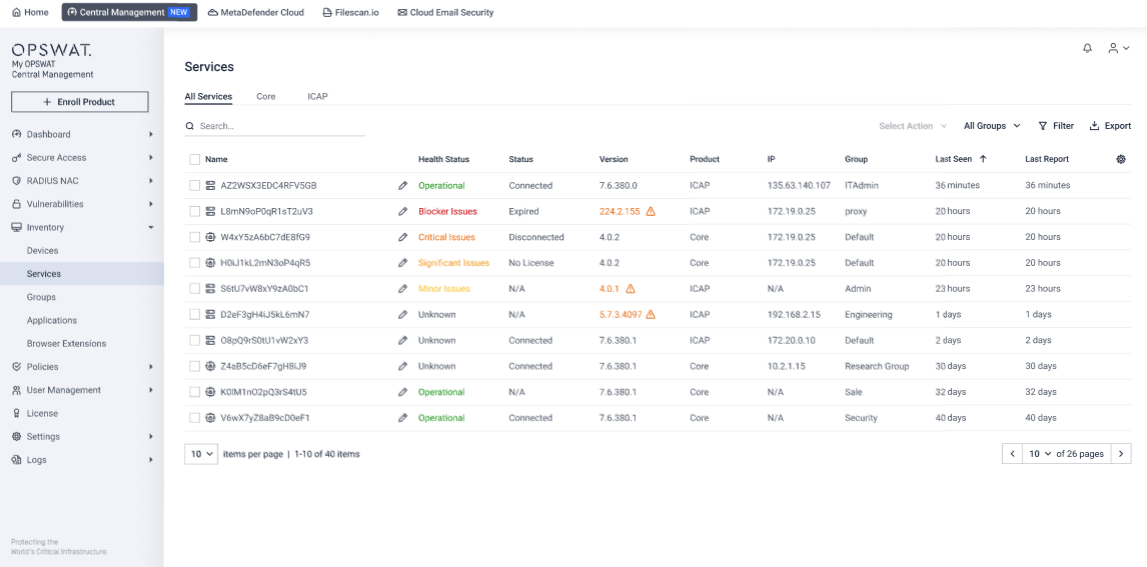
Below is a breakdown of all possible Health Status types and what each one means.
Health Status | Description |
|---|---|
Operational | The instance is fully operational. |
Minor Issues | The instance has one or more warnings, but they do not affect normal operations. |
Significant Issues | The instance has major warnings that may impact operations if not addressed. |
Critical Issues | The instance has critical warnings that will impact operations. Immediate action is required. |
Blocker Issues | The instance has stopped functioning. Immediate action is required. |
Unknown | The instance has not yet reported its health status. |