
In order to integrate Azure DevOps with MetaDefender Software Supply Chain, please follow these steps:
From the left side menu, navigate to Inventory and choose Azure DevOps.
Give your connection a name so you can easily identify it later.
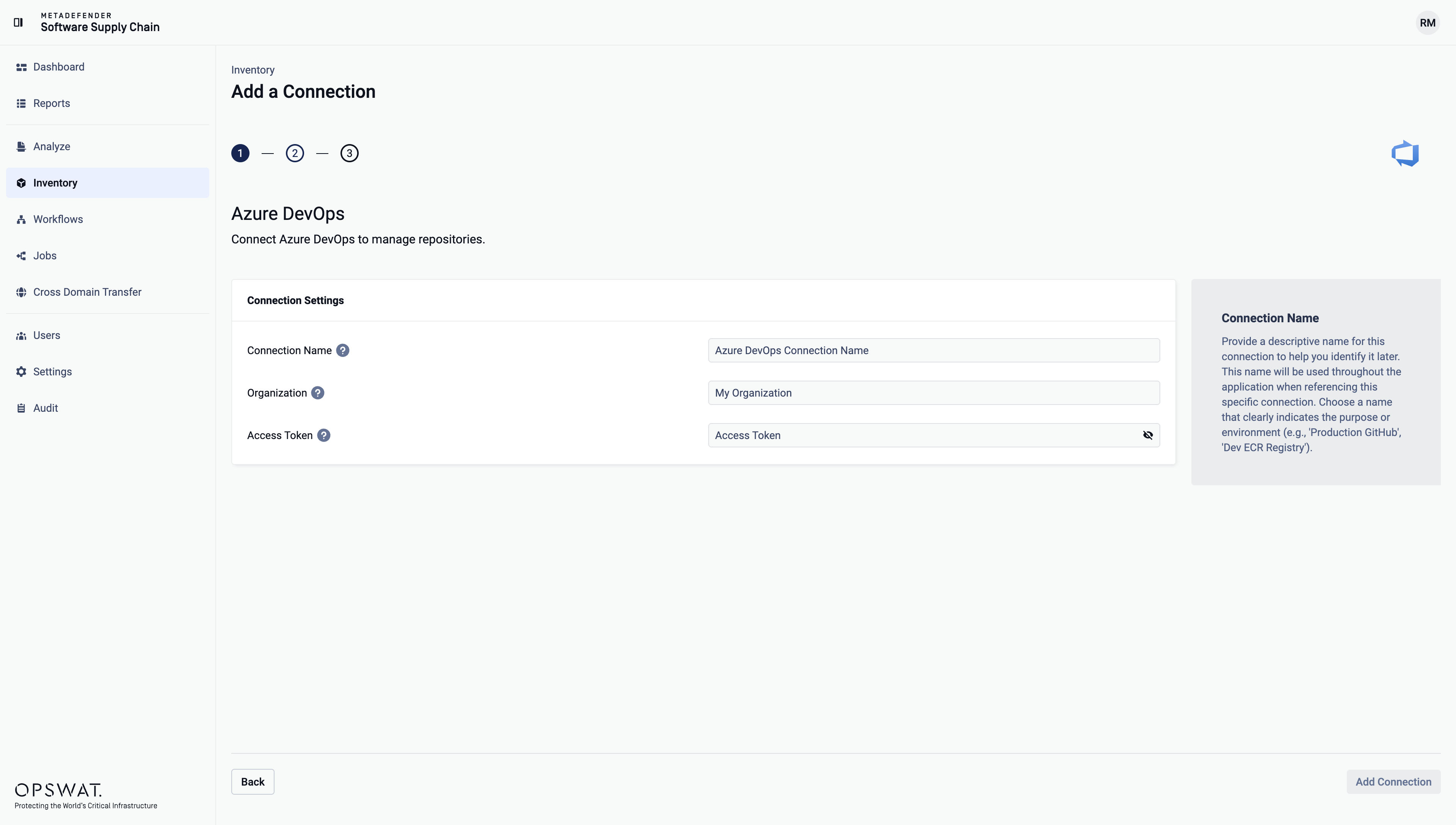
Enter your Azure DevOps Organization name. Scroll to the end of this page for more details.
Enter your Azure DevOps Access Token. Scroll to the end of this page for more details.
Select Add Connection in order to finish the process.
Where can I find the Organization name?
In order to find the Organization name, the following options are available:
From the Azure DevOps URL:
When you access Azure DevOps, the URL format is
https://dev.azure.com/[OrganizationName].The Organization name is the part after
dev.azure.com/.
From Azure DevOps Home Page:
Log in to your Azure DevOps account.
Organization name is displayed in the top-left corner.
From your Administrator:
If you are unsure, contact your Azure DevOps administrator or project lead.
Where can I find the Access Token?
Log in to your Azure DevOps account.
Click on User settings icon (top-right corner, next to profile picture).
Select Personal access tokens.
Click the + New Token button.
Enter a name so you can easily identify it later and an expiration date.
Under Scopes select Custom defined option.
For Code category**,** select the mandatory scopes:
Read & Write: Read is required to access repositories and Write is required if you want to enable soft-delete remediation actions.
Click on Create.
Store the token somewhere safe because you will not be able to view it again.