
In order to integrate Azure Container Registry with MetaDefender Software Supply Chain, please follow these steps:
From the left side menu, navigate to Inventory and choose Azure ACR.
Give your connection a name so you can easily identify it later.
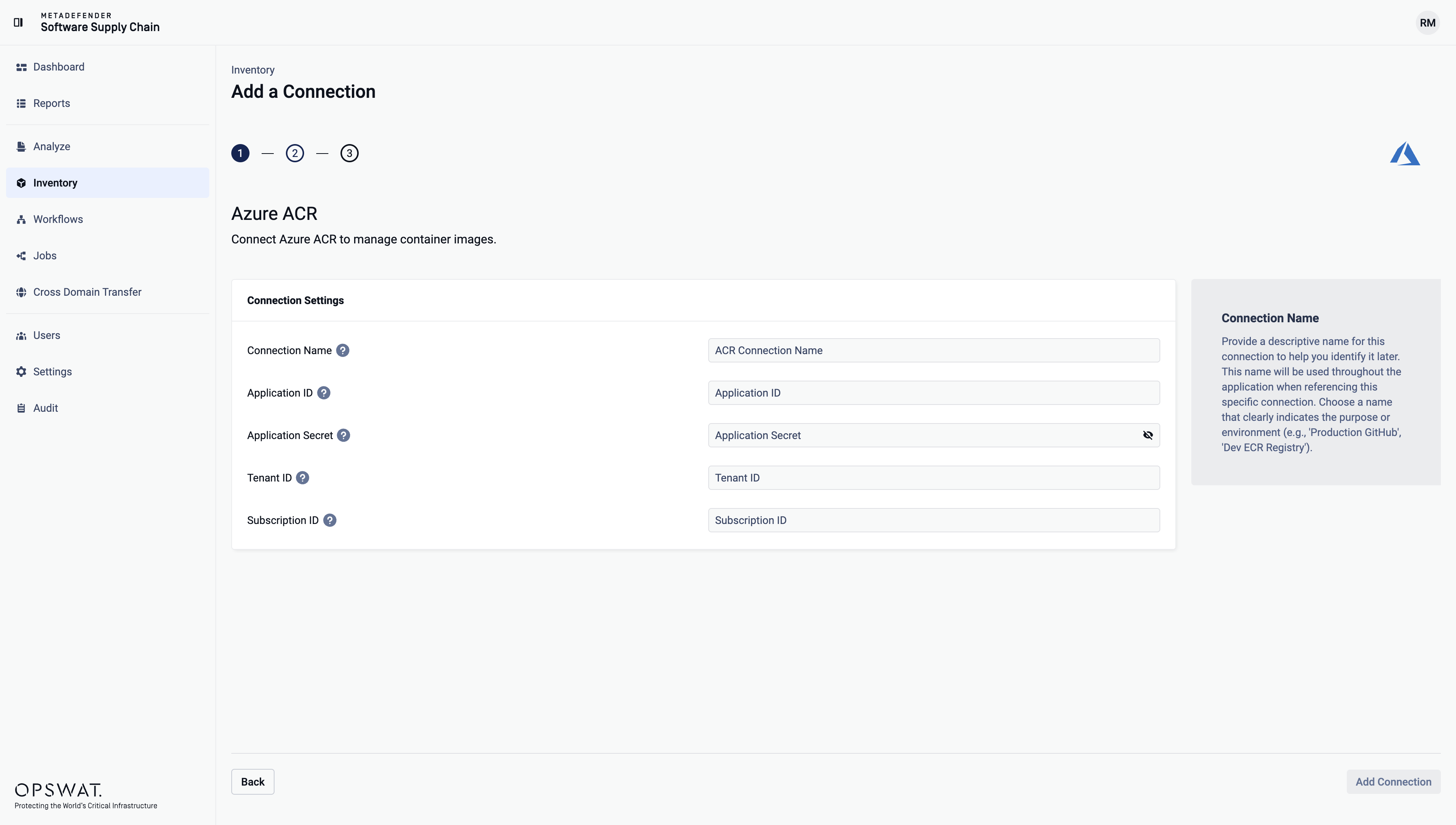
Enter your Application ID. Scroll to the end of this page for more details.
Enter your Application Secret. Scroll to the end of this page for more details.
Enter your Tenant ID. Scroll to the end of this page for more details.
Enter your Subscription ID. Scroll to the end of this page for more details.
How to generate the Application ID?
Navigate to Azure Active Directory > App registrations > New registration
Fill in the required details (name, supported account types, redirect URI)
After registering, you`ll see the Application (client) ID. This is your Application ID
How to generate an Application Secret?
Go to the registered application`s Certificates & secrets section
Click on New client secret
Provide a description and set an expiration period
Click Add and copy the Value of the secret. This is your Application Secret
Where can I find the Tenant ID?
Navigate to Azure Active Directory in the Azure Portal
Select Overview
The Tenant ID is listed as Directory (tenant) ID
Where can I find the Subscription ID?
Navigate to Subscriptions in the Azure Portal
Select the subscription you want to use
The Subscription ID is displayed on the subscription's overview page