
In order to integrate SVN with MetaDefender Software Supply Chain, please follow these steps:
From the left side menu, navigate to Inventory and choose SVN.
Give your connection a name so you can easily identify it later.
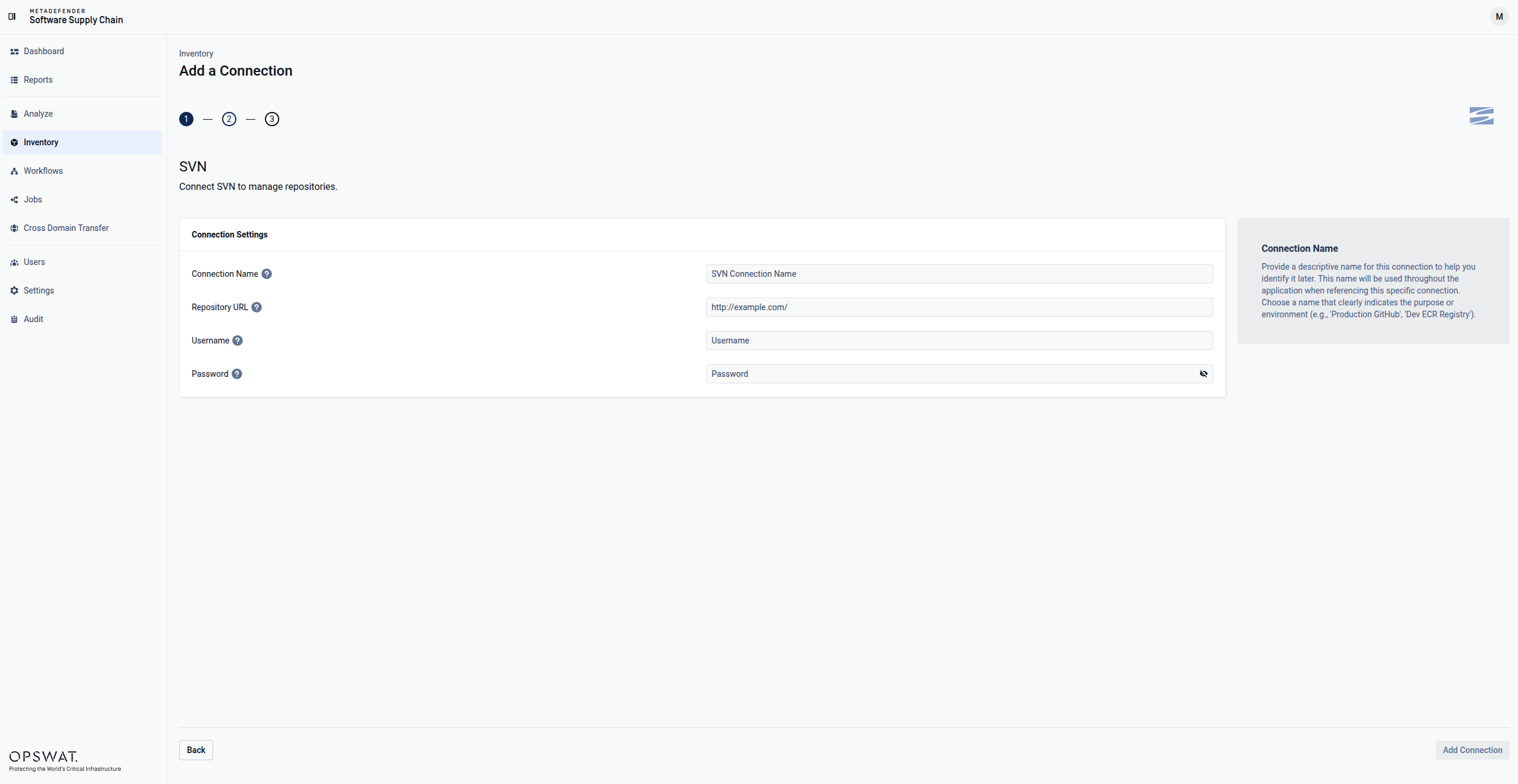
Enter your SVN domain.
Enter your SVN User Name and Password
Select Add Connection in order to finish the process.
Info
Our application currently supports only WebDAV-SVN interface integration. This means that when registering an SVN connection, the SVN server must be configured with Apache and the WebDAV-SVN module enabled, allowing access via HTTP GET and POST requests.
If the required WebDAV-SVN setup is not present on the server, the integration will fail.
Was this page helpful?
Integrations