
In order to integrate DockerHub with MetaDefender Software Supply Chain, please follow these steps:
From the left side menu, navigate to Inventory and choose DockerHub.
Give your connection a name so you can easily identify it later.
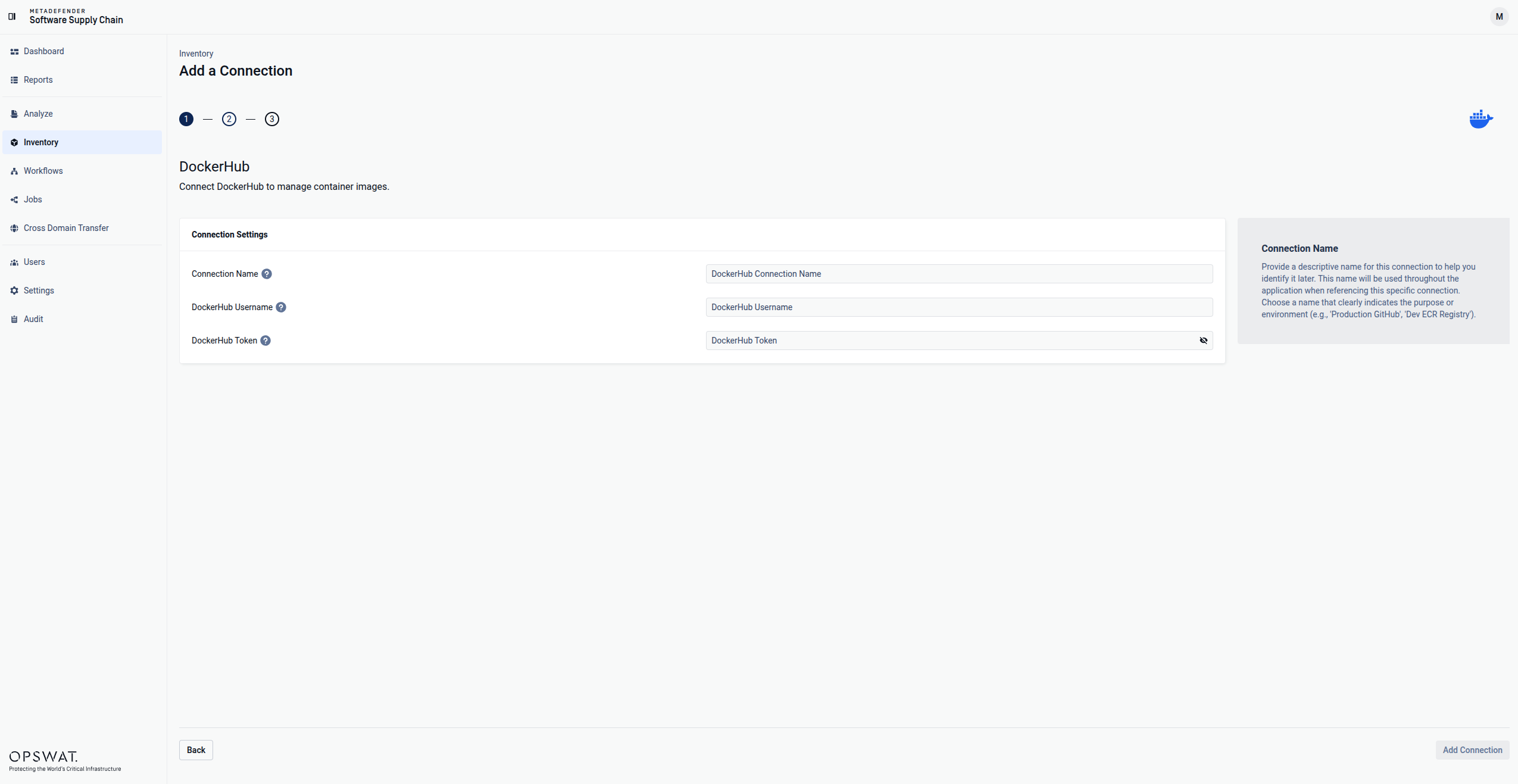
Enter your DockerHub Username. Scroll to the end of this page for more details.
Enter your DockerHub Token. Scroll to the end of this page for more details.
Select Add Connection in order to finish the process.
Where can I find the DockerHub Username?
To get your username, please follow these steps:
Log in to DockerHub and go to My Account, then click on Security.
Get your username from the top of the page.
How can I generate the DockerHub Token?
Log in to DockerHub and go to My Account, then click on Security.
Click New Access Token.
Give your token a description so you can easily identify it.
Set the Access permissions to Read-only.
Copy Access Token from the pop-up that is displayed.