
To integrate Sonatype Nexus Repository with MetaDefender Software Supply Chain, follow these steps:
Start by creating a Nexus Repository Management service account
Go to your MetaDefender Software Supply Chain instance
From the left side menu, navigate to Inventory
Choose Nexus Binary to scan binary packages, or Nexus Container to scan Docker images
Currently, we only support basic authentication for Nexus Repository. Therefore, we recommend using HTTPS for your Nexus instance to ensure secure communication.
Steps to Connect
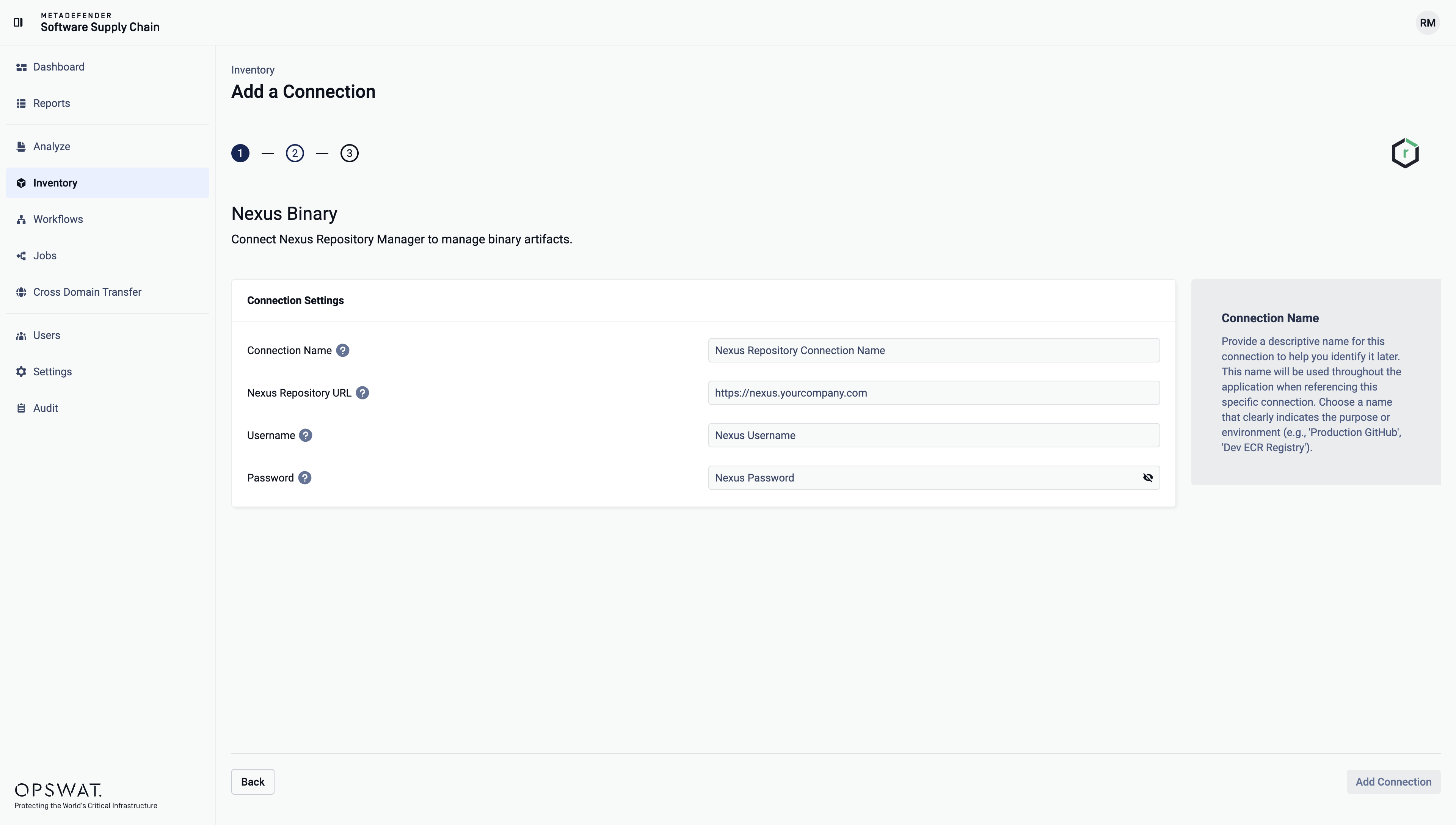
Give your connection a name so you can easily identify it later.
In Nexus Repository URL, enter the base URL of your Nexus instance, for example
https://nexus.yourcompany.comorhttps://nexus.yourcompany.com:8081. Do not add a path to a repository.Enter your Nexus account username.
Enter your Nexus account password.
Select Add Connection to finish the process.
Nexus Container
Use a Nexus Container connection to scan the Docker images in your Nexus Repository. The setup steps are the same as for Nexus Binary.
Enter the URL of the Nexus web interface and REST API, for example https://nexus.yourcompany.com:8081. Do not enter the HTTP or HTTPS port of a Docker connector. MDSSC reaches the Docker images through the Nexus Repository URL.
MDSSC discovers the hosted Docker repositories automatically. It does not list proxy or group Docker repositories.
The account must have read permission on the Docker repositories you want to scan.
To import images on a High Side Nexus Container connection, create the hosted Docker repository first. MDSSC does not create it. The account also needs write permission on that repository.
Supported entities
Repository Type | Support |
|---|---|
APT | Yes |
CocoaPods | Yes |
Composer (PHP) | Yes |
Conan | Yes |
Conda | Yes |
Go | Yes |
HuggingFace | Yes |
Maven | Yes |
npm | Yes |
Nuget | Yes |
p2 | No |
Pypi | Yes |
R | Yes |
Raw (Generic) | Yes |
RubyGems | Yes |
Rust (Cargo) | Yes |
Swift | Yes |
Terraform | No |
Yum | Yes |
Repository Type | Support |
|---|---|
Docker | No (use a Nexus Container connection) |
Git LFS | No |
Helm Chart | No |