
During Multi-Factor Authentication (MFA) setup, My OPSWAT Portal provides a recovery code that you should download or copy and store securely. You may need this code to regain access to your account if you lose access to your authenticator app or device.
This article explains what to do if the recovery code is blank, does not generate, or cannot be downloaded during MFA setup.
Issue
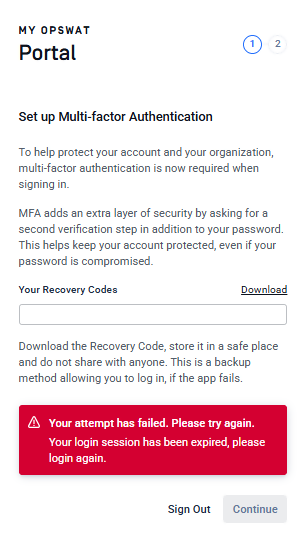
If the recovery code field is blank, the recovery code does not generate, or you see an error message “Your attempt has failed. Please try again.” when clicking Download recovery code, your browser cookies may be preventing MFA setup from completing correctly.
Resolution
To resolve this issue, try one of the following:
Open My OPSWAT Portal in an incognito or private browsing window, then sign in and complete MFA setup again.
Clear your browser cookies and data, then sign in and complete MFA setup again.
If the issue continues after trying the steps above, please contact OPSWAT Support