
File hashes for OPSWAT executables can be found within Product Downloads in My OPSWAT Portal. Please note that you will have to check the file hashes for OPSWAT executables manually and for each product you have installed. Please follow the steps below on how to navigate to the file hashes for OPSWAT executables:
Log in to your My OPSWAT Portal
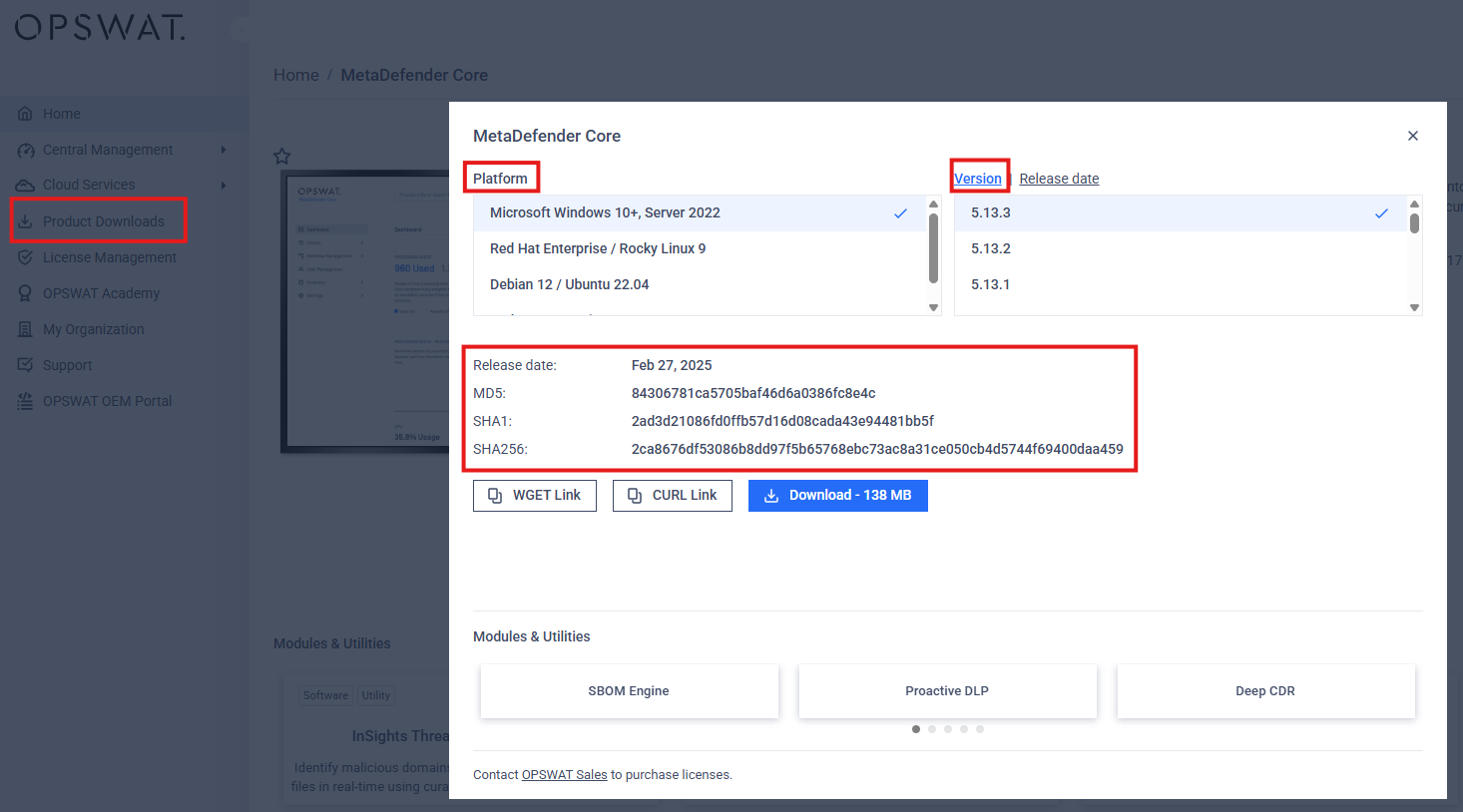
Next, click on Product Download on the left side menu
Then click on the specific Product you've installed or wanting to know the file hash for
Now, click on the Download button
Click on the Platform and version as needed
From here you should be able to view the file hashes for OPSWAT executables
Was this page helpful?
FAQs